Polypad

Polypad

Website

2020

WISE
95%

WISE Score

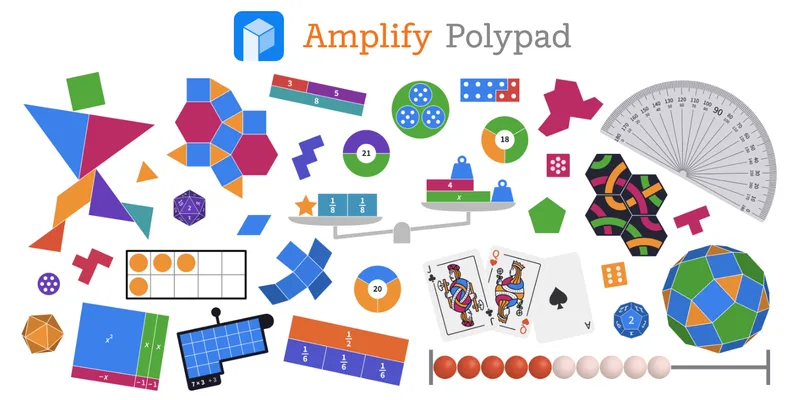
A virtual math sandbox that actually makes geometry and algebra feel like playing with LEGOs.

Where to Find

Visit Polypad
Screenwise Verdict

Polypad is the rare educational site that doesn't feel like a digital worksheet. It’s a workspace for thinking. By turning abstract numbers into colorful, movable objects, it strips away the 'math anxiety' that usually kicks in around 3rd or 4th grade.

It’s entirely safe, completely free for the casual user, and works on basically any device with a browser. If you're looking for 'good' screen time that actually builds a brain, this is a top-tier choice.

Age Fit

While it's powerful enough for high school trigonometry, the 'blocks and shapes' interface is intuitive enough for a 5-year-old to explore.

WISE Breakdown
Wholesome
95

It's a clean, calm, and focus-oriented digital environment. There is no conflict, no high-pressure pacing, and no manipulative dopamine loops—just the quiet satisfaction of solving a puzzle or building a pattern.

Imaginative
92

While it's rooted in math, the 'playground' aspect is real. It invites kids to build tessellations, explore fractal patterns, and treat geometric shapes like digital art supplies.

Safe
98

Built for schools and owned by Amplify, it’s a privacy-first fortress. No ads, no public chat, no data-harvesting, and you can use the whole thing without even making an account.

Enriching
96

This is the gold standard for turning abstract math into something you can touch and move. It builds genuine spatial reasoning and conceptual understanding rather than just rote memorization.

Parent Info

Why It Might Be Great

  • Zero friction entry means your kid can start dragging shapes and building patterns in seconds without a login or a credit card.
  • Visualizes the 'why' of math by letting kids physically see how fractions split or how prime factor circles work.
  • Infinite canvas encourages open-ended play, making it a great 'quiet time' tool that isn't just mindless scrolling.
  • Multilingual support makes it accessible for ESL families or kids learning math in a second language.

What to Watch For

  • It is a tool, not a game—if your kid needs a narrative or points to stay engaged, they might get bored quickly without a specific prompt or goal.
  • Be careful when Googling; 'Polypad' is also a popular brand of horse saddle pads and a crypto network, so make sure you're at polypad.amplify.com.

Conversation Starters

  • "Can you build a pattern using only triangles that doesn't have any gaps?"
  • "How many different ways can you represent the number 12 using the prime factor tiles?"
  • "If we wanted to make a digital version of a board game, which of these tools would help us track the score or the pieces?"
  • "What's the weirdest shape you can make that still fits perfectly with other shapes?"

Deep Dive

The 'Anti-Worksheet' Approach

Most 'math apps' are just gamified flashcards—drill-and-kill disguised with a few sparkles and a leveling system. Polypad is the opposite. It’s a manipulative-based playground. If you remember using physical base-ten blocks or plastic pattern blocks in elementary school, this is the supercharged digital version of that experience.

Why It Sticks

The brilliance of Polypad lies in its versatility. A kindergartner can use it to make a pretty picture out of hexagons and rhombuses. A middle-schooler can use the 'Balance Scale' to finally understand how to isolate 'x' in an equation. It bridges the gap between 'doing' math and 'understanding' math.

Because it was acquired by Amplify and integrated with Desmos, it has the engineering backing to stay fast and bug-free. It’s one of the few tools that feels like it was designed by people who actually love math, rather than a tech company trying to capture 'educational minutes.'

How to Use It at Home

Don't just hand it over and say 'go play math.' Instead, use it as a visual aid when they're stuck on homework. If they're struggling with adding fractions, pull up the fraction bars. If they're confused about area vs. perimeter, use the grid and the polygon tool. It’s a 'show, don't tell' machine for parents who might have forgotten their own high school algebra geometry.

What Parents Ask

Ask Anything

Get a personalized guide on any topic