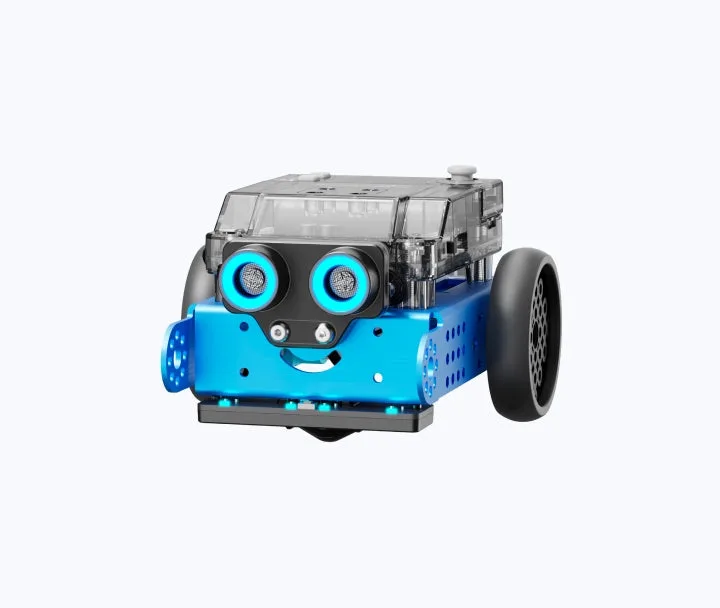
mBot is the real deal for parents who want to move past 'brain rot' apps and into actual skill-building. It's a sturdy, well-engineered kit that respects a child's intelligence.
It isn't a 'set it and forget it' toy—you’ll probably need to help with the initial build—but the payoff is a kid who understands how the tech around them actually functions. It’s one of the few STEM products that actually lives up to the marketing hype without being a boring, glorified textbook.
Age Fit
Perfect for the 8-12 window. Younger kids (6-7) can enjoy the finished product but will struggle with the tiny screws and logic; kids over 14 might find the 'look' a bit toy-ish unless they dive deep into the Python side.
WISE Breakdown
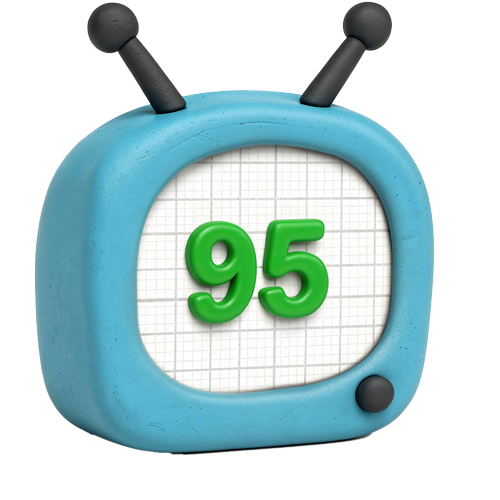
Wholesome
95
It's a constructive, collaborative activity that encourages patience and logical thinking. There's no hidden agenda or weird content—just a robot that needs building and a kid who needs to figure out how to make it move.
Imaginative
92
While it starts with a manual, the open-ended nature of the mBlock software and the hardware's compatibility with LEGO and other sensors allows for significant creative exploration beyond the initial build.
Safe
90
Physical safety is high, though it involves small screws and electronic components that require basic care. Digitally, the software is focused on local coding rather than social networking or unmoderated chat.
Enriching
96
This is top-tier STEM. It bridges the gap between 'playing with a toy' and 'understanding electronics and logic.' The transition from block-based coding to Python is a legitimate educational pathway.
Parent Info
✓
Why It Might Be Great
Tactile engineering that moves away from pure screen time into physical problem-solving.
The 'CyberPi' controller in newer models is surprisingly powerful and supports real-world Python coding.
Expandable hardware means it doesn't just sit on a shelf once the initial 'cool' factor wears off.
It makes abstract concepts like ultrasonic sensors and line-following logic visible and fun.
⚠
What to Watch For
Small parts: If you have a toddler in the house, those tiny screws are magnets for trouble.
Assembly frustration: The first 45 minutes can be a test of patience; an 8-year-old will likely need a 'consultant' (you) nearby.
Battery management: Depending on the model, you'll want to make sure you have the right lithium battery or a fresh pack of AAs ready.
Conversation Starters
"If you could program this robot to do one annoying chore in this house, what would it be?"
"Why do you think the robot needs two 'eyes' (sensors) to avoid hitting the wall?"
"What's the difference between dragging a block of code and typing it out in Python?"
"How would we change the code to make the robot dance when it hears a loud noise?"