








Once an eleven-year-old masters slicing models and watching a 3D printer lay down plastic layers, they usually hit a wall: static plastic shapes stop being exciting the moment they want things that roll, compute, sense, and launch.
TL;DR
Moving past 3D printing means stepping into real kinematics, programmable microcontrollers, and actual circuits. For pure mechanical ingenuity, start with the Crunch Labs Build Box or the motor-driven open challenges in Tinkering Labs. If software logic and hardware integration are the next goal, VEX IQ and mBot provide the cleanest jump from visual block coding straight into Python.
A 3D printer teaches tolerance, spatial thinking, and patience, but it produces static parts. Moving into kinetic engineering requires understanding gear reduction, torque, and stored potential energy.
Mark Rober’s monthly subscription box hits the sweet spot for an eleven-year-old who wants to build functional machines without getting bogged down in glue guns. Each box focuses on one core mechanical principle, like ratchet mechanisms, flywheel momentum, or compound gear trains, producing a finished device that shoots discs, triggers tripwires, or balances dynamically. The engineering rigor is genuine, even if Rober packages it in high-energy presentation. The build videos live online, so screens accompany the assembly, but the focus stays firmly on physical gear alignment and mechanical debugging.
If your kid wants to understand the design theory behind those mechanisms before opening the box, watching Rober iterate on prototypes on CrunchLabs on YouTube or through Mark Rober's CrunchLabs sets the right tone: real engineering involves multiple failed prototypes, recalculations, and redesigns.
Most science kits hand kids an instruction manual that amounts to furniture assembly: put Tab A into Slot B and get the exact plastic trinket on the box. Tinkering Labs does the opposite. The kit arrives with real electric motors, wooden chassis plates, metal brackets, battery packs, and a deck of open-ended challenge cards ("build a machine that walks," "build a vehicle with a safety shutoff"). There are no step-by-step diagrams. An eleven-year-old has to figure out motor balance, weight distribution, and friction on their own. The parts are durable wood and steel hardware, meaning projects get built, taken apart, and rebuilt into entirely new configurations. Keep extra AA batteries on hand.
Where typical building bricks lock you into right angles, Brackitz uses flexible connect points that allow for rotational joints, pulleys, and complex cranks. It skews slightly younger in packaging, but the pulley-and-crank sets give older kids the freedom to rig functional elevators, drawbridges, and kinetic sculptures without needing precision-machined gears. It also doubles as a shared build platform when younger siblings want to participate without breaking sensitive hardware.
Before kids start breadboarding integrated circuits, they need an intuitive feel for polarity, resistance, and input/output logic.
Snap Circuits remains the undisputed baseline for physical electrical logic. Components mount inside sturdy plastic blocks that snap onto a grid with zero loose wires or soldering required. An eleven-year-old can bypass the elementary light-bulb-and-switch projects within an afternoon and move directly to building AM radios, digital voice recorders, and light-sensitive alarms. The physical feedback teaches circuit continuity faster than any diagram. The main watch-out is kit fatigue: grab one of the larger sets (like the Extreme SC-750) so an advanced kid doesn't exhaust the challenge tier in three days.
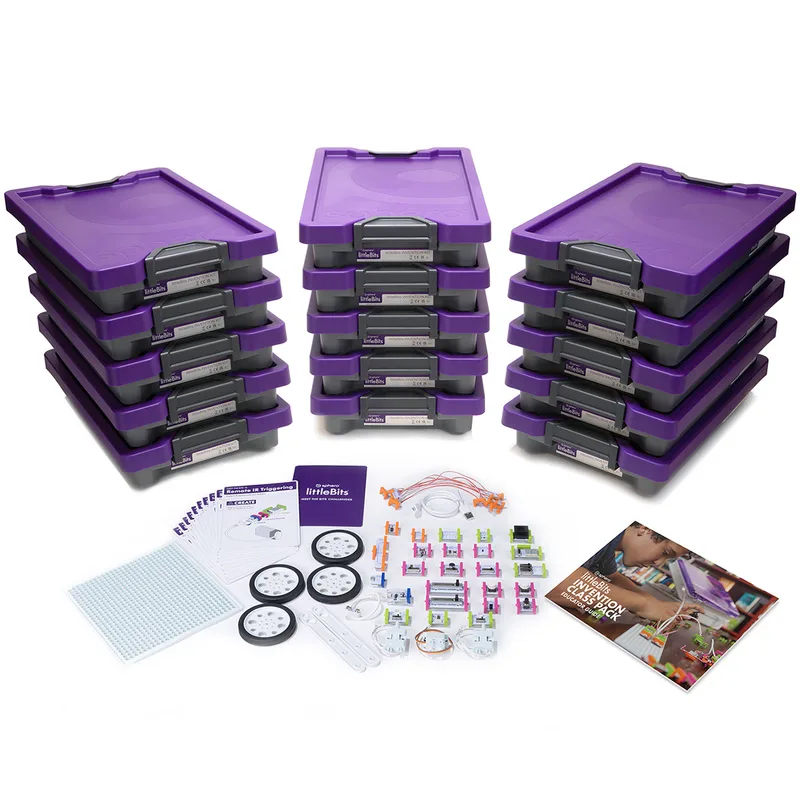
If Snap Circuits feels like an electronics lab, littleBits feels like rapid prototyping for inventors. Modules connect via magnetic snaps that make incorrect wiring physically impossible. The system splits hardware into distinct categories: power, inputs (pressure sensors, dimmers, sound triggers), and outputs (servos, buzzers, LED arrays). An eleven-year-old can combine these with cardboard, 3D-printed chassis parts, and craft supplies to create automated room defenses or robotic limbs in twenty minutes. It is an investment, but the modules integrate cleanly into customized, kid-designed physical projects.
Once mechanical builds and circuits make sense, the next frontier is autonomous logic: sensors that read the physical world and trigger programmed reactions.
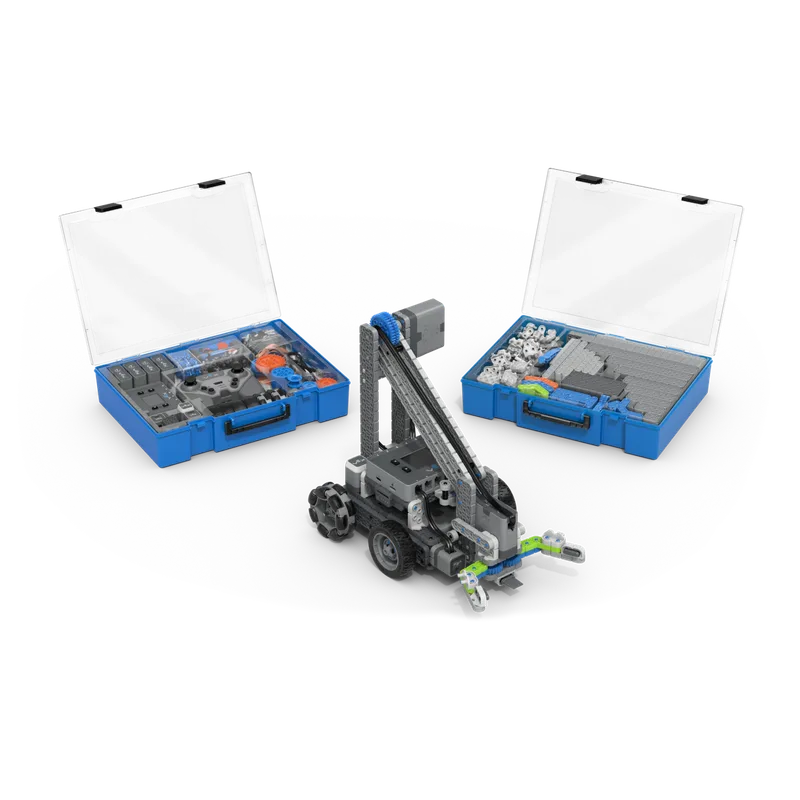
VEX IQ is the undisputed industry standard for plastic robotics competitions in middle school, and for good reason. The structural pieces snap together firmly without specialized tools, while the central Robot Brain accepts smart motors, gyro sensors, color sensors, and bumper switches. What makes it essential for an ambitious eleven-year-old is the software runway: kids can start in visual Scratch-style block coding and smoothly graduate to writing raw Python or C++ logic on the exact same bot. The small connector pins can be hard on the fingers during a three-hour build marathon, but the ceiling on this system is practically limitless.
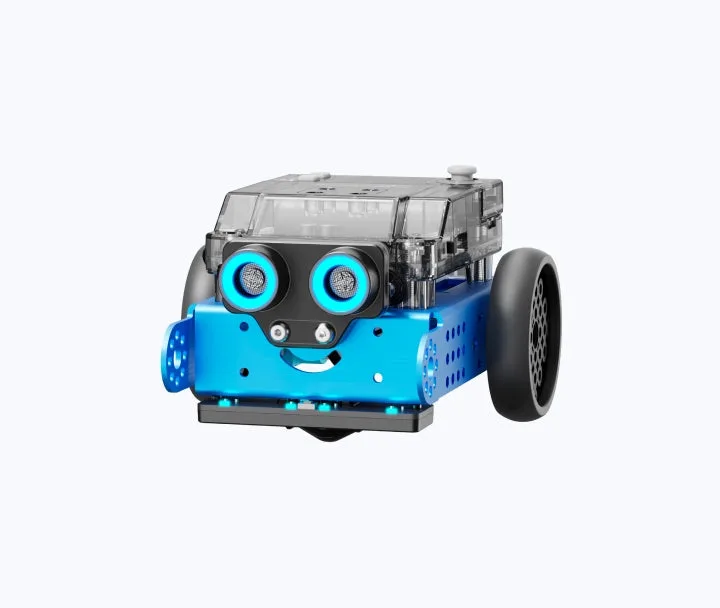
Makeblock's mBot line gives kids an aluminum chassis, two geared motors, ultrasonic distance sensors, and a line-following array. Unlike purely modular plastic toys, building an mBot requires real screwdrivers and hardware assembly, taking about 45 minutes of focused mechanical prep before the robot ever turns on. The newer models powered by the CyberPi module support both block-based control and real-world Python scripts. It teaches algorithmic problem-solving cleanly: getting a two-wheeled bot to navigate an uneven hallway using distance readings requires genuine troubleshooting, motor trim adjustments, and code iteration.
Hands-on kits are great, but curious minds will eventually ask why a transistor switches or how a resistor actually drops voltage. These two guides turn raw components into working literacy.
Electronics for Kids by Oyvind Nydal Dahl
This is the manual for the kid who wants to understand why things work at the component level. Published by No Starch Press, it moves methodically from basic battery circuits to breadboards, logic gates, and basic digital processing. It does not talk down to the reader. By chapter six, kids are constructing sunrise alarm clocks and noise generators using standard breadboards and cheap off-the-shelf components. You will need to order a basic twenty-dollar electronics component starter kit from an electronics supplier to run the projects, and adult supervision is a good idea once soldering is covered later in the book.
Awesome Electronics Projects for Kids by Colby Tofel-Grehl PhD
For projects that can be knocked out in an hour on a weekend morning, this book focuses on practical, approachable builds using coin batteries, conductive tape, and simple LEDs. While the entry projects fit younger siblings, the later designs challenge older kids to integrate circuits into kinetic room alarms and craft builds. It is an ideal companion for low-friction, immediate-win afternoons.
If you have kids ranging from age 7 to 11 working around the same table, engineering projects can quickly turn into a turf war over motors and tiny hardware.
The most effective approach is clear role definition based on build phase. An eleven-year-old excels at architectural decisions, mechanical debugging, and coding autonomous routines. Younger siblings (ages 7 to 9) make fantastic co-pilots for structural assembly, component fetching, and running hardware tests.
- Set up dedicated sorting trays. Systems like VEX IQ and mBot have dozens of miniature pins, screws, and spacers that quickly roll off tables.
- Pair kids on parallel builds. While your eleven-year-old writes sensor logic on a computer, younger builders can use Snap Circuits or Brackitz to prototype companion structures or manual obstacles for the robot to navigate.
- Normalize test failures. The biggest hurdle for an eleven-year-old moving from 3D printing to robotics is that code and mechanisms rarely work on the first run. Frame every failed run as telemetry gathering rather than a mistake.
Q: What is the best robotics kit for an 11-year-old graduating from 3D printing?
VEX IQ is the best choice because it combines tool-free plastic mechanical prototyping with advanced software capabilities, allowing kids to move from visual block code to text-based Python on the same hardware.
Q: Are Snap Circuits too simple for middle schoolers?
Standard entry-level kits can feel too easy, but the advanced sets (like the SC-500 or Extreme SC-750) cover logic gates, radio transmission, and digital recording circuits that challenge kids well into middle school.
Q: Can 3D-printed parts be used with kits like mBot or Tinkering Labs?
Yes. Open kits like Tinkering Labs and mBot feature standard screw patterns and motor brackets, making them ideal for mounting custom 3D-printed sensor brackets, wheels, and chassis extensions.
Q: At what age should kids learn real soldering?
Most kids develop the fine-motor control and safety awareness required for basic electronics soldering around age ten to twelve, provided an adult supervises ventilation, iron handling, and eye protection.
To build a complete learning trajectory that balances hardware and logic, check out our digital guide for middle school and browse our digital guide for elementary school to find parallel activities for younger siblings.
If you want to tailor a set of builds around your home setup, you can Find advanced engineering projects for your 11-year-old or Build an electronics learning path for a middle schooler in the Screenwise list maker.