

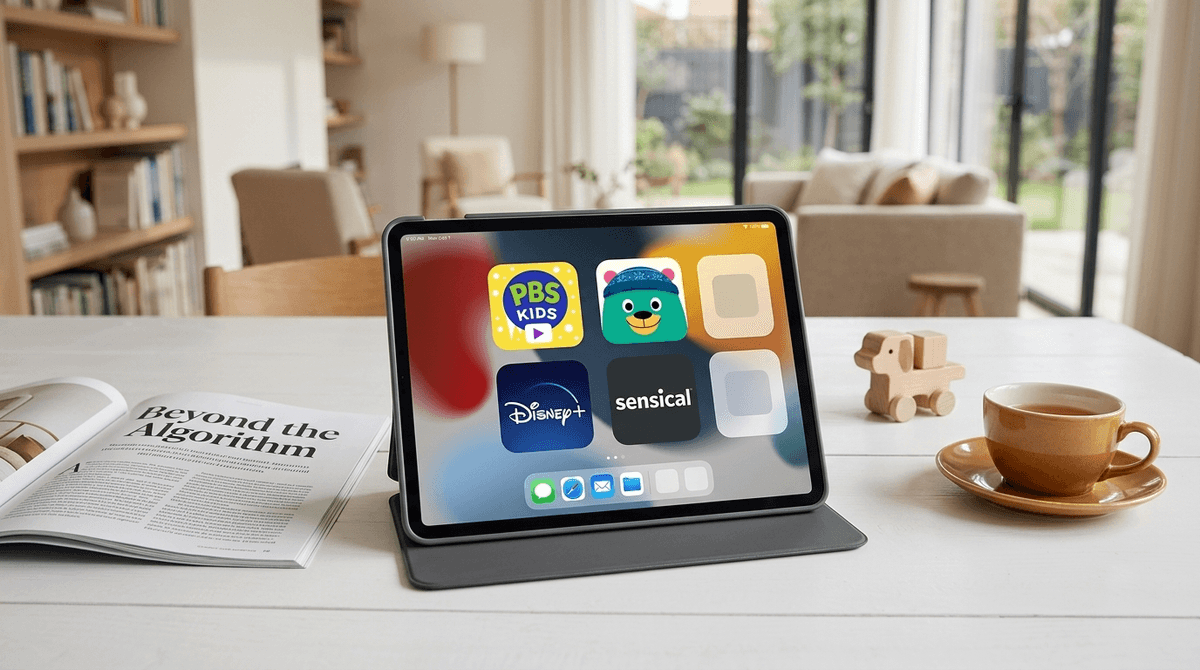
TL;DR: The Quick List If you need to reclaim your phone from the "autoplay abyss" right now, here are the top vetted, high-quality alternatives to the standard YouTube experience for preschoolers:
- PBS Kids Video – The gold standard for free, prosocial, and educational content.
- Khan Academy Kids – Completely free, zero ads, and focuses on actual developmental milestones.
- Sensical – A free streaming service where every single frame is vetted by real humans, not just an algorithm.
- Epic! – The "Netflix for books" that offers thousands of high-quality read-alouds and educational videos.
- Disney+ – For consistent, high-production value shows like Bluey.
We’ve all been there. You’re trying to get dinner on the table or finish a single work email, so you hand over the iPad. Ten minutes later, you look over and your three-year-old is watching a faceless hand unbox 400 plastic eggs, or worse, a weirdly loud "nursery rhyme" video that feels like it was generated by a feverish AI.
The issue isn't just "screen time." The issue is the algorithm. YouTube is designed to keep eyes on the screen for as long as possible. For a preschooler, this means high-speed cuts, bright flashing colors, and "engagement hacks" that trigger dopamine loops similar to a slot machine. This is why kids have a total nuclear meltdown when you turn it off—their brains are literally crashing from a digital sugar high.
Beyond the "brain rot" factor, YouTube’s autoplay is notoriously bad at filtering out content that looks like a kid's show but contains weird, inappropriate, or just plain creepy themes. If you’re tired of policing every three-minute clip, it’s time to move toward curated platforms.
If you only download one app, make it this one. It is entirely free and funded by viewers like you (and grants), which means there are zero commercial interests trying to sell your kid a plastic toy. The content is built on decades of research into how preschoolers actually learn.
- Top Picks: Daniel Tiger's Neighborhood for emotional intelligence, and Wild Kratts for science.
- Why it wins: It’s predictable. You know exactly what your kid is getting, and the "Live TV" feature mimics the old-school experience of just watching what's on, which reduces the "choice paralysis" that leads to tantrums.
This is arguably the best educational app ever made for the 2-8 age range. It’s not just a video platform; it’s an interactive learning journey. There are no ads, no subscriptions, and no "in-app purchases" to accidentally drain your bank account.
- The Vibe: It features a cast of cute characters that guide kids through reading, math, and social-emotional lessons.
- The Video Library: They have a dedicated "Library" section with high-quality videos about animals, science, and basic logic. It’s the perfect "active" alternative to passive YouTube scrolling.
Sensical is a free streaming service from Common Sense Networks. The big selling point here is that human beings watch every video before it's allowed on the platform. They categorize content by "preschool," "little kids," and "big kids," so you don't have to worry about a four-year-old stumbling onto Skibidi Toilet or other weird viral trends.
- Why Parents Love It: You can set time limits directly in the app and see a "dashboard" of what your kids are learning. It’s basically YouTube without the "wild west" anxiety.
If you want to transition your kid from "watching" to "reading" (or being read to), Epic! is the answer. It’s a digital library that includes "Read-to-Me" books where the words are highlighted as a narrator speaks.
- The Content: They have popular titles like Sesame Street and National Geographic Kids books.
- The "Video" Section: They do have videos, but they are strictly educational—think DIY crafts, pet care, and basic science experiments.
If you already pay for streaming services, you might be sitting on a goldmine of preschool content that is much safer than YouTube.
- Disney+: Home to Bluey. Honestly, Bluey is better than 99% of what's on YouTube. It's funny, it's short, and it actually teaches parents how to play with their kids.
- Netflix: Check out Ask the StoryBots. It’s high-production, incredibly smart, and features guest stars like Snoop Dogg and Ali Wong. It’s the opposite of brain rot.
- Noggin: This is the Nick Jr. subscription service. It’s great if your kid is obsessed with PAW Patrol or Peppa Pig, as it puts all those shows in a safe, ad-free environment with extra educational games.
Preschoolers are in a critical window of brain development. Their prefrontal cortex—the part of the brain responsible for impulse control—is barely under construction.
YouTube’s "Suggested Videos" are designed to exploit this. When a kid finishes one video, the next one starts in five seconds. This creates a "flow state" that is physically hard for a child to break. When you finally take the device away, you’re not just stopping a show; you’re interrupting a physiological process.
By switching to apps like PBS Kids or Khan Academy Kids, you are choosing platforms that have "natural stopping points." When a game ends or a show finishes, the app doesn't immediately try to hijack their attention with something else.
Learn more about how algorithms affect toddler brain development
Sometimes, you just need that one specific Ms. Rachel video to get through a long car ride. If you aren't ready to delete the app entirely, here is how to make it less toxic:
- Use YouTube Kids, but lock it down. Don't just set an age range. Use the "Approved Content Only" setting. This turns off the search function and only allows your kid to watch channels you have specifically hand-picked.
- Disable Autoplay. This is the single most important thing you can do. Force the "stopping point."
- Curate your Subscriptions. Subscribe to high-quality channels like Super Simple Songs, Cosmic Kids Yoga, or Numberblocks. Only let them watch from the "Subscriptions" tab.
If your kid is used to the high-stimulation world of YouTube unboxing videos, switching to a "slower" show like Daniel Tiger might result in them saying "this is boring."
That’s okay. It’s actually a good sign. It means their brain is recalibrating to a normal pace of information.
How to talk about it:
- "We are taking a break from the 'Red App' because it makes our brains feel too buzzy."
- "We’re going to use the PBS Kids app today so we can see what Daniel Tiger is up to."
- "The iPad is going to take a nap after this one video."
YouTube is a tool built for adults that we’ve repurposed as a digital babysitter, and it’s just not very good at that job. The "cost" of free content is often your child's mood and your own peace of mind.
Moving to curated, intentional platforms like Sensical, PBS Kids, or Khan Academy Kids reduces the mental load of parenting. You don't have to hover over their shoulder to make sure a "bad" video doesn't pop up. You can breathe, cook that dinner, and know that the "screen time" they are getting is actually contributing to their growth rather than just occupying their eyes.
- Audit your apps: Delete the main YouTube app from any device your preschooler uses.
- Set up a "Kids Folder": Put PBS Kids and Khan Academy Kids on the first page.
- Try a "Slow Media" week: Commit to only using curated apps for seven days and watch how your child's behavior (and "screen-time tantrums") changes.
Check out our full guide on setting up a safe iPad for preschoolers