

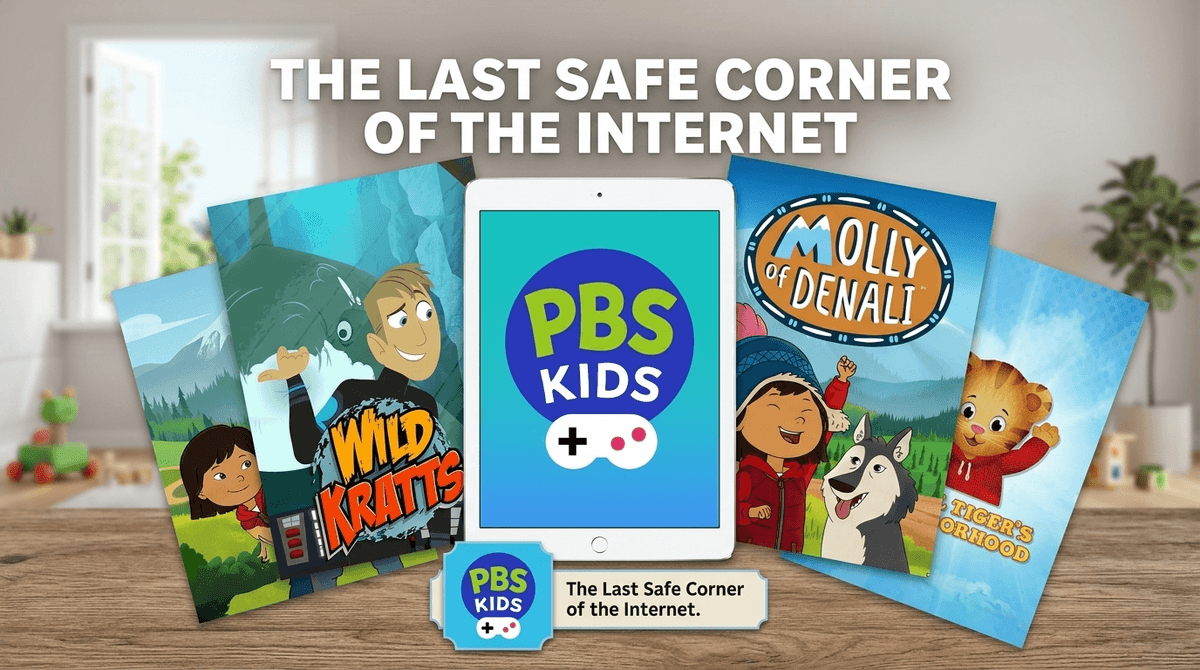
TL;DR: If you are tired of "free" apps that are actually just giant advertisements or data-mining operations disguised as entertainment, the PBS KIDS Games app is your new best friend. It is 100% free, has zero ads, requires no in-app purchases, and actually teaches things like social-emotional regulation and basic physics. It’s the digital equivalent of a park where there are no strangers and the equipment is actually safe.
Top Recommendations in the App:
- For Social Skills: Daniel Tiger's Neighborhood games
- For STEM/Nature: Wild Kratts games
- For Problem Solving: Molly of Denali games
- For Literacy: Super Why! games
The PBS KIDS Games app is a massive collection of mini-games based on the network's most popular shows. Think of it as a curated portal. Instead of downloading twenty different apps for every show your kid likes, you download this one, and they get access to hundreds of games featuring Arthur, Curious George, and Donkey Hodie.
It is designed specifically for children ages 2-8. The interface is icon-heavy, meaning even a toddler who can’t read a single word can navigate to their favorite Pinkalicious game without needing you to intervene every thirty seconds.
We’ve all been there. You download a "free" racing game or a coloring app to keep your preschooler occupied for ten minutes so you can actually finish a coffee. Three minutes in, they’re crying because a giant "BUY 500 GEMS FOR $9.99" pop-up is blocking the screen, or they’ve accidentally clicked an ad for a questionable mobile war game.
The PBS KIDS Games app is the antithesis of this. Because it is funded by grants and "viewers like you," there is no profit motive to keep your kid addicted or to trick them into spending money.
In a world where Roblox is teaching five-year-olds the basics of gambling and YouTube Kids is often a landfill of "unboxing" videos that are basically 20-minute commercials, PBS is the last corner of the internet that isn't trying to sell your child something.
It isn't just "educational" in the boring, flashcard sense. The games are genuinely fun and tap into the worlds they already know from TV.
The games here focus on the stuff that actually matters for preschoolers: potty training, sharing, and what to do when you feel "so mad you could roar." It’s basically a digital version of the social-emotional coaching we’re all trying to do at home.
If your kid is obsessed with animals, these games are the gold standard. They teach creature powers (biology) and habitats without being preachy. It’s high-energy and exciting, which helps bridge the gap for kids who might find other educational apps a bit too slow.
These games focus on "thinking through" problems. It encourages kids to pause, look at the situation, and decide on a solution. It’s a great way to build early critical thinking skills.
When we talk about "safety" in apps, we usually mean three things: data privacy, content appropriateness, and financial safety. The PBS KIDS Games app clears the bar on all three in a way almost no other app does.
- Data Privacy: They aren't tracking your child’s location or selling their "user journey" to advertisers. They are COPPA (Children's Online Privacy Protection Act) compliant to the letter. You don't even need to create an account to play.
- Content: Every single game is vetted by educational researchers. There is zero "brain rot" here. You won't find weird, AI-generated "Skibidi" knockoffs or unsettling "Elsagate" style content that occasionally slips through the cracks on YouTube.
- Financial Safety: There is literally nothing to buy. Your credit card is safe. Your peace of mind is safe.
Check out our guide on how to spot "dark patterns" in kids' apps
While the app is rated for ages 2-8, there’s a sweet spot.
- Ages 2-4: Stick to the Daniel Tiger and Sesame Street sections. The mechanics are simple (mostly tapping and dragging) and the pacing is gentle.
- Ages 5-6: This is when they can start diving into Odd Squad (math) and Cyberchase. These games require more logic and multi-step problem solving.
- Ages 7-8: They might start to feel "too old" for PBS if they’ve been exposed to Minecraft, but the Lyla in the Loop games offer some surprisingly complex coding and computational thinking puzzles that can still challenge them.
There are a few practical features that make this app a "must-have" for your digital parenting toolkit:
- Offline Mode: You can download specific games for when you’re on a plane or in a car with no Wi-Fi. This is a lifesaver. Look for the "arrow" icon on the game thumbnails.
- The "Grownups" Tab: There is a small button in the corner (usually protected by a simple math problem or a long-press) that gives you insights into what the games are teaching. It’s not a deep analytics dashboard, but it’s enough to let you know your kid spent twenty minutes learning about pulleys.
- Browser Access: If you want to avoid the tablet altogether, the PBS KIDS Website has almost all the same games available to play in a browser.
Read our full review of the PBS KIDS Video app vs the Games app
Since this app is so safe, you don't need to do the "stranger danger" talk like you would with Roblox. Instead, use it as a bridge to talk about intent.
You can say things like: "I like this app because the people who made it want to help you learn, not just show you commercials. Do you notice how there are no 'buy' buttons here like in that other game?"
It’s a great way to start building their "commercial literacy"—the ability to recognize when a digital experience is trying to manipulate them.
Is the PBS KIDS Games app as flashy as some of the high-budget games on the App Store? No. Is it as addictive as a "match-3" game with exploding lights and sirens? No.
And that’s exactly why it wins.
It provides a calm, intentional, and high-quality environment for kids to explore. If you’re looking for a "first app" or a way to replace some of the more chaotic screen time in your house, this is it. It’s one of the few places on the internet where you can hand over the device and actually walk away to do the dishes without feeling a sense of impending digital doom.
- Download the app: It’s available on iOS, Android, and Amazon Fire tablets.
- Download for offline: Select 3-4 games (like Wild Kratts or Molly of Denali) to have ready for your next outing.
- Check out the alternatives: If your kid has outgrown PBS, consider Khan Academy Kids, which offers a similar ad-free, high-quality experience for a slightly older demographic.
See the best ways to set screen time limits for preschoolers