

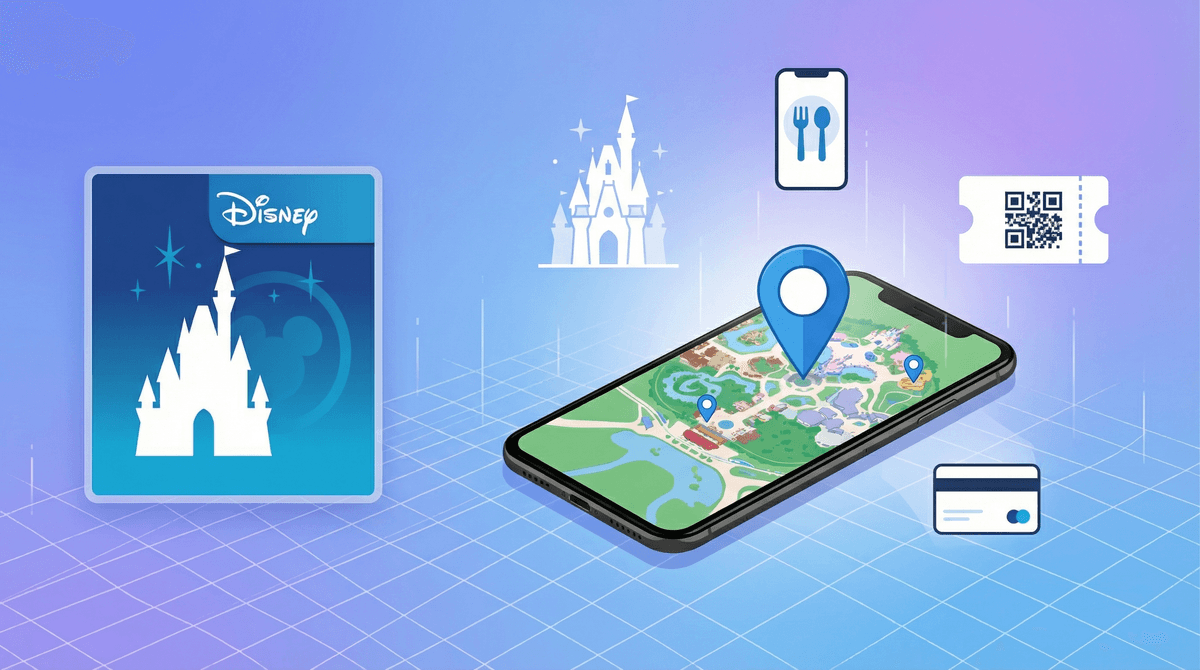
The My Disney Experience App: Magic Meets Location Tracking
TL;DR: The My Disney Experience app is essential for visiting Disney parks, but it comes with some real privacy and spending considerations. Kids can be tracked in real-time, the app encourages constant spending through mobile ordering and Genie+, and there's a surprising amount of data collection happening. Here's what you need to know before handing your kid a phone with this app installed.
My Disney Experience is Disney's official app for Walt Disney World (there's a separate Disneyland app for the California parks). It's become basically mandatory for park visits—you use it for everything from park tickets and hotel reservations to mobile food ordering, Lightning Lane purchases, and even unlocking your hotel room door.
The app has genuinely useful features: real-time wait times, interactive maps, PhotoPass access, and the ability to make dining reservations. But it's also a sophisticated data collection and spending platform that deserves a closer look before you let your kids use it.
Here's the thing that catches most parents off guard: My Disney Experience includes real-time location tracking of everyone in your party. If you've linked your family's MagicBands or park tickets to the app, you can see exactly where each person is in the parks at any given moment.
On one hand? This is genuinely useful. Disney parks are massive, crowded, and easy to get separated in. Being able to pull up a map and see that your 12-year-old is currently at Space Mountain while you're in Tomorrowland Terrace can provide real peace of mind.
On the other hand? Your kids can also see where YOU are at all times. And Disney is tracking all of this movement data constantly. The app knows which attractions you visit, how long you stay, where you eat, what you buy, and your movement patterns throughout the day.
The privacy consideration: This location data is tied to your Disney account and used for "improving guest experience" (read: marketing and park optimization). While Disney's privacy policy says they don't sell personal data, they do share it with "service providers" and use it for targeted advertising.
How the Tracking Actually Works
The tracking uses a combination of:
- Your phone's GPS when the app is open
- MagicBand/ticket taps at attractions and entrances
- WiFi triangulation throughout the parks
- Bluetooth beacons in some areas
You can disable location services for the app in your phone settings, but this breaks most of the useful features—you won't get accurate wait times, the map won't work properly, and you can't see where your party members are.
My Disney Experience is brilliantly designed to make spending money feel frictionless. Everything is connected to your account—hotel room charges, linked credit cards, or prepaid Disney gift cards.
Mobile ordering lets you order food from anywhere in the park and skip the line. Sounds great, except it means kids can order $15 milkshakes without the natural friction of standing in line, seeing prices on a menu board, or handing over actual money.
Genie+ and Lightning Lanes are purchased through the app, with prices that change throughout the day based on demand. It's easy to rack up $100+ in Lightning Lane purchases before lunch, especially when you're hot, tired, and the app is showing you a 90-minute wait for your kid's favorite ride.
In-app purchases for PhotoPass, special experiences, and merchandise delivery make it incredibly easy to spend without the psychological barrier of pulling out a wallet.
What Parents Should Do
If you're giving your kid access to the app:
-
Set up a separate Disney account for them that's linked to YOUR account but has its own login. This way you control the payment methods.
-
Use Disney gift cards as the only payment method on their account. Load a specific amount and when it's gone, it's gone. This creates a natural spending limit and teaches budgeting.
-
Disable mobile ordering for kids under 14. They can look up wait times and see where you are, but they can't order food without you.
-
Have the money conversation before you go. Be specific: "You have $50 on your gift card for the day. Once it's spent, we're not adding more." Kids need to understand that the app isn't magic money.
Ages 6-9: These kids shouldn't have the app on their own device. If they have a phone for emergencies, don't install My Disney Experience on it. They can use YOUR phone to check wait times or look at the map together.
Ages 10-12: They can have the app for navigation and seeing where family members are, but payment methods should be parent-controlled only. Consider setting up a separate kid account with a limited gift card balance if they're ready for some financial independence.
Ages 13-15: Can handle the full app with a prepaid gift card and clear spending limits. This is actually a good age to practice budgeting in a controlled environment—they can make choices about whether to spend money on Lightning Lanes, snacks, or souvenirs.
Ages 16+: If they're earning their own money and paying for part of the trip, they can have their own account with their own payment method. But you should still discuss the data privacy implications.
Disney collects a LOT of data through this app:
- Location history: Every place you go in the parks
- Purchase history: Everything you buy, when, and where
- Photo data: All your PhotoPass pictures (with facial recognition)
- Behavioral data: What attractions you prioritize, how you navigate the parks, your party size and composition
- Device information: Your phone model, OS, and other apps you have installed
This data is used to:
- Personalize your in-app experience (showing you relevant offers and suggestions)
- Optimize park operations (crowd flow, staffing, pricing)
- Target advertising both in the app and potentially through Disney's advertising partners
- Improve future park design and attraction placement
For context: This is similar to how Google Maps or Amazon track your behavior, but it's happening in a physical space where you're on vacation with your family. Some parents are fine with this tradeoff for the convenience; others find it creepy.
You can request your data from Disney and ask them to delete it, but this is a cumbersome process and you'll need to do it separately for each family member's account.
Here's something that doesn't get talked about enough: My Disney Experience creates social pressure through its sharing features. Kids can see if their friends are at the parks (if they're connected) and what they're doing. There's a subtle "keeping up with the Joneses" effect where families feel pressure to buy Genie+ because everyone else is, or to eat at certain restaurants because that's where the app is suggesting.
The app also gamifies the experience with achievement badges, PhotoPass collections, and other features that encourage more engagement (and more spending).
Before your trip:
- Set up separate accounts for each family member old enough to have a phone
- Link payment methods carefully—consider using Disney gift cards as the only payment option for kids
- Have a conversation about the location tracking and make sure everyone understands how it works
- Discuss spending limits and budgeting
At the parks:
- Check your notification settings—the app can be VERY chatty with alerts about wait times, dining reservations, and special offers
- Establish a meeting spot in case phones die or get lost (because they will)
- Take screenshots of your tickets and reservations in case of connectivity issues
- Be aware that constantly checking the app drains your battery fast—bring a portable charger
After your trip:
- Review your spending together, especially with older kids who had their own budget
- Consider whether you want to keep the location history or request deletion
- Unlink payment methods if you're not planning another trip soon
My Disney Experience is a powerful, well-designed app that genuinely improves the park experience in many ways. But it's also a sophisticated spending and data collection platform that requires thoughtful parenting.
The location tracking can be a safety feature or a privacy concern depending on your family's values and your kids' ages. The frictionless spending can teach budgeting or lead to overspending. The data collection is extensive but similar to many other apps your family probably already uses.
The key is being intentional: Don't just hand your kid a phone with the app installed and hope for the best. Set it up thoughtfully, have clear conversations about money and privacy, and make sure the technology serves your family's trip rather than driving it.
For most families, the app is worth using with appropriate guardrails. Just go in with your eyes open about what you're trading for that convenience.
- Learn about other location-tracking apps and how to think about them
- Explore apps that teach kids about budgeting
- Understand how in-app purchases work across different platforms
- Read about data privacy for families
