

Video Games for Kids with Disabilities: Adaptive Gaming for Every Child
Adaptive gaming is exactly what it sounds like: making video games accessible to kids of all abilities through specialized controllers, customizable settings, and thoughtful game design. We're talking about controllers that can be operated with one hand, foot pedals, eye-tracking devices, and in-game settings that let you adjust everything from button mapping to visual contrast.
And here's the thing that's actually pretty amazing: the gaming industry has made more progress on accessibility in the past five years than almost any other form of children's entertainment. While we're still waiting for movie theaters to consistently get captioning right, major game studios are building accessibility features into their biggest titles from day one.
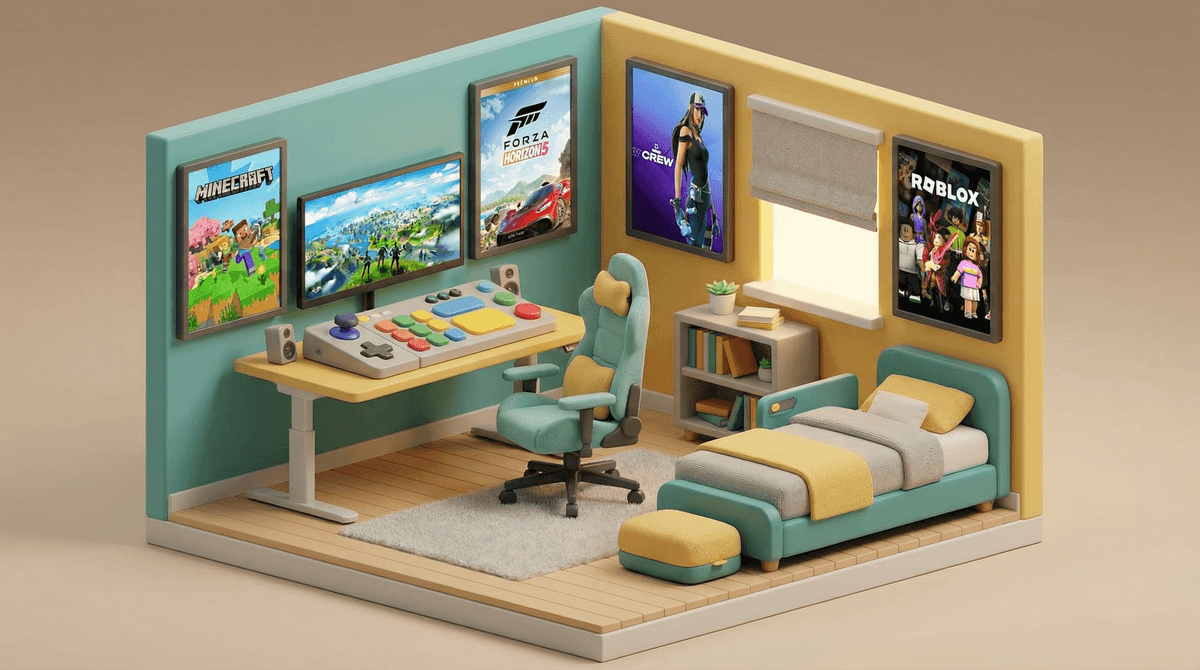
If you have a child with a disability, you already know how isolating it can feel when they're excluded from activities their peers are doing. And whether we like it or not, gaming is a huge part of childhood social currency right now. Kids talk about Minecraft at lunch, coordinate Fortnite sessions after school, and bond over Roblox creations.
Gaming isn't just entertainment—it's a social space. And adaptive gaming tools mean fewer kids have to sit on the sidelines.
But beyond the social aspect, gaming can genuinely support development. We're seeing occupational therapists use adaptive controllers to work on motor skills, speech therapists incorporate gaming into language development, and kids building real confidence through gameplay achievements that felt impossible before.
Let's talk hardware, because this is where the magic happens:
Xbox Adaptive Controller - This is the one that changed everything. Released in 2018, it's a large flat controller with two giant programmable buttons and 19 ports where you can plug in external switches, buttons, and joysticks. It works with Xbox and PC games, costs around $100, and can be customized to work with almost any physical ability. Kids can use it with their hands, feet, chin, elbows—whatever works.
PlayStation Access Controller - Sony's 2023 entry into adaptive gaming. Similar concept to Xbox's, with customizable button layouts and the ability to use two controllers as one. Works with PS5 games.
Logitech Adaptive Gaming Kit - A set of buttons and triggers designed to work with the Xbox Adaptive Controller, making it easier to create a custom setup without buying individual components separately.
Third-party solutions - Companies like AbleGamers, SpecialEffect, and Warfighter Engaged are creating custom solutions for specific needs. Some are DIY-friendly, others require more technical setup.
The cost can add up (especially if you need multiple accessories), but many organizations offer grants and loaner programs. The AbleGamers Charity has helped thousands of families get set up with adaptive equipment at no cost.
Here's what's wild: you might not need specialized hardware at all. Modern games are building accessibility directly into their settings menus:
Visual options: High contrast modes, colorblind settings, larger text, screen readers, audio descriptions of visual elements
Motor options: Button remapping, hold-to-toggle (so you don't have to keep pressing), auto-aim assists, simplified control schemes, adjustable difficulty
Auditory options: Visual sound indicators (showing where sounds are coming from on screen), mono audio, adjustable volumes for different sound types, full subtitles with speaker identification
Cognitive options: Simplified UI, quest markers, objective reminders, pausable action sequences
Games like The Last of Us Part II (note: rated M, not for kids) set a new standard with over 60 accessibility settings. But kid-friendly games are catching up fast. Mario Kart 8 Deluxe has auto-accelerate and steering assist. Spider-Man games let you adjust combat difficulty independently from puzzle difficulty.
Ages 5-8:
- Mario Kart 8 Deluxe - Auto-steer and auto-accelerate make it playable with minimal inputs
- Kirby and the Forgotten Land - Adjustable difficulty, forgiving gameplay
- Minecraft in Creative Mode - No combat, no time pressure, pure creativity
Ages 9-12:
- Splatoon 3 - Motion controls can be turned off, colorblind modes available
- Animal Crossing: New Horizons - No time pressure, one-handed play possible
- Lego games - Cooperative play, simple controls, can't actually "fail"
Ages 13+:
- Forza Horizon 5 - Extensive accessibility options, racing with assists
- Hades - "God Mode" that gradually makes the game easier
- Celeste - Assist mode lets you adjust game speed, difficulty, and more
Check out this guide to accessible games for kids for more specific recommendations based on your child's needs.
Start with what your child already wants to play. Don't pick games because they're "accessible"—figure out what their friends are playing and work backward to make it work. The motivation to play with friends is powerful.
The learning curve is real. Setting up adaptive equipment takes time and experimentation. Your first configuration probably won't be perfect. That's normal. Many families report it takes 2-3 sessions to find a setup that clicks.
Gaming communities can be surprisingly supportive. The adaptive gaming community is full of parents, gamers, and occupational therapists sharing setups and solutions. Reddit's r/disabledgamers and the AbleGamers community are great resources.
But online gaming still has the same concerns. Voice chat, stranger interaction, and online toxicity are still issues. Standard online safety practices still apply—maybe even more so, since kids with disabilities can be targeted by bullies.
Insurance sometimes covers this. If your child is working with an OT or PT, adaptive gaming equipment can sometimes be prescribed as therapeutic equipment. Worth asking about.
Adaptive gaming isn't perfect, and it's not going to solve everything. Some games are still inaccessible, some disabilities require equipment that doesn't exist yet, and the industry still has work to do.
But we've gone from "gaming isn't for everyone" to "gaming should be for everyone" in less than a decade. That's real progress.
If your child has been on the sidelines wanting to play what their friends are playing, now is genuinely a good time to explore what's possible. The tools exist. The community is there to help. And the games are getting better every year.
- Identify what your child wants to play and research its accessibility features (most game websites now list them)
- Check out the Xbox Adaptive Controller or PlayStation Access Controller guides to understand what's possible
- Connect with AbleGamers or SpecialEffect if you need help designing a custom setup
- Try before you buy - Many children's hospitals and therapy centers now have adaptive gaming setups you can test
- Join the community - Other parents have solved problems you haven't encountered yet
Want to explore more accessible gaming options? The Screenwise assistant can help you find games and equipment that match your child's specific needs and interests.