

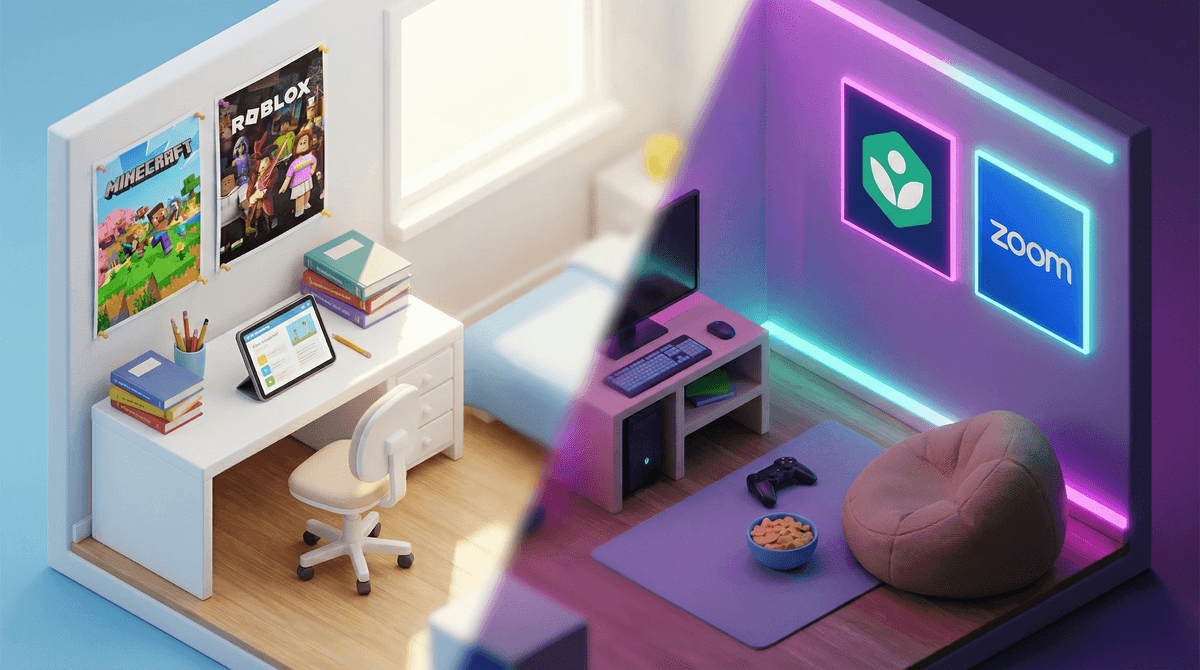
Remember when we used to worry about limiting screen time to two hours a day? Then online school happened, and suddenly our kids were logging 6-7 hours of Zoom classes, Google Classroom assignments, and digital homework submissions. The old rules went out the window, and honestly, they haven't quite come back.
Here's the thing: educational screen time and recreational screen time hit differently, but they're all hitting the same eyeballs and the same developing brains. When your third grader finishes a full day of online math lessons and immediately wants to "relax" with Roblox, it's not the same as a kid who spent the day running around outside and wants an hour of gaming. The screen fatigue is real.
Whether your family is fully remote, hybrid, or dealing with the occasional snow day turned Zoom day, the line between "learning screen time" and "leisure screen time" has gotten blurry as hell. And parents are stuck trying to figure out: Do I count school hours toward screen limits? How much additional screen time is okay after a full day online? And why does my kid seem more irritable after online school than in-person school?
The American Academy of Pediatrics' screen time guidelines were written for a world where screens were primarily for entertainment. They didn't account for a reality where a 10-year-old might spend their entire school day staring at a laptop, then need that same laptop for homework, then want to FaceTime friends because they didn't see anyone in person all day.
The research is still catching up, but here's what we're seeing:
- Screen fatigue is cumulative—your brain doesn't distinguish much between "good" screens and "bad" screens when it comes to eye strain, posture issues, and mental exhaustion
- Kids who do online school often have reduced physical activity and increased sedentary time
- Social connection through screens (FaceTime with grandma, gaming with school friends) became more important during remote learning, not less
- The "just one more episode" problem applies to "just one more game" when kids are already mentally fried from online classes
The confusion isn't your fault. We're literally navigating uncharted territory, and every family is making it up as they go.
Let's break this down because lumping everything together doesn't help anyone:
High-Engagement Educational Screens: Interactive lessons, educational games like Prodigy Math, coding platforms, creative projects. These require active thinking and participation.
Passive Educational Screens: Watching recorded lectures, sitting in Zoom classes where you're muted and barely participating, reading digital textbooks. Less engaging, more draining.
Active Recreational Screens: Playing Minecraft with friends, video chatting, creating content, playing strategic games. Your brain is engaged, you're making decisions, you're often socializing.
Passive Recreational Screens: Scrolling TikTok, binge-watching Netflix shows, watching YouTube videos on autoplay. Low effort, high consumption, often numbing rather than energizing.
After a full day of online school (which is usually a mix of active and passive educational screen time), kids' brains are genuinely tired. Adding more passive screen time is like trying to recover from a marathon by taking a nap on a treadmill. It doesn't actually restore anything.
Elementary (Ages 5-10)
These kids have the hardest time with online school because they're still developing self-regulation and focus. A full day of screen-based learning is genuinely exhausting for their developing brains.
What works:
- Take actual breaks between online classes—get them moving, not just switching tabs
- After school, prioritize physical activity before any recreational screen time
- If they need downtime, try audiobooks or podcasts like Story Pirates instead of more visual screen time
- Keep recreational screen time to 30-60 minutes after online school days
- Weekend screen time can be more flexible since they're not already screen-fatigued
Middle School (Ages 11-13)
This age group often has more independent online work, which means more temptation to have YouTube or Discord open in another tab. They're also at peak "I need to socialize with my friends" age, and screens might be their primary social outlet.
What works:
- Distinguish between social screen time (gaming with friends, FaceTime) and solo consumption (scrolling, watching)—the former is more valuable after online school
- Set up a proper workspace that's not their bed or the couch—posture and environment matter
- Encourage them to take real breaks, not "check my phone" breaks
- After online school, aim for 1-2 hours of recreational screen time, but be flexible if it's genuinely social
- Help them recognize their own screen fatigue signals—irritability, headaches, trouble focusing
High School (Ages 14-18)
Teens often have the most screen-based homework and the most complex social lives happening online. They're also old enough to start self-regulating, but still need structure.
What works:
- Have honest conversations about screen fatigue and mental health—they can understand the concept
- Help them batch their screen-based homework rather than spreading it across the entire evening
- Encourage screen-free social activities when possible (even just walking while talking on the phone)
- Be realistic: They're probably going to spend 2-3+ hours on recreational screens after online school, and that's not necessarily a crisis
- Focus on quality of screen time (creating, connecting, learning) vs. passive consumption
- Watch for signs of digital burnout: irritability, sleep issues, declining grades, withdrawal from offline activities
The 20-20-20 rule is your friend: Every 20 minutes, look at something 20 feet away for 20 seconds. This helps with eye strain, which is a real issue for kids doing online school.
Blue light isn't the villain we thought: The bigger issues are screen time displacing sleep, physical activity, and face-to-face interaction—not blue light specifically. But if blue light filters make you feel better, sure, use them.
"Screen-free" time matters more after online school days: If your kid just spent 6 hours on Zoom, the hour before bed should really be screen-free. Their brain needs actual rest.
Not all "educational" screen time is equal: A kid passively watching a Khan Academy video while zoned out isn't learning much. A kid actively playing Kerbal Space Program might be learning more, even though it's technically a game.
Social screen time is real connection: If your teen is playing Among Us with school friends after a day of online classes, that's not the same as doom-scrolling Instagram. They're maintaining friendships in the way that's available to them.
1. Separate school screens from fun screens when possible If your kid uses a laptop for school, can they use a TV or tablet for entertainment? Different devices can help create mental boundaries between "work mode" and "play mode."
2. Build in transition time After online school ends, require 30-60 minutes of screen-free time before recreational screens. Go outside, have a snack, move their body. This helps reset their brain.
3. Track total sitting time, not just screen time A kid who does 6 hours of online school, then sits for homework, then sits for gaming, then sits for dinner, then sits for TV has barely moved all day. The sedentary aspect might be worse than the screen aspect.
4. Make weekends different If weekdays are screen-heavy due to online school, weekends should prioritize offline activities. This gives their brains and eyes a real break.
5. Watch for burnout signs If your kid is more irritable, having trouble sleeping, complaining of headaches, or seems "checked out," they might be experiencing digital burnout. Time to pull back on all screens, not just recreational ones.
6. Involve them in the conversation Ask your kid: "How do you feel after a day of online school? Do you feel like you need more screen time or less?" Their self-awareness might surprise you, and they'll be more invested in solutions they help create.
Screen time during online school is complicated because we're asking kids to do something unnatural: learn, socialize, and relax all through the same medium. The old "2 hours a day" rule doesn't work when 6 of those hours are mandatory for school.
Instead of counting minutes, focus on:
- Quality over quantity: What are they doing on screens, and how does it make them feel?
- Balance: Are they moving their bodies, sleeping enough, and connecting with people offline?
- Burnout signals: Are they showing signs of screen fatigue or digital overload?
There's no perfect answer here, and every family's situation is different. Some kids thrive with online school and manage their screen time well. Others struggle with self-regulation and need more structure. Some families have no choice but to do remote learning; others are choosing it deliberately.
The goal isn't to eliminate screens or feel guilty about the reality of modern education. The goal is to be intentional about helping your kid navigate a screen-heavy world without burning out their brain in the process.
And if you're feeling overwhelmed by all of this? Yeah, that's valid. This is hard, and you're doing your best in a situation that literally no generation of parents has faced before.
Want to dig deeper? Learn more about healthy screen time boundaries for kids or how to talk to your kids about screen fatigue .
.