

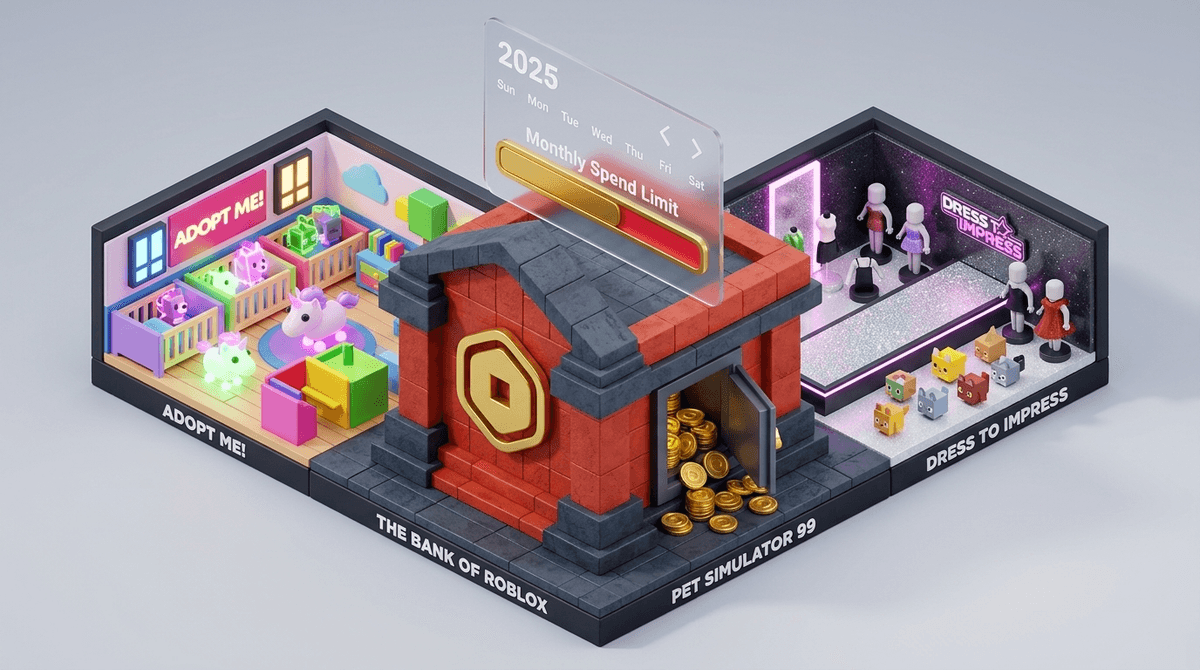
TL;DR: Robux is real money, and the conversion rate is designed to be confusing. As of 2026, Roblox has introduced much-needed monthly spend limits and parental notification tools that actually work. Use this as a "low-stakes" way to teach your kids about budgeting before they get a real credit card and discover the joys of Amazon Prime.
Quick Links for the Roblox-Obsessed:
- The Game Itself: Roblox
- The Main Money Sink: Adopt Me!
- The "Gacha" Collector: Pet Simulator 99
- The Fashion Show: Dress To Impress
- The "How-To": Setting up Roblox parental controls
If you’ve spent five minutes around a grade-schooler lately, you’ve heard of Robux. It’s the shiny, gold-colored virtual currency that fuels the entire Roblox ecosystem.
But here’s the reality: Roblox isn't just a game; it’s a massive shopping mall where the stores are designed by other kids (and savvy developers) specifically to part your child from their digital wallet.
When your kid asks for Robux, they aren't just buying "points." They are buying social capital. In the world of Roblox, your "skin" (your avatar's outfit) is your identity. Showing up in a "noob" (default) skin is the 2025 equivalent of wearing generic sneakers in 1995. It’s brutal, but that’s the playground dynamic.
It’s easy to dismiss in-app purchases as "brain rot" or a waste of money, but for kids, these purchases fall into three main categories:
1. The Flex (Skins and Emotes)
This is purely cosmetic. Whether it’s a "Preppy" outfit in Dress To Impress or a limited-edition hat, these items allow kids to express themselves. It’s digital fashion.
2. The Advantage (Game Passes)
Many games on the platform, like Blox Fruits or BedWars, offer "Game Passes." These are one-time purchases that give players special powers, faster leveling, or exclusive weapons. This is the "pay-to-win" side of gaming that can get expensive quickly.
3. The Gamble (Loot Boxes and Eggs)
In games like Adopt Me! or Pet Simulator 99, kids spend Robux on "eggs" or "boxes" with a chance to get a rare legendary pet. This is essentially gambling-lite. The dopamine hit of hatching a "Neon Unicorn" is exactly what keeps them coming back—and asking for more Robux.
Learn more about the psychology of loot boxes in kids' games
Roblox makes the math intentionally fuzzy. As of early 2025, the standard rate is roughly 80 Robux for $1.00 USD, but it gets cheaper if you buy in bulk or subscribe to Roblox Premium.
- $4.99 = 400 Robux
- $9.99 = 800 Robux
- $24.99 = 2,000 Robux
Pro-tip: If your kid is a heavy user, Roblox Premium is actually a better deal. For a monthly fee, they get a set amount of Robux plus the ability to trade items, which can actually help them learn about market value and "entrepreneurship" (or at least basic bartering).
For years, parents had to rely on a 4-digit PIN and a prayer. But in late 2024 and rolling into 2025, Roblox overhauled its parental controls.
You can now link your parent account to your child’s account (without needing their password). This allows you to:
- Set Monthly Spend Limits: You can cap spending at $0 or $100 or anything in between. Once they hit the limit, they can’t buy more until the first of the month.
- Receive Real-Time Notifications: You get an email every time they spend Robux, showing exactly what they bought and which game they were in.
- Visibility: You can see their total balance and spending history from your own phone.
See our step-by-step guide to setting up the new 2025 Roblox parental controls
If there is one thing you tell your child today, let it be this: There is no such thing as free Robux.
The internet is littered with YouTube videos, TikToks, and "obby" (obstacle course) games promising "Free Robux Generators." These are 100% scams designed to steal account passwords or install malware.
What to tell your kids: "If a website or a person in a game asks for your password to give you Robux, they are trying to rob you." Period.
Instead of just saying "no" or blindly hitting "Purchase" on your FaceID, use Roblox as a training ground for real-world money management.
The Digital Allowance
Consider using an app like Greenlight or GoHenry to give them a weekly allowance. If they want Robux, they have to use their own money to buy a gift card. When the money is gone, it’s gone.
The "Wait 24 Hours" Rule
Impulse spending is the biggest issue in Roblox. If they want a specific game pass or skin, make them wait 24 hours. If they still want it tomorrow, and they have the funds, let them go for it. Usually, the "must-have" feeling fades by dinner time.
The Entrepreneurial Angle
Some kids get really into Roblox Studio. They can actually create clothes or games and earn Robux from other players. If your kid is tech-savvy, encourage them to earn their Robux by creating rather than just consuming. It’s a steep learning curve, but it’s a legitimate skill.
- Age Matters: For kids under 9, I highly recommend a $0 spend limit. They don't understand the value of money yet and will accidentally click "Buy" on a 1,000 Robux "Mega-Potion" without blinking.
- Refunds are nearly impossible: Roblox is notoriously stingy with refunds. If your kid "accidentally" spends $200, your best bet is to dispute it through the Apple App Store or Google Play Store, but be warned: this can sometimes lead to the Roblox account being banned.
- The "Trade" Trap: Kids can trade items in many games. Older kids often "scam" younger kids by promising a rare pet in exchange for Robux or other items. Talk to your kids about "too good to be true" deals.
Robux isn't the enemy, but the frictionless spending is. By moving the "Bank of Roblox" out of the shadows and into a conversation about budgeting and value, you’re turning a potential headache into a useful life lesson.
Set up those 2025 spend limits tonight, move the "Buy" power back to your own device, and let them figure out if that "Legendary Dragon" is really worth three weeks of their chores.
Get a script on how to talk to your kid about Robux spending
- Audit the Spend: Open Roblox on your kid's device, click the Robux icon, and look at "Trade" or "My Transactions" to see where the money has been going.
- Link Your Accounts: Use the new "Parental Controls" feature in the settings menu to link your email.
- Set a Cap: Decide on a monthly "Digital Allowance" and stick to it.
- Explore Alternatives: If Roblox is becoming a money pit, check out Minecraft (one-time purchase) or Terraria for a more contained experience.