

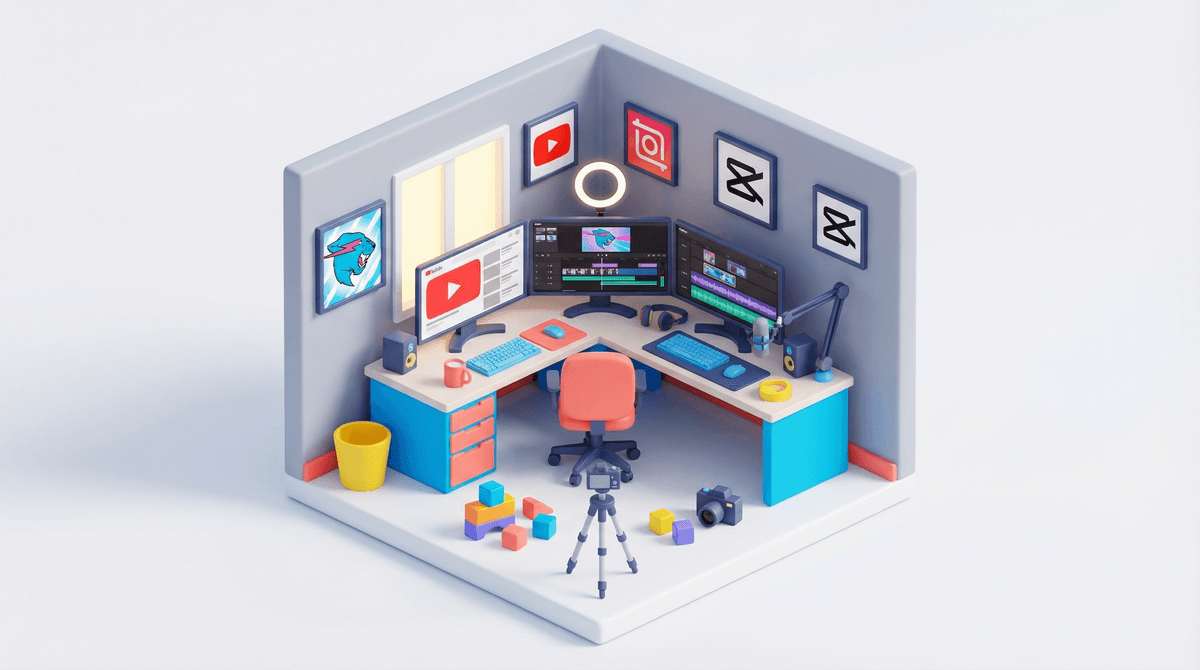
So your kid wants to be a YouTuber. Maybe they've been watching MrBeast give away millions or following gaming channels like Preston, and now they're convinced they're one viral video away from fame and fortune. Or maybe they just genuinely want to share their Lego builds, art tutorials, or thoughts on Pokémon cards with the world.
This conversation is happening in homes everywhere. According to various surveys, being a YouTuber consistently ranks in the top career aspirations for kids under 12. And honestly? The impulse isn't ridiculous. YouTube can teach valuable skills—video editing, storytelling, public speaking, even basic entrepreneurship. But it also opens up a minefield of privacy concerns, unrealistic expectations, and potential exposure to some genuinely sketchy stuff.
Let's talk through what you actually need to know.
First, let's acknowledge the appeal. YouTube isn't just entertainment for kids—it's their primary search engine, their how-to manual, and their window into interests and communities. When they watch creators, they're seeing:
- Accessible success stories: Unlike becoming a movie star, YouTube feels achievable. Just you, a phone, and an idea.
- Creative expression: They want to share what they love, whether that's gaming, crafts, comedy skits, or science experiments.
- Community: Comments, subscribers, the parasocial relationship with an audience—it feels like connection.
- Money (let's be real): They've heard the stories. Some YouTubers make millions. Never mind that 96% of people trying to make money on YouTube don't earn enough to crack the poverty line.
The desire itself isn't the problem. It's how we guide them through it.
Here's the non-negotiable starting point: your child's safety and privacy come before their YouTube dreams, full stop.
If your kid is under 13, they technically can't have their own Google account without your involvement (thanks, COPPA). YouTube has specific rules about content featuring minors, but enforcement is... let's say inconsistent.
Critical privacy considerations:
- Never show identifiable information: No last names, no school names, no street signs, no uniforms with school logos, no geolocation tags.
- No face? Some successful channels never show the creator's face—think voiceover content, hands-only craft tutorials, or avatar-based gaming channels.
- Separate identity: If they do appear on camera, consider using a creator name that's different from their real name.
- Location awareness: Film in neutral spaces. A bedroom is fine if you're careful about what's visible in the background, but think twice about anything that could identify your home or neighborhood.
- Comment moderation: YouTube's comment sections can get toxic fast. More on this below.
The reality is that once something is on the internet, it's essentially permanent. Even if you delete it, someone might have downloaded or screenshotted it. This isn't meant to scare you away entirely—just to make sure you're going in with eyes open.
If you decide to move forward, here's the practical setup:
Account structure:
- For kids under 13: Create a family YouTube account that you control. They create content, but you have the login credentials and oversight.
- For teens 13+: They can have their own account, but you should still have access and clear agreements about what's okay to post.
Privacy settings:
- Set videos to "unlisted" (only people with the link can view) while you're getting started. This lets them practice and share with trusted friends/family without public exposure.
- If going public, turn off comments initially. Yes, this limits engagement, but it also eliminates a massive source of potential harm.
- Disable location sharing and be careful with metadata.
Content guidelines: Create clear family rules about:
- What topics are off-limits (family drama, other kids without permission, anything too personal)
- What they can and can't show on camera
- How often they can post (this can become all-consuming)
- What happens if rules are broken
Time for some real talk about the YouTube "dream":
The algorithm is brutal. Most channels never break 1,000 subscribers. The ones that do have usually been posting consistently for years. Your kid's first video will probably get viewed by exactly seven people (you, grandma, and five bots).
Monetization is a long game. To even be eligible for the YouTube Partner Program, you need 1,000 subscribers AND 4,000 watch hours in the past 12 months. Most channels never hit this threshold.
It's actual work. Successful YouTubers spend hours scripting, filming, editing, managing comments, and promoting content. It's not passive income—it's a grind.
This doesn't mean you should crush their dreams, but frame it realistically: this is a creative hobby that might grow into something more, just like learning guitar or playing basketball. The value is in the skills they build and the fun they have, not the subscriber count.
Despite all the cautions, there are legitimate benefits:
- Digital literacy: Understanding how to create (not just consume) media
- Technical skills: Video editing, audio mixing, thumbnail design
- Communication: Writing scripts, speaking on camera, organizing thoughts
- Resilience: Handling criticism (even mean comments can be learning opportunities with your support)
- Project management: Conceptualizing, executing, and completing creative projects
Some kids use YouTube channels as portfolio pieces for college applications or future careers in media, marketing, or entertainment.
Ages 8-10: Keep it private or unlisted. Focus on the creative process, not the audience. Think of it like a video diary they can share with close family. Consider alternatives like Zigazoo, which is designed for younger kids with built-in moderation.
Ages 11-13: Still unlisted or very controlled public presence. You're heavily involved in every step—filming together, editing together, reviewing before posting. Comments off or heavily moderated.
Ages 14+: More independence, but you still have access and regular check-ins. They can handle more of the technical work, but you're reviewing content before it goes live and monitoring engagement.
YouTube comments can be a cesspool. Even innocent content attracts weird comments, and anything featuring kids can attract truly disturbing attention.
Options:
- Disable comments entirely (safest, especially for younger kids)
- Hold all comments for approval (you manually approve each one—time-consuming but controlled)
- Use restricted mode (blocks comments with potentially inappropriate language, but far from perfect)
- Actively moderate (requires constant vigilance and thick skin)
Don't let anyone tell you that disabling comments means you're "not a real YouTuber." Safety over engagement metrics, every time.
If the appeal is creative expression but you're not ready for YouTube's public nature:
- Private family channels: Upload to YouTube but keep everything unlisted, sharing links only with trusted people
- Flipgrid: Video responses in controlled educational environments
- Local video projects: Make videos just for fun, save them locally, maybe screen them at family movie night
- iMovie or CapCut: Learn editing skills without the posting pressure
Sometimes the answer is just "not yet." Valid reasons to pump the brakes:
- Your kid struggles with criticism or has fragile self-esteem
- They want to post content about other kids (privacy nightmare)
- They're not mature enough to handle the responsibility
- You don't have the bandwidth to properly supervise
- Your gut says no
Trust your instincts. This isn't about being overprotective—it's about being realistic about what you can manage as a family.
Starting a YouTube channel isn't inherently bad, but it requires way more parental involvement than most kids (or parents) initially realize. This isn't like signing them up for soccer—this is giving them a potential global platform with permanent records and real risks.
If you decide to go for it: start small, stay private, focus on the creative process over the metrics, and maintain serious oversight. Make it a shared family project rather than something they do alone in their room.
And if you decide not to? That's completely valid too. There are countless ways for kids to be creative, build skills, and express themselves without broadcasting to the internet.
Next Steps:
- Have an honest conversation about why they want to do this (fame? creativity? friends are doing it?)
- If moving forward, start with unlisted videos and see how it goes
- Set up a family media account together, establishing clear rules and expectations
- Check out YouTube's safety resources for families

- Revisit the decision in 3-6 months—this doesn't have to be permanent either way
You've got this. And remember: most of us parents are figuring this stuff out as we go too.