

TL;DR
GarageBand is the "Gold Standard" for productive screen time. It turns a passive iPad or Mac into a professional recording studio, allowing kids to move from consuming content to creating it. It’s free, has zero "stranger danger" social features, and teaches everything from math (fractions/timing) to emotional expression.
If your kid is bored of Minecraft or you’re trying to pivot them away from a YouTube spiral, this is the ultimate "creative pivot."
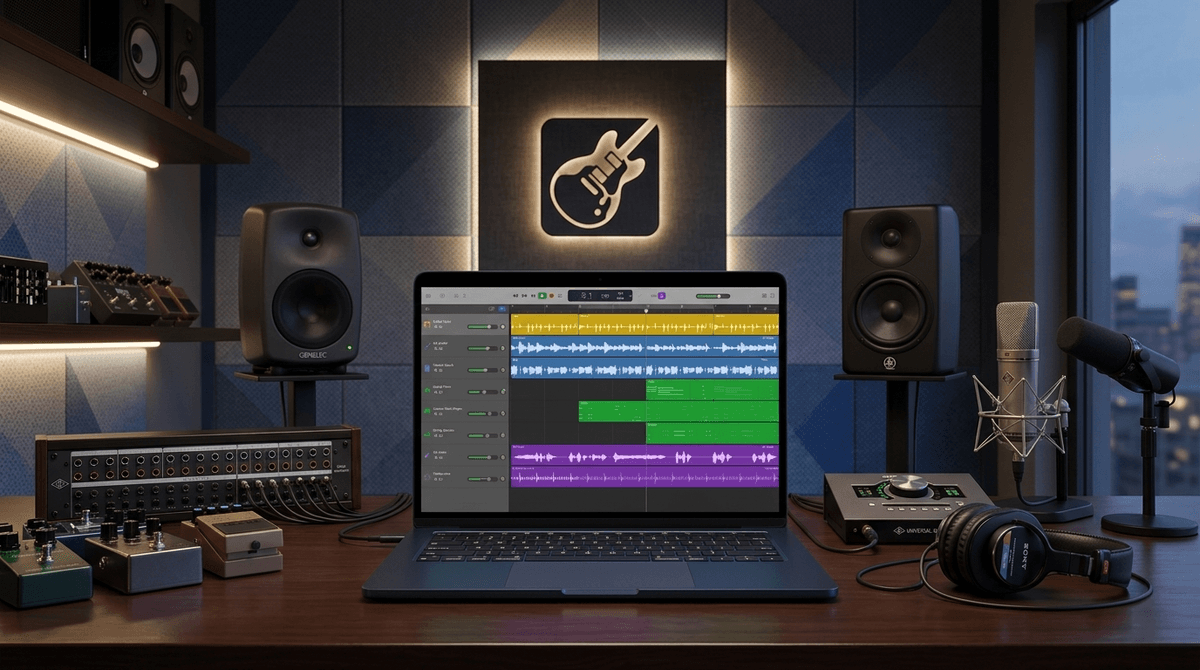
At its core, GarageBand is a Digital Audio Workstation (DAW). In "parent-speak," that means it’s a software-based recording studio. Back in the day, you’d need $50,000 worth of gear to do what your kid can now do on a hand-me-down iPhone.
It allows users to:
- Play "Smart Instruments": Even if your kid doesn't know a C-major from a grilled cheese, they can play guitars, pianos, and drums that stay perfectly in key.
- Use Loops: These are pre-recorded snippets of music (drums, synths, basslines) that fit together like digital LEGOs.
- Record Vocals: Using the built-in microphone to sing or talk.
- Multi-track Edit: Layering different sounds on top of each other to create a full song.
Learn more about the difference between GarageBand and professional tools like Logic Pro
We talk a lot about "brain rot" at Screenwise—that passive, glazed-eye state kids get into when they’ve been watching Skibidi Toilet remixes for three hours.
GarageBand is the antidote. It requires active engagement. Your kid isn't just watching a video; they are making decisions about tempo, volume, and arrangement.
It leverages "Remix Culture"
Kids today live in a "remix" world. Whether it's a TikTok trend or a meme about "Ohio," they understand that culture is something you participate in. GarageBand lets them take those viral sounds and make their own versions. It’s the difference between eating a meal and learning how to cook it.
It’s a confidence builder
There is a specific look on a kid’s face when they press "play" and hear a song they made. It sounds professional because Apple’s loops are high-quality. That "I can do this" moment is huge for digital wellness.
GarageBand is deep. To keep your kid from getting overwhelmed, it helps to give them a "mission." Here are the three most common ways kids actually use the app:
This is the easiest entry point. Using the "Live Loops" feature, kids can trigger different beats and melodies in real-time. It’s very "DJ-style."
- Skills learned: Rhythm, song structure (Intro, Verse, Chorus), and genre styles (EDM, Hip Hop, Rock).
- Great for: Ages 7-11.
If your kid won't stop talking about their Roblox strategies or their favorite Wings of Fire characters, suggest they record a podcast.
- Skills learned: Public speaking, scriptwriting, and audio editing (cutting out the "ums" and "likes").
- Great for: Ages 10-14.
Many kids use Scratch to build their own basic video games. GarageBand is the perfect companion to record sound effects (foley) or background music for their games.
- Skills learned: Technical integration and purposeful creation.
- Great for: The "STEM" kid.
Find GarageBand project ideas for a 10-year-old
While the app is rated 4+ in the App Store, that’s just because there’s no "bad" content. In reality, the interface requires some dexterity.
- Ages 6-8: They will mostly play with the "Smart Drums" (where you drop icons on a grid) and the voice transformer that makes them sound like a robot or a monster. It’s mostly toy-like at this stage.
- Ages 9-12: This is the sweet spot. They can start understanding tracks, "cutting" and "pasting" audio, and building 2-minute songs.
- Ages 13+: At this point, they might start feeling limited by GarageBand and want to look into Logic Pro or Ableton Live.
Is GarageBand safe? Yes. Extremely.
Unlike Roblox or Discord, GarageBand is not a social network. There is no built-in chat. There are no "creepers" lurking in the tracks. It is a local tool that lives on the device.
The only "Safety" Caveats:
- Exporting: Once a song is finished, a kid can "Share" it. This opens the standard Apple share sheet, which means they could upload it to YouTube, SoundCloud, or TikTok. The risk isn't the app itself; it’s where the file goes after it leaves the app.
- The "Sound Library": There is a store inside the app where you can download new sounds (Producer Packs). Most are free, but it’s worth checking your "In-App Purchase" settings just in case Apple decides to monetize a celebrity pack down the line.
- Copyright: If your kid starts getting serious, it’s a good time to talk about copyright. They can't just record a Taylor Swift song and claim they wrote it, even if they "remixed" it.
Check out our guide on teaching kids about digital copyright
I’ve heard parents complain that GarageBand is "just another app." I’d argue it’s a career-starter.
We live in a creator economy. Knowing how to clean up audio, balance volume, and export files are actual, marketable skills. If your kid learns how to make a clean-sounding audio file in GarageBand, they are already ahead of 90% of the people trying to start a "business" on social media.
It’s also a great "bridge" activity. If you have a child who is obsessed with their phone and a parent who wants them to play a "real" instrument, GarageBand is the middle ground. You can plug a MIDI keyboard or an electric guitar directly into an iPad. It makes the "real" instrument feel "digital" and cool.
If your kid plays guitar, an iRig is a cheap adapter that lets them plug their guitar into their phone to use GarageBand as an amp. It’s a game-changer for practice.
GarageBand is one of the few "Unquestionable Wins" in the digital parenting world. It is a high-agency, low-risk, high-reward tool.
If your kid is currently in a "consumption loop" (scrolling, watching, clicking), challenge them to a 15-minute GarageBand challenge: "Make me a song that sounds like a rainy day" or "Record a 30-second commercial for your favorite cereal."
It breaks the spell of the algorithm and puts them back in the driver's seat.
Next Steps:
- Download the "Toy Box": Open the app, go to the Sound Library, and download the "Toy Box" or "Kids" sound packs. They are full of fun "boing" and "zap" sounds that make the initial experience more like a game.
- YouTube Tutorials: If they get stuck, YouTube is full of "GarageBand for Kids" tutorials. Just be sure to watch with them to avoid the "suggested video" rabbit hole.
- The "Car Test": Have them export their first "song" and play it over the car speakers. The look on their face will tell you everything you need to know about why this app matters.