

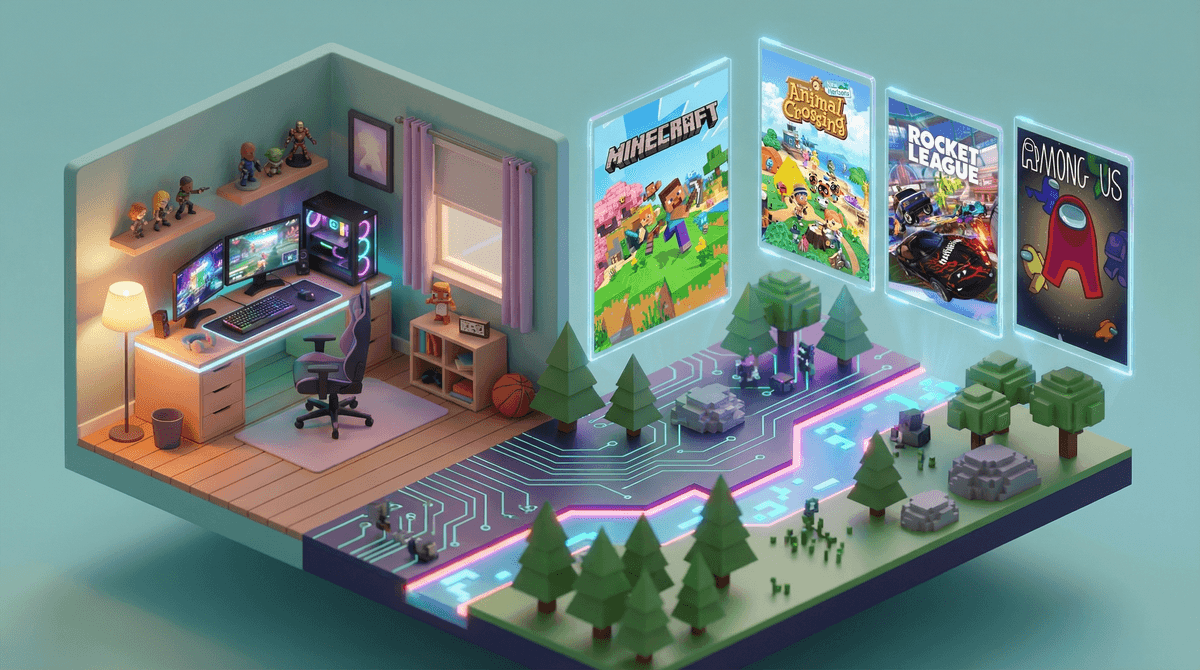
Remote games are exactly what they sound like: games kids can play together while physically apart. We're talking video games with multiplayer modes, party games over video chat, collaborative building games, competitive shooters (age-appropriate ones, promise), and everything in between.
The pandemic made these games essential overnight, but honestly? They were already huge. Kids have been playing together online for years. The difference now is that parents actually understand why a kid might say "I'm hanging out with friends" while sitting alone in their bedroom wearing headphones.
Because here's the thing: they actually are hanging out with friends. The game is just the place where it happens, like a virtual playground or mall food court.
For kids, especially tweens and teens, these games solve a real problem: how do you maintain friendships when you can't just ride your bike to someone's house or coordinate parent schedules for a playdate?
Remote gaming offers:
- Low-pressure socializing - No awkward eye contact, easier for shy kids
- Shared goals - Working together builds actual teamwork skills
- Flexible scheduling - Can play for 20 minutes or 2 hours
- Cross-distance friendships - That friend who moved away? Still in the squad
- Common ground - Easier to make conversation when you're doing something together
And let's be honest: it's genuinely fun. Adults do this too (hello, Wordle group chats).
Ages 6-9: Gentle Introduction to Online Play
Minecraft (Ages 7+)
The gold standard for creative remote play. Kids can build together in peaceful mode, work on shared projects, or just hang out in their digital worlds. Set up a private realm or server so you control who joins.
Animal Crossing: New Horizons (Ages 6+)
Wholesome island life with friends. Kids can visit each other's islands, trade items, and just exist in a calming space together. Zero violence, maximum chill.
Mario Kart 8 (Ages 6+)
Classic racing fun. Easy to learn, hard to master, and the rage when someone blue-shells you right before the finish line is a rite of passage.
Ages 10-13: Building Social Skills Through Gaming
Roblox (Ages 10+, with supervision)
Not actually one game but a platform with millions of user-created games. Kids gravitate toward experiences like Adopt Me, Brookhaven, and Tower of Hell. Yes, you need to set up parental controls. Yes, the Robux economy is real. No, you're not crazy for being confused by it all.
Among Us (Ages 10+)
Social deduction game where players work together to find the "impostor." Teaches critical thinking, communication, and how to lie convincingly to your friends (a life skill?). Quick rounds make it perfect for shorter play sessions.
Fortnite (Ages 12+)
Yes, it's a shooter. Yes, kids are obsessed. But Creative Mode and Party Royale offer non-combat spaces where kids just hang out, play mini-games, or attend virtual concerts. The building mechanics actually require serious spatial reasoning. Here's how to make it safer.
Stardew Valley (Ages 10+)
Farming simulator with co-op mode. Kids can build a farm together, explore caves, fish, and experience the satisfaction of growing virtual turnips. Genuinely relaxing and teaches resource management.
Ages 14+: More Complex Social Gaming
Valorant (Ages 14+)
Tactical shooter that requires actual strategy and communication. Competitive but with a learning curve that rewards practice. Voice chat exists, so talk about online communication first .
.
Rocket League (Ages 10+)
Soccer with cars. Sounds ridiculous, plays like a sport. Great for kids who like competitive games but aren't into shooting mechanics.
Jackbox Party Packs (Ages 13+, varies by game)
Perfect for remote family game nights or friend groups. Only one person needs to own it, everyone else plays via phone browser. Some games have mature humor, so check individual pack ratings.
Let's separate real concerns from pearl-clutching:
Real concerns:
- Voice chat with strangers - This is the big one. Many games allow open communication with anyone. Use parental controls to limit this, especially for younger kids.
- Time management - "Just one more game" is the new "just one more episode." Online games don't have natural stopping points.
- In-game purchases - Many free games make money through cosmetics and battle passes. Set up purchase controls or prepare for surprise charges.
- Toxic behavior - Some gaming communities are rough. Teach kids to mute, block, and report. Seriously, have this conversation.
Not actually concerning:
- Violence in age-appropriate games - Research doesn't support the "video games cause violence" narrative. Context matters.
- Making online friends - Kids can form real friendships online. Teach safety, not isolation.
- Playing games instead of going outside - It's not either/or. Kids can do both.
Start with these ground rules:
-
Friend-only games first - Before jumping into public lobbies, stick to games where your kid only plays with people they know IRL.
-
Communication boundaries - Decide together what communication is okay (text chat? voice chat with friends? voice chat with strangers?).
-
Time limits that make sense - "30 minutes" doesn't work for games with 45-minute matches. Agree on "after this round" or "at 8pm" instead.
-
Physical presence for younger kids - For kids under 10, play in common areas where you can casually monitor.
-
Platform-level controls - Set these up on the console/PC itself, not just in individual games. Each platform has different options
.
Remote gaming isn't a substitute for in-person friendship, but it's not a poor imitation either. It's just a different way kids connect, and it's not going anywhere.
The best approach? Get curious instead of concerned. Ask your kid to show you their favorite game. Learn the names of their online friends. Understand what they're actually doing in there.
You don't need to love gaming or even fully understand it. You just need to recognize that for many kids, these virtual spaces are where genuine friendships happen, where they learn to collaborate and communicate, and where they're building skills that actually matter.
Also, if your kid asks you to play Minecraft with them, say yes. You might surprise yourself.
- Pick one game from the age-appropriate list above and learn about it together
- Set up parental controls before the first online match - here's how
- Schedule a "friend game night" - Make it a regular thing, like a playdate but at home
- Check in regularly about who they're playing with and how it's going
- Join the Screenwise community to see what other parents in your area are doing around gaming
And remember: the goal isn't to prevent all screen time. It's to make sure the screen time your kids do have is actually worth it.