

TL;DR
If you’re short on time because you’re currently being asked for the tenth time today if they can "just get 1,000 V-Bucks," here is the quick-and-dirty version of mastering Fortnite:
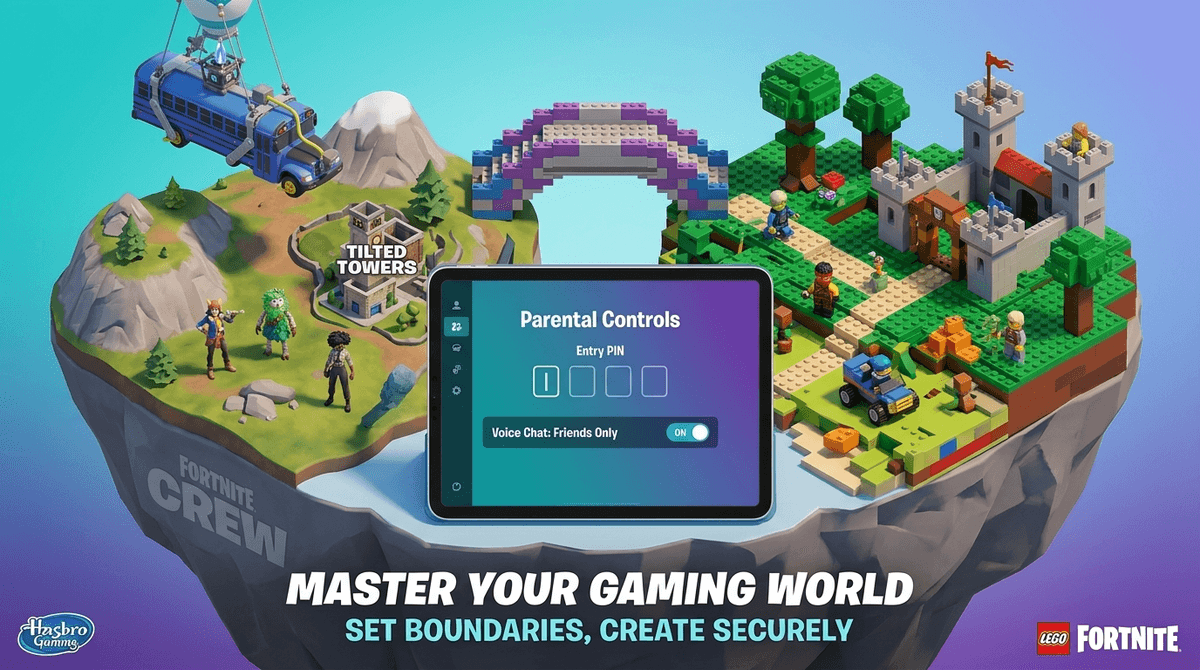
- Set a Parental Controls PIN: This is the "master key" that prevents your kid from undoing all your hard work.
- Enable "Cabin Accounts": If your kid is under 13, Epic Games automatically funnels them into a safer, restricted experience—but you need to verify it.
- The "Friends Only" Rule: Turn off public voice chat immediately. Stick to "Friends Only" or "Nobody."
- Content Labels: Use the rating system to block "Teen" rated maps if you have younger kids.
- V-Bucks: Require a password for every single purchase. No exceptions.
Learn how to set up a Parental Controls PIN step-by-step
If you still think Fortnite is just 100 people jumping out of a flying bus to shoot each other, you’re about three years behind. Today, Fortnite is less of a "game" and more of a "platform," similar to Roblox.
When your kid logs in, they aren't just seeing the classic Battle Royale. They’re seeing a massive menu of options:
- Lego Fortnite: A survival/crafting game that feels a lot like Minecraft.
- Rocket Racing: An arcade racer from the makers of Rocket League.
- Fortnite Festival: A rhythm game (think Guitar Hero) where they play along to pop hits.
- UEFN (User-Created Maps): This is the wild west. Thousands of games made by random people. Some are brilliant puzzles; others are low-effort "brain rot" maps featuring "Ohio" memes and Skibidi-themed nonsense designed to farm engagement.
It’s the digital playground. For a 5th or 6th grader, Fortnite is where the "hangout" happens. If they aren't on Fortnite, they might feel like they’re missing the jokes, the "skins" (costumes) everyone is talking about, and the shared experience of the latest live event.
It’s also incredibly rewarding for the dopamine system. Every match provides a "level up," a new item, or a "Victory Royale" that feels like winning the Super Bowl for five minutes.
See why Fortnite is so addictive for the developing brain
Setting up parental controls in Fortnite isn't about being a "helicopter parent"—it's about setting the guardrails so they don't accidentally end up in a voice chat with a 24-year-old in a basement or drain your savings account on "emotes."
1. Mastering Voice Chat
This is where 90% of the "bad stuff" happens. Public voice chat in Fortnite is notoriously toxic. It’s a mix of middle-schoolers trying out new swear words and adults who should know better.
- The Move: Go to the Parental Controls menu and set "Voice Chat" to Friends Only or Nobody.
- The Pro Tip: If your kid is on a console (Xbox/PlayStation), they might try to bypass this using the console's built-in "Party Chat." You’ll need to set restrictions at the console level too.
- Discord: Many older kids (12+) will want to use Discord to talk while playing. Be aware that Discord has its own set of risks that Fortnite controls won't touch.
2. Managing the V-Bucks Drain
Fortnite is "Free to Play," which is the most expensive kind of game. They make their billions by selling V-Bucks, the in-game currency. Your kid wants "skins" (to look cool) and "emotes" (to dance).
- The Move: Never save your credit card info to the console or the Epic Games account. If you do, ensure you have "Require Password for Purchases" turned ON.
- The Better Move: Use the "Purchase Approval" setting in the Epic Games Account Portal. You’ll get an email every time they try to buy something, and you have to click "Yes."
- The Reality Check: V-Bucks are the new "trading cards." To kids, having a "default skin" (the free one) is a social stigma. It’s weird, it’s annoying, but it’s their reality.
3. Filtering the Multiverse (Content Ratings)
Since Fortnite now hosts thousands of games, not all of them are appropriate for an 8-year-old. Some user-made horror maps can be surprisingly creepy.
- The Move: Fortnite now uses ESRB ratings (E, E10+, T) for every single map. In your parental controls, you can set a "Maximum Rating." If you set it to E10+, your kid won't even be able to click on a "Teen" rated map without your PIN.
Every kid is different, but here is the general Screenwise vibe on age:
Ages 7-9: The "Lego Only" Phase
At this age, the main Battle Royale can be a bit much—not because of the "violence" (it’s cartoonish and bloodless), but because of the competitive stress and the chat.
- Recommendation: Steer them toward Lego Fortnite. It’s creative, cooperative, and much slower-paced.
- Control: Voice chat should be OFF. Period.
Ages 10-12: The Social Phase
This is the peak Fortnite era. They want to play with their friends after school.
- Recommendation: Fortnite Battle Royale is fine, but keep it to "Squads" with real-life friends.
- Control: "Friends Only" voice chat. This allows them to socialize without the "stranger danger" of the public lobbies.
Ages 13+: The Competitive Phase
They might start getting into "Ranked" play or wanting to stream on Twitch (which we generally don't recommend for under-16s).
- Recommendation: Focus on time management. Fortnite matches are designed to keep you "hooked" for one more round.
- Control: Use the "Time Limit" reports to see if their 1-hour session is turning into 4 hours.
Check out our guide on gaming and the teenage brain
If you’ve ever shouted "Dinner's ready!" only to be met with "I can't pause it, Mom!", they aren't actually lying. Fortnite is an online, live game. You cannot pause a Battle Royale match. If they quit, they lose their progress in that round.
How to handle this without losing your mind:
- Give a 10-minute warning. This is usually enough time for one final match or to finish their current one.
- Check the "Players Remaining" count. If you look at their screen and see "90 Players Left," they just started. They’ve got 15-20 minutes ahead of them. If it says "10 Players Left," they’re almost done.
- Use the New Time Limits. Epic Games recently added a feature where you can set daily time limits. The game will actually give them a countdown, so you don't have to be the bad guy.
Instead of "Turn that junk off," try asking a few questions to show you're an "informed" parent:
- "What's your favorite skin right now?" (This tells you what they value).
- "Are you playing 'Zero Build' or the regular mode?" (Zero Build is often less sweaty/stressful).
- "Did you see any cool new maps today?" (This helps you monitor if they're seeing weird user-generated content).
If you’re worried about the spending, have the "Digital Value" talk. Ask them: "If you spend $10 on this dance, that's two real-life ice creams. Is that dance worth two ice creams to you?" Sometimes, framing it in "real-world" currency helps the math click.
Find conversation starters about gaming
Fortnite isn't the "brain rot" it's sometimes made out to be—especially compared to the endless scroll of TikTok or YouTube Shorts. It requires strategy, teamwork, and spatial awareness.
However, it is a business designed to keep your kid engaged and spending. By using the Parental Controls PIN, limiting Voice Chat to Friends, and setting Clear Time Limits, you move from being a frustrated bystander to an intentional "Digital Coach."
Next Steps
- Log in to their account (or have them log in while you watch).
- Set that PIN. Use a 4-digit number they won't guess (not your birthday!).
- Review the "Friends List." If they have 300 "friends," they’re probably adding random people from lobbies. Help them prune that list down to people they actually know.
Read our full guide on setting up an Epic Games Cabin Account