Ozobot

Ozobot

Product

stem

WISE
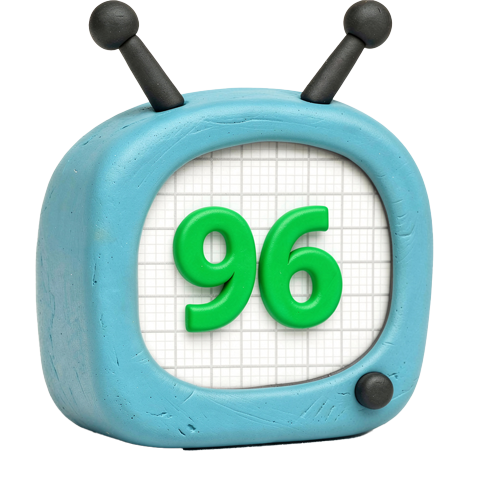
96%

WISE Score

A pocket-sized robot that turns markers and paper into a coding playground—no screen required to start.

Screenwise Verdict

Ozobot is the rare 'educational toy' that isn't just a gimmick. Most STEM toys end up in a closet after three days, but because this starts with drawing, it feels more like an art project than a chore.

The Evo is the model to get if you want the full experience with lights, sounds, and better sensors. It’s a fantastic bridge for parents who want to introduce coding logic without immediately handing over a tablet. It’s tactile, it’s clever, and it actually works.
Age Fit

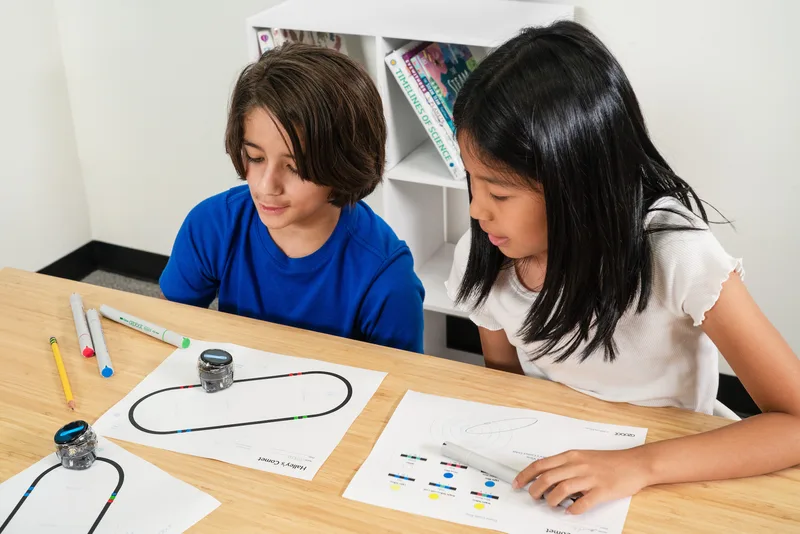
Perfect for ages 5 to 99. Kindergarteners love the 'magic' of the markers, while older kids (and techy adults) can actually get into the weeds with the OzoBlockly code.

WISE Breakdown
Wholesome
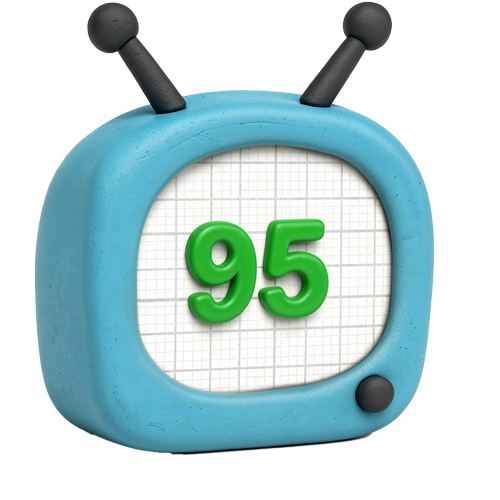
95

It's a pure educational tool that encourages focus and logic. No hidden agendas, just a tiny robot following your lead.

Imaginative
98

The 'color code' system turns a piece of paper and some markers into a programmable environment. It’s essentially a creative sandbox for logic.

Safe
94

Physical build is solid, though they are tiny and shouldn't be around toddlers who still put things in their mouths. No unmoderated social features to worry about.

Enriching
98

One of the best ways to teach the 'if/then' logic of coding without needing a screen. It scales from simple drawing to complex block-based programming.

Parent Info
✓

Why It Might Be Great

  • The 'Screen-Free' mode is legitimate; kids can program the robot entirely with markers and paper.
  • It grows with the child, moving from simple color patterns to OzoBlockly (a Google Blockly-based language).
  • The robots are surprisingly durable for their size, surviving the inevitable 'oops' off the dining table.
  • It turns abstract logic into physical movement, which helps concepts click for tactile learners.
⚠

What to Watch For

  • The proprietary markers can be pricey, and while regular markers work, the robot is finicky about specific shades of red, green, and blue.
  • Calibration is a constant requirement; if the robot starts acting 'drunk,' you'll need to hold down the power button and recalibrate on a black dot.
  • The battery life is decent but not infinite—expect about 60 minutes of active play before it needs a juice-up.

Conversation Starters

  • "Why did the robot choose the left path instead of the right one there?"
  • "Can we design a map that makes the Ozobot act like a car in traffic?"
  • "What happens if we put two different color codes too close together?"
  • "How would you program the robot to get out of a maze you drew?"

What Parents Ask

Ask Anything

Get a personalized guide on any topic