

Coding isn't about staring at a blinking cursor for six hours; it’s about logic, and you can teach logic with a banana, a magic marker, or a handful of magnetic cubes. Most parents think "learning to code" means "more screen time," but the best gateway drugs to computer science are actually tactile, messy, and live on your living room floor.
The TL;DR: If you want to build a kid who thinks like a programmer without tethering them to a laptop, start with Makey Makey for pure creative chaos or Ozobot for screen-free logic using markers and paper. These tools move the focus from "how do I type this?" to "how do I solve this?", which is the only part of coding that actually matters.
The biggest hurdle for kids (and adults) is the idea that computers are these sealed black boxes. The best way to break that illusion is to turn the physical world into the keyboard.
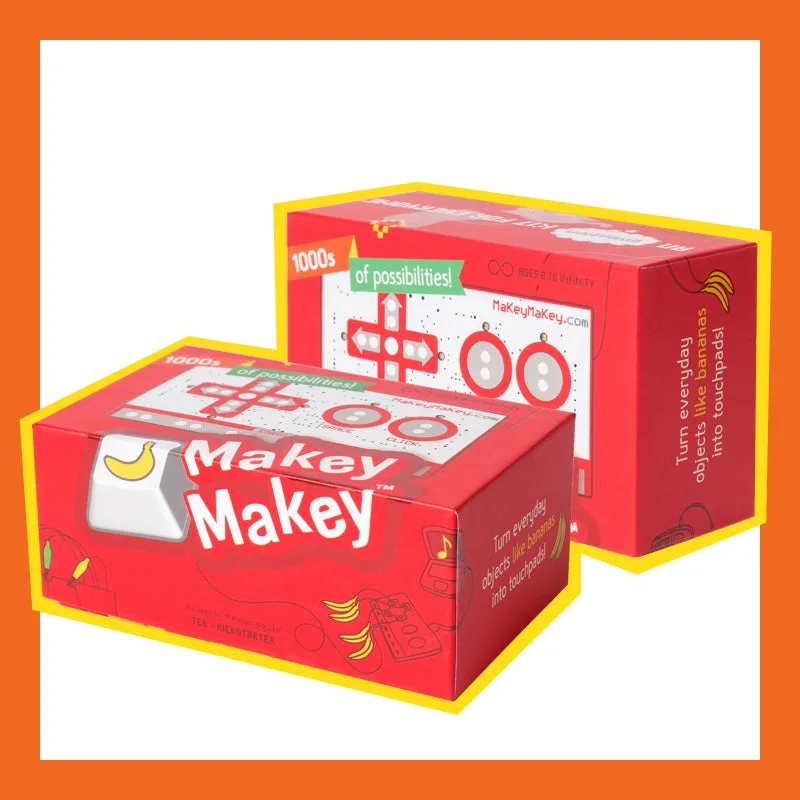
This is basically a circuit board that tricks your computer into thinking almost anything is a keypress. You clip one alligator clip to a banana and the other to the board, and suddenly you’re playing a piano on fruit. It’s pure "wow" factor.
- Why it works: It’s instantly gratifying. There is zero syntax to learn.
- The pivot: Once they get bored of making a banana piano, you show them Scratch. Now they aren't just making noise; they’re coding a game where the "jump" button is a bowl of Play-Doh.
- Pro-tip: You will need a USB-C adapter for modern laptops, and you will end up with sticky fruit residue on your alligator clips. Embrace it.
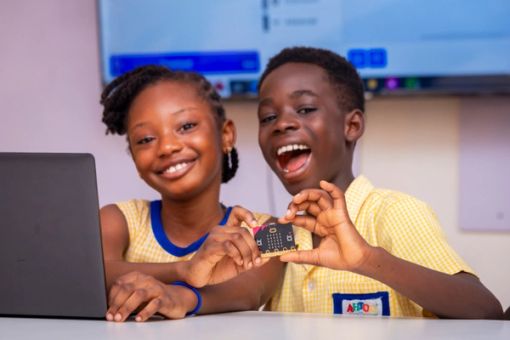
If the Makey Makey is the input, the micro:bit is the brain. It’s a tiny, naked circuit board with a grid of LEDs and some sensors. It was designed by the BBC to get every kid in the UK coding, and it’s dirt cheap.
- Why it works: It makes code tangible. Your kid writes a script, hits "download," and suddenly the physical board in their hand is a compass, a step counter, or a "rock-paper-scissors" game.
- Watch for: It is a "naked" board. If your kid is the type to drop things or leave them in the path of a vacuum, buy a $5 silicone case.
- The path: Start with the drag-and-drop blocks, but know that this thing scales all the way to real Python. It’s the digital guide for middle school MVP.
We’re used to "robots" being remote-controlled cars with better marketing. True coding robots are different—they follow instructions you gave them before they started moving.
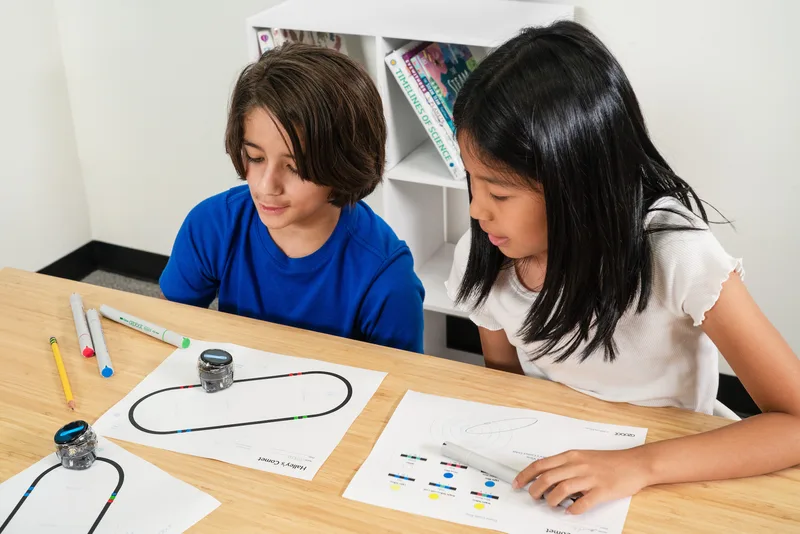
This is the closest you can get to "coding" with zero screens. Ozobot is a tiny bot that follows lines. If you draw a black line with a marker, it follows it. If you draw a specific color sequence (red-green-blue), it reads that as a "code" to speed up, spin, or turn.
- Why it works: It’s low-friction. You just need paper and markers. It teaches "if/then" logic (If the bot sees red-black-red, then it turns left) in a way a kindergartener can grasp.
- The friction point: The bots can be finicky. If the markers are too dry or the line is too thin, the bot gets "drunk" and lost. It requires a bit of patience and calibration.
If Ozobot is for the kitchen table, Sphero BOLT is for the whole house. It’s a clear, waterproof, nearly indestructible ball.
- Why it works: It has a "Draw" mode for younger kids to map out paths, but the real meat is in the Sphero Edu app. They can use Block coding to navigate an obstacle course they built out of cardboard boxes.
- The move: Don't just let them drive it like an RC car. Challenge them to code it to go under the sofa, around the dog, and stop exactly on a rug. That’s where the engineering happens.
Sometimes the "code" isn't a line of text; it's a physical connection. This is "systems thinking," and it’s the foundation of everything else.
Think of this as LEGO for electrical engineering. You aren't "coding" in the traditional sense, but you are learning how instructions flow through a system.
- Why it works: No soldering, no loose wires, no frustration. Everything snaps together. When you finish a project, a fan spins or a light turns on. It’s the ultimate "how stuff works" kit.
- Age fit: The "Jr." sets are great for the elementary school crowd, but even a 12-year-old will get a kick out of building a working FM radio.
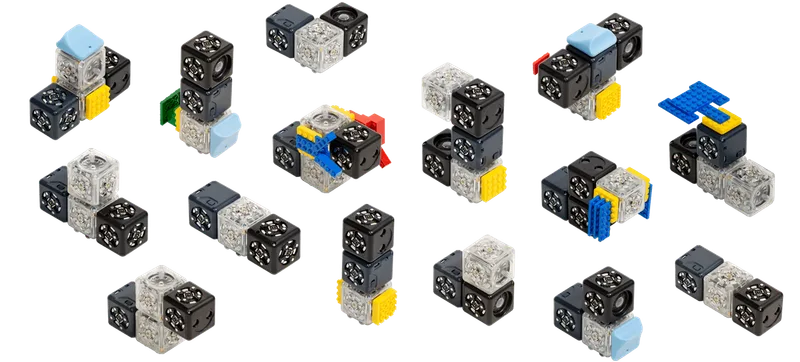
These are magnetic blocks that behave differently depending on their "role." Some are "SENSE" blocks (they see light or distance), some are "THINK" blocks (they invert signals), and some are "ACT" blocks (they move or beep).
- Why it works: You build a robot by snapping them together. No wires, no screen, no typing. If you put a "Distance" block in front of a "Drive" block, you’ve just coded a robot that moves when you get close to it. It’s modular logic you can hold in your hand.
- The "Ouch": They are expensive. A starter kit is a commitment. But for a kid who loves building, they are the gold standard for teaching emergent behavior.
The goal isn't to turn your kid into a software engineer by age ten. The goal is intentionality—teaching them that the tech they use isn't magic; it's a series of instructions.
When they’re playing with these, don't just ask "what does it do?" Ask "why did it do that?"
- If the Ozobot didn't turn, ask them to look at the "code" (the colors). Was the red too dark? Was the line too thin?
- If the Sphero BOLT crashed into the wall, ask them which block in their program caused the overshoot.
This moves them from being a passive user to a "human-in-the-loop." You’re building a kid who sees a problem and thinks, "I can tweak the instructions to fix this." That’s the skill that outlasts any specific programming language.
Q: My kid is 5. Is it too early to start "coding"? It’s too early for Python, but it’s the perfect time for Ozobot or Cubelets. At that age, coding is just "sequencing"—learning that Step A must happen before Step B. If they can follow a LEGO manual, they can "code" a tactile robot.
Q: Do I need to know how to code to help them?
Not at all. In fact, it’s better if you don't. These toys are designed for "tinkering." The best thing you can do is sit on the floor, watch it fail, and say, "Huh, I wonder why it did that? Let’s try changing one thing." Do it with them and you'll both learn the logic.
Q: We’re trying to cut down on screen time. Are these "mostly" screen-free? Yes. Snap Circuits and Cubelets are 100% screen-free. Ozobot is screen-free until you decide to level up to their web-based blocks. Makey Makey and micro:bit require a screen to "send" the instructions, but the actual play happens in the real world.
Q: Which one is the best value for a beginner? The micro:bit is the best "bang for your buck" if you have a laptop or tablet to program it. If you want something that works right out of the box with zero setup, Snap Circuits is the winner.
Coding is a literacy, not just a job skill. By starting with tactile, physical toys, you’re stripping away the frustration of "syntax errors" and focusing on the logic. Whether it’s a Sphero BOLT rolling across the kitchen or a Makey Makey turning a staircase into a giant piano, you're teaching your kid that they can be the boss of the machines, not just a customer.
- Check out our best apps for kids for the best coding platforms once they're ready for the screen.
- See the digital guide for elementary school for more STEM-focused picks.
- Find more screen-free tech projects