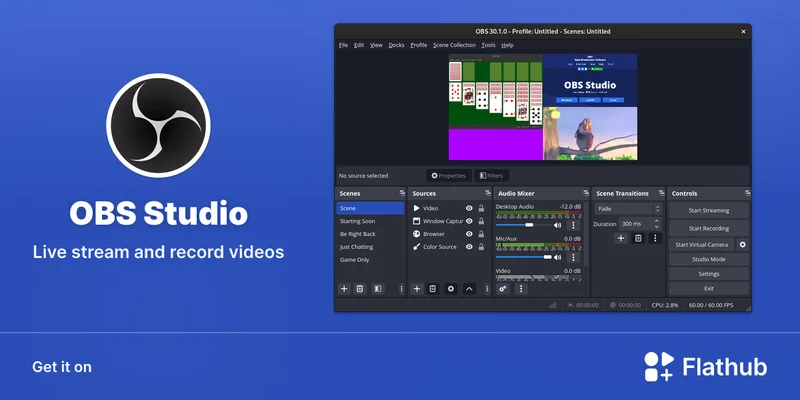
If your kid is serious about making videos, OBS is the graduation ceremony. It isn't an app; it's professional broadcasting software that happens to be free. It's the difference between drawing with a crayon and being handed a full oil painting kit.
It requires patience and a decent computer, but it transforms a kid from a passive consumer of content into a producer who understands how the machine works. Just remember: OBS records the screen, but it doesn't edit. You'll still need a separate video editor to finish the job.
Age Fit
Best for 12 and up. Younger kids can use it, but they'll need a parent to act as 'tech support' for the initial setup and troubleshooting.
WISE Breakdown
Wholesome
80
It's a clean, open-source project with no predatory monetization or 'hook' mechanics. It's a neutral tool that gets out of the way and lets the user create.
Imaginative
98
This is a digital sandbox for production. From multi-camera setups to custom overlays and transitions, it allows for total creative expression in digital media.
Safe
85
The software itself is incredibly safe—no ads, no tracking, no hidden costs. The risk is entirely in where the user sends the feed (e.g., Twitch or YouTube), which the software does not filter.
Enriching
95
Teaches high-level technical skills including audio mixing, video encoding, scene composition, and troubleshooting complex software environments.
Parent Info
✓
Why It Might Be Great
It is completely free and open-source, meaning no 'pro' tiers, no annoying ads, and no corporate data-mining.
Teaches genuine technical literacy—we're talking bitrates, encoders, and audio ducking, not just 'apply filter.'
The creative ceiling is infinite; if they can imagine a screen layout or a transition, they can build it here.
It's the industry standard—learning this now gives them a legitimate skill used in professional broadcasting and marketing.
⚠
What to Watch For
The learning curve is a wall; don't expect to just 'open it and go' without watching a few tutorials together.
It is a system resource hog; if your kid is trying to stream a heavy game on a basic laptop, the whole thing will likely lag or crash.
There are no safety rails—the 'Start Streaming' button is a direct line to the internet, so you need to have the platform conversation first.
Conversation Starters
"What's the difference between just playing a game and actually producing a show about it?"
"If we set this up, what's our 'recording-only' vs. 'live-streaming' rule?"
"Why do you think professional streamers use multiple scenes and overlays instead of just showing the game?"
"How can we make sure you're not accidentally showing personal info (like your full name or location) on your screen layout?"