Bugs and Buttons is a hall-of-famer from the early days of the App Store that still holds up because it respects the kid and the parent. It’s built with a tactile, almost photorealistic aesthetic that feels much more grounded than the neon, flash-card-style apps that dominate the market now.
There are 18 games here, and not one of them is trying to sell you a subscription. It’s a one-and-done purchase that provides a safe, quiet space for a kid to work on logic and hand-eye coordination. In a world of 'brain rot' apps designed to maximize screen time, this one actually feels like a tool for growth.
Age Fit
Perfect for the 3-to-6 crowd. It’s sophisticated enough to feel like a 'real' game but simple enough that a preschooler can master the mechanics solo.
WISE Breakdown
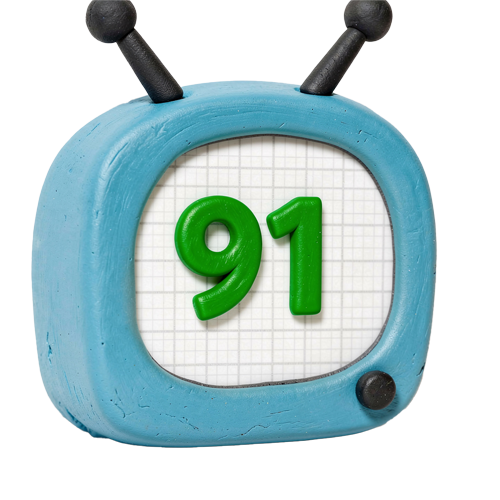
Wholesome
92
It is a charming, low-stress environment that models patient learning and rewards curiosity. The tone is playful and curious, avoiding the hyper-caffeinated energy of modern preschool apps.
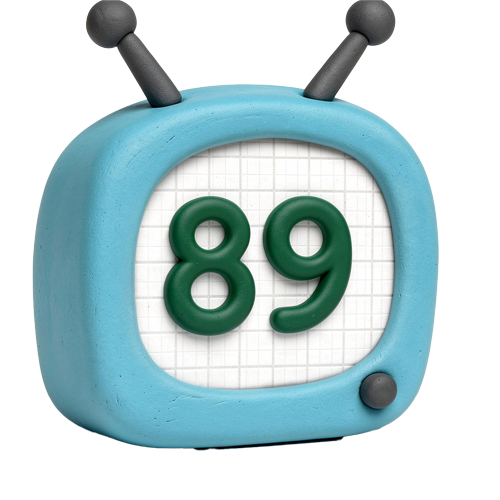
Imaginative
88
The visual style is distinct and textural, using bugs and buttons in ways that encourage kids to look at everyday objects differently. It’s creative without being chaotic.
Safe
100
This is the gold standard for app safety: zero third-party ads, zero in-app purchases, and a functional parental gate. It respects the family's privacy and the parent's wallet.
Enriching
94
It covers a massive range of early childhood skills—counting, patterns, sorting, and fine motor skills—using varied interactions like pinching and tilting that most apps ignore.
Parent Info
✓
Why It Might Be Great
No hidden costs or 'buy more gems' pop-ups to accidentally click.
Self-leveling difficulty ensures the games stay challenging but don't become a source of toddler meltdowns.
Fine motor skill focus that uses the iPad’s hardware for more than just mindless tapping, including pinching and tilting.
Visual instructions mean kids who can't read yet can jump in and play without a parent constantly explaining the rules.
⚠
What to Watch For
The app is over a decade old, so the graphics have a 'skeuomorphic' 2011 vibe that looks different from today's flat, minimalist designs.
If your kid has a genuine phobia of creepy-crawlies, the realistic (though cute) bug art might be a bit much, though most kids find them funny.
Conversation Starters
"Which of Uncle Bob's buttons was your favorite color?"
"Was it hard to play tic-tac-toe with a dragonfly?"
"How many bugs did you have to sort before the conveyor belt got too fast?"
"If we went into the garden, which of these bugs do you think we'd find?"
Deep Dive
A Tactile Throwback
Bugs and Buttons is a reminder of what mobile games for kids looked like before the industry decided that 'engagement' meant 'addiction.' It’s tactile. You aren't just clicking a button; you're pinching a dragonfly or tilting the screen to move a bug. That physical interaction is huge for the 3-to-5 age bracket, where developing fine motor skills is just as important as learning to count.
Why It Still Works
While the app was released in 2011, its design philosophy feels modern because it isn't cluttered. The 'Uncle Bob’s Button Factory' game is a particular standout for teaching sorting under pressure without being stressful. The app uses visual instructions—think IKEA manuals but for games—which empowers kids to figure things out on their own.
It’s one of those rare apps where the developers, Little Bit Studio, clearly cared about the 'play' part as much as the 'learning' part. It doesn't feel like homework; it feels like a digital junk drawer full of interesting things to poke and move. If you're looking for a first app that won't turn your toddler into a passive content consumer, this is a top-tier pick. It’s offline-friendly, too, making it a lifesaver for car rides or flights where Wi-Fi is spotty.