

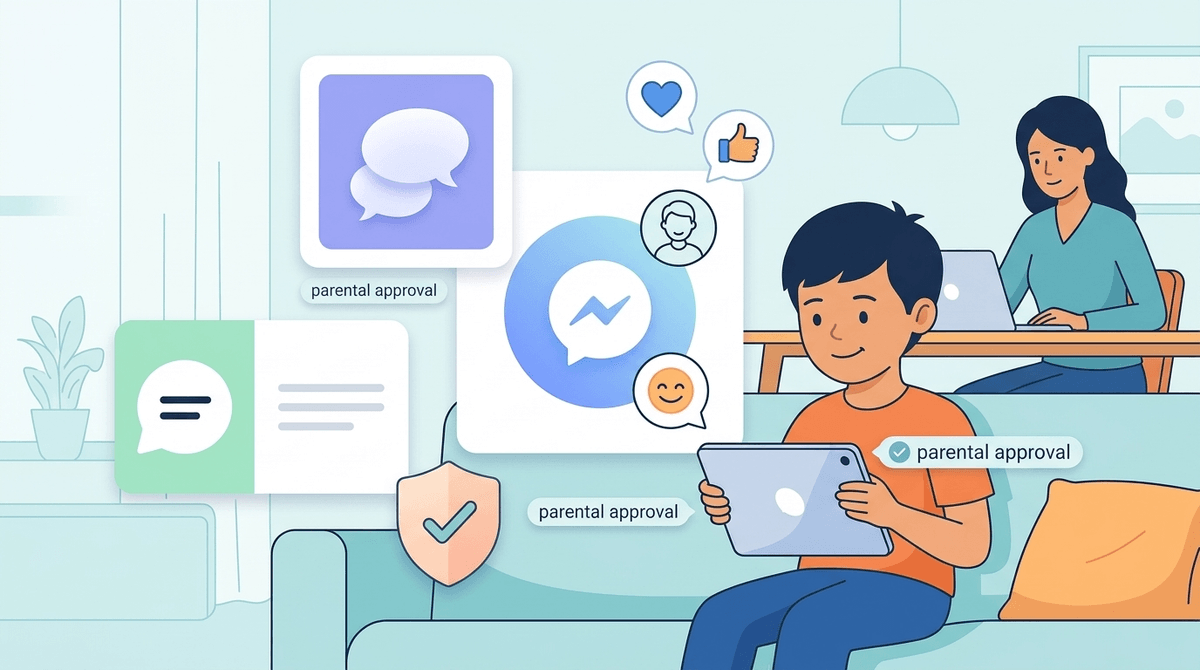
TL;DR: Most parents start introducing supervised messaging between ages 8 and 10 (3rd to 5th grade). The goal isn't just "giving them a phone," but teaching digital etiquette in a walled garden before they hit the wild west of middle school.
Top Recommendations for Starter Messaging:
- Best for Control: Messenger Kids
- Best for Apple Families: Apple Messages (with Screen Time)
- Best for Privacy: Kinzoo or Mazu
- Avoid for Now: WhatsApp, Discord, and Snapchat
It usually starts with a request to "text Grandma" from your phone. Then it evolves into wanting to message a friend from school to talk about Roblox or send a nonsensical string of Skibidi Toilet memes.
Suddenly, you realize your elementary schooler is standing at the edge of the "Group Chat Era." This is that awkward transition period where they are too young for a smartphone but old enough to want digital autonomy with their peers.
The reality of 2025 is that social lives for 4th and 5th graders are increasingly moving into the digital space. If your kid is the only one not in the loop about the weekend meetup or the latest Minecraft server drama, they feel it. But handing over an unlocked device is like giving a toddler the keys to a Ferrari.
Messaging is the "training wheels" phase of social media. It’s where kids learn:
- Tone and Context: That a period at the end of a sentence can make you sound "mad" to a friend.
- Digital Footprint: That "deleting" a message doesn't mean it’s gone if someone took a screenshot.
- The "Ohio" Factor: Navigating the weird, fast-moving slang of the internet (where everything is "Sigma" or "Ohio" or "Fanum Tax") without losing their minds—or yours.
When you're ready to say yes, don't just download whatever is trending. Start with a walled garden where you hold the master key.
This is the most popular "first app" for a reason. It doesn't require a phone number, it’s tied to the parent's Facebook account, and parents must approve every single contact.
- The Pro: You can see exactly who they are talking to and even read the threads if you’re worried.
- The Con: It’s a Meta product. If you’re a "no-Facebook-ever" family, this is a non-starter. Also, the filters and stickers are pure "brain rot" fuel, but kids love them.
If your kid has an old iPad or a Gabb Watch / SyncUP Kids Watch, they might be using iMessage.
- The Pro: It feels "adult" and integrates with the devices you already own.
- The Con: It’s harder to monitor than Messenger Kids unless you have their passcode and physically check the device. You’ll want to set up Apple Screen Time to restrict who can contact them.
These are the "privacy-first" options. They are designed from the ground up to be safe for kids, with no ads and no data selling.
- The Pro: Extremely safe and ethical.
- The Con: The "Network Effect." If none of your kid's friends are on Kinzoo, your kid will be messaging... nobody.
Learn more about the differences between Messenger Kids and WhatsApp
2nd - 3rd Grade (Ages 7-9)
At this age, messaging should be a "supervised activity," not a private one.
- The Goal: Sending emojis to grandparents or the occasional "hi" to a cousin.
- The Rule: The device stays in the living room. No private bedrooms.
- What to watch for: They will likely spend 45 minutes just picking the perfect hat for their avatar. This is fine.
4th Grade (Ages 9-10)
This is the "Group Chat Chaos" year.
- The Goal: Coordinating Roblox sessions or talking about Wings of Fire with friends.
- The Rule: No deleting messages. You should have the right to do a "spot check" at any time.
- What to watch for: The "100 Unread Messages" phenomenon. Elementary kids haven't learned "chat etiquette" yet. They will spam 50 "poop" emojis in a row and blow up everyone's notifications.
5th Grade (Ages 10-11)
The pre-middle school transition.
- The Goal: Demonstrating responsibility and "digital citizenship."
- The Rule: Discussing the "Screenshot Rule"—never type anything you wouldn't want the principal to read out loud.
- What to watch for: Excluding friends. Group chats are the primary way kids "mean girl" (or "mean boy") each other in 2026. Adding everyone except one person is the new version of not letting someone sit at the lunch table.
While messaging apps for kids are generally safe, the behavior on them is where the trouble starts.
- The Anonymous User: If an app allows "Find Friends" or "People You May Know" based on location, delete it. Elementary kids should only message people they know in real life.
- In-App Purchases: Some "free" messaging apps are just delivery systems for sticker packs that cost real money. Check your App Store settings before handing over the device.
- The 9:00 PM Ping: Sleep is more important than a group chat about MrBeast. All devices should "sleep" in a central charging station (not the bedroom) at least an hour before bed.
Don't make it a "big scary talk." Make it a "driver's ed" conversation.
- Ask: "What would you do if someone in the group chat started being mean to another friend?"
- Ask: "Why do you think I want to be able to see who you're talking to?" (Hint: It's not because you're a spy; it's because you're a coach).
- Explain: The difference between a "private" message and a "secret" message. Privacy is fine; secrecy from parents is a red flag.
If you see your kid texting things like "That's so Ohio" or "Skibidi Rizz," don't panic. It's just the current iteration of "tubular" or "as if." It’s nonsense, it’s mostly harmless, and it’s how they signal they belong to the current digital culture.
However, if the messaging starts to replace real-world play—if they’d rather text a friend than have them over for a playdate—that’s your cue to pull back. Digital connection should supplement real-world connection, not replace it.
There is no "perfect" age, but 4th grade (age 9 or 10) is when most families find the balance between social necessity and parental sanity.
Start small. Start supervised. Use an app like Messenger Kids that gives you the "God View" of their social life. And remember: you are teaching them how to be a person in a digital world. It’s going to be messy, there will be emoji-related drama, and you will definitely see more Skibidi Toilet references than you ever wanted.
But it’s better they learn these lessons now, while the stakes are low, than in 7th grade when they’re on TikTok and Snapchat.
- Audit your old devices. Do you have an old iPad or an iPhone with the SIM card removed? That’s your "starter" device.
- Set the "Docking Station" rule. Pick a spot in the kitchen where the device lives.
- Take the Screenwise Survey. If you aren't sure where your family stands compared to your school community, take our survey to see what other parents in your grade are doing.
- Draft a "Digital Contract." It doesn't have to be legalistic. Just a simple: "I won't delete messages, and I won't talk to strangers."