Kinzoo

Kinzoo

app

Everyone, 2020, Social

WISE
84%

WISE Score

4.8

App Store

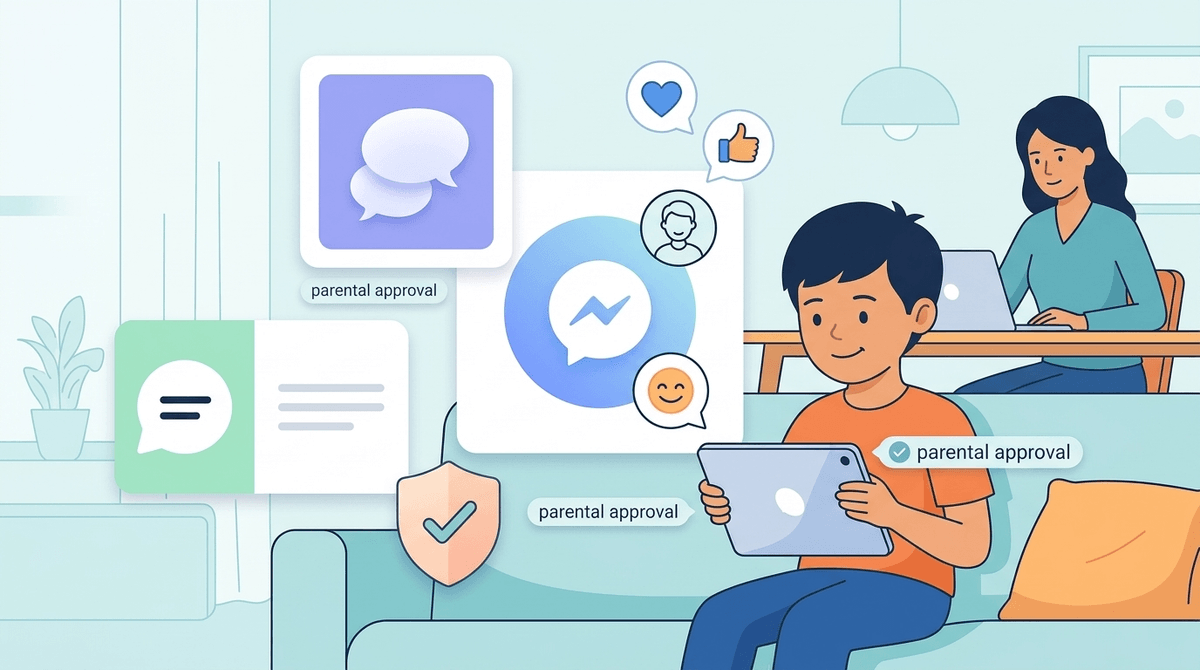
The training-wheels messaging app that lets kids text grandma without accidentally stumbling into the internet's chaos.

Screenwise Verdict

Kinzoo is what happens when someone builds a messaging app with actual parenting in mind rather than engagement metrics. It's the digital equivalent of letting your kid ride their bike around the cul-de-sac before they hit the busy streets.

The safety design is genuinely excellent—parent-controlled contacts, no ads, no likes, no follower counts, no algorithmic manipulation. It's teaching kids how to communicate digitally without exposing them to the toxicity that plagues mainstream social platforms. The fact that it includes video calls and multimedia sharing makes it functional enough that kids actually want to use it.

The downsides are modest: you'll need to actively manage the contact list, and some of the fun extras cost money. But honestly, that's a small price for peace of mind. This is the rare app where 'built for kids' doesn't mean 'we slapped parental controls on something designed to be addictive.'

It's not going to wow teenagers, and it's not meant to. This is for the elementary school years when kids are ready to start digital communication but you're not ready to hand them Instagram. It buys you time and teaches them skills. That's a win.

Age Fit

Perfect for ages 6-12 as a first messaging experience, especially for kids who want to stay connected with family members or close friends. Once kids hit middle school and want broader social access, they'll likely find it limiting—which is exactly when you'll need to have bigger conversations about graduating to more open platforms.

WISE Breakdown
Wholesome
92

Built specifically to foster genuine family connection without toxic social media elements. No likes, no followers, no comparison metrics. Promotes the 'Three C's' (connection, creativity, cultivation) and focuses on deepening relationships across generations. Parent reviews consistently praise its foundation in healthy digital citizenship and respectful communication.

Imaginative
68

Offers creative tools like photo/video filters, sticker packs, mini games, and interactive stories in the 'Paths Center.' However, it's fundamentally a messaging app, not a creation platform—the creativity is in service of communication rather than open-ended building or exploration. The imaginative elements are nice-to-haves rather than the core experience.

Safe
95

Exceptional safety design: parent-controlled contact list, no phone number required, no ads, no manipulative features, built from the ground up with privacy as a keystone. Common Sense Media parent reviews emphasize it as 'the best privacy-based messaging app for families.' Closed network means kids can only communicate with approved contacts. Free from persuasive design patterns that exploit children.

Enriching
75

Serves as a constructive 'first tech' experience that teaches digital citizenship, critical thinking, and respectful online communication. Helps kids build real social skills in a protected environment. The skill-building is genuine—learning to communicate thoughtfully, share appropriately, and maintain relationships digitally. Not as enriching as educational apps, but far more enriching than most social platforms.

Parent Info

Why It Might Be Great

  • Solves the 'my kid wants to text but I'm not ready for them to have a phone' problem perfectly—video calls, messaging, and photo sharing in a parent-controlled bubble
  • Genuinely privacy-respecting design built by a parent who actually gets it: no ads, no data mining, no manipulative features trying to maximize engagement
  • Bridges the grandparent gap beautifully—lets far-away family stay connected with kids in a way that feels natural and safe
  • Teaches real digital citizenship skills in a protected space before kids graduate to the Wild West of actual social media
  • The 'Blips' currency system for screen time management is clever—parents can allocate messaging time without constant battles

What to Watch For

  • It's a closed network, so kids can only message people you approve—which is the point, but means you're the gatekeeper for every friend request
  • Some features require in-app purchases (filters, mini games, sticker packs), though the core messaging is functional without them
  • Requires parent setup and ongoing management—this isn't a 'set it and forget it' solution
  • Kids will eventually outgrow it as they want more independence and access to actual social platforms with their broader peer group

Conversation Starters

  • "Who do you most like messaging on Kinzoo? What makes those conversations fun?"
  • "How is messaging on Kinzoo different from talking to someone in person? What do you like better about each?"
  • "If you could add one person to your Kinzoo contacts, who would it be and why?"
  • "What kinds of things are okay to share in messages versus what should stay private? How do you decide?"

Deep Dive

The bridge to the big leagues

Most parents reach for Kinzoo when they realize their kid’s social life has outgrown the backyard but isn't quite ready for the open ocean of Discord or WhatsApp. It occupies a specific, slightly awkward middle ground: it looks like a "real" app, but it functions like a high-walled garden. If your kid is constantly asking to borrow your phone to text their cousins or is starting to feel left out of the group chat era, this is the most logical first step.

The genius of the design isn't just the safety—it’s the lack of friction. Because it doesn't require a phone number, you can set it up on an old tablet or a Wi-Fi-only device. It removes the "I need a data plan" argument from the equation entirely.

Content over just conversation

A lot of kid-focused messengers are just stripped-down versions of adult apps. Kinzoo tries to be a bit more active. The Paths Center is a standout feature here, offering interactive stories and activities that give kids something to actually talk about. It solves the "Hi / Hi / What are you doing? / Nothing" loop that kills most early digital conversations.

There is a Marketplace for stickers and mini-games, and while some parents might roll their eyes at more in-app purchases, these features are what keep the app from feeling like a chore. Kids want the "fun" stuff they see older siblings using—filters, emojis, and games—and Kinzoo provides them in a way that doesn't feel predatory.

You are the bouncer

The biggest reality check for parents is that Kinzoo requires you to be the gatekeeper. You aren't just setting it up; you are manually approving every single connection. This is great for peace of mind, but it can become a minor administrative task if your kid has a large circle of friends or a massive extended family.

If you’re looking for safe apps for tweens, Kinzoo is a top-tier candidate because it forces the habit of asking permission before connecting. It’s a literal manifestation of the "training wheels" phase. You’re teaching them that digital access is a privilege that requires a quick check-in with the adults in the room.

The graduation point

Eventually, the walls will feel too high. Around age 11 or 12, kids start to crave the platforms their peers are using, and the "kid-friendly" aesthetic of Kinzoo might start to feel a little too young.

When that happens, don't view it as a failure of the app. View it as a successful completion of the course. You’ve used this time to set the digital manners that will hopefully keep them from being a nightmare when they finally get a real phone number. Kinzoo isn't the destination; it’s the practice field. And as far as practice fields go, it’s one of the best-maintained ones available.

Ask Anything

Get a personalized guide on any topic