

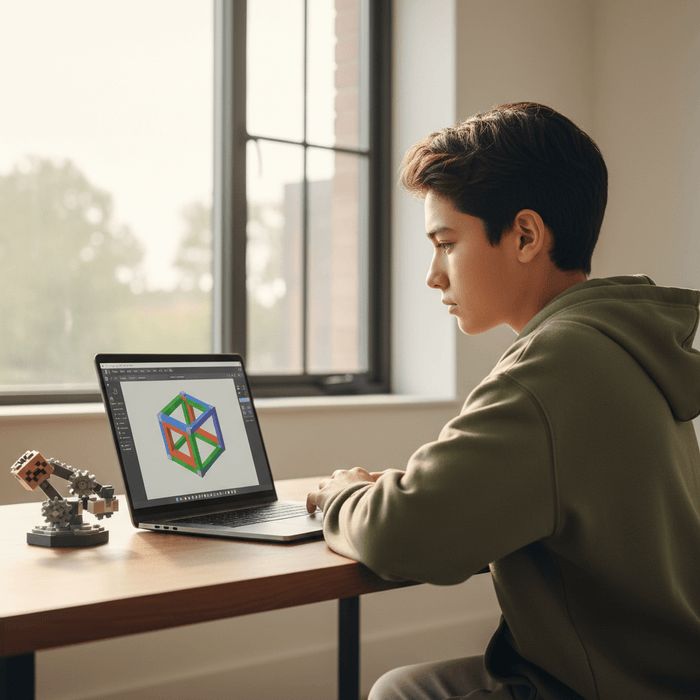
TL;DR: Tinkercad is the ultimate "level up" for kids who have spent years building in Minecraft and are starting to itch for something more "real." It’s a free, browser-based 3D design and modeling tool that’s safe, educational, and—most importantly—actually fun. No predatory microtransactions, no "brain rot" content, and no creepy DMs from strangers.
Quick Links:
- Tinkercad (The core tool)
- Scratch (The best coding companion)
- Minecraft (The gateway drug to 3D design)
- LEGO Masters (Perfect "watch-together" inspiration)
If you’ve ever watched your kid spend three hours meticulously building a base in Minecraft or designing a custom "obby" in Roblox, you’ve already seen the spark of an engineer. Tinkercad is where that spark gets some oxygen.
Created by Autodesk (the same people who make the professional software used to design skyscrapers and Teslas), Tinkercad is a simplified, kid-friendly version of CAD (Computer-Aided Design). It uses a "primitive modeling" system, which is just a fancy way of saying kids drag and drop shapes—cubes, spheres, cones—and combine or subtract them to create literally anything.
Think of it as digital LEGOs, but without the pain of stepping on a brick at 2:00 AM. It’s entirely web-based, meaning it runs on that old Chromebook from school or your family laptop without needing a $2,000 gaming rig.
Learn more about why spatial reasoning is a superpower for kids
We’ve all seen the "zombie stare" kids get when they’re deep into a YouTube Shorts scroll or watching another episode of "Skibidi Toilet" (don't ask, just know it involves heads in toilets). Tinkercad is the literal opposite of that. It requires active creation rather than passive consumption.
Kids love it because:
- The Learning Curve is Non-Existent: Within five minutes, a seven-year-old can figure out how to put a "hole" through a "solid" to make a bead or a ring.
- Instant Gratification: They can see their creation in 3D, rotate it, change colors, and—if you’re feeling brave—actually send it to a 3D printer.
- The "Sims" Effect: There’s a specific kind of joy in designing your own dream house or a custom spaceship that Roblox doesn't quite capture because Tinkercad gives them total control over every millimeter.
From a parent's perspective, this is "stealth learning." They think they're playing; you know they're learning geometry, spatial awareness, and the fundamentals of engineering.
Most people think Tinkercad is just for 3D shapes, but it’s actually a three-in-one suite.
1. 3D Design
This is the bread and butter. It’s where they build the "Ohio-themed" desk organizer or a custom keychain. It’s the perfect bridge between physical toys and professional design software like Blender.
2. Circuits
This is a hidden gem. It’s a virtual electronics lab where kids can drag out batteries, LEDs, and breadboards to build working circuits. If they mess up and "blow up" a virtual lightbulb, it costs you $0. It even lets them simulate Arduino coding.
3. Codeblocks
If your kid is already into Scratch, they will love this. It uses block-based coding to create 3D shapes. Instead of dragging a cube, they write a script that says "Create Cube, Repeat 10 times, Rotate 45 degrees." It’s a brilliant way to visualize how math and code create physical objects.
If your kid is diving into Tinkercad, they’ll likely enjoy these other high-quality, low-rot media options:
The gold standard of "Science YouTube." A former NASA engineer who builds giant glitter bombs and squirrel obstacle courses. He makes engineering look like the coolest job on the planet.
This show is fantastic for family movie night. It emphasizes the "iterate and improve" mindset that Tinkercad encourages. It shows kids that even the pros have their builds fall apart sometimes.
If they like the "Codeblocks" side of Tinkercad, Scratch is the logical next step. It’s the world’s largest coding community for kids, and it’s where they can start making their own actual games.
For the slightly older crowd (10+), these guys take fictional items (like Iron Man’s suit or a lightsaber) and try to build real-world, working versions. It’s high-energy and shows the "why" behind learning 3D design.
Ages 5-7: They might need you to sit with them for the first 20 minutes to handle the mouse controls (right-click to rotate is a big hurdle for little hands). Stick to the 3D Design section. Ages 8-12: This is the sweet spot. They can fly solo here. Encourage them to try the "Learning Center" tutorials within the app—they are actually well-paced and not boring. Ages 13+: They might start to outgrow the "blocky" look of Tinkercad. If they’re still interested, it might be time to look into Fusion 360 or Blender.
As a Screenwise parent, you’re probably waiting for the "catch." Is there a toxic chat? Are there predators?
The short answer: No.
Tinkercad is owned by Autodesk and is built with schools in mind. It is fully COPPA (Children's Online Privacy Protection Act) compliant.
- No Private Messaging: There is no way for a stranger to DM your child.
- Moderated Gallery: Kids can share their designs to a public gallery, but they are moderated. Users can "like" or "remix" a design (think of it as "Save As" for someone else's work), but there isn't a social-media-style comment section where toxicity can thrive.
- Classroom Accounts: If your kid uses it for school, the teacher has total oversight of their account. If they use it at home, you can set up a "Child Account" linked to your own.
Instead of "How was school?", try asking about their "builds."
- "I saw you were working on a 3D model—is that for a game or are you designing something to print?"
- "How did you figure out how to make that shape? Did you have to 'group' two different objects?"
- "If we could 3D print one thing this weekend, what would it be?" (Note: You don't actually need a 3D printer; many local libraries offer 3D printing services for a few dollars!)
This moves the conversation from "tech as a distraction" to "tech as a tool." It validates their digital hobby as a legitimate skill.
Tinkercad is one of the few "pure" wins in the digital parenting world. It’s free, it’s safe, and it builds actual skills that translate to high school, college, and careers.
If your kid is currently draining your bank account for Robux in Roblox, consider Tinkercad the "diversification" of their digital portfolio. It’s moving them from being a consumer to being a creator. And in 2026, that’s the most important transition they can make.
- Create an account: Head to Tinkercad and set up a family or child account.
- Do the "Star" tutorial: Sit with them for 10 minutes and do the first introductory lesson together.
- Find a local "Maker Space": Check your local library to see if they have a 3D printer. Seeing a digital file become a physical object is the "magic moment" that hooks kids for life.