

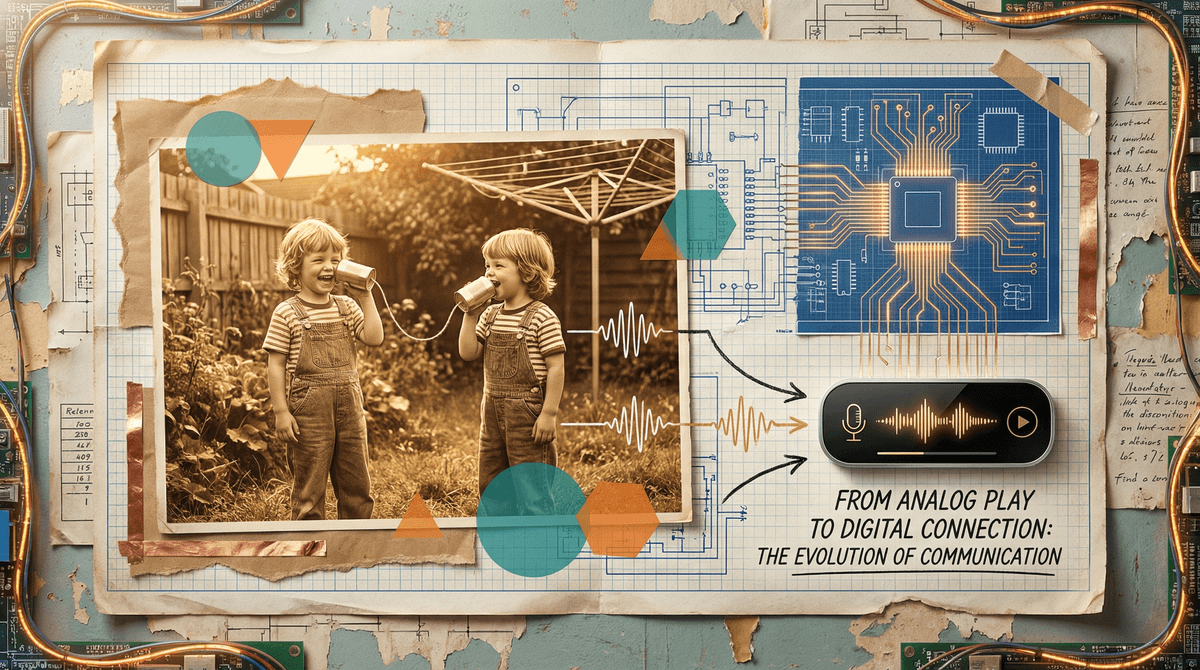
Tin Can Phones Go Digital: Old-School Play Meets Modern Tech
TL;DR: Digital tin can phones blend nostalgic DIY vibes with actual working tech—think walkie-talkies meets craft project. They're hitting a sweet spot for elementary-aged kids (roughly 6-10) who want "real" communication devices without the smartphone baggage. We're talking about products like the Yoto Player for audio messaging, actual electronic tin can phone kits, and DIY projects that teach basic circuitry. It's part of a bigger trend of parents seeking screen-free alternatives that still feel modern and cool.
Let's clear something up: we're not just talking about the classic string-between-two-cans setup from science class (though that's still awesome). The "digital tin can phone" space has evolved into a few different categories:
1. Actual electronic tin can phone kits that use simple radio frequency or Bluetooth to transmit voices between decorated cans. Think of them as walkie-talkies you build yourself, often marketed as STEM toys.
2. Audio messaging devices like the Yoto Player that let kids send voice messages to other Yoto users—essentially asynchronous tin can phones that work across distances.
3. DIY electronics projects where kids build actual working intercoms or short-range communication devices using basic components. These range from beginner-friendly kits to more advanced Arduino projects for older elementary kids.
4. The OG string phones making a comeback as intentional low-tech play, sometimes elevated with better materials or incorporated into backyard obstacle courses.
Parents are exhausted by the smartphone conversation. You've got third graders asking for iPhones, middle schoolers glued to TikTok, and everyone's wondering when exactly childhood got so complicated.
Enter the tin can phone—digital or otherwise. It scratches multiple itches at once:
It's communication without connectivity. Kids get the thrill of having their "own" device and talking to friends, but there's no internet, no apps, no Roblox notifications, and definitely no group chat drama.
It's hands-on and educational. Whether you're literally stringing cups together or soldering a simple circuit, kids are learning about sound waves, electronics, or basic engineering. It's the kind of thing that feels productive even when it's pure play.
It's got that vintage cool factor. Gen X and Millennial parents remember making these as kids, and nostalgia is a powerful drug. But updated with actual working electronics, it doesn't feel like you're forcing your kids to live in 1985.
It sets boundaries by design. Tin can phones—even digital ones—have natural limitations. They work within a house or yard, not across town. They're one-to-one or small group, not broadcast to 47 people. They're synchronous (or close to it), not an endless scroll of missed messages.
Ages 5-7: Classic String Phones & Simple Kits
Start with the basics. Traditional string-and-cup phones are genuinely magical for this age group. They're learning that sound travels, that tension matters, that you can't both talk at once.
If you want to go slightly more advanced, look for electronic kits specifically designed for early elementary. These usually involve minimal assembly (think: snap-together parts) and work like simplified walkie-talkies. The key is that they're durable and simple—two buttons max, no app required.
Ages 8-10: DIY Electronics & Messaging Devices
This is the sweet spot for digital tin can phones. Kids this age can handle:
- STEM kits that involve actual building—soldering (with supervision), connecting wires, understanding circuits
- Audio messaging devices where they record and send voice notes to friends or family members
- Upgraded string phones where they experiment with different materials, distances, and designs to optimize sound quality
The Yoto Player works well here for kids who want to send messages to grandparents or friends with the same device. It's contained, parent-controlled, and has zero social media vibes.
For the builder types, simple intercom kits or Arduino-based projects can be incredibly engaging. You're looking at projects that teach basic coding and electronics while creating something actually useful.
Ages 11+: Advanced Projects & Real Applications
Older kids might roll their eyes at "tin can phones," but frame it as building a communication system from scratch and you've got their attention. This is where you can get into:
- Raspberry Pi projects that create actual working intercoms or short-range communication networks
- Ham radio basics (yes, really—there's a whole community of young ham radio operators)
- Understanding the tech behind the phones they actually use
At this age, it's less about replacing their phone and more about understanding how communication technology works. It's the difference between being a passive consumer and someone who actually gets what's happening under the hood.
These aren't smartphone replacements—and that's the point. If your kid is asking for a phone to coordinate pickups, stay in touch when they're out, or message their friend group, a tin can phone (digital or not) isn't solving that problem. But if you're trying to delay smartphones while still acknowledging kids' desire for communication devices, this can buy you some time.
The novelty will wear off. Let's be real: most kids will play intensely with these for a few weeks, then they'll sit in the closet. That's okay. The building process, the experimentation, the conversations about how communication works—that's the real value. Think of it like board games—sometimes the setup and first few plays are where the magic happens.
Safety is still a consideration. Even with "simple" electronics, you're dealing with batteries, potentially sharp materials, and for DIY projects, soldering irons. This isn't independent play for most elementary kids—it's a supervised activity. Which honestly might be another point in its favor if you're looking for screen-free activities to do together.
The real conversation is about why. If you're gravitating toward tin can phones, digital or otherwise, you're probably already thinking hard about your family's relationship with technology. These devices can be a great conversation starter: Why do we communicate the way we do? What's gained and lost with different technologies? When is simpler actually better?
Buy a kit if: You want a specific outcome without the frustration, your kid is younger (under 8), or you're not particularly crafty yourself. Quality kits come with clear instructions and all necessary parts. Budget around $20-50 for decent electronic versions.
Go DIY if: The process matters more than the product, you've got a kid who loves taking things apart, or you want to customize everything. You'll need to invest more time and possibly deal with failed attempts, but the learning is deeper. You can start with under $10 in materials for basic versions.
Stick with string if: You've got multiple kids, you want something truly screen-free, or you're just testing the waters. Classic tin can phones cost essentially nothing and work surprisingly well. Sometimes the old ways are old for good reason.
Digital tin can phones sit in this interesting space between nostalgia and innovation, between screen-free play and actual technology. They're not going to solve the smartphone dilemma or replace Minecraft as your kid's favorite activity.
But they might give you a few weekends of genuine building time together. They might spark an interest in electronics or engineering. They might create a shared experience with your kid that doesn't involve a screen. And they might help you articulate why you're not rushing to hand over a smartphone—because communication devices can be simple, contained, and intentional.
For families trying to navigate the early elementary years without defaulting to screens for every form of entertainment or communication, these hit differently than just saying "go play outside." They're a yes instead of a no. They're building instead of consuming. They're connected without being online.
And honestly? Watching your kid's face light up when they realize they built something that actually works—that their voice is traveling through wires or radio waves they assembled themselves—that's pretty great, even if it only lasts until the next Roblox update drops.
- Start simple: Grab two paper cups and some string this weekend. See if the concept resonates before investing in electronics.
- Check out STEM kits: Search for "DIY intercom kit" or "kids walkie talkie building kit" for age-appropriate options.
- Explore alternatives to smartphones for kids if you're using this as a stepping stone.
- Consider audio-only devices like the Yoto Player for kids who want messaging capabilities without screens.
Want to dig deeper into keeping communication simple while kids are young? Ask about age-appropriate communication devices or explore screen-free tech alternatives.