

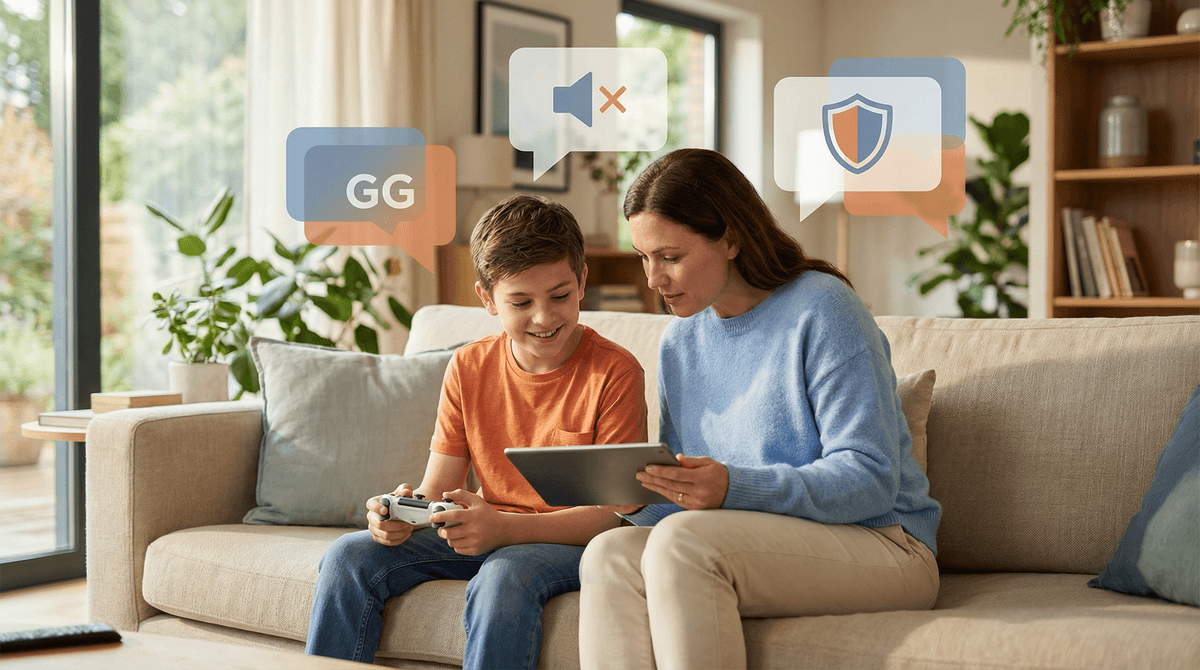
The Ultimate Guide to In-Game Chat Etiquette
Your kid's first experience with in-game chat is basically their introduction to the unmoderated internet, and it can get wild fast. This guide breaks down how to teach respectful communication, recognize toxic behavior, and keep them safe while they're chatting in Roblox, Fortnite, Minecraft, and every other multiplayer game they're begging to play.
Quick wins:
- Start with games that have robust chat filters (Among Us, Splatoon 3)
- Practice respectful communication before turning on voice chat
- Set up parental controls
 for every platform
 - Have the "mute is not rude" conversation early and often
In-game chat is how players communicate while gaming together. It comes in three main flavors:
Text chat: Players type messages that appear on screen. This is the training wheels version—slower, usually filtered, and easier to monitor.
Voice chat: Real-time talking through headsets. This is where things get spicy because there's often zero filtering and your sweet 9-year-old might hear language that would make a sailor blush.
Quick chat/Emotes: Pre-set phrases or reactions (like "Nice shot!" or "Thanks!"). The safest option, though kids will definitely find creative ways to be annoying even with limited options.
Most popular multiplayer games—Roblox, Fortnite, Minecraft, Valorant, Call of Duty—have some form of chat enabled by default. And here's the thing: chat can be genuinely great for teamwork, making friends, and learning communication skills. It can also be a cesspool. Your job is to prepare them for both.
Gaming chat is often a kid's first experience with:
- Anonymous interaction with strangers
- Unfiltered opinions and reactions
- Conflict resolution in real-time
- Digital reputation and consequences
It's also where they'll encounter their first toxic player, their first attempt at manipulation ("give me your password and I'll give you free V-Bucks!"), and their first decision about whether to stand up to a bully or stay silent.
The communication patterns they learn in game chat often carry over to how they text, comment on social media, and interact in Discord servers. So yeah, teaching good chat etiquette isn't just about gaming—it's foundational digital citizenship.
Rule 1: Don't Be That Player
You know the one. The kid who spams "EZ" after every win, calls everyone "trash," and rage-quits while screaming into the mic. Talk explicitly about what toxic behavior looks like:
- Trash talking beyond friendly competition
- Spamming messages or sounds
- Blaming teammates for losses
- Backseat gaming (telling others how to play when they didn't ask)
- Bragging excessively about wins
- Being a sore loser (or an insufferable winner)
Make it clear: being good at a game doesn't give you permission to be a jerk to people who aren't as skilled.
Rule 2: GG Means Good Game (And Actually Mean It)
"GG" at the end of a match is basic sportsmanship, whether you won or lost. Teach your kid to:
- Say "GG" sincerely, not sarcastically
- Add "WP" (well played) when teammates did something impressive
- Use "GLHF" (good luck, have fun) at the start
- Compliment specific good plays, even from opponents
This stuff seems small, but it creates positive gaming culture one match at a time.
Rule 3: Mute Is Your Superpower
This is the most important lesson: You can always mute someone, and you should do it liberally.
Muting isn't rude. Muting isn't weak. Muting is self-care. If someone is:
- Being mean or aggressive
- Using slurs or hate speech
- Making them uncomfortable in any way
- Just being annoying
Hit that mute button. No explanation needed, no guilt required.
Practice this together: show them where the mute button is in every game they play. Make it muscle memory.
Rule 4: Don't Share Personal Information (Ever)
This should be drilled in before they ever type a single message:
- No real names (first or last)
- No ages or birthdays
- No school names or locations
- No phone numbers or social media handles
- No photos of themselves or their home
Even if the person seems nice. Even if they've been playing together for weeks. Even if they promise exclusive skins or game currency. Learn more about protecting personal information in games.
Rule 5: Report and Move On
If someone crosses a line—harassment, hate speech, threats, asking for personal info, sharing inappropriate content—use the report function. Every major game has one.
Then move on. Don't engage, don't argue, don't try to "win" against a toxic player. Report, block, mute, done.
Ages 6-8: Text chat only, heavily filtered Games like Among Us with quick chat only, or Splatoon 3 with preset phrases. They can practice typing and basic communication without exposure to open chat.
Ages 9-11: Filtered text chat with friends only Platforms like Roblox allow you to restrict chat to approved friends. Minecraft on private servers with known players. No voice chat yet, no public servers.
Ages 12-14: Monitored voice chat with friends This is when most kids are ready for voice chat, but start with friends-only groups. Sit nearby during early sessions. Discuss what they're hearing and how they're responding. Games like Fortnite and Rocket League are common starting points.
Ages 15+: Open chat with established boundaries By high school, most kids can handle public voice chat if they've been taught good habits. But keep having conversations about what they're experiencing and reinforce that they can always mute/report.
These are guidelines, not rules. You know your kid best. Some mature 11-year-olds can handle voice chat; some 14-year-olds aren't ready. Trust your gut.
Has surprisingly good parental controls. You can:
- Disable chat entirely
- Restrict to friends only
- Keep the default filtered chat (blocks profanity, personal info)
- Under 13 accounts have stricter filters automatically
Check out our guide to Roblox parental controls for the full walkthrough.
Voice chat is on by default. You can:
- Turn off voice chat completely
- Mute all but friends
- Adjust who can see their username/status
- Filter mature language (though it's not perfect)
Chat depends on where they're playing:
- Private servers/realms: safest option, you control who's there
- Public servers: wide open, minimal moderation
- Bedrock Edition: can disable chat in settings
- Java Edition: more complex, varies by server
Not technically in-game, but this is where a ton of gaming communication happens. Discord requires users to be 13+, and for good reason—it's essentially unmoderated. If your kid is using Discord:
- They should only join servers with people they know IRL
- Turn on explicit content filtering
- Disable DMs from server members
- Check in regularly on what servers they're in
Learn more about Discord safety.
"What's the funniest thing someone said in chat today?" Opens the door to hearing about their gaming social life without feeling like an interrogation.
"Have you ever had to mute someone? What happened?" Normalizes using the mute function and lets them process uncomfortable situations.
"Do you think you're a good teammate? What makes someone a good teammate?" Encourages self-reflection about their own behavior, not just others'.
"What would you do if someone asked for your password/phone number/address?" Scenario planning for safety situations before they happen.
"How do you handle it when your team loses and someone blames you?" Emotional regulation practice for the inevitable frustrating moments.
Your kid might be having negative chat experiences if they:
- Get visibly upset during or after gaming sessions
- Become secretive about who they're playing with
- Start using language or insults they didn't before
- Avoid certain games they used to love
- Mention "jokes" that sound like bullying
- Talk about older players who are "really nice" to them
Trust your instincts. If something feels off, dig deeper.
It's not enough to teach kids not to be toxic—we need to teach them to speak up when others are.
This doesn't mean being the chat police, but it does mean:
- Saying "that's not cool" when someone uses slurs
- Backing up a teammate who's being harassed
- Not laughing at mean "jokes"
- Reporting serious violations
Make it clear: staying silent when someone's being bullied is a choice. And yeah, sometimes speaking up means you become a target too—that's when you mute, report, and leave the match. You can't fix toxic players, but you can refuse to participate in toxic culture.
Don't just throw your kid into open voice chat and hope for the best. Try this progression:
Stage 1: Family voice chat Use Discord or in-game chat to talk to siblings or parents while gaming. Practice using push-to-talk, adjusting volume, and basic communication.
Stage 2: Friends-only voice chat Play with 2-3 real-life friends. Low stakes, familiar voices, safe environment to make mistakes.
Stage 3: Friends-of-friends Expand to people their friends know. Slightly less familiar, but still a degree of connection.
Stage 4: Monitored public chat Join public matches with voice on, but you're nearby to hear what's happening. Debrief afterward.
Stage 5: Independent public chat They're ready to navigate it alone, but check-ins continue.
Some kids will fly through these stages in weeks. Others might stay at Stage 2 for years. Both are fine.
Here's where it gets nuanced. Some level of competitive banter is part of gaming culture—friendly trash talk between friends who know each other can be fun. The line is:
Friendly trash talk:
- Between people who know each other
- Playful and obviously not serious
- Stops immediately if someone says they don't like it
- Includes self-deprecating humor
- Focuses on the game, not the person
Toxic trash talk:
- Targets strangers
- Uses slurs, insults, or personal attacks
- Continues after someone asks it to stop
- Punches down at less skilled players
- Makes people feel bad, not energized
Teach your kid to read the room (or the chat). If everyone's laughing and having fun, light banter is fine. If someone seems upset or quiet, dial it back.
Invest in decent headphones Not earbuds—actual over-ear headphones that contain sound. You want to be able to hear what they're hearing without standing right next to them.
Gaming in shared spaces At least initially, keep gaming in the living room or another common area. Not as punishment, but as a natural way to stay aware of their gaming social life.
Use parental control apps Tools like Bark can monitor Discord and some gaming platforms for concerning language. Not perfect, but helpful for older kids with more independence.
Check chat logs when available Some games and platforms save chat history. Periodic spot checks (with their knowledge—don't be sneaky about it) help you understand their gaming communication patterns.
Set up separate accounts Use family accounts or separate profiles so you can adjust settings without impacting other family members.
Scenario 1: They hear/see something inappropriate
- Stay calm (your reaction sets the tone)
- Ask them to show you what happened
- Report and block the user together
- Talk about why that language/behavior isn't okay
- Reassure them it's not their fault
Scenario 2: They said something they shouldn't have
- Don't shame, but don't excuse it either
- Ask why they said it and what they were thinking
- Talk about impact vs. intent
- Discuss how to apologize if needed
- Set consequences if it was serious
Scenario 3: They're being targeted/harassed
- Document everything (screenshots)
- Report through official channels
- Block the user(s)
- Take a break from that game/server
- Consider whether this is a one-time thing or a pattern
Scenario 4: They're the one being toxic
- Take gaming privileges away temporarily
- Require them to write out why their behavior was wrong
- Practice better responses to frustrating situations
- Gradually reintroduce gaming with closer monitoring
Generally positive chat communities:
- Deep Rock Galactic - cooperative, friendly player base
- Stardew Valley - chill, helpful community
- Animal Crossing - limited chat, wholesome vibes
- Splatoon 3 - preset messages only, very kid-friendly
- Fall Guys - no chat, just silly fun
Notoriously toxic chat:
- League of Legends - famously hostile
- Call of Duty - aggressive, mature content
- Overwatch - competitive toxicity
- CS:GO/CS2 - intense, often harsh
- Dota 2 - steep learning curve, impatient players
Middle ground (depends on the lobby):
- Fortnite - varies wildly
- Roblox - depends on the game/server
- Minecraft - depends on the server
- Rocket League - competitive but manageable
- Among Us - can get heated during accusations
In-game chat is neither inherently good nor inherently bad—it's a communication tool, and like any tool, it can be used well or poorly. Your job isn't to shield your kid from every negative interaction (impossible), but to give them the skills to navigate gaming communication with confidence and kindness.
The essentials:
- Start with limited chat and gradually expand access
- Teach respectful communication and sportsmanship
- Make muting and reporting second nature
- Keep talking about their gaming social life
- Model good digital communication yourself
Gaming chat can teach valuable skills: teamwork, conflict resolution, quick thinking, and digital citizenship. But only if we actually teach those skills, not just hope kids figure it out.
Next Steps:
- Check the chat settings on every game your kid plays this week
- Have the "mute is your superpower" conversation
- Practice reporting and blocking together
- Set up parental controls for each platform
- Schedule a monthly check-in about their gaming communication experiences
And remember: every kid who learns to say "GG" sincerely and mute toxic players confidently is making the gaming world a tiny bit better. That's worth the effort.