

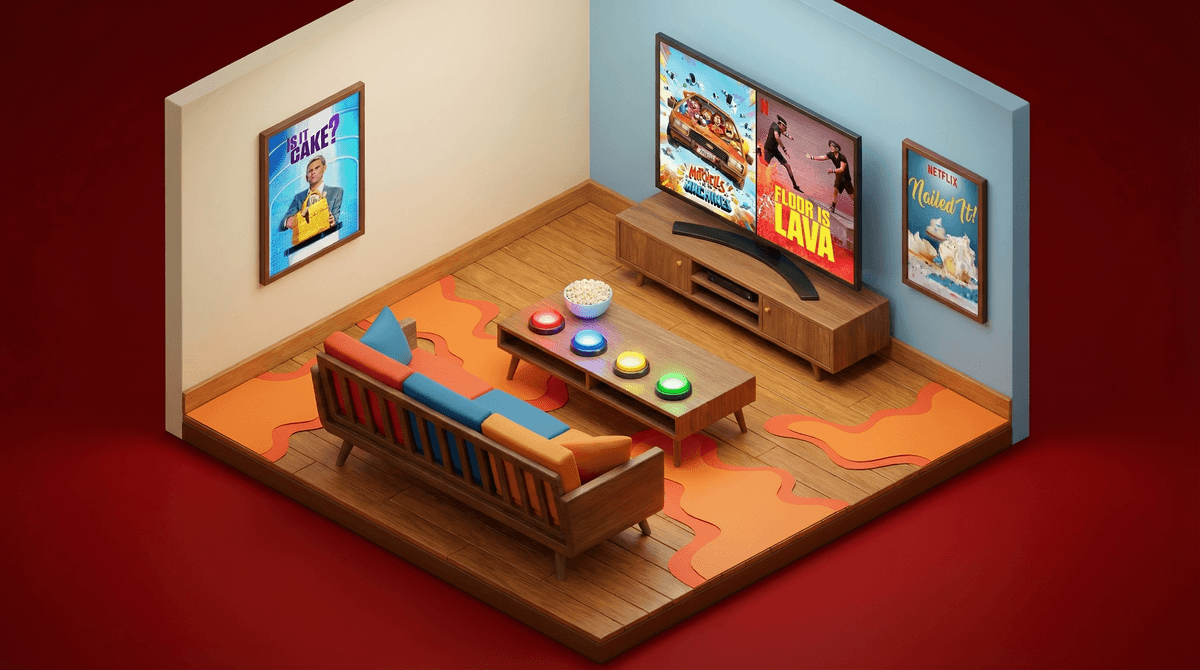
The Ultimate Guide to Hosting a Netflix Trivia Night
TL;DR: Transform passive screen time into active family fun with a Netflix trivia night. Use interactive shows like Is It Cake?, Nailed It!, or Floor is Lava as your foundation, create custom questions from your family's favorite binges, and turn your living room into a game show set. Best for ages 6+, with options for every skill level.
Look, we all know the default Netflix experience: everyone scattered on different devices, half-watching while scrolling phones, or the endless "what should we watch?" debate that eats 20 minutes of your evening. But what if you could flip that script and turn your family's streaming habit into an actual event that gets everyone engaged, laughing, and (dare I say it) talking to each other?
A Netflix trivia night does exactly that. And the best part? You already have everything you need.
Netflix trivia hits different than regular family game night because you're building on content your kids already know and love. They've watched Stranger Things seventeen times. They can quote every line from The Mitchells vs. The Machines. They know which character said "I volunteer as tribute" even though they're too young to have actually watched The Hunger Games.
This isn't about creating more screen time—it's about transforming passive watching into active participation. You're building memory recall, encouraging healthy competition, and creating a shared experience that doesn't involve anyone doom-scrolling TikTok.
Some Netflix shows are practically begging to become trivia fodder. Here are the heavy hitters:
Ages 6+
This show is trivia gold. Each episode, bakers create hyper-realistic cakes that look like everyday objects, and contestants (plus you at home) have to guess which items are cake and which are real. It's perfect for younger kids because the concept is simple, visual, and genuinely surprising.
Trivia format: Show a paused frame with multiple objects and have family members write down their guesses. Reveal the answer, award points. The show does the heavy lifting—you just facilitate.
Ages 8+
Amateur bakers attempt professional-level desserts with hilariously disastrous results. Host Nicole Byer's commentary is chef's kiss, and the "Nail It or Fail It" moments are endlessly rewatchable.
Trivia format: "Which disaster happened in which episode?" or "Match the failed cake to the baker." You can also do prediction rounds—pause before the reveal and have everyone guess who's going home.
Ages 7+
Teams navigate rooms flooded with "lava" (actually just colored water and bubbles, but don't ruin the magic). It's physical, it's silly, and kids love it.
Trivia format: "Which room had the spinning platforms?" or "How many team members fell in the lava in episode 3?" You can also create your own floor-is-lava challenge in your house between trivia rounds.
Ages 10+
If your family watches this together (and honestly, it's one of the most wholesome shows on the platform), it's surprisingly great for trivia. The Fab Five's makeovers are memorable, and the emotional moments stick with you.
Trivia format: "Which hero worked in which profession?" or "What was the main issue the Fab Five helped solve?" This works especially well for older kids who can remember narrative details.
Ages 8+
The cozy, low-stakes vibe makes this perfect family viewing, and the technical challenges are trivia heaven.
Trivia format: "What ingredient did Paul Hollywood say was missing?" or "Who won Star Baker in the bread week?" Bonus: you can bake something simple while you play.
Interactive competition shows are the easy mode, but you can create trivia from literally anything your family watches together. Here's how:
For animated shows like Avatar: The Last Airbender, Gravity Falls, or The Dragon Prince:
- Character identification rounds (show a screenshot, name the character)
- Quote attribution ("Who said this?")
- Episode order challenges ("Did this happen before or after that?")
- Background detail questions (these shows are packed with Easter eggs)
For live-action series like Wednesday or Stranger Things:
- Music identification (play the first 3 seconds of a scene's song)
- Location matching ("Which character's room is this?")
- Timeline questions
- Actor trivia for older kids who care about that stuff
For movies like Encanto, The Sea Beast, or Nimona:
- Lyric completion for musicals
- "What happens next?" prediction rounds
- Character motivation questions
- Visual details ("What color was Mirabel's dress?")
Half the magic is in the presentation. You don't need to go overboard, but a few touches make it feel like an event rather than just "another Tuesday."
The basics:
- Clear the living room of distractions (yes, all phones go in a basket)
- Set up team "buzzers" (can be as simple as different colored bells from the dollar store, or just assign each person a unique sound they have to make)
- Create a scoreboard (whiteboard, poster board, or just a piece of paper—doesn't matter)
- Dim the lights slightly and use the TV as your main light source for ambiance
Level-up moves:
- Make "backstage passes" (construction paper + markers) that double as team assignments
- Create a simple trophy from household items for the winner
- Set up a "snack bar" with movie theater-style treats
- Play the Netflix "ta-dum" sound effect between rounds (you can find it on YouTube)
Ages 6-8: Keep it visual and simple. Shows like Is It Cake? or Ada Twist, Scientist work great. Questions should be straightforward—color identification, character names, basic plot points. Consider doing teams with an older sibling or parent rather than solo competition.
Ages 9-12: This is the sweet spot. They can handle more complex questions, remember plot details, and genuinely enjoy the competitive aspect. Mix difficulty levels so everyone gets some wins. Shows like The Last Airbender or Nailed It! hit perfectly here.
Ages 13+: Go deep. These kids can handle nuanced questions about character development, themes, and subtle references. They'll also appreciate trivia about the shows' production, cast, or cultural impact. Stranger Things and Wednesday trivia can get legitimately challenging.
Mixed ages: Create tiered questions where younger kids answer first (easier questions, more points), then older kids can "steal" with harder follow-ups. Or do team-based play where each team has mixed ages and everyone contributes their strengths.
Not all trivia questions are created equal. Here's what lands:
Multiple choice > fill-in-the-blank. Kids (and adults) hate the pressure of pulling something from memory with no context. Give them options.
Visual questions > audio-only questions. Pause on a frame and ask about it. Show a character lineup. Display a location. Netflix is a visual medium—use it.
"What happens next?" questions are gold. Pause right before a reveal, punchline, or plot twist. Everyone writes down their prediction. Play it out. Award points for correct guesses.
Ranking challenges work great for older kids. "Put these events in chronological order" or "Rank these characters from most to least screen time."
Avoid questions that require exact quotes, specific numbers (unless it's obviously memorable), or information that flashed on screen for 2 seconds. That's not fun, that's just frustrating.
Competition can be healthy and fun, or it can turn your living room into a war zone. Here's how to keep it in the good zone:
Point systems that work:
- Base points for correct answers (10 points)
- Bonus points for speed (first correct answer gets +5)
- Stealing opportunities (if someone gets it wrong, others can steal for half points)
- Bonus rounds with double points to keep things close
Handicapping: If you have a huge age spread, give younger kids a point multiplier. A 7-year-old's correct answer is worth 1.5x points. This keeps them competitive without making questions too easy for older siblings.
Non-trivia bonus points: Award points for sportsmanship, creative wrong answers, or helping set up/clean up. This gives kids who aren't trivia-strong other ways to contribute.
The mercy rule: If someone's getting crushed, introduce a "comeback round" where only they can answer, or do a team scramble where you redistribute players.
You need very little tech beyond Netflix itself, but here are some helpful tools:
For creating questions: Just watch with a notes app open on your phone. Jot down notable moments, funny lines, or visual details as you go. You'll have 20+ questions by the end of an episode.
For buzzers: There are free buzzer apps (search "quiz buzzer" in your app store) if you want to get fancy. Or just use different colored bells, or assign each person a unique sound effect they have to make with their mouth.
For scoring: A simple spreadsheet works, but honestly, paper and pencil is faster and doesn't require someone to be "the tech person" the whole time.
For question display: You can create a simple Google Slides presentation if you want to feel professional, but you can also just read questions from your phone. Don't overthink it.
Once you've nailed Netflix trivia, the format works for anything your family watches together:
- Disney+ trivia focusing on Marvel, Star Wars, or classic animated films
- YouTube channel trivia for families who watch Mark Rober, Dude Perfect, or SciShow Kids
- Podcast trivia if you listen to Wow in the World or Story Pirates together
- Book trivia for series like Percy Jackson or Wings of Fire
- Video game trivia about games your kids play (more on games that work for this format)
This takes some prep time. You can't just wing it (well, you can, but it won't be as fun). Budget 20-30 minutes to watch an episode and create questions, or pull questions from episodes you've already watched together. The good news: once you've done it once, you'll get faster.
Not every kid will love this. Some kids genuinely don't enjoy competitive trivia, and that's okay. For them, consider making it collaborative—everyone works together to answer questions and "beat" a point goal you've set. Or let them be the quizmaster instead of a contestant.
The first time will be messy. You'll realize your questions are too hard or too easy. Someone will argue about whether their answer should count. The scoring will get confusing. That's normal. By the third trivia night, you'll have your system down.
This is not educational screen time. Yes, it's more active than passive watching, and yes, it builds skills like memory and recall. But let's be honest—you're asking which character fell in the lava, not solving for x. And that's perfectly fine. Not everything needs to be a learning opportunity. Sometimes fun is just fun.
It might actually reduce screen time. Weirdly, once you start doing trivia nights, kids often want to rewatch episodes specifically to prep for the next game. This transforms their watching from mindless consumption to purposeful viewing. They're watching for something rather than just watching at something.
A Netflix trivia night turns your family's streaming habit into a shared experience that actually brings you together. It requires minimal setup, uses content you're already consuming, and works for almost any age range with a little tweaking.
The magic isn't in the trivia questions themselves—it's in the shared laughter when someone gets a ridiculous answer wrong, the playful competition between siblings, and the fact that everyone's phones are in a basket for 90 minutes while you actually engage with each other.
Start simple: pick an episode of Is It Cake? or Nailed It!, write down 15 questions while you watch, and announce trivia night for this weekend. You'll figure out the rest as you go.
And if your kids get really into it, you've just created a new family tradition that has nothing to do with Roblox, YouTube, or Fortnite. That alone is worth the price of admission.
- Browse your Netflix watch history and identify shows your family has watched together recently
- Pick one episode from a show everyone enjoyed
- Create 15-20 questions while rewatching (or from memory if it's something you've seen multiple times)
- Announce the event at least a day in advance so kids can get excited
- Set up your space with minimal distractions and a clear scoring system
- Run your first trivia night and take notes on what worked and what didn't
- Iterate and improve for next time
Want more ideas for family-friendly competition shows? Or looking for alternatives to passive screen time? Screenwise has you covered.