

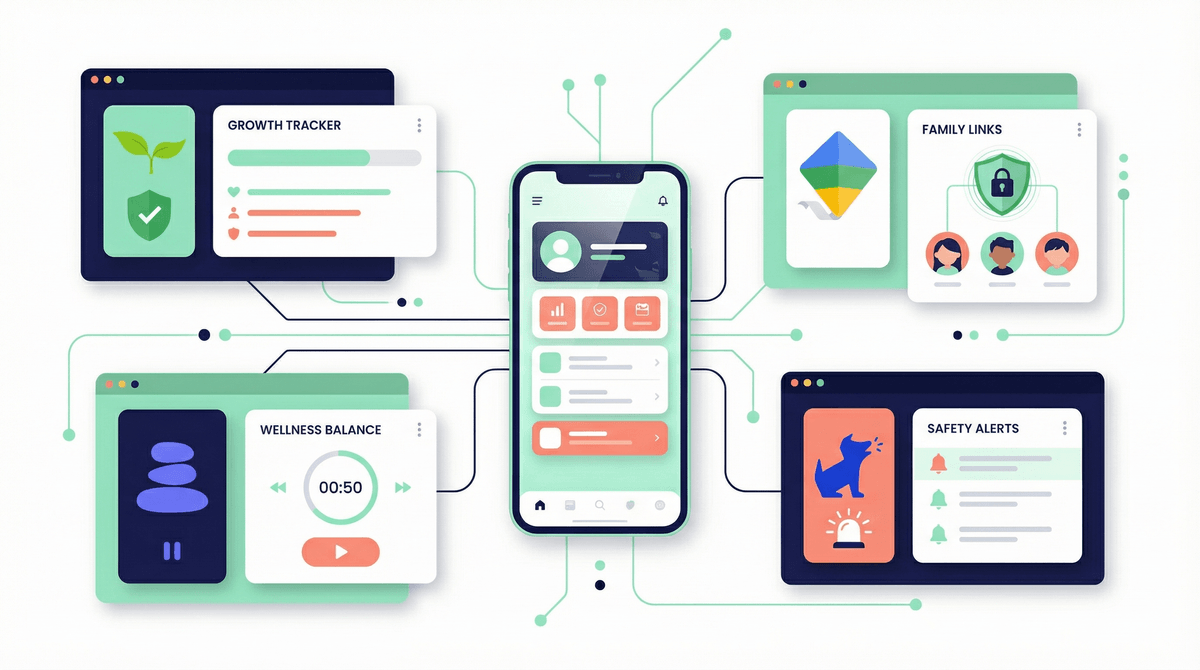
Smart Tech Tools for Parents: Your Digital Parenting Toolkit
Look, I get it. The idea of using more technology to manage your kids' technology feels a bit like fighting fire with gasoline. But here's the thing: some of these tools actually work. And some are just expensive placebos that make us feel like we're doing something while our kids figure out workarounds in approximately 47 seconds.
Let's talk about what's actually useful in your digital parenting toolkit—and what's just marketing hype designed to prey on parental anxiety.
We're talking about the whole ecosystem of apps, devices, and services designed to help you monitor, manage, or understand your family's digital life. This includes:
- Screen time management tools (built-in OS features, third-party apps)
- Monitoring and filtering software (the stuff that tracks what kids are doing online)
- Family communication apps (location sharing, check-ins, family calendars)
- Educational platforms (that actually report back to you on progress)
- Smart home devices (that can enforce tech-free zones or times)
The market is absolutely flooded with options, and they range from genuinely helpful to borderline surveillance state. So let's break down what actually matters.
Before you drop money on a third-party app, start with what you already have. Both iOS and Android have gotten surprisingly robust with their parental control features:
Apple Screen Time is actually pretty solid now. You can set app limits, schedule downtime, filter content, and prevent purchases. The big wins: it's free, it's integrated, and it works across all Apple devices. The downside? Kids with tech-savvy friends will learn the workarounds (changing time zones, reinstalling apps, etc.).
Google Family Link does similar stuff for Android devices. You can manage apps, set screen time limits, and lock devices remotely. It works well for younger kids but starts feeling invasive once they hit middle school—which might be exactly when you need it most.
Gaming console parental controls (Xbox, PlayStation, Nintendo Switch) are underrated. You can limit play time, restrict online communication, and control purchases. Set these up for Roblox, Minecraft, and Fortnite specifically—don't just rely on console-level settings.
The reality check: These tools work best for ages 5-11. Once kids hit middle school, the enforcement model starts breaking down. Not because the tools stop working, but because the relationship dynamics shift.
This is where things get ethically complicated. Apps like Bark, Qustodio, and Net Nanny promise to monitor texts, social media, web browsing, and more. They'll alert you to potential dangers: cyberbullying, sexual content, depression indicators, etc.
The upside: These tools can genuinely catch serious problems early. Bark, for example, has helped parents identify kids in crisis, predatory behavior, and dangerous situations.
The downside: You're essentially spying on your kid. And if they find out (they will), you've potentially damaged trust in ways that are hard to repair.
My take: These tools make sense in specific situations:
- For younger kids (under 13) who are just getting devices
- When there's a known concern or history of risky behavior
- As a transparent safety measure, not a secret surveillance operation
If you're using monitoring software, your kid should know about it. The "I'm checking in because I care about your safety" conversation is hard but necessary. The "I've been secretly reading your texts for six months" revelation is relationship-ending.
Here's what I've seen work consistently: tools that facilitate communication rather than enforcement.
Life360 and similar location-sharing apps get a bad rap, but used transparently, they're just... practical. "I can see you made it to practice" is different from "I'm tracking your every movement." It's about framing.
Shared family calendars (Google Calendar, Apple Calendar, Cozi) sound boring but they're genuinely helpful. Everyone knows the schedule, nobody can claim they "didn't know," and you're modeling organizational skills.
Family communication apps like Marco Polo or even just a family group chat create connection points that aren't about monitoring or restriction.
The pattern here: tools that create transparency in both directions tend to work better than tools that create a power imbalance.
This is where things get interesting. Using smart home tech for digital wellness is underrated:
- Smart plugs that cut power to the WiFi router at bedtime (old school but effective)
- Smart speakers that announce "screen time is over in 5 minutes" (better than you nagging)
- Smart lights that dim to signal wind-down time (environmental cues work)
These aren't about monitoring—they're about creating systems that make healthy habits easier. Big difference.
I've watched so many parents install aggressive web filters only to discover that:
- They block legitimate educational content
- Kids access everything via mobile data or friends' devices anyway
- They create a false sense of security
Content filtering makes sense for young kids (roughly under 10). But by middle school, it's mostly theater. Your 13-year-old has friends with unrestricted devices. They will see whatever they want to see.
Better investment: teaching critical media literacy and having ongoing conversations about what they're encountering online.
Ages 5-9: Built-in parental controls are your friend. Use them without guilt. Set up device-free zones (bedrooms, dinner table) and enforce them with smart home tools if needed. This age range responds well to systems and rules.
Ages 10-12: Transition time. Start having conversations about why limits exist, not just enforcing them blindly. Consider monitoring apps if you're worried, but be transparent about it. Introduce them to YouTube Kids vs. regular YouTube and help them understand the difference.
Ages 13+: Enforcement-based tools start backfiring. Shift toward communication tools, transparent expectations, and consequences for broken agreements. If you're still using monitoring software, you need a really good reason and they need to know about it.
Here's an underrated category: tools that help kids learn self-regulation.
Apps like Forest (where you grow a virtual tree while not using your phone) or Freedom (that blocks distracting apps/sites) give kids agency over their own digital habits. They're choosing to limit themselves, which is the actual skill we want them to develop.
Screen Time itself (the data, not the restrictions) can be a teaching tool. Sitting down with your kid and looking at the weekly report together: "Whoa, 6 hours a day on TikTok—how do you feel about that?" Sometimes just seeing the numbers creates awareness.
The tool isn't the solution. I cannot stress this enough. Every tech tool is just a scaffold for the real work: building a relationship where your kid talks to you about what they're experiencing online.
Kids will find workarounds. They will. This isn't a failure of the tool or your parenting—it's just reality. The question isn't "how do I create an impenetrable system" but "what happens when they bypass it?"
Your comfort level matters. Some parents are fine with location tracking and monitoring apps. Others find it creepy and invasive. There's no universal right answer—it depends on your family values, your kid's maturity, and your specific situation.
Tech solutions work best for tech problems. If your kid is struggling with screen time limits, an app might help. If your kid is anxious, depressed, or being bullied online, you need real-world support—therapy, school intervention, community. Don't let a monitoring app substitute for actual help.
The best "smart tech tool" for digital parenting is honestly just... being present and paying attention. Notice when your kid seems off. Ask about their online life like you ask about their school day. Create tech-free time together (yes, you too—put down your phone).
That said, some tools are genuinely useful:
- Built-in parental controls for young kids (free, effective, start here)
- Transparent location sharing for safety and logistics (Life360, Apple Find My)
- Self-regulation apps that teach kids to manage their own time (Forest, Freedom)
- Communication tools that keep families connected (shared calendars, family group chats)
Skip the expensive monitoring software unless you have a specific, serious concern. And if you do use it, be honest about it.
Start simple: Check what parental controls are already on your kids' devices. Set up the basics (content filters for young kids, screen time limits, purchase restrictions).
Have the conversation: Talk to your kids about why you're using these tools. "I want to help you build healthy habits" lands better than "I don't trust you."
Evaluate regularly: What worked for your 8-year-old won't work for your 13-year-old. Check in every few months and adjust.
Remember the goal: We're not trying to control every aspect of our kids' digital lives forever. We're trying to teach them to make good decisions when we're not watching. The tools should support that goal, not replace it.
And hey, if you need help figuring out what's actually happening in your house—Screenwise can walk you through that. Because sometimes the first step is just understanding where you actually are before you start adding more technology to the mix.