

So your kid is deep in Roblox and you're wondering if there's... something else out there. Maybe you're dealing with the constant Robux requests, maybe you've had one too many "someone was mean to me in Adopt Me" meltdowns, or maybe you just want to diversify their gaming diet a bit. Fair.
Here's the thing: Roblox isn't actually one game—it's a platform with millions of user-created games. So when we're looking for alternatives, we need to figure out what your kid actually loves about it. Is it the creative building? The social hangout aspect? The mini-games and challenges? The avatar customization? Because the "perfect Roblox alternative" is going to be different for every kid.
Screenwise Parents
See allLet's break this down by what your kid is actually into, so you can find something that hits the same dopamine receptors without the same headaches.
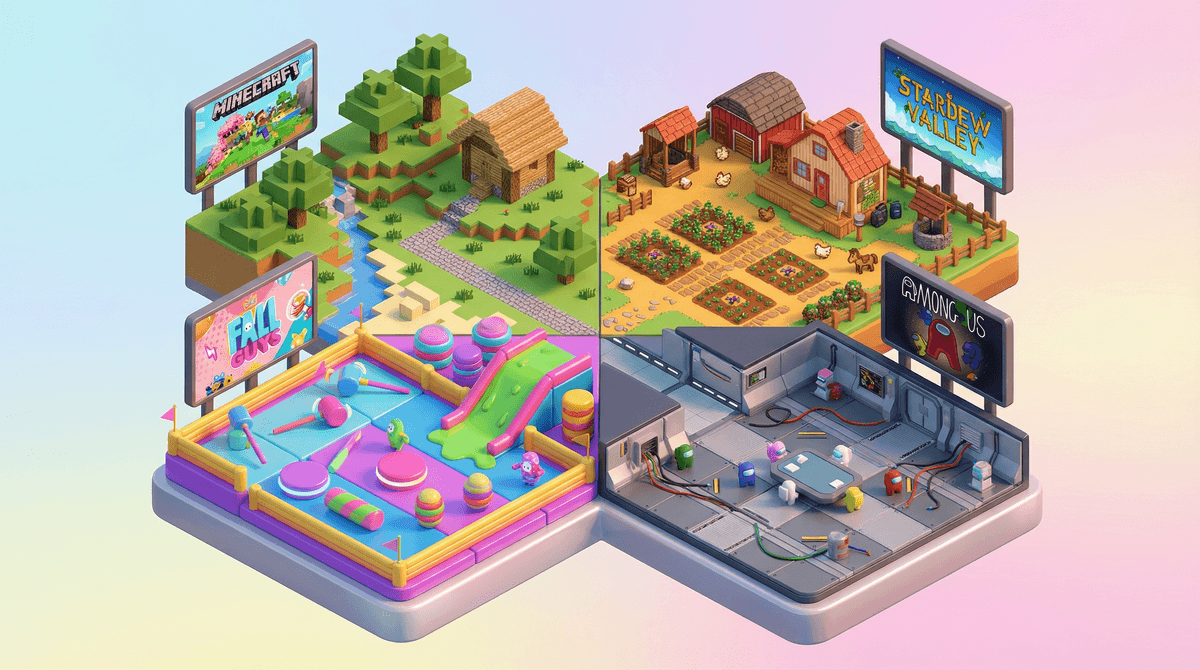
Minecraft (Ages 7+)
Yes, it's the obvious one, but there's a reason. If your kid loves Roblox Studio or spends hours building elaborate structures, Minecraft is the natural next step. It's got creative mode for pure building, survival mode for resource management and adventure, and multiplayer servers for the social aspect. The learning curve is gentler than Roblox Studio, and honestly, the community moderation tends to be better on private servers you control.
The catch: It costs money upfront (around $30), but no constant microtransactions. That's either a dealbreaker or a huge relief depending on your perspective.
Fortnite Creative (Ages 10+)
Wait, hear me out. Fortnite Creative mode is essentially Roblox Studio with better graphics and more polish. Kids can build entire game modes, create obstacle courses, design worlds, and share them with others. You can completely avoid the battle royale mode if that's not your thing.
The catch: The building tools are robust but can be overwhelming. Also, yes, there are still cosmetic purchases available, though the creative mode itself is free.
Core (Ages 10+)
This is literally trying to be "Roblox but better"—a platform where users create and share games. It's got more sophisticated graphics and tools, which means it's better for older kids who found Roblox Studio limiting. The community is smaller (pro: less chaos; con: fewer games to choose from).
Animal Jam (Ages 6-12)
If your kid is all about Adopt Me or other pet/animal games on Roblox, Animal Jam hits similar notes. It's an MMO where kids create animal avatars, explore, play mini-games, and socialize. The moderation is notably stricter than Roblox, which is either restrictive or reassuring depending on your kid's age.
Rec Room (Ages 13+, though really more like 10+)
Think Roblox meets VR social space. Kids can play user-created games, hang out in rooms, and create their own experiences. It works on regular screens too (no VR required). The social aspect is huge here—it's basically a digital rec center.
The catch: Voice chat is a thing, and the moderation is... inconsistent. You'll want to dig into the parental controls here.
Among Us (Ages 9+)
If your kid loves Roblox for games like Murder Mystery or other social deduction games, Among Us is the pure, distilled version of that experience. It's simple, it's social, and there's way less predatory monetization.
Fall Guys (Ages 7+)
Colorful, chaotic, obstacle-course mayhem. If your kid gravitates toward the obby (obstacle course) games on Roblox, Fall Guys is basically that as a polished, standalone game. It's goofy, it's accessible, and the worst thing that happens is your jellybean character falls into slime.
Human: Fall Flat (Ages 8+)
Physics-based puzzle platformer that's hilarious and frustrating in equal measure. Great for kids who love the wacky, experimental games on Roblox. Bonus: excellent couch co-op if you want to play together.
Minecraft with Mods (Ages 10+)
If your kid is actually learning to code in Roblox Studio or is interested in game design, Minecraft with mods takes that to the next level. They can learn actual programming concepts while creating custom gameplay experiences.
Scratch (Ages 8+)
Okay, not a game—it's MIT's block-based coding platform where kids create their own games and animations. If your kid loves Roblox Studio for the creation aspect, Scratch teaches actual programming logic without the social pressure and monetization of Roblox.
Stardew Valley (Ages 10+)
Completely different vibe—cozy farming sim with no microtransactions, no chat with strangers, no drama. It's a palette cleanser. Some kids who are burnt out on the social chaos of Roblox find this incredibly soothing.
Terraria (Ages 10+)
2D Minecraft with more combat and progression systems. It's got building, exploration, boss fights, and multiplayer. Kids who love Roblox's variety often enjoy Terraria's "there's always something new to discover" feeling.
Splatoon 3 (Ages 10+)
If you've got a Nintendo Switch, this is a colorful, kid-friendly team shooter that scratches the competitive itch without the toxicity of many online shooters. The social aspect is there, but it's more structured and moderated.
The money thing: Most of these alternatives either cost money upfront (Minecraft, Terraria, Stardew Valley are all $20-30) or are free-to-play with cosmetic purchases (Fortnite, Fall Guys, Among Us). The upfront cost games tend to have WAY less ongoing financial pressure than Roblox's Robux economy. If you want to understand how Robux actually works and why it feels so expensive , that's a whole conversation.
The social piece: If your kid's entire friend group is on Roblox, switching to something else might be socially isolating. Consider whether you're trying to replace Roblox entirely or just add some variety to their gaming diet.
Platform matters: Some of these work on everything (Minecraft, Fortnite), some are PC-only (Core, Rec Room), and some are console-specific (Splatoon on Switch). Check what devices you actually have before getting your kid excited about something.
There's no single "Roblox replacement" because Roblox is doing like seventeen different things at once. But if you can identify what your kid actually loves about it—creating, socializing, competing, exploring—you can find alternatives that do those specific things better, with fewer headaches for you.
And honestly? It's okay to let them keep playing Roblox while also introducing other games. Variety is good. Digital monocultures are weird. You're not trying to win a battle here—you're just expanding their options.
Try this: Ask your kid to show you their three favorite Roblox games and explain what they love about each one. That'll tell you way more about what alternatives might actually work than any list I can give you.
Then: Pick ONE alternative from this list that seems to match their interests, and suggest trying it together. "Together" is key—if you're exploring it with them, it's an adventure instead of you trying to take away something they love.
Finally: Set up Screenwise to get personalized recommendations based on your actual kid's interests and your family's values. Because at the end of the day, you know your kid better than any list does.