

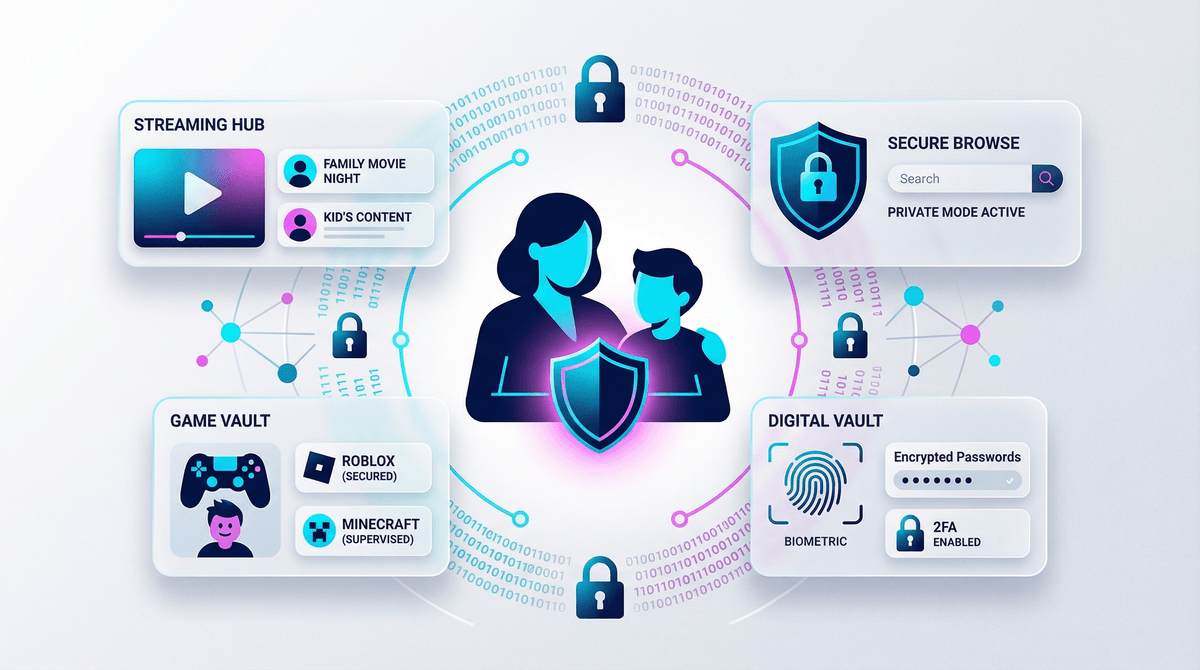
Look, I get it. When you're trying to get dinner on the table and someone's melting down about their Roblox avatar, "data privacy" sounds like something you'll worry about later. But here's the thing: every app your kid downloads, every account they create, every "sign in with Google" button they click is creating a digital footprint that follows them around—and companies are very interested in that data.
Family data privacy isn't just about hackers (though yes, that too). It's about understanding what information your family is sharing, who's collecting it, what they're doing with it, and how to actually do something about it. The good news? You don't need a computer science degree. You just need to know what actually matters.
Here's what's happening: your 10-year-old signs up for Roblox, enters their birthdate, email, and creates a username. Then they download Discord to chat with friends. Then they make a TikTok account "just to watch videos" (sure, Jan). Each platform is now collecting data—location, device info, browsing habits, friend connections, interests, and more.
The data trail includes:
- Personal information (names, ages, locations, schools)
- Behavioral data (what they click, watch, search for)
- Social connections (who they talk to, what they share)
- Biometric data (face scans for filters, voice recordings)
- Purchase history (all those Robux and V-Bucks add up to a profile)
This data gets used for targeted advertising, sold to data brokers, fed into AI training models, and sometimes leaked in data breaches. And unlike that embarrassing middle school haircut, digital data doesn't just fade away.
Let's be honest about what we're actually worried about:
Identity theft and fraud: Kids' clean credit histories make them targets. Stolen data can be used to open accounts, take out loans, or commit fraud—and you might not find out until they're 18 and applying for college loans.
Predatory targeting: Companies use behavioral data to serve hyper-targeted ads to kids who don't yet have the critical thinking skills to resist them. That "free" game? It's designed to extract maximum money from young users.
Future consequences: That cringey video from age 13? Those edgelord comments? They're searchable. By future employers, college admissions, romantic partners, everyone.
Actual safety concerns: Oversharing location data, school info, or daily routines can create real-world safety issues. Kids don't always understand that their Snap Map is broadcasting their exact location.
Okay, enough doom. Here's your actual action plan, in order of impact:
1. Lock Down the Big Stuff (30 minutes, huge impact)
Google Family Link / Apple Screen Time: Set these up properly. Not just for time limits—use them to require approval for app downloads and purchases. Learn how to set up parental controls.
Email accounts: Your kid does NOT need to use their real name in their email address. Create something generic that doesn't include their birth year, full name, or location. And for the love of all that is holy, turn on two-factor authentication.
Privacy settings on major platforms: Go through YouTube, Roblox, Minecraft, whatever your kid uses. Set profiles to private, disable location sharing, turn off personalized ads where possible. Yes, it's tedious. Yes, it matters.
2. Create a Family Data Policy (Ongoing)
This sounds corporate and boring, but hear me out. Sit down with your kids and establish some basic rules:
- Never share: Full name, address, school name, phone number, exact location, or photos that show identifying landmarks
- Always ask first: Before downloading new apps, creating accounts, or accepting friend requests from people they don't know IRL
- Think before posting: Would you want your teacher to see this? Your grandmother? A college admissions officer in 6 years?
Make it a conversation, not a lecture. Talk to your kids about why this matters in age-appropriate ways.
3. Use Privacy-Friendly Alternatives Where Possible
You don't have to go full tinfoil hat, but there are better options:
- Search engines: Try DuckDuckGo instead of Google for searches
- Messaging: Signal or even old-fashioned texts instead of letting your 11-year-old on Discord
- Email: ProtonMail for older kids who need email
- Browsers: Firefox with privacy extensions over Chrome
That said, I'm realistic. Your kid's friends are all on Snapchat and Instagram. Sometimes the social cost is too high. That's okay—just make sure the privacy settings are maxed out.
4. Regular Check-Ins (Monthly)
Set a calendar reminder to:
- Review what apps are installed on their devices
- Check privacy settings (they reset after updates sometimes)
- Look at recent purchases or in-app transactions
- Have a quick conversation about anything sketchy they've encountered
This isn't about being a helicopter parent. It's about staying informed and keeping communication open.
Ages 5-8: They shouldn't have their own accounts for anything, full stop. Use family accounts with YOU logged in. No personal information shared, period.
Ages 9-12: Okay, now we're in the zone where they probably need some accounts for school or to keep up with friends. But everything should be:
- Set to private/friends-only
- Monitored by you (yes, you should have passwords)
- Discussed openly (no secret accounts)
Ages 13-15: They're legally allowed on most platforms now (thanks, COPPA). Time to transition from surveillance to guidance. They should understand WHY privacy matters, not just follow rules blindly. Consider:
- Letting them manage their own settings (with spot checks)
- Teaching them about how social media algorithms work
- Discussing real scenarios (what if someone asks for your number? what if a post goes viral?)
Ages 16+: They're practically adults. Focus on digital literacy and critical thinking. They should be able to:
- Evaluate privacy policies (or at least understand they exist)
- Recognize phishing attempts and scams
- Manage their own digital reputation
- Make informed choices about what to share
Yeah, this is tricky. Schools are handing out Chromebooks and requiring kids to use platforms that... aren't exactly privacy-friendly. You can:
- Ask what data the school is collecting and how it's protected
- Request to opt out of data sharing where possible (check your state's laws)
- Advocate for better privacy practices at the district level
- Accept that some data sharing is unavoidable but minimize it elsewhere
Perfect privacy is impossible in 2026. Your kids are growing up in a digital world, and complete isolation isn't realistic or even desirable. The goal isn't to eliminate all data sharing—it's to make informed, intentional decisions about what your family shares and with whom.
Start with the high-impact stuff: lock down accounts, set up parental controls, have the conversations. Don't beat yourself up if you can't do everything. Even small steps—using stronger passwords, turning off location sharing, teaching your kid to think before they post—make a real difference.
And remember: the fact that you're reading this means you're already ahead of the curve. Most parents aren't thinking about this stuff at all.
- This week: Set up two-factor authentication on your family's main accounts (email, banking, etc.)
- This month: Go through your kids' devices and review privacy settings on their top 5 most-used apps
- This quarter: Have a family meeting about your data privacy guidelines
- Ongoing: Make it a monthly habit to check in on apps, settings, and concerns
Want help creating a personalized plan for your family? Screenwise can walk you through exactly what matters for your kids' ages and the apps they actually use. Because generic advice is fine, but specific guidance for YOUR family is better.