

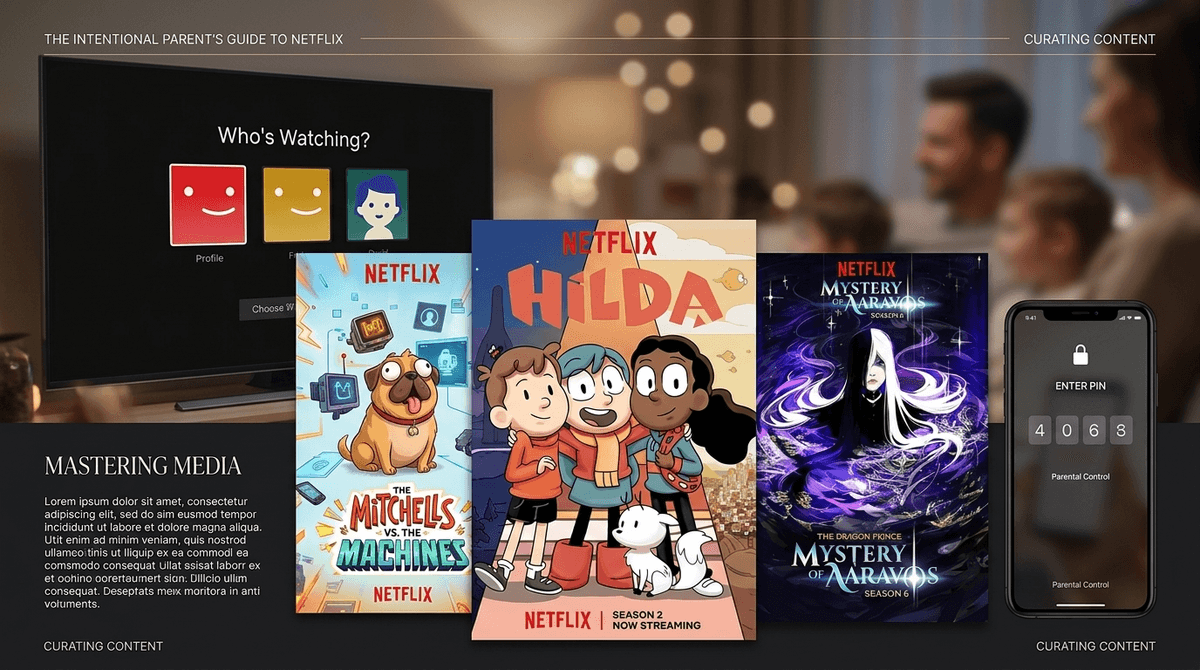
TL;DR: The "Kids" profile is just the beginning. To actually protect your peace (and your kid's brain), you need to use Profile PINs, Title Blocking, and custom Maturity Ratings. It takes five minutes and saves you five years of accidental exposure to things they aren't ready for.
Quick Links to Quality Content:
- Best for Preschoolers: Puffin Rock | Trash Truck
- Best for Elementary: Hilda | The Dragon Prince
- Best for Family Movie Night: The Mitchells vs. the Machines | Leo
- The "Not Brain Rot" Choice: Is It Cake?
We’ve all been there. You’re trying to get dinner on the table, the house is vibrating with "pre-meal energy" (read: chaos), and you hand over the remote. You see that friendly, colorful "Kids" icon and think, “Cool, Netflix has my back.”
But here’s the reality: the generic Netflix Kids profile is a blunt instrument. It’s like giving a kid a pair of "child-safe" scissors that can still somehow cut through a rug if they try hard enough. By default, a "Kids" profile allows anything up to a PG rating, which in 2026, covers a massive range of content—some of which is great, and some of which is the visual equivalent of eating a bag of sugar for dinner.
If you’re an intentional parent, you don’t just want "safe." You want deliberate. You want to know that while you’re in the other room, your seven-year-old isn't stumbling into a "teen" show just because the thumbnail looked like a cartoon, or worse, clicking over to your profile to see what all the fuss is about with Squid Game.
Netflix’s algorithm is designed to keep eyes on the screen. It doesn't care if a show is "brain rot" or high-art; it cares if it’s "sticky." This is why your kid’s feed can quickly become a graveyard of low-effort, high-stimulation content that leaves them "wired and tired."
Furthermore, the "Kids" interface is easily bypassed if you haven't locked your own adult profile. Without a PIN, your child is exactly two clicks away from the entire uncensored Netflix library. In 2026, the line between "animated" and "adult" is thinner than ever.
Learn more about the difference between passive and active screen time
To move beyond the basic icon, you need to dive into the Account Settings (usually best done on a laptop, not the TV app). Here is your checklist for a truly Screenwise setup:
1. The Profile Lock (The MVP of Settings)
This is non-negotiable. You must set a 4-digit PIN on every adult profile in the house. Kids are tech-literate; they know your profile has the "good stuff" (or at least the stuff they aren't supposed to see).
- Why: It prevents them from exiting their curated garden and wandering into the R-rated woods.
- How: Account > Profiles & Parental Controls > Profile Lock.
2. Title-Specific Blocking
This is the "No-BS" feature every parent needs. If there is a show that makes your kid act like a gremlin—or if you just can't stand the voice of a specific character—you can block it entirely. It won't even show up in search results.
- Why: Some shows aren't "bad," they're just not right for your kid. Or maybe you're just done with Cocomelon.
- How: Account > Profiles & Parental Controls > Viewing Restrictions > Title Restrictions.
3. Custom Maturity Ratings
Don't rely on the "Kids" toggle. You can set a specific age ceiling (e.g., 7+, 10+, 12+). This is helpful for siblings who share a profile but have different maturity levels.
If we're being honest, a lot of kids' TV is just noise. But Netflix actually has some of the best-produced children's content in the world—you just have to find it. Here’s what we’re recommending right now:
For the "I'm a Big Kid Now" Crowd (Ages 7-12)
- This is the gold standard. It’s whimsical, beautifully animated, and focuses on empathy and environmentalism without being preachy. It feels like a Studio Ghibli film turned into a series.
- If your kid is into Minecraft or Roblox, they’ll likely love this. It’s epic fantasy with actual stakes and complex characters. It's a great "bridge" show for kids moving into more mature storytelling.
- A sequel to Camp Cretaceous, this is actually surprisingly well-written. It handles themes of friendship and loss while, you know, having dinosaurs eat people (mostly off-screen).
For the Little Ones (Ages 3-6)
- It’s quiet. It’s gentle. It’s about a boy and a literal trash truck. It is the antithesis of the "Skibidi" high-energy chaos.
- Narrated by Chris O'Dowd, this show is basically a spa day for your child's brain. It’s educational and visually stunning.
For Family Night (The "I Won't Scroll on My Phone" Picks)
- This movie is a masterpiece. It’s hilarious, it tackles our obsession with tech (very Screenwise), and the animation is groundbreaking.
- Adam Sandler as a 74-year-old lizard. It sounds weird, but it’s actually a very sweet, funny look at the anxieties kids face in elementary school.
You might hear your kids talking about "Ohio" or "Skibidi" and wonder if Netflix is the culprit. Usually, that flavor of meme culture originates on YouTube or TikTok, but it bleeds into Netflix via "influencer-led" shows or low-budget acquisitions that mimic the YouTube aesthetic.
The danger of Netflix isn't usually "inappropriate" content (if you've set your PINs), it's over-stimulation. Shows with rapid-fire cuts, constant screaming, and no narrative arc are designed to trigger dopamine hits. If your kid finishes a show and immediately has a meltdown when the TV turns off, that show is likely "brain rot" for their specific nervous system.
Pro-tip: Use the "Viewing Activity" log in settings to see exactly what they've been watching. If you see 40 episodes of something you've never heard of, it's time for a "What is this?" conversation.
Instead of being the "Screen Police," try being the "Media Critic."
- Don't say: "That show is stupid, turn it off."
- Do say: "I noticed that when you watch [Show Name], you seem really cranky afterward. Let's find something that makes us feel good instead."
- Ask: "Why do you think the characters are acting that way? Is that how we treat people in real life?"
Netflix is a tool. In the hands of a "set it and forget it" parent, it’s a random-content generator that might accidentally show your 8-year-old a horror movie trailer. In the hands of an intentional parent, it’s a library of incredible stories that can spark curiosity and family bonding.
Next Steps:
- Go to your Netflix Account settings on a web browser.
- Set a PIN on all adult profiles.
- Audit your child's "Viewing Activity."
- Block at least one "brain rot" show today just to feel the power.
Ready to see how your Netflix habits compare to your community? Take the Screenwise Survey.