

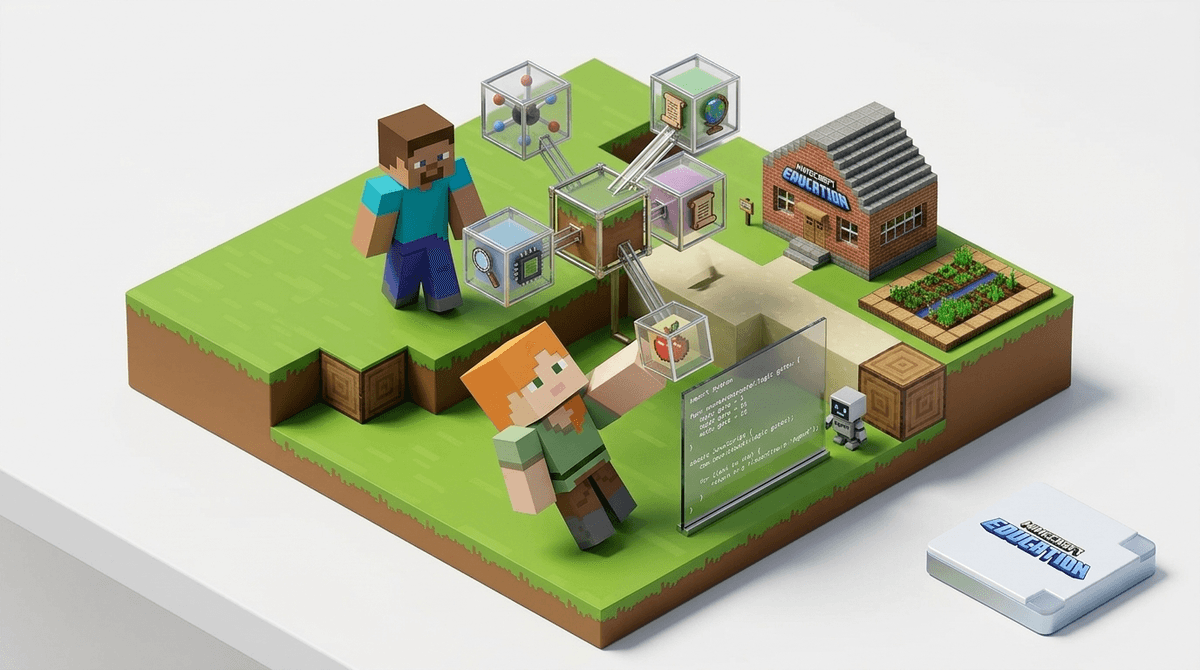
TL;DR: Minecraft Education is the "school-safe" version of the world's most popular sandbox game. Unlike the standard Minecraft, this version includes specific modules for chemistry, block-based coding, and history. It’s legit educational, but kids are still kids—they will absolutely spend half the "lesson" trying to spawn 1,000 chickens if the teacher isn't looking.
- Best for: Ages 7-14
- Top Feature: The "Agent" (a little robot that teaches Python and JavaScript)
- The Catch: It requires a school account (usually Microsoft 365) to access the full version, though you can trial it at home.
If you’ve spent any time in a suburban living room lately, you know Minecraft. It’s the digital version of LEGOs, but with more exploding green monsters (Creepers) and a lot more "Mom, look at this house I built!"
Minecraft Education is the version specifically designed for the classroom. It’s not just the regular game with a "math" sticker slapped on the box. It includes features that regular Minecraft doesn't have, like a full Chemistry Lab, a coding interface, and "Classroom Mode" which allows a teacher to see where every student is on the map and—crucially—teleport them back to the lesson when they wander off to find a panda.
Many schools are now integrating this into their STEM curriculum. If your kid is coming home talking about "The Agent" or how they "coded a bridge," they aren't just making it up to get more screen time. They are likely using the Code Connection app to automate tasks in the game.
We talk a lot about "brain rot" content—those mindless YouTube loops or low-effort Roblox "obby" games that seem to turn kids into zombies. Minecraft Education is the antithesis of that.
It works because it uses "stealth learning." Kids are already fluent in the language of Minecraft. They know how to craft, how blocks interact, and how the physics work. When a teacher drops them into a Minecraft Chemistry world, they aren't memorizing the periodic table for a test; they are trying to figure out which elements they need to combine to make a Sparkler or a Helium Balloon.
It’s active rather than passive. They aren't just watching a video; they are manipulating a world.
Find out about the difference between Minecraft and Roblox for learning
When your child says they are "doing schoolwork" on Minecraft, here is what is actually happening under the hood:
This is probably the most valuable part of the platform. The game gives the player a little robot called "The Agent." To make the Agent move or build, the child has to write code.
- Beginners: Use block-based coding (similar to Scratch).
- Advanced: They can toggle into actual text-based coding using Python or JavaScript. If your kid is building a massive wall by hand, they’re just playing. If they are writing a loop that tells the Agent to "place block, move forward" 50 times, they are learning the fundamentals of software engineering.
This is a feature unique to the Education version. It includes an Element Constructor, a Compound Creator, and a Lab Table.
- They can literally build atoms by adjusting the number of protons, neutrons, and electrons.
- They can create compounds like Latex or Crude Oil.
- It’s a safe way to let a 9-year-old experiment with "explosive" chemical reactions without actually burning your kitchen down.
There are pre-built worlds where kids can walk through a 1:1 scale of the International Space Station, explore Ancient Egypt, or walk through the human eye to learn about biology. It’s like a virtual field trip that doesn't require a permission slip.
Let’s be real: kids are experts at "educational" loopholes. They will find a way to make it just a game if they can. Here is how to spot the difference:
- The Learning Zone: They are looking at a split-screen with a coding panel on the side. They are talking about "coordinates" (X, Y, Z). They are following a specific "World" or tutorial (like Hour of Code).
- The Gaming Zone: They are just running around hitting pigs with a sword. They are spending three hours "decorating" a bedroom. They are trying to find ways to enable "Creative Mode" so they can just fly around and blow things up with TNT.
Check out our guide on setting boundaries for educational screen time
One of the biggest wins for parents here is that Minecraft Education is a walled garden.
- No Public Servers: Unlike the standard Minecraft where kids can join massive public servers with strangers, the Education version is designed for "closed" play.
- Classroom Control: Students can only join a multiplayer world if they have a "Join Code" provided by the teacher or host.
- Privacy: It’s tied to school privacy standards (FERPA/COPPA), meaning Microsoft isn't harvesting your kid's data to sell them sneakers later.
- Ages 6-8: Great for "digital citizenship" and basic logic. They’ll need help with the controls, but the Minecraft Hour of Code tutorials are perfect for this age.
- Ages 9-12: The sweet spot. This is when they can handle the Chemistry Lab and start moving from block-coding to simple Python.
- Ages 13+: If they aren't already into "real" coding or more complex games like Civilization VI or Kerbal Space Program, they might find the Education version a bit "kiddy," but the Python integration still holds value.
If you want to support this at home, you don't need to be a pro gamer. You just need to ask the right questions. Instead of "Are you winning?", try:
- "What is your Agent building today?"
- "Can you show me how you coded that?"
- "What happens if you change that number in your code?"
If your child is obsessed with Minecraft but you’re worried it’s becoming a "time suck," moving them toward the Education Edition (or even just enabling the "Education Toggle" in the Bedrock version of the game at home) is a great way to pivot that obsession into a skill.
Minecraft Education is one of the few "educational" labels that isn't just marketing fluff. It’s a powerful CAD (Computer-Aided Design) tool and a coding environment disguised as a game.
Is it still a video game? Yes. Will they still get frustrated when a Creeper blows up their work? Absolutely. But compared to the mindless scrolling of TikTok or the gambling-adjacent mechanics of some Roblox games, Minecraft Education is the "kale smoothie" of the digital world—it’s actually good for them, and surprisingly, they actually like the taste.
Next Steps
- Check with your school: See if they already provide a Microsoft 365 login.
- Download the app: It’s available on iPad, Mac, PC, and Chromebook.
- Try a Starter World: Look for the "Library" in the game menu and start with the "Science" or "Computer Science" categories.
Learn more about the best coding apps for kids
Get a Minecraft Education starter project for a 10-year-old