

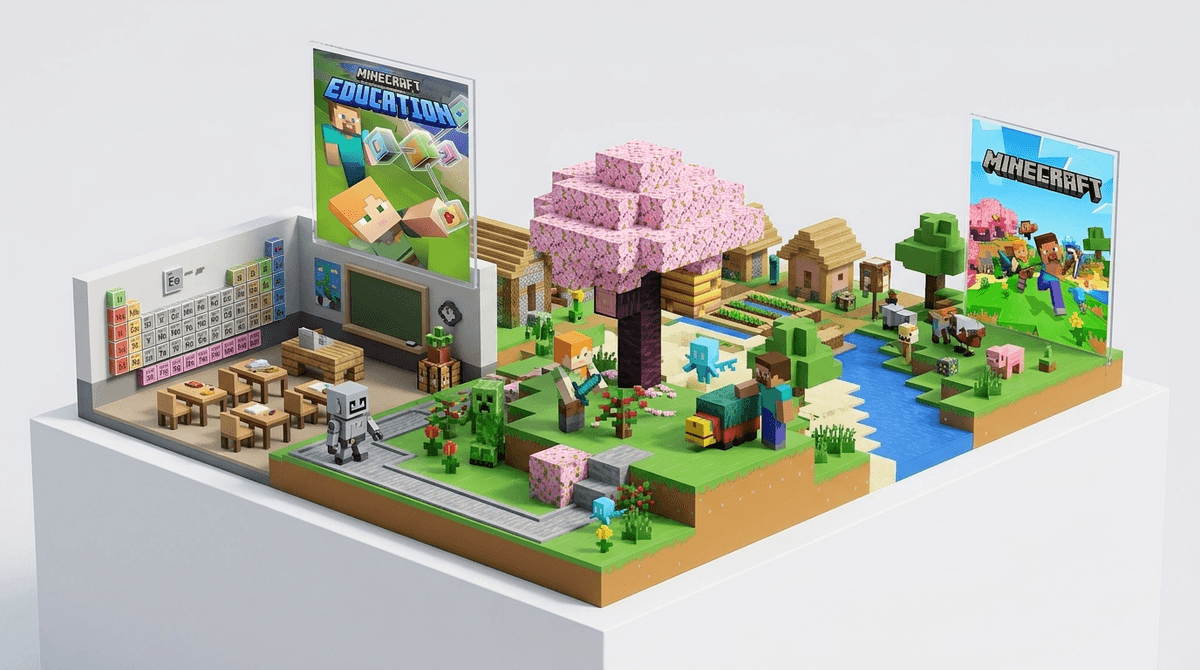
TL;DR: Minecraft Education Edition is the "school-safe" version of the world's most popular sandbox game. It strips away the scary public servers and the pressure to buy "Minecoins" and replaces them with chemistry labs, block-based coding, and historical tours. It’s basically the digital version of the "cool teacher" who lets you do your history project in a diorama, but the diorama is 3D, interactive, and teaches your kid how to code in Python.
If you’ve ever walked past your kid’s room and heard them yelling about a "Creeper" or seen them watching a YouTuber explain why a certain "seed" is "so Ohio" (don't ask, it just means weird/bad), you already know Minecraft.
But Minecraft Education Edition (MEE) is a different beast. Think of it as the academic sibling to the Minecraft your kids play at home. It’s a separate app specifically designed for classroom use, though parents can now get "camps and clubs" licenses for home use too.
The core gameplay is the same—breaking and placing blocks—but MEE includes features you won't find in the standard version:
- The Chemistry Lab: Kids can actually combine elements on a periodic table to create things like sparklers, underwater TNT, or balloons.
- The Code Builder: A built-in tool that lets kids write code (using blocks like Scratch or actual text like JavaScript) to automate building.
- Classroom Mode: A "god mode" for teachers (or you) to see where everyone is on a map, chat with students, and give them items.
Get a comparison between Minecraft versions
Kids love it because, well, it’s Minecraft. It’s the ultimate "stealth learning" tool. While they think they’re just building a castle, they’re actually navigating 3D space, managing resources, and often collaborating with classmates to solve a problem.
Schools love it because it’s a "walled garden." In the regular version of Minecraft, there’s always a risk of a kid joining a public server and running into some random person with a questionable username. In MEE, the multiplayer is restricted to the school’s network. It’s safe, controlled, and focused on the task at hand.
One of the biggest wins for MEE is the "Agent." Every player gets a little robot assistant. To make the robot do anything—like build a wall or dig a tunnel—the kid has to write a script. This is miles more engaging than a standard coding app because they see the results of their code instantly in a world they already care about.
I’m not kidding when I say this version includes a "Material Reducer" and an "Element Constructor." Kids can take a block of grass, reduce it to its chemical elements (carbon, oxygen, nitrogen), and then use those elements to build compounds. It makes the periodic table feel like a recipe book for a video game rather than a poster they have to memorize for a test.
When we look at the landscape of "educational" games, a lot of them are—let's be honest—pretty boring. They’re "chocolate-covered broccoli." Minecraft Education Edition is actually fun.
- Vs. Roblox: While Roblox can teach game design and entrepreneurship (mostly by draining your bank account for Robux), it’s a Wild West of user-generated content. MEE is a curated, safe library of lessons. Learn more about the risks of Roblox.
- Vs. Scratch: Scratch is the gold standard for learning logic, but it’s 2D and can feel like "schoolwork" after a while. MEE takes those same logic blocks and puts them in a 3D immersive world.
- Vs. Prodigy Math: Prodigy is great for drill-and-kill math practice, but MEE is better for "big picture" critical thinking and engineering.
Ages 5-7 (Early Elementary): At this age, it’s all about digital literacy and basic controls. They might use MEE to explore a recreation of a coral reef or walk through a "Day in the Life" of a honeybee. The focus is on exploration and following simple instructions.
Ages 8-12 (Upper Elementary/Middle School): This is the "sweet spot." This is where they start using the Code Builder to automate tasks and the Chemistry Lab to experiment. They’re also old enough to handle the collaborative aspects—like working in a group of four to build a sustainable city.
Ages 13+ (High School): MEE has advanced modules for high schoolers, including complex logic gates (Redstone) that mimic real-world electrical engineering and advanced Python coding.
The biggest parental anxiety with Minecraft is usually the "stranger danger" on public servers or the "Skibidi Toilet" brain-rot content found on YouTube Minecraft channels.
Minecraft Education Edition solves most of this:
- No Public Servers: You can only play with people on your same "tenant" (usually your school district).
- No In-App Purchases: There is no "Marketplace." No skins to buy, no emotes to unlock, and no pressure to spend real money.
- Teacher Moderation: If it’s being used in school, the teacher has total control over the environment. They can turn off "PvP" (player vs. player damage) so kids can't "grief" or destroy each other's work.
However, remember that "school-safe" doesn't mean "zero conflict." Kids can still be mean in a private chat or build something inappropriate with blocks. It’s a tool, and like any tool in a classroom, it requires supervision.
Here’s the thing: just because it says "Education" in the title doesn't mean your kid is becoming the next Elon Musk every time they open the app.
If they are just running around hitting cows with a wooden sword, they aren't learning much. The "Education" part of MEE relies heavily on the Lesson Plans. If your kid is using it at home, you’ll want to point them toward the "Library" within the game, which is full of "Subject Kits" like "Cyber Literacy" or "Climate Future."
Also, be prepared for the "tech support" role. MEE requires a Microsoft 365 account. If your school provides it, great. If you’re trying to set it up at home, it can be a bit of a headache compared to just downloading a game from the App Store.
Instead of asking "Did you win your game?", try these conversation starters to see if the "Education" part is actually sticking:
- "I heard you were using the Code Builder today. What did you make your Agent do?"
- "Did you guys work together on a build today, or was everyone in their own world?"
- "Show me the coolest thing you’ve made in the Chemistry Lab. Can you really make a glow stick?"
If they start explaining the difference between an isotope and an element because they saw it in Minecraft, that’s a massive win.
Minecraft Education Edition is one of the few pieces of "educational software" that actually lives up to the hype. It’s a powerful, safe, and genuinely fun way for kids to engage with STEM concepts.
If your school is using it, embrace it. It’s a sign they are trying to meet kids where they are. If you’re looking for a way to make your kid's "gaming time" feel a little more productive and a little less like "brain rot," MEE is a fantastic middle ground.
Next Steps:
- Check with your school: Ask if they provide Minecraft Education Edition logins for home use.
- Explore the Library: If you have a license, sit down with your kid and look at the "Monthly Build Challenges." They are a great way to spark creativity without the aimless wandering.
- Set Boundaries: Even "educational" screen time is still screen time. Use our Screenwise habit tracker to see how it fits into your family's overall digital diet.