

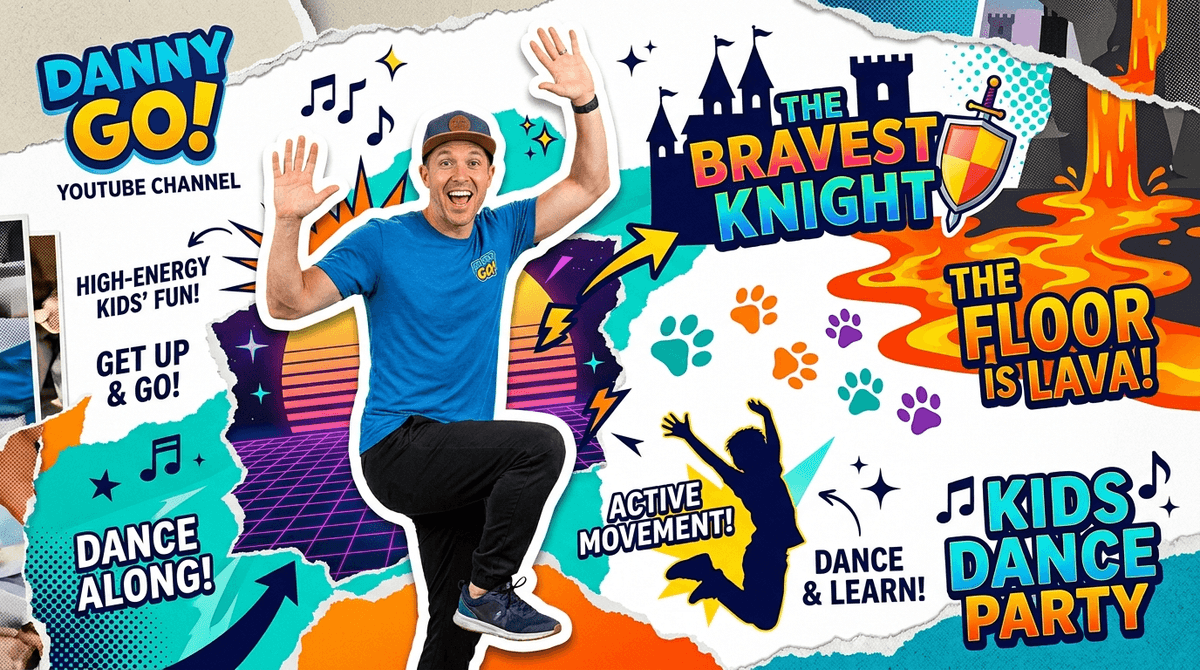
Danny Go! is what happens when you take the kinetic energy of a Saturday morning cartoon and mash it with a HIIT workout for first graders. It is the definitive antidote to the "YouTube trance"—that slack-jawed, glassy-eyed stare kids get when they’ve been watching unboxing videos for too long. If you’re looking for a way to justify screen time on a rainy Tuesday, this is the gold standard.
TL;DR
The Danny Go! YouTube channel is a high-energy movement hub that trades passive scrolling for living room dance parties. It’s built on catchy original songs and "Floor is Lava" style interactive games that actually get kids sweating. It’s a top-tier pick for our best YouTube channels for kids list because it treats movement as the main event, not an afterthought.
The secret sauce of Danny Go! is that it speaks the language of modern childhood—specifically, the visual language of video games—without actually being a game. Danny (creator Danny Muller) leads kids through "adventures" where they have to jump, duck, and wiggle to avoid obstacles on the screen.
Unlike the hyper-manic energy of some "kid-fluencers" who sound like they’ve had six espressos before hitting record, Danny comes across as a genuinely nice guy who just happens to have a very high metabolism. The production value is surprisingly high; the music is actually well-produced (think synth-pop and upbeat rock), and the editing is sharp without being over-stimulating.
According to Screenwise community data, about 42% of families allow solo YouTube usage, while 38% keep it supervised. Danny Go! sits in a sweet spot for both groups. It’s safe enough for solo play because the content is universally wholesome, but it’s high-quality enough that you won’t mind having it on in the background while you’re making dinner.
If your kid’s school uses "brain breaks" (short bursts of activity to reset focus), they probably already know Danny. But while a lot of classroom content can feel a bit "educational-video-from-1998," Danny Go! feels current.
It’s particularly effective for the 4-8 age range. Younger kids love the repetition and the bright colors; older elementary kids stay for the "challenges." It’s one of the few channels that can actually compete with the dopamine hit of a tablet game because it requires the same level of focus—except they’re using their whole bodies instead of just their thumbs.
If you’re just starting out, don't just let the algorithm pick. Start with these high-impact hits:
This is the channel’s calling card. It’s a series of videos where Danny navigates different environments (jungles, construction sites, volcano interiors) and kids have to jump onto "safe" objects when the ground turns to lava. It’s simple, effective, and will 100% result in your couch cushions being moved to the floor.
A medieval-themed adventure that involves "fighting" dragons and "climbing" castle walls. It’s a great example of how Danny uses narrative to keep kids moving. Instead of just "doing jumping jacks," they’re "dodging dragon fire."
If you have a preschooler, this is the move. It’s lower stakes than the lava games but just as catchy. It’s a solid alternative to the more repetitive nursery rhyme channels that tend to grate on parents' nerves after the tenth listen.
The biggest hurdle with high-energy content isn't getting them started—it's the transition back to "real life" once the music stops. Here’s how to handle it:
- The "One More Song" Rule: Because Danny Go! videos are short (usually 3-5 minutes), it’s easy to get sucked into "just one more." Set a hard limit on the number of adventures before you start.
- Clear the Launchpad: If they’re doing the "Floor is Lava" or the dragon adventures, clear a 6x6 space in the living room. This isn't a "sit on the rug" show; it’s a "clear the coffee table" show.
- Join the Chaos: About 38% of parents supervise YouTube time, but with Danny Go!, "supervision" usually turns into "doing the robot in the kitchen." It’s one of the few kid-centric things that doesn’t feel like a chore to engage with.

Q: Is Danny Go! better than YouTube Kids? While only 20% of Screenwise families use the dedicated YouTube Kids app, Danny Go! is one of those channels that makes the main YouTube app feel safer. The content is rigorously clean, though we always recommend using a supervised account to keep the "Up Next" sidebar from drifting into weirder territory.
Q: What age is Danny Go! for? The sweet spot is ages 3 to 8. Toddlers love the music and colors, while 1st and 2nd graders are old enough to actually follow the choreography and "win" the games. By age 9 or 10, the "earnest guy in a baseball cap" vibe might start to feel a little young, but they’ll still probably jump in if a younger sibling starts a Floor is Lava round.
Q: Does Danny Go! have ads? Yes, like almost everything on YouTube, there are ads unless you have a Premium subscription. This can be a buzzkill when your kid is mid-jump and a 15-second spot for insurance pops up. If you're using this for a "brain break" during homework or a rainy day, be ready to hit "Skip Ad" so the momentum doesn't die.
Danny Go! is the rare YouTube find that feels like a "win" for both sides. The kids get the screen time they’re craving, and you get a kid who has actually burned off some steam instead of just marinating in front of a tablet for an hour. In a landscape of passive "slop" content, Danny Go! is a high-quality, high-effort outlier that’s worth the subscription.
- Check out our best YouTube channels for kids list for more high-WISE picks.
- If your kid loves the music, try our best podcasts for kids for audio-only dance parties in the car.
- For more ways to manage the "scroll," see our digital guide for elementary school.