

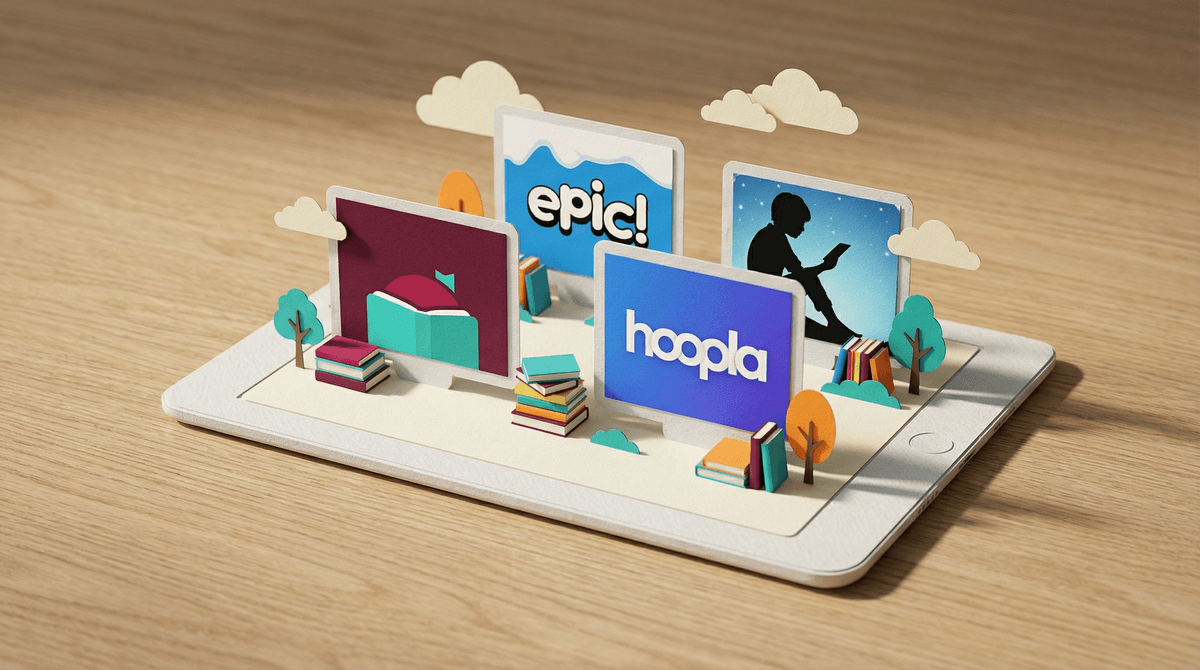
Best Online Reading Libraries for Kids: A Parent's Guide
Look, I get it. You want your kids to read more, but dragging them to the physical library every week isn't always realistic. Between soccer practice, homework meltdowns, and the fact that your 8-year-old just discovered Roblox, finding time for books feels like adding another item to an already impossible to-do list.
The good news? Digital reading libraries have gotten really, really good. The bad news? There are approximately one million options, and they all claim to be "perfect for your child." So let's cut through the noise and figure out which ones are actually worth your time (and money).
Digital reading libraries are subscription services or free platforms that give kids access to thousands of books through apps, tablets, or computers. Think Netflix, but for books. Some are totally free through your local library system, others charge monthly fees, and some are specifically designed for schools but offer family subscriptions too.
The key difference from just buying ebooks? Access to a rotating collection without the commitment of purchasing individual titles. Your kid can binge an entire series without you dropping $100 on books they'll read once.
Epic! – The One Everyone Talks About
Best for: Ages 2-12
Epic! is basically the heavyweight champion of kids' digital libraries. Over 40,000 books, audiobooks, videos, and quizzes. The interface is colorful, the recommendations are solid, and kids can create their own profiles.
The real deal: It's $12.99/month for families (teachers get it free, which is why your kid probably uses it at school). The collection is genuinely massive, but here's the thing – a lot of it is self-published or lesser-known titles mixed in with the popular stuff. You'll find Dog Man and Diary of a Wimpy Kid, but you might have to wade through some... let's call it "creative" content to get there.
The parent dashboard is actually useful – you can see what your kids are reading and for how long. If you're trying to incentivize reading over screen time, this gives you data to work with.
Libby/OverDrive – The Free Option You're Probably Not Using
Best for: All ages
If you have a library card (and you should), you already have access to Libby. It's completely free, connects to your local library system, and has a surprisingly robust kids' section.
The catch: Popular books have wait times, just like physical libraries. Your kid wants the latest Percy Jackson book? You might be 47th in line. But honestly? This is a feature, not a bug. It teaches patience and makes kids explore other options while they wait.
The app is clean, works on pretty much any device, and you can borrow audiobooks too. For families on a budget, this is the no-brainer first stop.
Kindle Unlimited Kids – If You're Already in the Amazon Ecosystem
Best for: Ages 3-12
Amazon's Kindle Unlimited has a kids' component with over 1,000 titles. It's $4.99/month (or bundled with regular Kindle Unlimited for $11.99).
The reality: The selection is more curated than Epic!, which means less quantity but generally higher quality. If your family already uses Kindles or Fire tablets, the integration is seamless. If you don't? There are probably better options.
The parental controls are decent, and you can set reading goals with rewards (though whether bribing kids to read is a good idea is a whole other conversation ).
).
Hoopla – The Underdog with No Wait Lists
Best for: Ages 5+
Hoopla is another free library app, but unlike Libby, there are no wait lists. If the book is in the collection, you can borrow it immediately. Your library sets a monthly limit (usually 5-10 items), but everything is instant.
The kids' section is smaller than Libby's, but for reluctant readers who need instant gratification, this can be a game-changer. The graphic novel selection is particularly strong – lots of Amulet, Babymouse, and other gateway drug books for kids who "don't like reading."
Bookopolis – The Social Reading Platform
Best for: Ages 8-13
Bookopolis is free and takes a different approach – it's less about the reading itself and more about the community around books. Kids can write reviews, earn badges, and connect with other readers.
Important note: It's a social platform, which means you need to be comfortable with your kid interacting with others online. The moderation is solid, but it's not a walled garden. For kids who are motivated by social connection and gamification, though, this can turn reading into something actually cool.
Here's the thing about audiobooks – they absolutely count as reading. Fight me on this. Research shows that audiobook comprehension is nearly identical to reading comprehension, especially for kids.
Both Libby and Epic! include audiobooks in their subscriptions. If you want audiobook-specific services, Audible has a kids' section, but it's pricey. For long car rides or bedtime, audiobooks are legitimately magical.
Ages 2-5: Look for platforms with read-aloud features and picture books. Epic! and Libby both have strong early reader sections. The key here is co-reading – these platforms work best when you're sitting with your kid, not using them as babysitters.
Ages 6-8: This is the sweet spot for digital libraries. Kids are starting to read independently but still need high-interest, low-difficulty books. Graphic novels on Hoopla, early chapter books on Epic!, and the instant gratification of no wait times matter more than you'd think.
Ages 9-12: Kids this age often have strong preferences. Let them explore. The recommendation algorithms on Epic! and Kindle Unlimited can actually help them discover new series. Bookopolis can add the social element that makes reading feel less isolated.
Ages 13+: Honestly, at this point, they're probably fine with regular Libby or whatever their school provides. The "kids" platforms start feeling babyish. Focus on finding books they actually want to read, even if it's graphic novels about video games.
Screen time paradox: Yes, reading on a screen is still screen time. But it's also reading. If your kid will read for 30 minutes on an iPad but won't touch a physical book, that's a win. Don't let perfect be the enemy of good.
Discovery vs. choice paralysis: Unlimited options sound great until your kid spends 20 minutes scrolling and reads nothing. Some kids do better with curated lists or limits. Most of these platforms let you create "shelves" or collections – use them.
The comic book question: Graphic novels and comics absolutely count. Dog Man isn't literature, but it's getting your kid to read willingly. That's the whole game right there.
Start with Libby. It's free, it's quality, and it teaches kids that good things sometimes require waiting. If your kid is devouring books faster than the library can provide them, add Epic! for $13/month. If you're already deep in the Amazon ecosystem, Kindle Unlimited Kids is fine.
For reluctant readers, try Hoopla's instant gratification model or Bookopolis's social features. And remember – the best reading platform is the one your kid will actually use.
The goal isn't to find the perfect digital library. It's to find the one that gets your kid reading instead of watching YouTube shorts about Skibidi Toilet for the 47th time today.
- Check if your library card works with Libby and Hoopla (it probably does)
- Try Epic!'s free trial before committing
- Let your kid explore for 20 minutes on each platform and see which interface they prefer
- Set realistic expectations – even 15 minutes of reading a day is a win
And if all else fails? Sometimes the best reading motivation is still just finding the right book at the right time. Digital libraries just make that discovery process faster and cheaper than it used to be.