

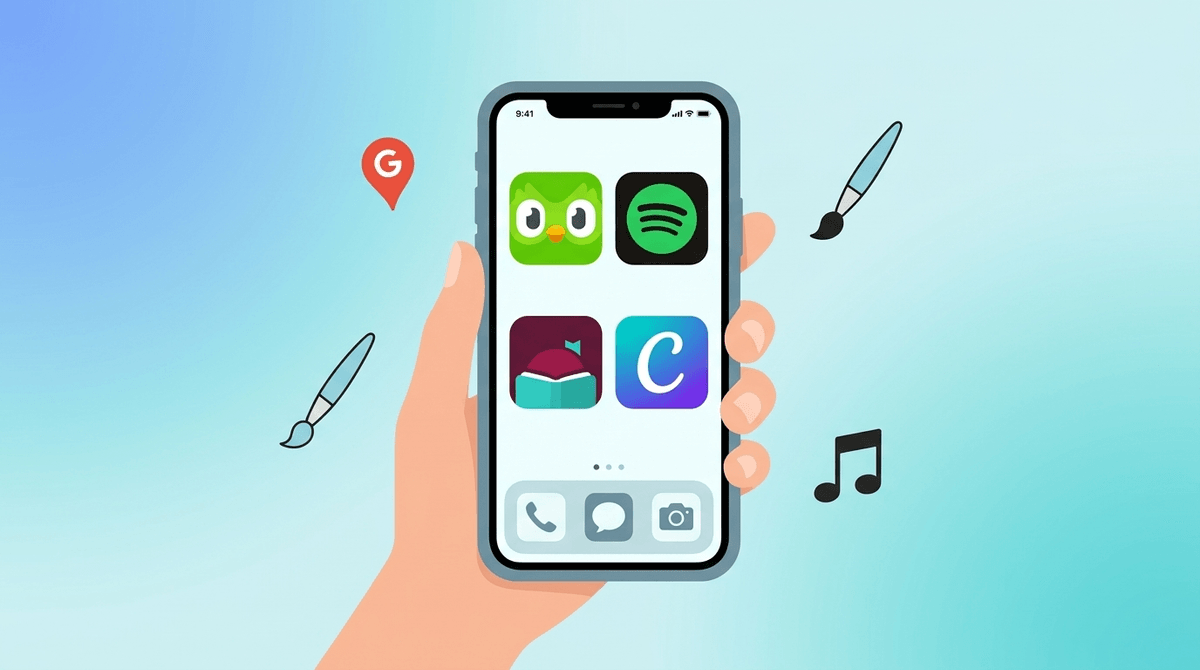
The First-Phone Starter Pack: Apps That Won't Overwhelm New Users
Skip the social media drama and build a safe 'on-ramp' with tools for communication, creativity, and digital independence.
TL;DR: Giving a kid their first phone doesn't have to mean handing them a portal to the darkest corners of the internet. Focus on utility over scrolling. Start with Messages, Spotify for music, Libby for books, and Google Maps for independence. Save the "big three" social apps (TikTok, Snapchat, and Instagram) for later.
Handing over that first device is a massive parenting milestone. It’s right up there with the first day of kindergarten, except this time, the "classroom" is a global network of algorithmic dopamine loops and 24/7 social pressure.
We’ve all seen it: a kid gets a phone, downloads TikTok, and suddenly they’re speaking in "Skibidi" memes and doing "Ohio" challenges while their attention span shrivels to the size of a raisin. It’s exhausting.
But a phone is also a tool. It’s a GPS, a camera, a library, and a way to call you when soccer practice ends early. The goal of this "Starter Pack" isn't to lock the phone down so hard it becomes a paperweight; it’s to create an on-ramp. We want to teach them how to drive the car in a parking lot before we merge onto the digital interstate.
Check out our guide on the best age for a first phone
When we talk about "age-appropriate," we aren't just talking about avoiding "adult" content. We’re talking about developmental appropriateness. Most 10-to-12-year-olds are still figuring out impulse control. Putting an app designed by world-class engineers to keep you scrolling for hours on a device in a 6th grader's pocket is just mean.
Instead, let's fill that first home screen with apps that empower them rather than consume them.
This is the baseline. Texting is the primary reason most of us give our kids phones. It’s direct, it’s (mostly) private, and it doesn't have a "public feed" where they can get roasted by strangers.
- The Pro-Tip: Set up a family group chat first. It’s the best place to model "digital citizenship"—aka not spamming 500 emojis at 11 PM.
If you have family overseas or use non-iPhone devices, WhatsApp is the gold standard. It’s encrypted and functional. Just be wary of large "class group chats" which can quickly turn into a breeding ground for middle school drama and "brain rot" memes.

The best way to keep a kid from mindlessly consuming is to encourage them to create.
If your kid has any interest in art, this is the best $5 you’ll ever spend. It’s a professional-grade drawing tool shrunk down for the phone. It’s deep, it’s meditative, and it rewards focus.
Believe it or not, kids love Canva. They use it to make "aesthetic" wallpapers for their phones, digital birthday cards, or even presentations for school. It teaches basic graphic design skills that are actually useful in the real world.
Yes, the owl is a bit aggressive with the notifications, but Duolingo gamifies learning in a way that actually works. It’s a great "waiting in line" app. If they’re going to be bored, they might as well learn how to say "The cat is under the table" in French.
This app is a hidden gem. Kids can use their LEGOs or action figures to create their own movies. It’s time-consuming in the best way possible—it requires patience, planning, and a steady hand.
Learn more about the best creative apps for middle schoolers
A phone should make your kid more capable, not more dependent.
Teaching a kid how to read a map and navigate their neighborhood is a massive confidence booster. Even if they’re just walking to a friend's house two blocks away, let them "lead" using the GPS.
It sounds boring, but checking the weather is a basic life skill. It helps them decide if they actually need that hoodie you’ve been nagging them to take.
Music is a huge part of identity in the tween years. Spotify is great, but I’d recommend a Family Plan so you can keep an eye on what they’re listening to.
- The "Wise" Move: Encourage them to check out podcasts for kids like Brains On! or Greeking Out.
If your kid has a library card, they need Libby. It lets them borrow ebooks and audiobooks for free. Listening to an audiobook while doing chores is a much better "phone habit" than scrolling YouTube Shorts.
Most mobile games are "freemium" garbage designed to make your kid beg for your credit card. Avoid anything with "clash," "royal," or "saga" in the name if you want to protect your bank account.
This is a beautiful, architectural puzzle game. There are no ads, no timers, and no "buy 500 gems" pop-ups. It’s art.
Wordle (via the NYT Games app)
A daily word puzzle is a great way to use a phone. It’s one-and-done, so it doesn't lead to a multi-hour binge, and it’s something the whole family can compare scores on.
Chess is having a massive moment with Gen Z right now (thank you, streamers). The Chess.com app is fantastic for learning and playing against friends.
Check out our full guide on "Cozy Games" that won't stress your kid out
I’m going to be the "uncool" friend for a second: Keep social media off the first phone.
I know, I know. "But everyone else has it!" Here’s the "no-BS" reality: TikTok and Instagram are not designed for children. They are designed to sell attention to advertisers.
- Snapchat: The "disappearing" nature of messages encourages kids to take risks they wouldn't normally take. Plus, the "Snap Map" is a privacy nightmare.
- TikTok: The algorithm is too good. It will find your kid's insecurities and feed them content that exploits them.
- Discord: Great for gamers, but can be a "Wild West" of unmoderated servers. If they use it, it should be on a computer in a public room, not a phone in their bedroom.
When you set up the phone, don't just hand it over. Sit down and go through the "Starter Pack" together.
- The "Why": Explain that these apps are tools to help them be more creative and independent.
- The "Trial Period": Tell them this is Phase 1. If they can show they can handle these apps without losing their minds (or their sleep), you can talk about adding more "advanced" apps in six months.
- The "Open Door" Policy: Make it clear that if they see something weird, scary, or just "off" on any app, they can come to you without losing the phone. This is the most important rule. If they’re afraid of the "tech-death-penalty," they’ll hide the problems from you.
The first phone is a training wheels period. By filling it with high-quality apps like Libby, Procreate Pocket, and Google Maps, you aren't just "protecting" them—you're teaching them that a phone is a tool for a better life, not a replacement for one.
Start small. Stay involved. And for the love of all things holy, keep the phone out of the bedroom at night.
- Audit their current wishlist: Search our media database for any app they're asking for
- Set the boundaries: Read our guide on setting healthy screen time limits
- Get personalized: Take the Screenwise Survey to get a custom guide for your specific kid