WeVideo

WeVideo

Website

WISE
93%

WISE Score

A powerhouse creative suite that turns kids from passive scrollers into actual producers, provided they have the patience for the timeline.

Where to Find

Visit WeVideo
Screenwise Verdict

WeVideo is the rare piece of 'ed-tech' that actually delivers on the promise of making kids smarter. Instead of clicking through a digital quiz, they're learning how to sequence ideas, layer audio, and communicate a message. It’s a legitimate skill that translates directly to the real world.

For parents, the biggest win is the education-tier privacy. If your kid is using this through school, their data is locked down. If you're using it at home, just be prepared for the subscription cost—the free version is basically a demo that will annoy anyone who actually wants to finish a project.

Age Fit

While Common Sense says 14+, motivated 10-year-olds can absolutely handle this with a little guidance. It’s perfect for middle schoolers, and adults use it for professional work too.

WISE Breakdown
Wholesome
88

It is a collaborative, constructive tool that shifts the focus from consuming media to making it. In a school setting, it encourages teamwork and project-based communication.

Imaginative
96

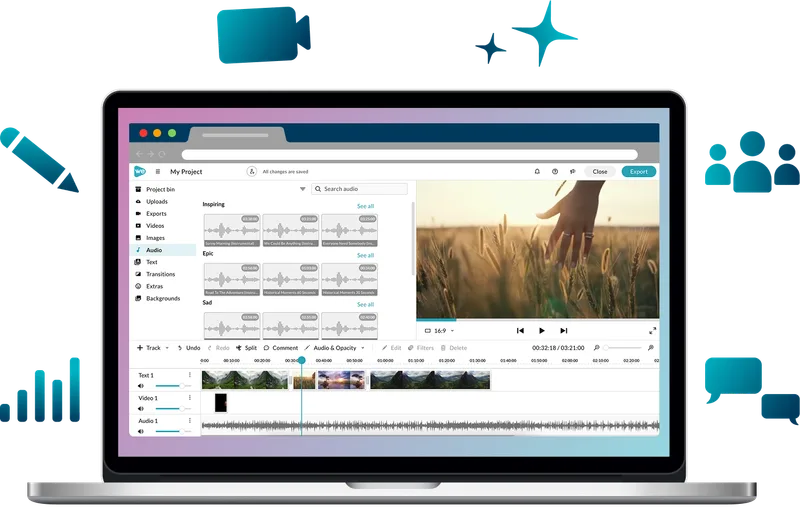
This is a literal sandbox for storytelling. Between green screen effects, stock media, and multi-track editing, the only real limit is the kid's patience for the interface.

Safe
92

The education-specific version is a gold standard for privacy (FERPA/COPPA compliant). For personal accounts, there are fewer guardrails, but it remains a utility rather than a social network.

Enriching
94

It builds high-value technical literacy and narrative skills. Unlike 'educational' games that are just digital worksheets, this is a professional-lite tool that requires actual thinking.

Parent Info
✓

Why It Might Be Great

  • Creation over consumption is the name of the game here; it's one of the best ways to justify screen time by making it active work.
  • The stock media library is massive, meaning kids don't have to scour the sketchy corners of the internet for a clip of a lion or a space nebula.
  • It works seamlessly on Chromebooks, which is a lifesaver for families whose primary device can't handle heavy desktop software like Premiere.
  • Real-time collaboration allows kids to work on the same video project from different houses, making it the 'Google Docs of video.'
⚠

What to Watch For

  • The free version is a tease; it slaps a giant watermark on the video and limits your export options, which will inevitably lead to a 'Mom, can I buy the upgrade?' conversation.
  • While the 'Storyboard' mode is easy, the 'Timeline' mode has a steep learning curve that might frustrate younger kids who just want to drag and drop.
  • If they aren't using a school-managed account, they could technically upload to YouTube directly from the app, so check your export settings.

Conversation Starters

  • "How did you decide which clips to cut and which to keep for this story?"
  • "If you could use a green screen to be anywhere in the world right now, where would you go?"
  • "What was the hardest part about getting the audio and the video to line up perfectly?"
  • "Do you think the music you picked changes how people feel when they watch your video?"

Ask Anything

Get a personalized guide on any topic