Synthesis

Synthesis

app

Everyone, 2014, Music & Audio

WISE
89%

WISE Score

3.8

Google Play

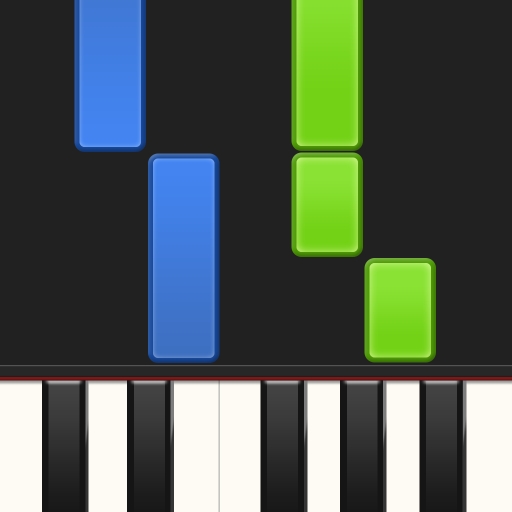
Piano learning that feels like a video game—think Guitar Hero, but you actually end up with a real skill instead of just plastic guitar calluses.

Screenwise Verdict

If you have a kid who wants to play piano but hates the 'sit still and look at this dusty book' vibe of traditional lessons, this is your best friend. It’s effectively the 'Gamification of Piano' done right.

Just a heads-up: don't confuse this with the 'Synthesis' math tutor app or the SpaceX-linked school. This is the piano tool (often spelled Synthesia). It’s clean, it’s effective, and it’s one of the few apps that actually justifies its screen time by building a real-world physical skill. Just make sure you eventually turn on the 'Sheet Music' mode so they don't become totally dependent on the falling neon blocks.

Age Fit

Perfect for anyone from age 5 to 99. If a kid can reach the keys and follow a color, they can start using this, though 7-10 is the sweet spot for really grasping the sheet music transition.

WISE Breakdown
Wholesome
95

It is a focused, calm, and goal-oriented music tool. No flashy 'brain rot' animations or chaotic feedback loops; just the music and the keys.

Imaginative
72

While it encourages musical expression, the core mechanic is 'follow the leader' with falling blocks. It’s more about mimicry than original composition, though the MIDI support opens doors for exploration.

Safe
98

No social chat, no predatory ads, and a refreshing one-time purchase model instead of a soul-sucking monthly subscription. It's a walled garden for practice.

Enriching
94

Learning piano is top-tier brain food. The ability to bridge the gap between 'video game' mechanics and actual sheet music is a massive win for kinesthetic learners.

Parent Info
✓

Why It Might Be Great

  • It makes the 'boring' part of piano practice—repetition—actually engaging for kids who grew up on iPads.
  • The one-time purchase model is a rare gem in 2026; you buy it once and you own the tool forever.
  • Melody Practice mode is genius—the song literally pauses and waits for your child to find the right key.
  • It supports real digital keyboards via MIDI, so they aren't just tapping glass; they're feeling real weighted keys.
⚠

What to Watch For

  • The 'falling notes' style can become a crutch. If they never toggle on the actual sheet music, they’re just playing a rhythm game, not learning to read music.
  • The free version is basically a demo. You’ll hit the paywall within 20 minutes if your kid actually likes it.

Conversation Starters

  • "Which is harder: keeping up with the falling blocks or trying to read the lines on the sheet music?"
  • "Let's find a MIDI file of your favorite movie theme—do you think you can learn the melody by next week?"
  • "Do you feel like you're playing a game or practicing an instrument right now? Is there a difference?"

Ask Anything

Get a personalized guide on any topic