

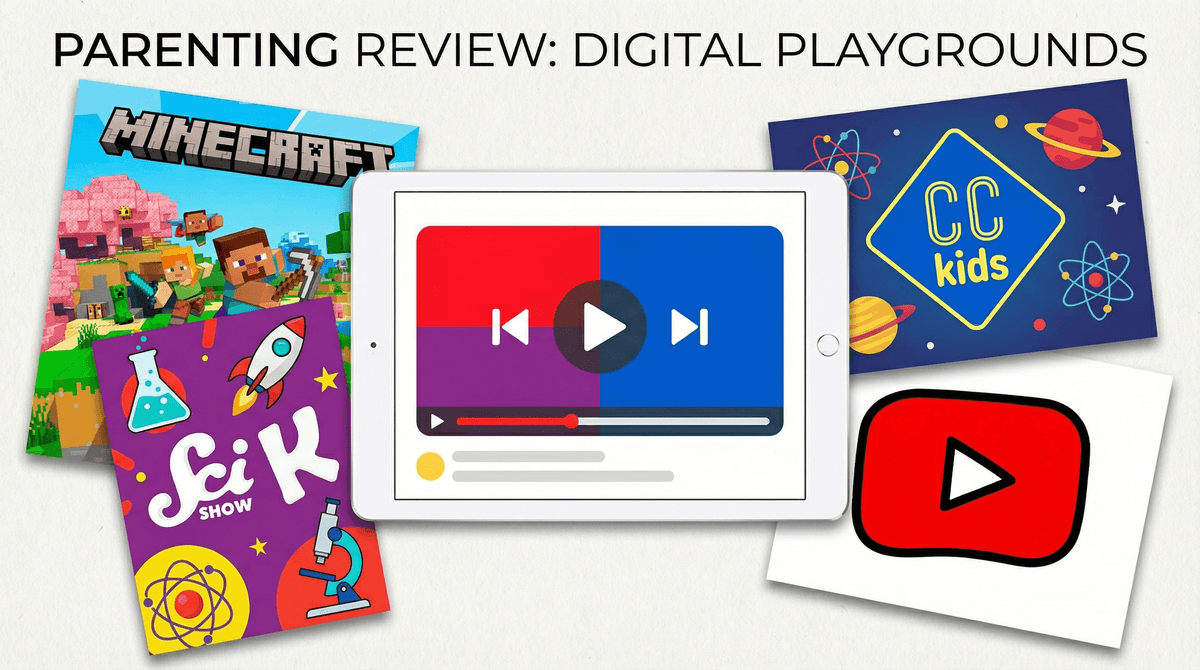
YouTube Kids is Google's attempt to solve a problem they created: making YouTube safe for children. It's a separate app (and website) that filters content, removes comments, and limits search results to supposedly kid-friendly videos. Think of it as YouTube wearing a helmet and knee pads.
The app launched in 2015 after years of parents realizing that letting kids loose on regular YouTube was like dropping them in Times Square at 2am and hoping they'd only look at the nice billboards. YouTube Kids promised curated content, parental controls, and a guilt-free way to hand your kid an iPad for 20 minutes of peace.
But here's the thing: it's still YouTube under the hood. And that comes with all the complexity, weirdness, and occasional nightmare fuel you'd expect.
Let's be honest—kids love YouTube Kids for the same reason they love regular YouTube: infinite content on demand.
There's something hypnotic about the algorithm serving up video after video after video. Your 5-year-old can watch unboxing videos of toys they'll never own, your 8-year-old can fall into a rabbit hole of Minecraft builds, and your 10-year-old can learn oddly specific facts about marine biology from channels you've never heard of.
The interface is designed for little hands—big colorful buttons, simple navigation, and autoplay that keeps the content flowing. No reading required, minimal decision-making needed. It's frictionless entertainment, which is both its greatest feature and biggest danger.
YouTube Kids does have legitimate benefits:
-
Actual educational content exists: Channels like Crash Course Kids, SciShow Kids, and National Geographic Kids are genuinely good. There's quality science content, art tutorials, and educational entertainment that rivals PBS Kids.
-
Parental controls that actually work: You can set time limits, turn off search entirely (highly recommend), and approve specific channels. The app won't let kids exit to regular YouTube without a password.
-
No comments section: This alone eliminates about 80% of the internet's toxicity. Kids can't read random strangers telling them to "like and subscribe" or worse.
-
Content levels by age: You can set the app to "Preschool" (ages 4 and under), "Younger" (ages 5-8), or "Older" (ages 9-12). Each level filters differently, though your mileage will vary.
Here's where we need to get real: YouTube Kids has significant issues that Google has never fully solved.
The Algorithm Is Still Problematic
Even with filters, the recommendation algorithm prioritizes engagement over quality. This means:
- Kids get served low-quality content that's designed to be addictive (bright colors, fast cuts, repetitive music)
- "Educational" content often means someone reading Wikipedia over stock footage
- The app will serve up 47 videos of the same thing because your kid watched one
The Elsagate Problem Never Fully Went Away
Remember Elsagate ? Those creepy videos featuring cartoon characters in disturbing situations that somehow made it past YouTube's filters? While the worst offenders have been removed, inappropriate content still sneaks through. Parents regularly report finding videos with mild violence, scary imagery, or just bizarre content that technically doesn't violate guidelines but definitely shouldn't be in a kids' app.
"Educational" Is a Loose Term
YouTube Kids labels tons of content as "educational" that is... questionable at best. Yes, watching someone play with slime might teach your kid about non-Newtonian fluids. Or it might just be 10 minutes of squishing sounds designed to keep eyeballs glued to screens. The app doesn't distinguish between Sesame Street and "LEARN COLORS WITH MONSTER TRUCKS!!! (NOT CLICKBAIT)".
The Ads Are Manipulative
Even though YouTube Kids doesn't show targeted ads, the ads that do appear are designed to make children want things. Toy commercials, junk food, and more toy commercials. Plus, there's a blurry line between ads and content—many "kid influencers" are essentially doing sponsored content that looks like regular videos.
It's Still Designed for Infinite Scroll
The fundamental design of YouTube Kids encourages passive consumption. There's no natural stopping point. Autoplay is on by default. The algorithm wants your kid to watch just one more video, then one more, then one more. This isn't an accident—it's the business model.
Ages 2-4: Honestly? YouTube Kids is probably not necessary at this age. If you do use it, stick to specific channels you've vetted, turn off search completely, and watch together. Better alternatives exist—PBS Kids Video has better content without the algorithm rabbit holes.
Ages 5-8: This is the sweet spot where YouTube Kids can work if you're intentional. Use the "Younger" setting, approve channels manually, set strict time limits (20-30 minutes max), and check watch history regularly. Treat it like a tool, not a babysitter.
Ages 9-12: By this age, many kids are ready to graduate to regular YouTube with supervision and content restrictions. YouTube Kids starts feeling babyish, and the "Older" content level still blocks legitimate educational content they might need for school. Consider setting up YouTube with parental controls instead.
If you decide YouTube Kids is right for your family, here's how to make it work:
1. Turn off search immediately. Only let kids watch from approved channels. Yes, this requires upfront work, but it's worth it.
2. Manually approve every channel. Spend an hour going through channels in your kid's interests (science, crafts, animals, whatever) and approve 10-15 good ones. That's enough variety without opening the floodgates.
3. Set a timer on the device itself, not just in the app. YouTube Kids' timer can be bypassed by closing and reopening the app (yes, really).
4. Check watch history weekly. You'll quickly see if weird content is sneaking through or if your kid is watching the same thing 47 times (which is its own concern).
5. Co-watch when possible, especially at first. You'll learn what your kid gravitates toward and can guide them toward better content.
6. Have an exit plan. YouTube Kids shouldn't be a permanent solution. It's training wheels for eventually navigating digital content with more independence.
YouTube Kids isn't the only option. Depending on your goals:
- PBS Kids Video: Better quality content, no algorithm manipulation, actually educational
- Disney+ or Apple TV+: Curated content with no surprises
- Downloaded content: Buy or rent specific shows/movies so kids aren't at the mercy of recommendations
- Podcasts for kids: Audio content eliminates screen time while still being entertaining
YouTube Kids is better than regular YouTube for young children, but that's a low bar. It's not the safe haven Google markets it as, and it requires significant parental involvement to use responsibly.
It can work for your family if:
- You're willing to do the upfront work of approving channels
- You set strict time limits and stick to them
- You regularly check what your kids are watching
- You treat it as one tool among many, not the default entertainment option
It's probably not worth it if:
- You want a truly set-it-and-forget-it solution (it doesn't exist)
- Your kids are under 4 (better options exist)
- Your kids are over 10 (they're ready for supervised regular YouTube)
- You're hoping it will teach your kids valuable skills (it won't—it's consumption, not creation)
The honest truth? YouTube Kids is a compromise. It's not terrible, but it's not great. It's a tool that can be useful in specific contexts with specific boundaries, but it requires more vigilance than the marketing suggests.
Want to dig deeper? Learn how to set up YouTube Kids with maximum safety settings, or explore alternatives to YouTube for kids.