

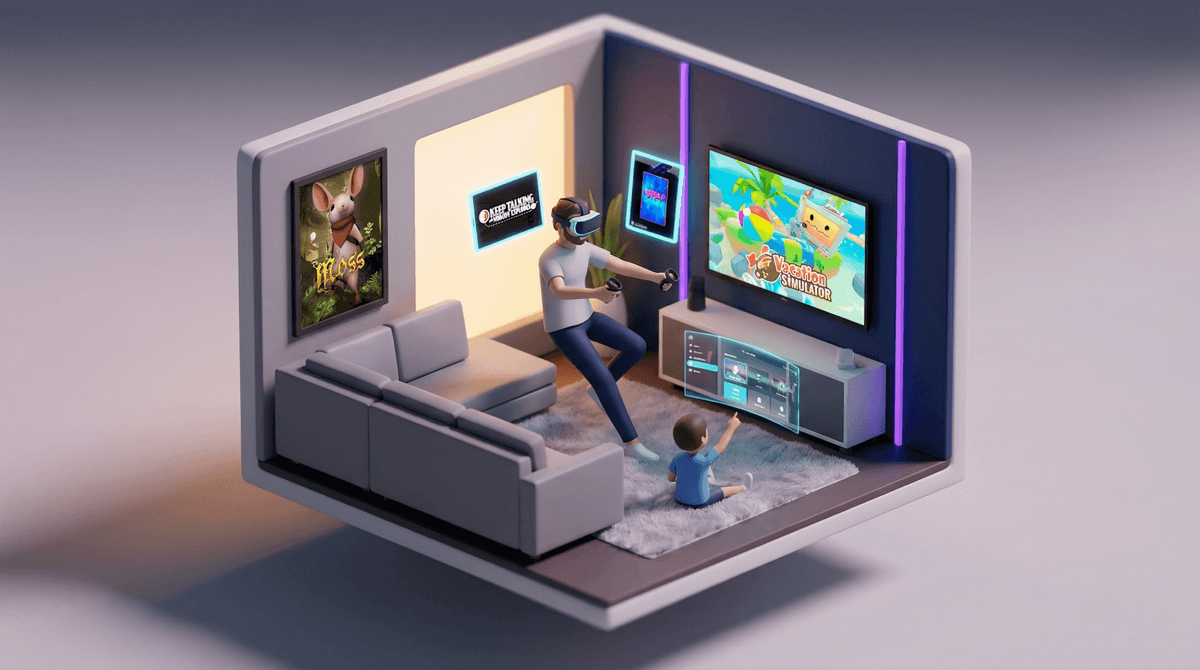
Virtual reality gaming has come a long way from those clunky headsets that made everyone look like they were auditioning for a sci-fi movie. Today's VR systems—like the Meta Quest 3, PlayStation VR2, and even smartphone-based options—offer genuinely immersive experiences that can be surprisingly family-friendly.
But here's the thing: VR isn't just "video games but closer to your face." It's a completely different experience that can be magical, exhausting, hilarious, and occasionally nauseating (more on that later). And unlike traditional gaming where everyone can see what's happening on screen, VR puts one person in their own world while everyone else watches them flail around the living room.
The good news? There are actually some fantastic VR games designed specifically for families to enjoy together, whether that means taking turns, playing cooperatively, or just laughing at whoever's wearing the headset.
VR gaming sits at this interesting intersection of "wow, that's cool" and "wait, is this safe for kids?" Parents are curious because:
It's genuinely different. Unlike the millionth battle royale game, VR offers experiences kids can't get anywhere else—like painting in 3D space, exploring underwater worlds, or conducting a virtual orchestra.
It gets them moving. After years of worrying about sedentary screen time, VR games often require actual physical activity. Beat Saber is basically Dance Dance Revolution for your arms, and games like Gorilla Tag have kids genuinely breaking a sweat.
It feels more contained. One headset, one kid at a time, clear time limits based on comfort—it's easier to manage than multiple devices scattered across the house.
But also: it's expensive, potentially isolating, and comes with legitimate safety questions about eye development, motion sickness, and kids bumping into furniture.
Most VR manufacturers recommend ages 13+ for their headsets. Meta says 13+. PlayStation says 12+. And before you roll your eyes at another arbitrary age gate, these recommendations actually matter for VR in ways they don't for regular screens.
The physical concerns are real:
- Kids' eyes are still developing, and extended VR use could potentially affect vision development (though research is still catching up)
- The headsets are designed for adult-sized heads and interpupillary distances (IPD)—they literally don't fit younger kids properly
- Motion sickness hits harder when your brain is still learning spatial awareness
- Younger kids are more likely to trip, run into walls, or whack a sibling mid-game
That said, plenty of families let 8-10 year olds use VR in short, supervised sessions. If you're going this route:
- Keep sessions under 20-30 minutes for younger kids
- Stay in the room the entire time
- Start with stationary games before anything with movement
- Watch for signs of discomfort (dizziness, eye strain, nausea)
- Create a clear, obstacle-free play space with a soft rug
For kids 13+, you can gradually extend sessions to 45-60 minutes, but honestly, most kids self-regulate because VR is physically tiring in a way traditional gaming isn't.
Here's where VR actually shines for families:
For taking turns and spectating:
- Beat Saber (Ages 10+) - Slicing blocks to music. It's mesmerizing to watch and exhausting to play. The person wearing the headset looks absolutely ridiculous, which is half the fun.
- Job Simulator (Ages 8+) - Hilariously absurd office/kitchen/store scenarios. Perfect for younger kids because there's no way to "lose" and watching someone make a mess in VR is genuinely entertaining.
- Vacation Simulator (Ages 8+) - Same vibe as Job Simulator but at a beach resort. Low-stress, high-silly.
For actual multiplayer/cooperative play:
- Keep Talking and Nobody Explodes (Ages 10+) - One person in VR defuses a bomb while everyone else reads the manual and shouts instructions. It's chaotic and perfect for families who like puzzle games.
- Acron: Attack of the Squirrels (Ages 7+) - One person is a tree in VR, everyone else controls squirrels on their phones trying to steal nuts. Asymmetric multiplayer that actually works.
For creative/chill experiences:
- [Tilt Brush](https://screenwiseapp.com/media/tilt-brush-app / Painting VR (Ages 8+) - 3D painting in space. No objectives, just creation. Great for artistic kids.
- Moss (Ages 8+) - You guide an adorable mouse through a storybook adventure. Gentle, beautiful, and not overwhelming for VR newbies.
Sports and active games:
- [Walkabout Mini Golf](https://screenwiseapp.com/media/walkabout-mini-golf-boardgame (Ages 8+) - Exactly what it sounds like. Relaxing, multiplayer, and surprisingly detailed courses.
- Gorilla Tag (Ages 10+) - You're a gorilla, you move by swinging your arms. Kids love it, it's free, and they'll be sore the next day.
Motion sickness is not a maybe—it's a when. Some people never get it, some people get it immediately, and some develop it after extended use. If your kid says they feel weird, believe them and stop immediately. Pushing through motion sickness doesn't build tolerance, it just makes them associate VR with feeling awful.
Privacy and online safety matter here too. Many VR games have voice chat and social features. The same rules that apply to Roblox or any online game apply here—know who they're talking to, use parental controls, and have conversations about online behavior.
The isolation factor is real. When someone's in VR, they're really in VR. They can't see you, hear you clearly, or respond normally. For younger kids especially, this can be disorienting. Some families set up a "tap on the shoulder means take the headset off immediately" rule.
Screen time tracking gets weird. Is 30 minutes of active VR gaming equivalent to 30 minutes of YouTube? Two hours of Minecraft? It's genuinely different, and you might need to create separate guidelines.
VR is expensive. A Meta Quest 3 is $500. PlayStation VR2 is $550 plus you need a PS5. Even the cheaper options aren't cheap. And unlike a Nintendo Switch that the whole family can use simultaneously, only one person can use a VR headset at a time.
The content library matters more than the hardware. The Quest has the most family-friendly games. PlayStation VR2 has fewer options for younger kids. PC VR (like Valve Index) has the most variety but requires a gaming PC.
You'll need space. Not just "clear the coffee table" space—actual room-scale space for many games. If you live in an apartment or have a small living room, stationary/seated VR games are your friend.
It's not a babysitter. VR requires more active supervision than traditional gaming, especially for younger kids. You can't just hand them the headset and walk away.
VR gaming can be an incredible family experience—when done thoughtfully. It's not for every family, and it's definitely not for every kid. The age recommendations exist for good reasons, and the financial investment is significant.
But if you've got the space, the budget, and kids who are old enough (or you're willing to do short, supervised sessions with younger ones), VR offers something genuinely different from regular screen time. It's active, immersive, and can create those "remember when we..." moments that traditional gaming sometimes lacks.
Start slow. Rent or borrow a headset if possible. Try a VR arcade. See how your kids respond before dropping $500+ on hardware. And if you do take the plunge, begin with the gentle, silly games before diving into anything intense.
If you're considering VR for your family:
- Research which headset fits your budget and space (Meta Quest 3 is the most family-friendly entry point)
- Read reviews of specific games before buying—not all "family-friendly" VR games are created equal
- Learn about setting up parental controls
 for whichever system you choose
 - Have a conversation with your kids about the physical sensations of VR and the importance of speaking up if they feel weird
If your kids are already using VR:
- Check in about motion sickness and eye strain regularly
- Monitor session lengths (even if they're not complaining)
- Know which games they're playing and whether those games have online components
- Consider whether VR time should count differently in your family's screen time limits
VR isn't the future of all gaming, but it's a legitimate option that some families genuinely love. Just go in with eyes open (and then closed, because you'll be wearing a headset).