

TL;DR
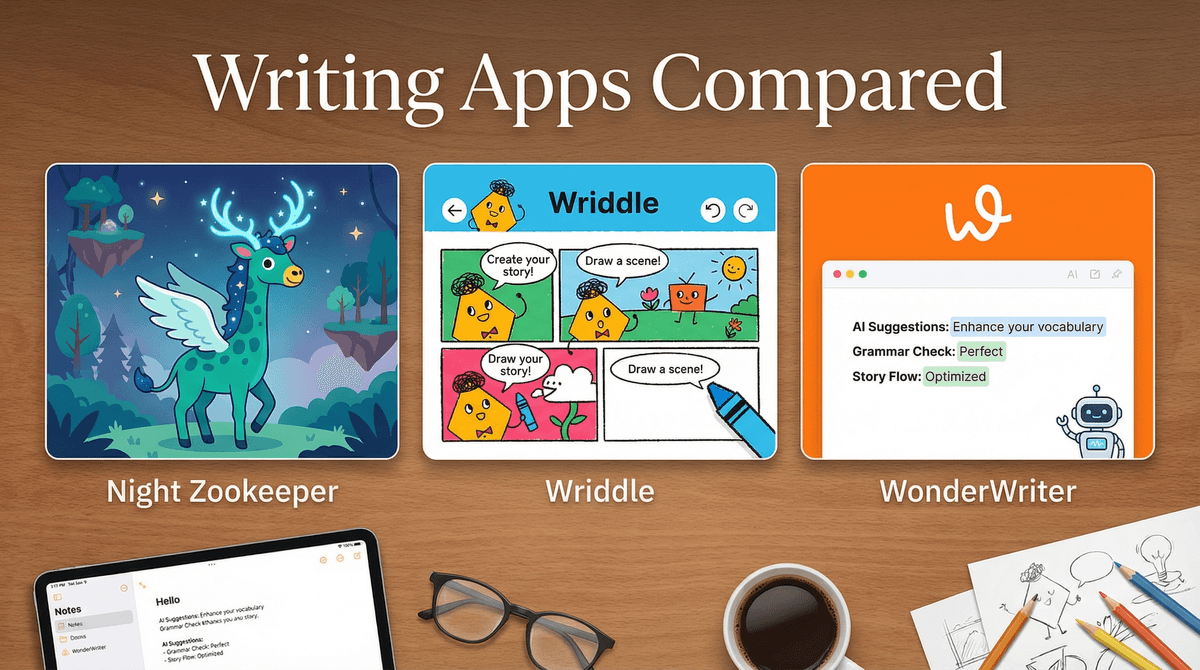
Getting kids to write is like pulling teeth, but these three apps actually crack the code—each in a totally different way:
- Night Zookeeper (Ages 6-12): Gamified writing quests with a fantasy zoo world. Best for reluctant writers who need extrinsic motivation.
- Wriddle (Ages 8-14): Multimodal storytelling with comics, videos, and text. Perfect for visual thinkers who claim they "can't write."
- WonderWriter (Ages 8-13): AI-powered scaffolding that helps kids develop ideas without doing the work for them. Great for kids who freeze at blank pages.
Let's be real: most kids would rather eat broccoli than write a story. The problem isn't that they lack imagination—it's that translating ideas into coherent sentences feels like pushing a boulder uphill. They stare at blank pages, delete everything after two sentences, or write "The End" after one paragraph.
Meanwhile, schools are cutting writing instruction time while simultaneously expecting kids to crank out essays. And don't even get me started on the AI homework crisis—kids are using ChatGPT to write everything, which means they're not actually learning to think through writing.
Good writing apps solve this by making the process feel less like homework and more like... literally anything else. But here's the catch: most writing apps are either glorified word processors with clip art, or they're so game-ified that kids spend more time customizing avatars than actually writing.
The three apps below actually thread this needle. Each takes a radically different approach, so the "best" one depends entirely on your kid.
Ages: 6-12 | Price: $10-15/month
Night Zookeeper turns writing into an RPG quest. Kids create a magical animal for their zoo, then complete writing challenges to earn rewards, unlock new areas, and level up their creatures. The writing prompts are embedded in a fantasy narrative—your kid isn't "writing a descriptive paragraph," they're "describing their fire-breathing penguin to defeat the villain."
What Works
The gamification here is chef's kiss. Kids earn "Zoo Coins" for completing tasks, which they can spend on customizing their zoo or unlocking new animals. There's a clear progression system, daily challenges, and even a competitive leaderboard (which you can turn off if your kid gets weird about rankings).
The prompts are surprisingly sophisticated. Instead of "write about your summer," you get stuff like "Your zoo animal discovered a mysterious portal—describe what's on the other side" or "Write a persuasive letter convincing the villain to stop stealing zoo animals." The app scaffolds different writing types (narrative, descriptive, persuasive) without feeling like a textbook.
There's also a teacher/parent dashboard where you can see what your kid wrote, track their progress, and even leave encouraging comments. The app has actual human tutors who provide feedback on submitted work (not AI—real people), which is wild for a consumer app.
What Doesn't
This is heavily game-ified, which means some kids will chase rewards instead of focusing on craft. If your kid is already motivated to write, the game mechanics might feel patronizing or distracting.
The fantasy theme is non-negotiable. If your kid isn't into magical zoos and villain storylines, they'll bounce off this hard. There's no way to customize the narrative world or opt for more realistic settings.
Also, the subscription cost adds up—$120-180/year is real money. There's a free trial, but you'll need to commit to see results.
Best For
Kids ages 6-10 who need extrinsic motivation and respond well to game mechanics. This is your move if your kid will grind for hours in Roblox or Minecraft but claims writing is "boring."
Ages: 8-14 | Price: Free (with premium features)
Wriddle is built on the premise that writing doesn't have to mean just text. Kids can create stories using comics, videos, drawings, text, and audio—all in the same project. Think of it as a multimedia storytelling studio where writing is just one tool in the kit.
What Works
This app is a game-changer for kids who think in images or who freeze when faced with a blank page. Instead of starting with "Once upon a time," they can sketch a character, record themselves acting out dialogue, or build a comic strip—then add text to fill in the gaps.
The interface is genuinely intuitive. Kids can drag and drop elements, layer different media types, and rearrange their story structure visually. There's also a huge library of story prompts, but unlike traditional prompts, these are designed for multimodal creation—"Create a superhero origin story using at least 3 different media types."
Wriddle has a social component where kids can share their stories with a moderated community and get feedback from peers. It's like a kid-friendly version of Wattpad, minus the Supernatural fan fiction. (You can disable sharing if you're not into that.)
What Doesn't
Because kids can use video and images, some will avoid writing text altogether. If your goal is specifically to improve written composition, you'll need to set boundaries—"Your story needs at least 200 words of text, not just comics."
The free version is pretty limited. You can create stories, but you can't access the full prompt library or premium templates without paying. The premium tier is $8/month, which is reasonable but still another subscription.
Also, the social features require monitoring. The moderation is solid, but any time kids are sharing creative work online, you'll want to check in periodically.
Best For
Visual learners, reluctant writers, and kids who love making YouTube videos or TikToks but "hate writing." This is especially good for kids who are into animation apps or digital art.
Ages: 8-13 | Price: $12/month
WonderWriter uses AI, but not in the "do my homework" way. Instead of generating full paragraphs, the AI acts like a writing coach—asking questions, suggesting plot twists, helping kids brainstorm when they're stuck, and providing sentence starters without writing the sentences for them.
What Works
This is the most sophisticated approach to AI-assisted writing I've seen for kids. When a kid gets stuck, they can ask the AI for help, but instead of getting a completed paragraph, they get prompts like "What does your character want most in this scene?" or "Try describing this moment using all five senses."
The AI can also help with story structure. If a kid writes a beginning and middle but can't figure out an ending, the AI might suggest three different resolution approaches and let the kid choose. It's scaffolding, not replacement.
There's a "challenge mode" where kids can set goals (write 500 words today, use 3 new vocabulary words, etc.) and the AI tracks progress and provides encouragement. The app also has mini-lessons on writing craft—show don't tell, dialogue tags, paragraph structure—delivered in bite-sized, non-boring chunks.
What Doesn't
The AI isn't perfect. Sometimes the suggestions are generic or miss the mark. Kids need to learn to evaluate the AI's input critically, which is actually a valuable skill but requires some parent guidance initially.
There's also the philosophical question: is AI writing help actually teaching writing, or is it a crutch? WonderWriter walks this line better than most, but you'll want to have conversations with your kid about when to use AI help versus pushing through on their own.
The app is text-only—no multimedia options. If your kid needs visual elements to stay engaged, this won't cut it.
Best For
Kids who have ideas but struggle with execution. This is ideal for the kid who says "I know what I want to write but I don't know how to start" or who writes two sentences and then deletes everything. Also great for kids who are already using ChatGPT for homework—this teaches them to use AI as a tool, not a replacement.
Your kid needs extrinsic motivation and loves games: Night Zookeeper. The RPG mechanics and reward system will hook them.
Your kid is a visual thinker who claims they "can't write": Wriddle. Let them tell stories through multiple media types and sneak in the writing.
Your kid has ideas but freezes at execution: WonderWriter. The AI scaffolding helps them develop confidence without doing the work for them.
Your kid is already a confident writer: Honestly? None of these. Just give them Google Docs and a good writing prompt book. These apps are for kids who need help getting over the hump.
All three apps are subscription-based, which means no ads and no data selling (allegedly—always read the privacy policy). Night Zookeeper and WonderWriter don't have social features, so there's no risk of sketchy interactions. Wriddle has moderated sharing, but you can disable it entirely.
Screen time wise, these are "productive screen time" activities, but that doesn't mean unlimited access. Writing is cognitively demanding—most kids will tap out after 20-30 minutes anyway. Set a timer and treat it like homework, not entertainment.
One sneaky benefit: these apps give you hard evidence of what your kid is working on. No more "I'm doing homework!" while actually watching YouTube. The parent dashboards show exactly what they wrote and when.
Writing apps won't magically turn your kid into the next Rick Riordan, but they can make the process less painful and more engaging. The key is matching the app to your kid's specific resistance point:
- Motivation problem? Night Zookeeper.
- Blank page paralysis? WonderWriter.
- "I'm not a writer, I'm an artist/filmmaker"? Wriddle.
Try the free trials, see what sticks, and don't be afraid to switch if something isn't working. The best writing app is the one your kid will actually use.
And hey, if none of these work, there's always the nuclear option: taking away Roblox until they write 500 words. (I'm kidding. Mostly.)
- Start with free trials: Wriddle has a free tier, and both Night Zookeeper and WonderWriter offer trial periods
- Set clear expectations: "We're trying this for two weeks, 20 minutes a day"
- Check out other literacy apps if writing specifically isn't the issue
- Consider pairing with audiobooks or storytelling podcasts to build narrative sense