Wriddle

Wriddle

app

4+, 2022, Education

WISE
90%

WISE Score

A calm, creativity-building app where kids write sentences, draw pictures, and record their voices—basically digital show-and-tell that doesn't end up in the recycling bin.

Screenwise Verdict

Wriddle is one of those rare apps that does exactly what it says on the tin and does it well. It's not flashy, it's not gamified, it's not trying to be everything to everybody—it's just a thoughtful tool for helping young kids practice writing, drawing, and speaking.

The National Parenting Center's endorsement is well-earned. This is the kind of app that turns screen time into something genuinely productive without feeling like homework. Teachers love it because it creates a portfolio of student work over time (complete with voice recordings!), and parents love it because it replaces that pile of papers that always ends up in recycling.

The learning curve is real but short-lived, and once kids get the hang of it, they're off to the races. No ads, no in-app purchase traps, no social features to worry about—just a clean, safe space for early learners to build confidence.

If you've got a 5-year-old who's starting to write sentences or a kindergartener who loves drawing, this is a solid pick. Just don't expect it to hold the attention of a fourth-grader.

Age Fit

Wriddle is squarely aimed at preschool through early elementary kids (roughly ages 4–8) who are learning to write sentences and sound out words. Older kids will outgrow it quickly once they're comfortable with basic literacy.

WISE Breakdown
Wholesome
92

Wriddle is fundamentally gentle and confidence-building. It encourages creative expression without competition or comparison, letting kids write and draw at their own pace. The National Parenting Center specifically noted it 'effectively helps to build self-confidence in a child and fosters creativity.' No chaotic elements, no negative social dynamics—just a calm space for young learners to practice literacy skills.

Imaginative
88

The app's core loop—write, draw, record—directly invites creative expression and storytelling. Kids aren't following templates or filling in blanks; they're generating original sentences and illustrations. The National Parenting Center praised its 'vivid and imaginative' tools. However, it's a relatively simple canvas without elaborate world-building or complex creative scaffolding, so it stops short of the highest imaginative scores.

Safe
94

No ads or in-app purchases mentioned. Teacher/parent controls let adults manage content. The app is closed-loop—kids create and share only with family or teachers, not the open internet. Voice recordings and drawings stay within a supervised ecosystem. Privacy appears respected, and there's no compulsive design or manipulation. The only minor caution is supervising any external sharing of voice recordings.

Enriching
90

Wriddle hits multiple literacy pathways: written, visual, and oral. It's explicitly designed for skill-building in reading, writing, and speaking—core competencies for early learners. Teachers get portfolios that track development over time, making it a genuine educational tool rather than edutainment fluff. The creator's origin story (wanting to preserve kids' voices alongside their drawings) shows intentionality around meaningful documentation of growth.

Parent Info
✓

Why It Might Be Great

  • Hits the trifecta of early literacy: writing, drawing, and speaking practice in one simple loop
  • No ads, no manipulative design, no rabbit holes—just a focused tool for creative expression
  • Teachers and parents get a portfolio over time that shows real developmental progress (including the kid's voice!)
  • National Parenting Center gave it a Seal of Approval for building confidence and fostering creativity
  • Printable creations mean you can hang them on the fridge without losing the audio component
⚠

What to Watch For

  • Brief learning curve at first—plan to sit with your child for the first few sessions until they get the hang of it
  • Supervise any sharing features; you're dealing with voice recordings and drawings that you may not want floating around
  • Best for kids who are just starting to write (ages 4–8ish); older kids will likely find it too simple

Conversation Starters

  • "What story do you want to tell today? Let's pick something silly!"
  • "I love how you drew that! Can you tell me more about what's happening in your picture?"
  • "Let's listen to your recording from last month—do you sound different now?"
  • "If you could write a sentence about anything in the world, what would it be?"

Deep Dive

Most kids' apps are a sensory assault of confetti pops, streak counters, and high-pitched mascot voices. Wriddle is the exact opposite. It is essentially a digital version of the "story paper" kids use in kindergarten—the kind with the big empty box on top for a drawing and the wide ruled lines on the bottom for a single, shaky sentence.

Designer Melinda Kolk built this because she was tired of her kids' physical drawings ending up in the recycling bin. She realized that while a drawing is great, the voice of a five-year-old explaining that drawing is what parents actually want to bottle up and keep forever.

The power of the "Audio Portfolio"

The genius here isn't the drawing tool (which is basic) or the text input. It's the loop. A child writes "The cat is big," draws a chunky orange blob, and then hits record to say it out loud.

For a pre-reader, hearing their own voice played back while looking at their own words is a massive "aha!" moment for literacy. It connects the abstract concept of text to the physical act of speaking. Because the app saves these over time, it becomes a literal time capsule. You can scroll back six months and hear the shift from phonetic "invented" spelling and toddler pronunciations to actual syntax and clearer speech. It’s the kind of data a teacher or a sentimental parent can actually use.

Where the friction lives

Don't hand this to a four-year-old and walk away immediately. The interface is clean, but the transition between the three "modes"—writing, drawing, and recording—requires a bit of sequencing logic that younger kids might fumble at first.

You’ll likely spend the first three or four sessions acting as the "producer," helping them find the record button or reminding them to finish the sentence before they start coloring. Once they internalize the workflow, it becomes a solo activity, but that initial hand-holding is the price of admission for a tool that doesn't use manipulative "click here!" animations to guide the eye.

How it stacks up

If your kid is already obsessed with stickers and digital "rewards," Wriddle might feel a little dry at first. There are no gems to collect and no dragons to level up. It relies entirely on the child's internal desire to create something.

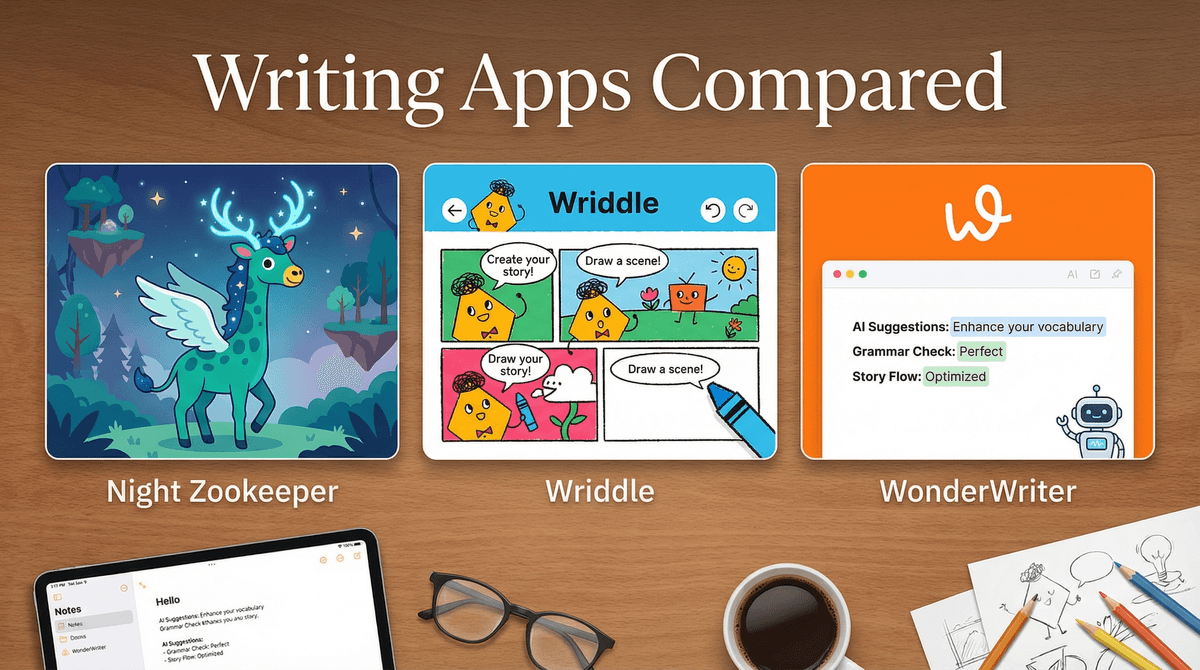
If you’re trying to decide between this and a more "heavy-duty" curriculum app, it helps to know what you're optimizing for. We break down the differences in our guide to Writing Apps That Actually Work: Night Zookeeper, WonderWriter & Wriddle Compared. While other apps focus on "gamified" quests, Wriddle is the one you pick if you want a quiet, 15-minute activity that results in a finished product you might actually want to email to a grandparent.

A note on the "Recycling Bin" problem

The app lets you print these creations, which includes a QR code. When you scan the code on the fridge, it plays the audio of your child reading the sentence. It’s a clever bridge between the digital and physical worlds that solves the "missing voice" problem Melinda Kolk identified. It turns a static piece of paper into a multi-modal memory, which is a high-bar achievement for an app that looks this simple on the surface.

Ask Anything

Get a personalized guide on any topic