

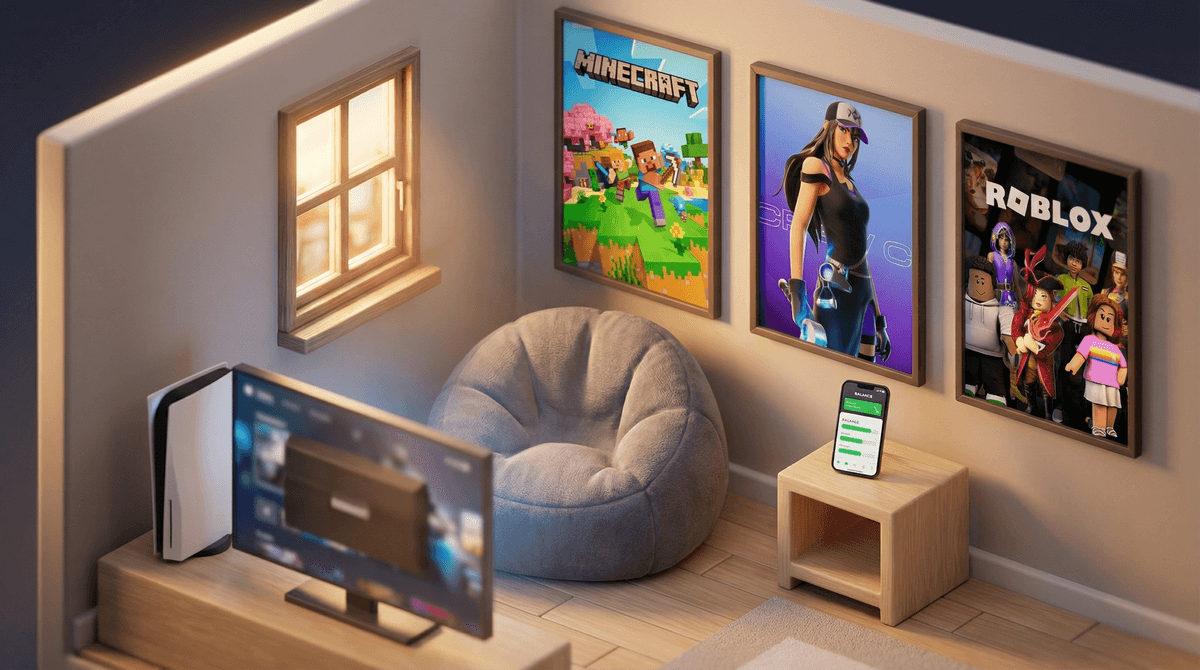
Look, Xbox isn't just a gaming console anymore. It's a social hub, an entertainment center, a place where your kid plays Minecraft with friends from school, watches YouTube, streams on Twitch, and yes—sometimes just stares at the home screen for 20 minutes deciding what to do.
The challenge with managing Xbox time isn't just about limiting hours. It's about understanding that when your kid says "I'm almost done with this level," they might genuinely be in the middle of a Fortnite match they can't pause, or they might be three hours into a Roblox hangout session that has no natural ending point.
Xbox screen time management is tricky because the console itself is designed to keep players engaged. Auto-play features, friend notifications, achievement systems, battle passes that expire—it's all engineered to make "just one more game" feel essential.
Here's the thing: Xbox gaming isn't inherently bad. Some games teach problem-solving, teamwork, and persistence. Playing online with friends is genuinely social. But unlimited, unmanaged console time? That's where we run into problems.
Research shows that excessive screen time (especially gaming) can impact sleep, physical activity, academic performance, and emotional regulation. Not because games are evil, but because time is finite. Every hour on Xbox is an hour not spent on homework, outdoor play, family dinner, or sleep.
And let's be real—the fights about turning off the Xbox are exhausting. The negotiations, the "five more minutes" that turns into thirty, the meltdowns when you finally pull the plug. You're not imagining it: gaming can trigger genuine emotional responses that make transitions difficult, especially for younger kids.
Before we dive into limits and controls, let's talk about what's actually happening on that console.
Xbox isn't just games anymore. Your kid can:
- Play hundreds of games (many free-to-play with in-game purchases)
- Voice chat with friends and strangers
- Watch YouTube, Netflix, Disney+, and other streaming apps
- Browse the web on some models
- Create and share content
- Join parties and group chats
The social pressure is real. If your kid's friends are all playing Rocket League after school, your limits might feel like social isolation to them. That doesn't mean you shouldn't have limits—but it does mean you need to understand what they're giving up.
Free-to-play games are expensive. Games like Fortnite, Roblox, and Apex Legends are free to download but make money through cosmetics, battle passes, and premium currency. Your kid will absolutely feel left out if they can't buy skins , but that's a different conversation about money, not screen time.
Ages 6-9: Tight Limits, High Supervision
At this age, 30-60 minutes of Xbox time on non-school days is plenty. School days? Maybe none, or 20-30 minutes max after homework and responsibilities.
These kids need help with:
- Understanding game ratings (stick to E for Everyone)
- Managing frustration when they lose
- Transitioning off screens without meltdowns
- Understanding that online "friends" aren't the same as real friends
Games like Minecraft (in creative mode), LEGO games, and Rocket League (with chat disabled) can work here, but you should be nearby.
Ages 10-13: Building Responsibility
This is the sweet spot where you can start using screen time as a teaching tool. These kids can handle 1-2 hours on weekends, maybe 45-60 minutes on school days—if responsibilities are done first.
The key here is earning time, not just receiving it. Xbox time should come after:
- Homework is complete (and actually done well, not rushed)
- Chores are finished
- Physical activity has happened
- Family dinner is over
At this age, you can introduce games like Fortnite (if you're comfortable with the shooter aspect) and Among Us, but voice chat needs monitoring. Seriously—online gaming chat can get toxic fast.
Ages 14+: Negotiating Independence
Teens will push back hard against strict limits, and honestly, they should have more autonomy at this point. But autonomy doesn't mean unlimited access.
Consider a system like:
- 2-3 hours on weekends, 1 hour on school nights (as a baseline)
- More time can be earned through good grades, completed chores, or used as social time with friends
- Late-night gaming (after 9 or 10 PM) needs clear rules—gaming at midnight affects sleep, period
Teens can handle more mature games (check ratings and content), but you should still know what they're playing and who they're talking to. Read about how to talk to teens about online safety without being preachy.
Okay, here's the practical stuff. Xbox has surprisingly robust parental controls—you just need to actually use them.
Screen Time Limits:
- Go to account.microsoft.com/family
- Add your child's account to your family group
- Set daily time limits for each day of the week
- The console will literally shut off when time's up (with warnings)
Content Restrictions:
- Block games by rating (E, E10+, T, M)
- Require approval for purchases
- Restrict web browsing
- Filter inappropriate content
Communication Controls:
- Limit who can communicate with your child
- Block or allow voice chat, text chat, and video
- Require friend requests to be approved
Pro tip: Set these up BEFORE you tell your kid about them. Otherwise you'll spend an hour negotiating every setting.
Here's our full guide to Xbox parental controls with step-by-step screenshots.
Time limits are important, but they're not the whole picture. Here's what actually creates healthy gaming habits:
1. No Gaming Until Responsibilities Are Done
This is non-negotiable. Xbox time is a privilege that comes after homework, chores, and family time. Not before, not during, not "I'll do it after this match."
2. The One-Hour Rule
After one hour of gaming, require a 15-minute break. Get water, go outside, move their body. Gaming is designed to be addictive—breaks help kids reset.
3. No Screens in Bedrooms
The Xbox should live in a common area where you can see the screen. This isn't about trust—it's about creating boundaries that help kids self-regulate.
4. End Times, Not Start Times
Instead of "you can play for one hour," try "Xbox time ends at 5:30 PM." This eliminates the "but I just started" negotiations.
5. Gaming Is Social Time
If your kid is playing online with friends, that can count as social time—but only if they're actually interacting. Parallel play where everyone's silent doesn't count.
Let's be honest: Minecraft can teach creativity and problem-solving. Kerbal Space Program teaches physics. Some games have genuine educational value.
But here's the thing—educational gaming is still screen time. It might be higher-quality screen time, but it shouldn't be unlimited just because it's "learning."
That said, if your kid wants to spend their Xbox time building elaborate Minecraft structures or designing rockets in Kerbal, that's probably better than mindlessly playing Call of Duty for three hours. Context matters.
Most kids who love Xbox aren't "addicted"—they just really like gaming. But some kids do develop problematic gaming habits that look like addiction: irritability when not gaming, lying about screen time, neglecting responsibilities, social withdrawal.
If you're seeing these signs, time limits alone won't fix it. You might need to:
- Take a complete break from gaming (1-2 weeks)
- Talk to your pediatrician or a therapist who specializes in gaming issues
- Address underlying issues (anxiety, social struggles, boredom)
Learn more about the difference between loving gaming and gaming addiction.
The best way to reduce Xbox time isn't to just take it away—it's to make other activities more appealing.
Physical games and activities:
- Board games that the whole family plays
- Sports, bike rides, or just going to the park
- Building projects (LEGO, models, woodworking)
Social alternatives:
- In-person hangouts with friends (revolutionary, I know)
- Youth sports or clubs
- Family game nights
Other screen time:
- Age-appropriate shows (yes, TV is better than gaming in some cases)
- Creative screen time (drawing apps, video editing, coding)
- Educational podcasts for car rides
The key is offering genuine alternatives, not just saying "go outside" and expecting magic to happen.
Managing Xbox screen time isn't about being the fun police. It's about helping your kid develop a healthy relationship with gaming that doesn't take over their life.
Start here:
- Set up parental controls TODAY (seriously, do it now)
- Create clear rules about when gaming can happen (after responsibilities)
- Use time limits that make sense for your kid's age
- Make sure gaming isn't replacing sleep, physical activity, or family time
- Know what games they're playing and who they're talking to
And remember: you don't have to be perfect at this. Some weeks you'll be strict, some weeks you'll be lenient. Some days the Xbox will be a lifesaver when you need 45 minutes of peace. That's okay.
The goal isn't zero screen time. It's balanced, intentional screen time that doesn't come at the expense of everything else childhood should include.
Want to dive deeper? Check out:
And if you want personalized guidance based on your kid's age and your family's specific situation, chat with our Screenwise assistant to create a custom plan that actually works for your household.