

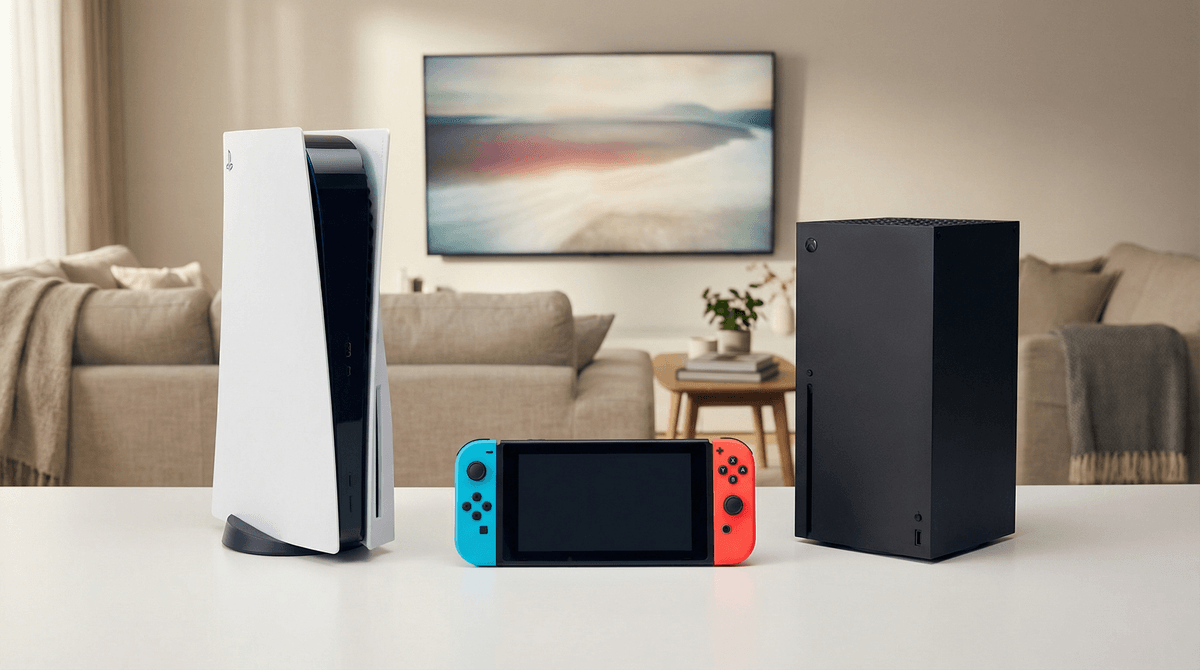
The Ultimate Guide to Gaming Consoles for Kids
Nintendo Switch is the gold standard for kids ages 5-12 (and honestly, beyond). It's got the best parental controls, the most age-appropriate exclusives, and true portability. PlayStation 5 is the move for teens who want cutting-edge graphics and story-driven games. Xbox Series X/S offers the best value through Game Pass and backward compatibility, plus it's the most family-friendly of the "serious" consoles.
Jump to: Nintendo Switch games | PlayStation parental controls | Xbox Game Pass for families
You're standing in Target (or scrolling Amazon at 11 PM, no judgment), trying to figure out which gaming console to get. Your kid has been asking for months, their friends all have one, and you're drowning in acronyms: Switch OLED, PS5 Digital Edition, Xbox Series S vs. X, and wait—is the Switch Lite different from the regular Switch?
Here's the real talk: the "best" console depends entirely on your kid's age, your family's gaming culture, and honestly, your budget. There's no universal winner, but there's definitely a right choice for YOUR family.
Best for: Ages 5-14, families who game together, kids who want portable gaming
The Switch is the family minivan of gaming consoles—not the flashiest, but incredibly practical and beloved for good reason. It's the only console that works both as a handheld device and plugged into your TV, which means kids can play Mario Kart 8 on road trips and then seamlessly continue on the big screen at home.
The Good:
- Best parental controls in the business (seriously, Nintendo nailed this)
- Massive library of age-appropriate games: Animal Crossing, Splatoon 3, The Legend of Zelda: Breath of the Wild
- Local multiplayer is actually fun for the whole family
- Durable enough for younger kids (mostly)
- No subscription required for most features (though online play needs Nintendo Switch Online at $20/year)
The Reality Check:
- Graphics aren't cutting-edge (your 13-year-old will notice)
- Games rarely go on sale and stay expensive FOREVER
- The Joy-Con controllers can drift (it's a known issue, and Nintendo will fix them for free)
- Online voice chat is weirdly complicated
Models:
- Switch OLED ($350): Bigger, better screen—worth it if you're buying new
- Standard Switch ($300): Still great, often bundled with games
- Switch Lite ($200): Handheld-only, no TV mode, perfect for younger kids or second devices
PlayStation 5
Best for: Ages 12+, kids who care about graphics, story-driven gamers
The PS5 is the console for kids who want cinematic experiences and care about next-gen graphics. It's also the most expensive and hardest to casually share with younger siblings.
The Good:
- Stunning graphics and fast load times
- Incredible exclusive games: Spider-Man, Ratchet & Clank: Rift Apart, Horizon Forbidden West
- DualSense controller has genuinely cool haptic feedback
- Strong parental controls and family management
- Access to PlayStation Plus catalog (tons of games for $18/month)
The Reality Check:
- $500 for the disc version, $450 for digital-only
- Games are $70 new (ouch)
- Most compelling titles are rated T or M (13+ and 17+)
- It's a BEAST physically—needs serious shelf space
- Still occasionally hard to find in stock
Who it's actually for: The 14-year-old who wants to play God of War and The Last of Us, not the 8-year-old who wants Minecraft (though yes, Minecraft is on PS5).
Xbox Series X/S
Best for: Ages 10+, families on a budget, kids who play with friends online
Xbox is the underdog that's actually the smartest choice for many families, thanks to Game Pass—Netflix for games, basically. The Series S ($300) is shockingly affordable, and Game Pass Ultimate ($17/month) gives you access to hundreds of games.
The Good:
- Game Pass is a game-changer (see what I did there)—hundreds of games for one monthly fee
- Series S is genuinely affordable at $300
- Best backward compatibility (plays games from original Xbox forward)
- Cross-platform play with PC
- Quick Resume lets kids switch between games instantly
- Excellent parental controls and screen time management
The Reality Check:
- Fewer kid-focused exclusives than Nintendo
- Series S is digital-only and has less storage
- The ecosystem pushes subscriptions hard
- Most popular games skew older (10+ vs. 5+)
Models:
- Series X ($500): Disc drive, 1TB storage, more power
- Series S ($300): Digital-only, 512GB storage, still great performance
The Game Pass question: If you're getting an Xbox, you're getting it for Game Pass. It includes Minecraft, Forza Horizon, Halo, and hundreds more. The math works if your kid plays more than 2-3 games per year.
Ages 5-8: Go with the Switch or Switch Lite. Period. The games are designed for this age group, the controls are simpler, and you can actually play together. Games like Kirby and the Forgotten Land and Mario Wonder are perfect entry points.
Ages 9-12: This is Switch prime time, but it's also when kids start asking about PlayStation or Xbox because "everyone at school has one." If they're into competitive online games like Fortnite or Roblox (which are on ALL consoles), consider what their friend group plays on. Gaming is social, and cross-platform play isn't universal yet.
Ages 13+: Now you're in real console territory. If they're into story-driven, single-player experiences, PlayStation makes sense. If they play a lot of different games and you want value, Xbox with Game Pass is brilliant. If they still love Nintendo franchises (and many teens do), the Switch isn't going anywhere.
Nintendo Switch: The dedicated Parental Controls app is chef's kiss. You can:
- Set daily play time limits by day of week
- Get notifications when time is almost up
- See exactly what they played and for how long
- Restrict games by age rating
- Disable screenshots/video sharing
- Pause gameplay remotely
PlayStation 5: Solid family management through the PS5 settings and PlayStation app:
- Set play time limits and schedules
- Restrict games by age rating
- Control who can communicate with your kid
- Require approval for purchases
- Monitor playtime through the app
- Create spending limits
Xbox Series X/S: Microsoft's family settings are robust and tie into their whole ecosystem:
- Screen time limits across Xbox AND Windows
- Content filters by age rating
- Purchase approval and spending limits
- Activity reports via email
- Web filtering
- Approve friend requests
Winner: Nintendo's dedicated app is the most user-friendly, but all three are genuinely good.
Let's be honest about the total cost of ownership:
Nintendo Switch:
- Console: $200-350
- Games: $40-60 each, rarely on sale
- Online play: $20/year (family plan $35/year for up to 8 accounts)
- Annual cost if they get 4 games: ~$260
PlayStation 5:
- Console: $450-500
- Games: $50-70 each
- PlayStation Plus: $80/year (Essential tier)
- Annual cost if they get 4 games: ~$320
Xbox Series X/S:
- Console: $300-500
- Game Pass Ultimate: $204/year
- Games: Included with Game Pass (or $60-70 each if you buy)
- Annual cost with Game Pass: ~$204 (no additional game purchases needed)
The Xbox value proposition is real if your kid is a voracious gamer. But if they're going to play Pokemon and only Pokemon for six months straight, the Switch makes more sense.
Real talk: A gaming PC is more expensive upfront ($800-1500 for something decent) but offers the most flexibility, best graphics, and doubles as a homework machine. It's also where modding communities thrive, which can be genuinely educational.
Consider a PC if:
Stick with consoles if:
- They're under 10
- You want plug-and-play simplicity
- You're worried about unrestricted internet access
- The living room gaming setup works for your family
Here's what nobody tells you: your kid will want to play what their friends play. Gaming is social now. It's their generation's version of playing outside together, except they're in different houses.
Before you buy, ask your kid: "What do most of your friends play on?" If everyone at school is playing Fortnite on PlayStation, getting them a Switch might mean they're gaming alone. (Though Fortnite IS cross-platform, so this matters less than it used to.)
The friend factor is real, especially for kids 10+. Don't underestimate it.
All consoles connect to the internet, which means:
Essential safety steps for ANY console:
- Set up parental controls BEFORE your kid starts playing
- Disable voice chat with strangers (you can allow it for approved friends only)
- Turn on purchase approval (trust me on this one)
- Have the "online stranger danger" conversation—it's different than 1990s stranger danger
- Keep the console in a shared space, not their bedroom
For deeper dives: online gaming safety for kids and how to talk to kids about online gaming.
Get a Nintendo Switch if:
- Your kid is 5-12
- You want the most age-appropriate game library
- Portability matters
- You value family-friendly gaming
- You want the best parental controls
Get a PlayStation 5 if:
- Your kid is 13+
- They care about graphics and cinematic games
- You're okay with the premium price
- They're into single-player story experiences
Get an Xbox Series X/S if:
- You want the best value (Game Pass is unbeatable)
- Your kid plays lots of different games
- You have multiple kids sharing one console
- Budget is a primary concern (Series S is $300!)
Get a gaming PC if:
- Your kid is 12+ and tech-inclined
- They want to mod games or learn development
- You can handle the setup and maintenance
- You want maximum flexibility
- Ask your kid what their friends play on (seriously, do this first)
- Look at exclusive games for each console—which ones does your kid actually want to play?
- Check your budget including games and subscriptions
- Consider your family's gaming culture—will you play together? Is this a solo hobby?
- Read up on specific games you're considering: best Switch games for kids, age-appropriate PlayStation games, Xbox Game Pass hidden gems
There's no wrong choice here—just the right choice for YOUR family. And hey, if you get it "wrong," kids are resilient and games are fun on any platform. You've got this.