

Look, if you're here, you probably just got an Xbox (or your kid has been begging for one), and now you're staring at the Microsoft Store wondering what's actually worth downloading. The good news? Xbox has an incredible library of games that are legitimately great for kids. The bad news? You have to wade through a lot of noise to find them.
This isn't a list of "educational games" that are secretly boring homework. These are actual games kids want to play—that also happen to be age-appropriate, reasonably priced (or free with Game Pass), and won't make you cringe when you walk by the TV.
Before we dive into specific games, let's talk about why Xbox deserves consideration. The Xbox Family Settings app is genuinely good—you can set screen time limits, approve purchases, and see what your kids are playing, all from your phone. Game Pass (their Netflix-for-games subscription) is around $10-17/month and includes hundreds of games, which beats the "$60 per game" model that can drain your wallet fast.
Plus, Xbox has robust parental controls built into the console itself. You can restrict games by rating, limit who they can talk to online, and even set specific time windows when gaming is allowed. It's not foolproof, but it's more parent-friendly than you might expect.
Ages 6-9: Starting Out
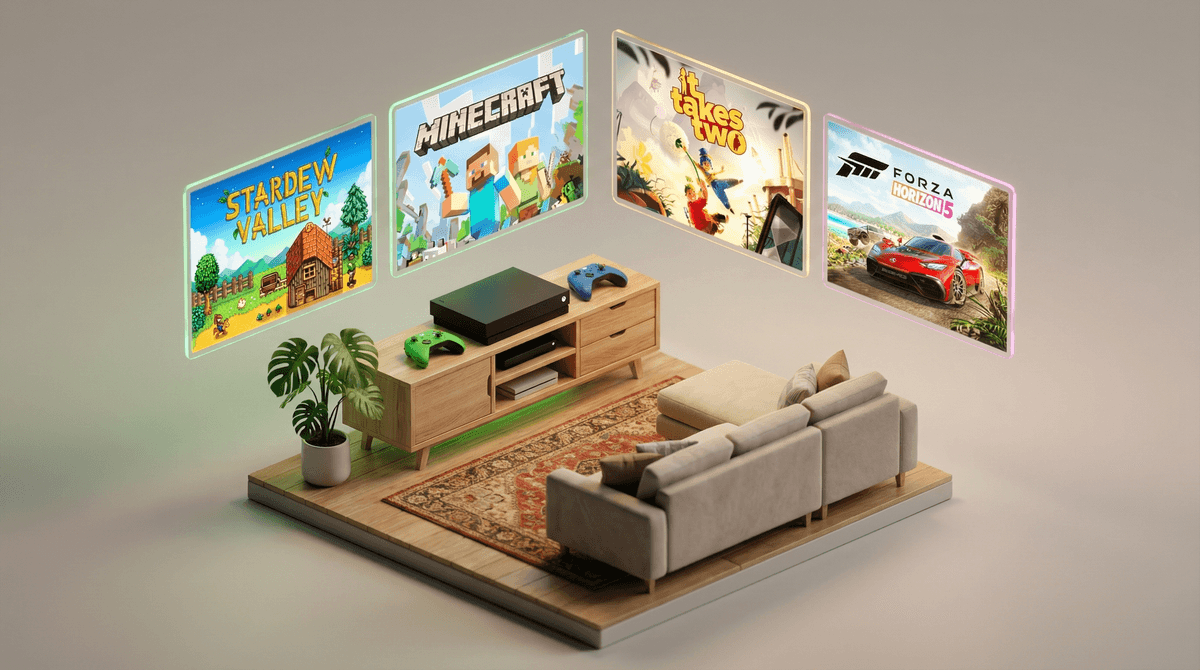
Minecraft - If your kid doesn't already know about this, they will soon. It's digital LEGOs with infinite possibilities. Creative mode is perfect for younger kids (no enemies, just building), and you can play together in split-screen. Yes, the graphics look like they're from 1995. No, your kid doesn't care.
Lego Star Wars: The Skywalker Saga - Even if your family isn't Star Wars obsessed, these Lego games are comedy gold. They're genuinely funny, totally non-violent (characters just break into Lego pieces), and great for co-op play. The humor works for kids AND adults, which is rare.
Stardew Valley - A farming game that's shockingly addictive. You plant crops, raise animals, make friends with townspeople, and slowly build up your farm. There's no timer, no pressure, no way to "lose." It's cozy gaming at its finest, and honestly, adults love it too.
Ori and the Will of the Wisps - This one's gorgeous—like playing through a Studio Ghibli film. It's a platformer (jumping, exploring) with a touching story about a little spirit creature. Fair warning: it can get challenging, but there's an easy mode. Some emotional moments that might make sensitive kids (and parents) tear up.
Ages 10-12: Leveling Up
Rocket League - Soccer with rocket-powered cars. That's it. That's the game. It's free, it's incredibly fun, and matches are only 5 minutes long. The skill ceiling is high enough that kids can play for years without getting bored. Online play means you'll want to adjust the chat settings, but it's generally one of the less toxic online communities.
Forza Horizon 5 - A racing game set in a beautiful open-world Mexico. Unlike most racing games, this one isn't just about winning—you can explore, take photos of cars, design custom paint jobs, and just cruise around. It's on Game Pass and looks absolutely stunning. No blood, no guns, just cars and scenery.
It Takes Two - This won Game of the Year in 2021, and it's specifically designed for two players working together. You play as parents who've been turned into dolls (long story) and have to cooperate to solve puzzles. It's creative, funny, and teaches actual teamwork. Note: requires two controllers and is best played with a parent or older sibling.
Hades - Okay, hear me out. This is rated Teen for fantasy violence and "blood," but it's stylized Greek mythology stuff, not realistic gore. You play as the son of Hades trying to escape the underworld. The combat is fast and fun, the story is genuinely compelling, and it's one of the best games of the past few years. For mature 11-12 year olds who can handle the difficulty and mythological themes.
Ages 13+: The Teen Years
Fortnite - You knew this was coming. Love it or hate it, Fortnite is the social hub for this age group. It's free, it's cross-platform, and it's where kids hang out with friends. The violence is cartoonish (players get "eliminated" and respawn), but the real concerns are the in-game purchases and time sink. Set up those parental controls.
Sea of Thieves - Pirate adventures with friends. You sail ships, hunt for treasure, fight skeleton crews, and occasionally get into ship battles with other players. It's beautiful, it's silly, and it's best played with a crew of friends. The player interactions can be unpredictable (it's online), so this is better for teens who can handle some chaos.
Hollow Knight - A challenging exploration game set in a bug kingdom. It's atmospheric, beautiful, and tough. This is for kids who like a challenge and don't mind dying repeatedly while learning. The art style is hand-drawn and gorgeous, and there's a real sense of accomplishment when you finally beat a tough boss.
The Outer Worlds - A sci-fi RPG that's basically "Fallout in space but less dark." It's rated M for violence and language, so this is really for mature 15-16+ who you trust with that content. But if your teen loved Skyrim or Fallout, this is a funny, choice-driven adventure through corporate-controlled space colonies. The writing is sharp and satirical.
Real talk: Xbox Game Pass is one of the best deals in gaming. For about $10-17/month (depending on tier), you get access to hundreds of games, including most of the ones I mentioned above. It's like Netflix but for games, and new games are added regularly.
The family plan lets multiple accounts share one subscription, which is clutch if you have multiple kids. And because games rotate in and out, there's always something new to try without the commitment of buying a $60 game your kid might hate after 20 minutes.
The catch? It's a subscription, which means another monthly charge. But if your kid plays even 2-3 games from the service, it pays for itself compared to buying games individually.
Call of Duty, Grand Theft Auto, Red Dead Redemption - These are the big M-rated franchises that kids will absolutely ask for because their friends play them. They're rated M for a reason: realistic violence, strong language, mature themes. Whether your 13-year-old is ready for that is a family decision, but don't let "everyone else is playing it" be the only factor.
Free-to-play games with aggressive monetization - Not all free games are created equal. Some are genuinely free with optional cosmetics. Others are designed to make kids feel left out unless they spend money. Roblox is on Xbox and wildly popular, but the Robux economy is real and can get expensive fast.
Voice chat is the wild west. Even in "kid-friendly" games, if your child is playing online with strangers, they might hear language you wouldn't want them repeating. The Xbox Family Settings app lets you restrict who they can communicate with—use it.
Friend requests from strangers are common in online games. Teach your kids not to accept friend requests from people they don't know in real life. Yes, even if they seem nice. Yes, even if they offer free in-game items.
Screen recording and streaming - Xbox makes it easy to record clips and stream to Twitch. That's cool! It's also how personal information can accidentally get shared. If your kid is streaming, watch a session with them and talk about what should stay private.
Xbox has legitimately great games for kids of all ages, and the parental controls are solid if you actually set them up. Game Pass is a fantastic value if your kid plays regularly. The key is being intentional about what games you allow, setting boundaries around online play, and actually using those parental controls.
Start with age-appropriate games from this list, play together when you can (co-op games are genuinely fun), and have ongoing conversations about online safety and screen time. Your kid doesn't need access to every game in the store—they need a few great ones that match their age and your family's values.
Set up Xbox Family Settings - Download the app and actually configure it. Five minutes now saves headaches later.
Try Game Pass for a month - It's often $1 for the first month. Let your kid explore the library and see what sticks.
Play together - Even if you're not a "gamer," playing co-op games like It Takes Two or Minecraft together gives you insight into what your kid is experiencing and creates shared experiences.
Keep talking - Gaming isn't a "set it and forget it" parenting decision. Check in regularly about what they're playing, who they're playing with, and how they're feeling about their screen time.
And remember: you're not trying to be the "cool parent" who lets their 10-year-old play everything, or the "strict parent" who bans all screens. You're trying to be the intentional parent who makes informed decisions for your specific kid and family. That's what Screenwise is here to help with.