

The Ultimate Guide to Alexa Skills for Kids: Screen-Free Learning That Actually Works
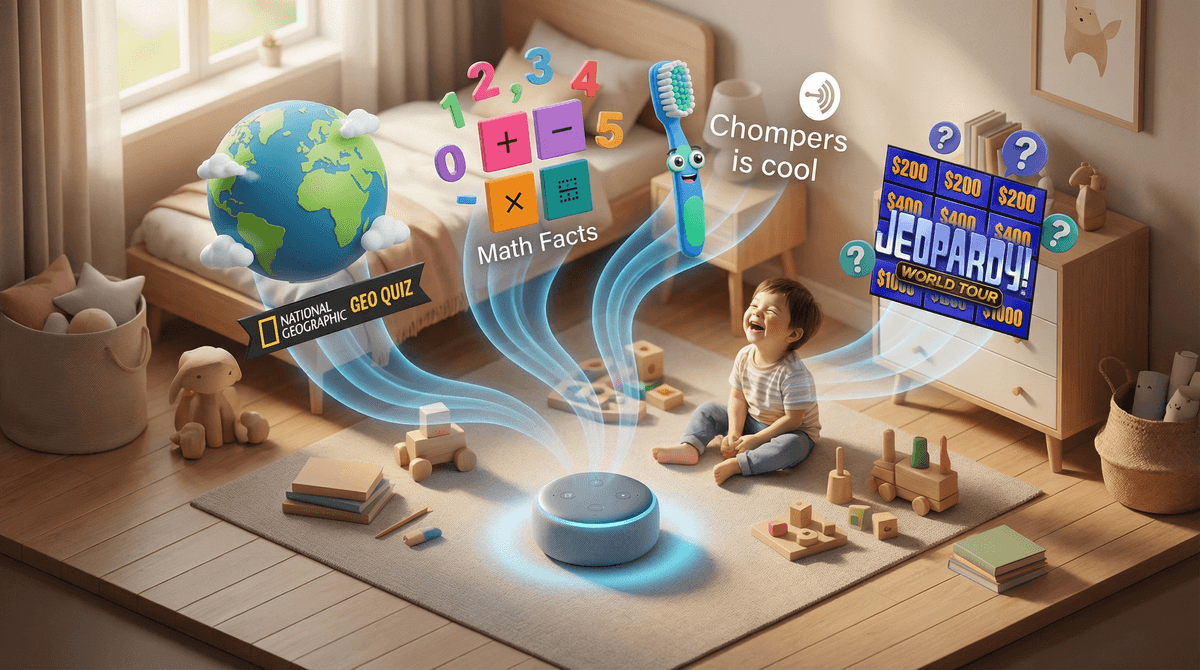
Your Echo can do way more than play "Baby Shark" on repeat. These voice-activated skills turn Alexa into a hands-free tutor, bedtime story reader, and trivia master—no screens required. Here are the standouts:
- Travel Quest - A passport-stamping trip around the world (Ages 7+)
- Chompers - Makes tooth-brushing less painful (Ages 3-8)
- Would You Rather for Family - Road trip conversation starter (Ages 6+)
- Math Facts - Multiplication drills without the worksheet battles (Ages 6-12)
- Amazon Storytime - Bedtime stories when you're too exhausted to read another page (Ages 3-8)
Here's something wild: voice assistants might be the most underutilized educational tech in your house. While we're all wringing our hands about screen time limits and whether Roblox is rotting our kids' brains, that Echo Dot collecting dust on the counter could be teaching geography, practicing math facts, and telling bedtime stories—completely screen-free.
The catch? Most parents have no idea these skills exist. They know Alexa can set timers and play music, but the educational ecosystem is basically hidden unless you go digging. Consider this your treasure map.
Think of Alexa Skills like apps for your Echo device. They're voice-activated programs that extend what Alexa can do beyond the basics. Some are games, some are educational drills, some are interactive stories. Kids activate them by saying "Alexa, open [skill name]" and then interact entirely through voice commands.
The beauty? Zero screen time. No notifications, no YouTube rabbit holes, no accidentally stumbling onto Skibidi Toilet compilations. Just audio interaction that keeps hands free for Legos, coloring, or actually eating breakfast instead of watching someone else eat breakfast on YouTube.
Before we dive into the list, let's talk about why this matters. Voice interaction hits a sweet spot for learning:
It's multitasking-friendly. Kids can practice spelling words while getting dressed, quiz themselves on state capitals during car rides, or listen to stories while drawing. The cognitive load is lower than screen-based learning because there's no visual distraction.
It builds listening skills. In a world where kids are used to visual cues and immediate feedback, voice-only interaction forces them to actually listen and process information auditorily. That's a skill that translates directly to classroom success.
It's less addictive than screens. There's no infinite scroll, no "just one more episode" autoplay, no dopamine-engineered algorithm. When the skill ends, it ends. Kids aren't fighting you to keep going the way they would with Minecraft or YouTube.
It levels the playing field for different learners. Kids who struggle with reading can still access rich content. Kids who are kinesthetic learners can move around while learning. Kids who need processing time can ask Alexa to repeat things without feeling self-conscious.
Geography & Social Studies
Travel Quest
Ages 7+
Kids get a virtual passport and tour one country at a time, hearing about landmarks, places to stay and things to do, with sound effects along the way. They answer questions to keep going, and each country they finish earns a passport stamp. Each kid in the house gets their own passport, and Alexa remembers where they left off.
It's cumulative. After a few weeks of casual play, they're dropping facts about Japan at dinner.
How to use it: Make it part of the morning routine. "Alexa, open Travel Quest" while kids are eating breakfast. Five minutes, done.
This Day in History
Ages 8+
Built by the History Channel, this skill tells kids what happened on this date in history, or on any date they ask about. It's bite-sized, interesting, and a great conversation starter. Some days you get moon landings, some days you get weird facts about medieval plagues. Both are educational!
Math & Logic
Math Facts
Ages 6-12
Drilling multiplication tables is nobody's idea of fun, but this skill makes it bearable. Kids can practice addition, subtraction, multiplication, and division at different difficulty levels. Alexa asks questions, waits for answers, and tracks progress.
The interface is dead simple, which is exactly what you want for math drills. No bells and whistles, just "What's 7 times 8?" and your kid shouting "56!" from across the room.
Pro tip: Set a daily challenge. "Before screen time, you need to get 10 math problems right." It takes maybe 3 minutes and actually builds fluency.
Kids Quiz!
Ages 7+
Multiple-choice trivia across lots of subjects, with four difficulty levels, so a 7-year-old and a 10-year-old can both play. Great for car rides or waiting rooms.
Language & Literacy
Word of the Day
Ages 8+
Alexa teaches a new vocabulary word every day with definition, pronunciation, and example usage. The words are legitimately interesting—not dumbed down, but not SAT-prep level either. Think "serendipity" or "ephemeral."
Challenge: Have kids use the word in a sentence at dinner. Bonus points if they can work it into conversation naturally.
Spelling Bee
Ages 7-12
Alexa gives a word, uses it in a sentence, and waits for your kid to spell it out loud. The word lists are organized by grade level, so it's actually useful for school prep.
Fair warning: The voice recognition isn't perfect. Sometimes Alexa thinks "B" is "D" and your kid gets marked wrong. It's annoying but also teaches them to enunciate clearly, which... is actually a useful skill?
Science & Nature
Animal Workout
Ages 4-10
This is genius. Alexa tells kids to move like different animals—hop like a kangaroo, waddle like a penguin, stretch like a cat. It sneaks in physical activity while teaching about animal behavior. Perfect for rainy days when everyone's going stir-crazy.
Curiosity
Ages 9+
Alexa offers two subjects, like space flight or chemistry, and your kid picks one to hear facts about. The content is interesting for tweens: not "Mars is red" but "Mars has a volcano, Olympus Mons, about two and a half times taller than Everest."
Bedtime & Calm-Down Skills
Amazon Storytime
Ages 3-8
Amazon's own story skill: Alexa reads short stories for kids. The narration is decent (not parent-reading-with-silly-voices good), and the stories are short enough for a bedtime wind-down.
Real talk: This won't replace you reading to your kid. But on nights when you're absolutely wiped and can't muster the energy for one more book? It's a solid backup plan.
Chompers
Ages 3-8
This is technically a podcast, but it works perfectly as an Alexa skill. Chompers is a twice-daily, two-minute show designed to play while kids brush their teeth. It's got jokes, stories, and fun facts—and it makes tooth-brushing way less of a battle.
The episodes are actually good. Kids learn random trivia (why flamingos are pink, how volcanoes work) while getting their molars clean. It's a parenting win-win.
Focus Game
Ages 5+
Alexa plays a sound, like a gong, and kids listen until it fades away completely. It's a simple attention exercise that works for bedtime, post-tantrum cool-downs, or settling down before homework, and the rounds are short enough that kids won't lose interest.
Just-for-Fun (But Still Better Than YouTube)
Would You Rather for Family
Ages 6+
Alexa poses "would you rather" questions and everyone votes. "Would you rather have a pet dragon or be able to fly?" It's silly, it gets kids talking, and it's a great conversation starter for family dinners or road trips.
The questions are age-appropriate and genuinely thought-provoking. No "would you rather eat a bug or lick a toilet" gross-out stuff.
Beat the Intro
Ages 8+
Music trivia game where Alexa plays the first few seconds of a song and you have to guess the title or artist. Great for family game night, especially if you've got kids who are into music.
Jeopardy!
Ages 10+
Yes, the official Jeopardy! skill. Every day it serves six free clues from the show's writers, and you answer out loud in the form of a question (Alexa will remind you if you forget). A paid subscription adds more clues. It covers a huge range of topics. Older kids and teens will get into it, especially if they watch the show.
Ages 3-5: Focus on story skills like Amazon Storytime, movement-based learning like Animal Workout, and routine-builders like Chompers. Keep sessions short (5-10 minutes) and use them as part of existing routines.
Ages 6-8: Add in basic academic skills—Math Facts, Spelling Bee, Travel Quest. These kids can handle slightly longer sessions (10-15 minutes) and will enjoy the challenge of leveling up.
Ages 9-12: Go deeper with Jeopardy!, This Day in History, and Curiosity. Kids this age can use skills independently and might even seek them out on their own.
Teens: Most Alexa skills skew younger, but trivia games like Beat the Intro and Jeopardy! can work for family game nights. Teens might also use Focus Game to wind down (rebranded as "mindfulness," obviously).
Alexa Skills are generally low-risk from a safety standpoint, but here's what to know:
Privacy: Amazon records all voice interactions with Alexa. You can review and delete these recordings in your Alexa app settings. If privacy is a concern, you can turn off voice recording entirely, but this will limit Alexa's functionality.
Purchases: Some skills offer in-skill purchases (premium content, ad-free versions). You can require a PIN for purchases in your Alexa settings. Do this. Kids will absolutely try to buy stuff.
Content: Skills go through Amazon's approval process, so you're not getting wildly inappropriate content. That said, not all skills are created equal. Some are clunky, some have annoying ads, some just aren't that good. Try them out yourself first.
Microphone concerns: If you're worried about Alexa always listening, you can mute the microphone when not in use. The trade-off is that you lose the hands-free convenience, but it's an option.
Not all skills are created equal. Some are genuinely educational and well-designed. Others are glorified ads or barely functional. The skills listed here are the cream of the crop, but if you venture beyond this list, expect some duds.
Voice recognition can be frustrating. Alexa sometimes misunderstands kids, especially younger ones with less clear pronunciation. This gets better as kids get older and learn to speak more clearly to the device. It's annoying but also teaches them to articulate.
Skills work best as part of routines. Don't expect kids to independently seek out educational skills. Build them into existing routines—Chompers during tooth-brushing, Math Facts before breakfast, Amazon Storytime at bedtime.
They're not a replacement for human interaction. Alexa skills are a tool, not a substitute for reading together, having conversations, or playing board games. Use them to supplement, not replace, the good stuff you're already doing.
The novelty wears off. Kids will be super into a skill for a week or two, then lose interest. That's fine. Rotate through different skills to keep things fresh, or just accept that some skills will have a short shelf life.
- Open the Alexa app on your phone (not the Echo device itself—you need the app).
- Search for skills in the "More" tab, then "Skills & Games."
- Enable skills by tapping "Enable to Use." They're instantly available on all your Echo devices.
- Test them out yourself first. Say "Alexa, open [skill name]" and see how it works.
- Set up parental controls in Settings → Alexa Account → Amazon Kids. You can create kid profiles, set time limits, and filter content.
- Require a PIN for purchases in Settings → Voice Purchasing. Seriously, do this.
Pro tip: You can ask Alexa "What are your skills?" and she'll list what's already enabled on your device. Useful for remembering what you've set up.
Alexa skills won't revolutionize your kid's education, but they're a surprisingly useful tool for sneaking in learning during otherwise wasted moments—car rides, getting dressed, tooth-brushing, waiting for dinner. They're screen-free, mostly free, and way less annoying than most educational apps.
The real value is in consistency. Five minutes of Travel Quest every morning adds up. Two minutes of Chompers twice a day makes tooth-brushing less painful. Ten math problems before screen time actually builds fluency.
Start with one or two skills that fit naturally into your routine. See what sticks. Add more as you go. And if your kid discovers they can ask Alexa to fart on command? Well, at least they're not watching YouTube.
-
Enable 2-3 skills today. Pick one for learning (Math Facts, Travel Quest), one for routine (Chompers), and one for fun (Would You Rather).
-
Set up parental controls. Require a PIN for purchases and review your privacy settings.
-
Build skills into routines. Morning, bedtime, car rides—find the moments where voice interaction makes sense.
-
Explore more screen-free activities
. Alexa skills are great, but so are podcasts for kids, audiobooks, and board games. -
Check out alternatives to screen time
for more ideas on keeping kids engaged without devices.
Your Echo is already sitting there. Might as well make it earn its keep.