

Let's be honest: the App Store's "Education" category is a wasteland of glorified flashcards wrapped in cartoon characters and manipulative reward systems. For every genuinely brilliant learning app, there are fifty that are basically digital worksheets with sound effects—or worse, thinly veiled screen time dressed up as "educational" to make us feel less guilty.
The hard truth: Most apps marketed as "educational" are really just engagement machines designed to keep kids tapping. They're not bad necessarily, but they're not the revolutionary learning tools the marketing promises either.
But here's the thing—there ARE apps that actually teach, spark curiosity, and build real skills. Apps that kids genuinely learn from AND enjoy. They exist. You just need to know what to look for.
Before we get to specific recommendations, here's your BS detector for evaluating any learning app:
Green flags:
- Open-ended creation over multiple choice drilling
- Intrinsic motivation (curiosity, mastery, creativity) over extrinsic rewards (coins, gems, streaks)
- Progressive complexity that adapts to the child's actual understanding
- Minimal ads and upsells (if they're constantly pushing premium features, that's the real business model)
- Clear learning objectives you can actually explain to another adult
Red flags:
- Endless "lives" and "energy" systems that feel like Candy Crush
- Constant notifications trying to pull kids back in
- More focus on characters and stories than actual learning mechanics
- "Gamification" that's really just manipulation (looking at you, anxiety-inducing streak counters)
Khan Academy Kids (Ages 2-8)
This is the gold standard, full stop. Completely free, zero ads, genuinely educational content across math, reading, social-emotional learning, and creativity. The activities are thoughtfully designed, the progression makes sense, and it's from Khan Academy—an organization whose entire mission is education, not engagement metrics.
The catch: It's almost too comprehensive, which means it can feel overwhelming. Start with the personalized learning path rather than browsing everything.
Duolingo (Ages 8+)
Yes, the owl is passive-aggressive. Yes, the streak system is manipulative. BUT—for language learning, this actually works. Kids are genuinely picking up Spanish, French, Mandarin, and dozens of other languages through consistent practice that feels like a game.
Parent reality check: The free version is perfectly functional. The Super version removes ads and adds offline access, but it's not necessary. And yes, you can turn off those guilt-trip notifications.
Prodigy Math (Ages 6-14)
This is basically a fantasy RPG where you battle monsters by solving math problems. Kids are WILDLY into it, and the math practice is actually aligned with curriculum standards.
The controversy: The free version is solid, but the premium membership upsells are aggressive and create FOMO for kids. You'll need to have a conversation about why some kids have fancy pets and others don't. That said, the free version provides genuine math practice , and most kids don't actually need the premium features to learn.
Scratch Jr (Ages 5-7) and Scratch (Ages 8+)
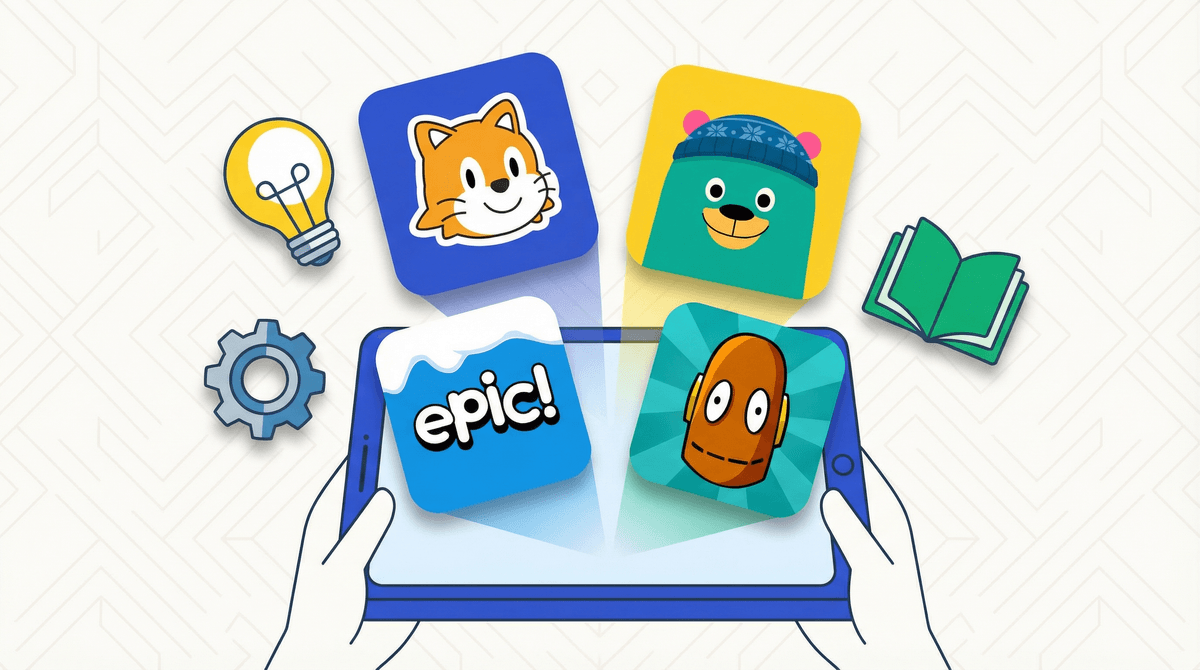
From MIT, these teach actual coding through visual programming blocks. Kids create their own interactive stories, games, and animations. This is real computational thinking, not "learn to code" marketing nonsense.
Why it's different: It's about creation, not consumption. Kids are making things, not just completing levels.
Epic! (Ages 12 and under)
A digital library with 40,000+ books, audiobooks, and videos. Think Netflix for kids' books. The collection is genuinely extensive, including popular series, nonfiction, and graphic novels.
The cost reality: Free for educators, $10/month for families. Whether it's worth it depends on how much your kid reads digitally vs. physical books. Some kids devour it, others never open it.
Toca Boca apps (Ages 3-9)
These aren't "educational" in the traditional sense—there's no math or reading practice. But they're brilliant for imaginative play, cause-and-effect learning, and open-ended exploration. Toca Kitchen, Toca Life World, Toca Hair Salon—they're digital dollhouses that encourage creativity without right or wrong answers.
Real talk: These cost money upfront (or via subscription), but there are zero in-app purchases or ads once you're in. That's increasingly rare and valuable.
BrainPOP Jr. (Ages 5-9) and BrainPOP (Ages 9+)
Short animated videos on science, social studies, math, arts, and more, plus quizzes and activities. This is what a lot of teachers use in classrooms, which means it's curriculum-aligned and actually educational.
The subscription caveat: Schools often provide access. Check if your district has it before paying for a family subscription.
ABCmouse and Adventure Academy: These are fine. They're comprehensive, curriculum-based, and kids do learn from them. But they're also expensive subscriptions ($13-15/month), and honestly, Khan Academy Kids does much of the same thing for free. The main advantage is structure—if your kid needs a clear path and rewards system, these deliver that.
YouTube Kids: Can be educational. Can also be a rabbit hole of unboxing videos and weird algorithm-generated content. If you're using it, curate playlists of specific channels like Crash Course Kids, SciShow Kids, or National Geographic Kids rather than letting autoplay do its thing. Read more about YouTube Kids vs. regular YouTube.
Here's what the research actually shows: Educational apps can support learning, but they're not magic. A high-quality app with parent involvement beats a worksheet. But it also doesn't beat a conversation, hands-on activity, or actual book in most cases.
The best use case for learning apps:
- Downtime that would otherwise be passive (waiting rooms, car rides, airport delays)
- Skill practice that's otherwise tedious (math facts, spelling, language learning)
- Supplementing school learning when a kid is curious about something specific
- Screen time that feels better than YouTube or games (because sometimes you just need 20 minutes to make dinner)
The worst use case:
- As a replacement for teaching, reading together, or conversation
- As a babysitter for hours at a time
- As something you feel guilty about, so you rebrand Roblox time as "learning about entrepreneurship"
Ages 5-7: At this age, apps should be supplementary. Real learning is still happening through play, conversation, and hands-on exploration. Khan Academy Kids, Scratch Jr, and Toca Boca apps are genuinely good, but limit to 20-30 minutes max.
Ages 8-10: This is the sweet spot for learning apps. Kids can navigate independently, read instructions, and actually benefit from adaptive practice. Prodigy Math, Duolingo, and BrainPOP work well here. Still, balance with offline activities.
Ages 11-12: At this point, learning apps are competing with social media, YouTube, and games. The apps that work are ones that tap into genuine interests—a kid who wants to learn Japanese will use Duolingo; a kid who likes coding will dive into Scratch. Don't force it.
Most "educational" apps are overrated. A few are genuinely excellent. The difference is whether they're designed to teach or designed to maximize screen time.
Start here: Try Khan Academy Kids (it's free and actually good), see if your kid gravitates toward Scratch for creative coding, and consider Duolingo if they're interested in languages.
Skip: Anything that feels like a mobile game with math problems slapped on. Anything with aggressive in-app purchases. Anything that sends manipulative notifications.
Remember: The best learning app is the one your kid actually uses and learns from. If they hate it, it doesn't matter how educational it's supposed to be. And if they love it but aren't learning anything, well, that's just screen time with extra steps.
The goal isn't to optimize every minute of childhood. Sometimes kids need to be bored. Sometimes they need to play outside. Sometimes they need to stare at the ceiling and daydream. Learning apps are tools—useful ones, when chosen well—but they're not the main event.
Want to dig deeper? Explore alternatives to screen-based learning or learn how to evaluate any new app before downloading.
Curious about what other families are doing? Screenwise can show you how your app choices compare to your community and help you make decisions that actually fit your family.