

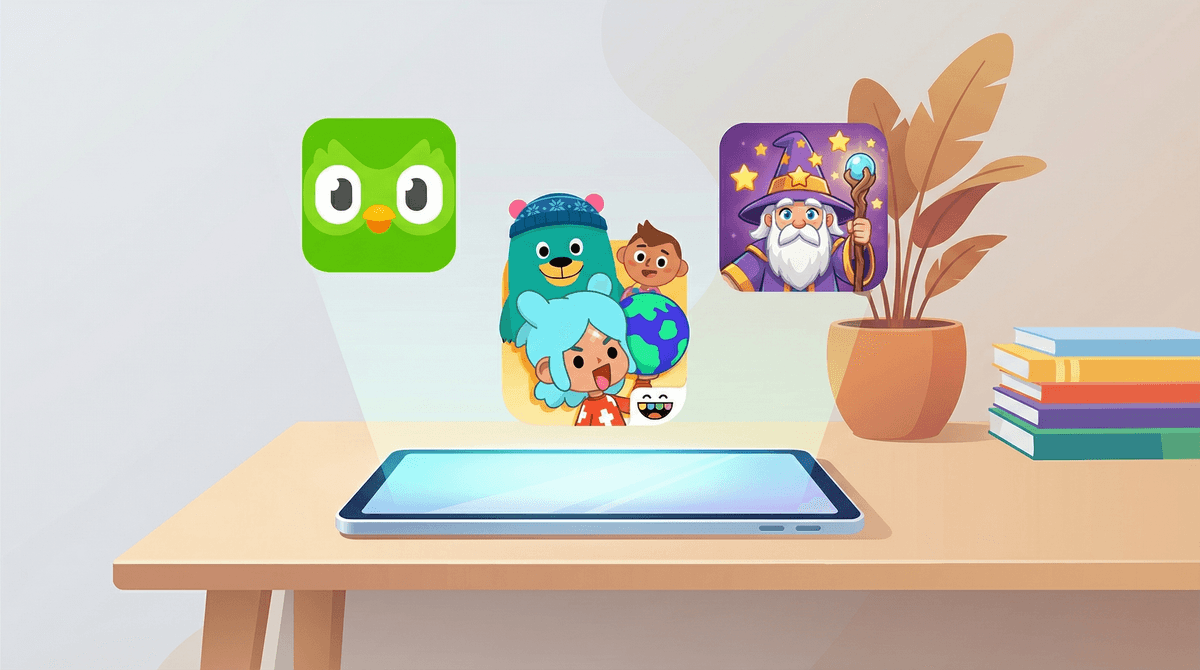
The Top 10 Must-Have Educational Apps for Kids in 2026
The best educational apps balance learning with engagement—no forced "fun," no sneaky in-app purchases, just solid content that actually teaches something. Here's what's worth downloading:
Preschool-Early Elementary:
- Khan Academy Kids (Ages 2-8)
- Duolingo ABC (Ages 3-8)
- Toca Boca series (Ages 3-9)
Elementary:
- Prodigy Math (Ages 6-14)
- Epic! (Ages 2-12)
- Scratch Jr (Ages 5-7)
Middle School & Up:
- Duolingo (Ages 8+)
- Khan Academy (Ages 5+)
- Quizlet (Ages 10+)
- Photomath (Ages 11+)
Educational apps occupy this weird space where we want our kids on screens because they're supposedly learning, but we're also skeptical because... it's still a screen, and half these apps feel like they're designed by people who've never met an actual child.
The reality? Some educational apps are genuinely excellent—well-designed, research-backed, and actually engaging without resorting to manipulation. Others are glorified flashcard decks with cartoon characters slapped on top, or worse, Trojan horses for in-app purchases that make Roblox look restrained.
Here's what actually works, organized by age and what they're good for.
Ages 2-8 | Completely Free | No Ads
This is the gold standard for early learning apps, and it's completely free with no ads, no subscriptions, no in-app purchases. It covers reading, math, social-emotional learning, and creative play with a curriculum developed by learning experts from Stanford.
The interface is colorful without being overstimulating, and the progression adapts to your kid's level. My favorite part? It doesn't feel like work. Kids follow a little cast of characters through activities that genuinely feel like playing, not drilling.
What makes it work: The content is scaffolded beautifully—each activity builds on previous ones, and the app tracks progress without making kids feel like they're being tested. Plus, the offline mode means road trips don't require data.
Watch out for: Honestly, not much. This is about as good as it gets for free educational content.
Ages 3-8 | Free | No Ads
From the same people who brought you the passive-aggressive owl that guilt-trips you about your Spanish lessons, Duolingo ABC teaches reading and phonics. It's structured, systematic, and surprisingly effective for early readers.
The app uses a combination of phonics instruction, sight words, and reading practice. Kids trace letters, sound out words, and eventually read full sentences. The progression is clear, and unlike regular Duolingo, there's no streak anxiety for 5-year-olds.
What makes it work: The phonics approach is research-backed, and the activities are varied enough to hold attention. It's also completely free with no premium tier trying to upsell you.
Watch out for: It's more structured than some kids prefer—if your child thrives on open-ended play, this might feel too much like school.
Toca Boca Series
Ages 3-9 | Paid Apps ($3-5 each) | No Ads or In-App Purchases
Toca Boca makes dozens of apps (Toca Kitchen, Toca Life World, Toca Hair Salon) that are basically digital playsets. They're not "educational" in the traditional sense—no one's drilling multiplication tables—but they're phenomenal for creative play, storytelling, and open-ended exploration.
Kids can run a restaurant, style hair, build cities, and create elaborate storylines. The apps are beautifully designed, genuinely funny, and completely non-directive. There's no winning or losing, no scores, no achievements—just play.
What makes it work: These apps respect kids' intelligence and creativity. They're not trying to teach a specific skill; they're providing tools for imaginative play. Think of them as the digital equivalent of LEGOs or a dollhouse.
Watch out for: They're paid apps (though reasonably priced), and some kids might want ALL of them. Also, they're not going to teach reading or math—they're purely for creative exploration.
Ages 6-14 | Free with Premium Option | Ads for Premium
Prodigy is a math RPG where kids answer math problems to battle monsters and progress through a fantasy world. The free version covers all the educational content; the premium version ($10-15/month) adds cosmetic items and extra game features.
The math curriculum is aligned with Common Core standards and adapts to each kid's level. It covers everything from basic addition to pre-algebra, and teachers can assign specific skills for practice.
What makes it work: For kids who are motivated by games, Prodigy makes math practice feel like playing Pokémon. The adaptive algorithm ensures kids are working at the right level, and the game elements provide enough engagement to keep them coming back.
Watch out for: The free-to-premium upsell is aggressive. Kids will constantly see premium features they can't access, which can be frustrating. Also, some kids find the game elements distracting rather than motivating. Learn more about managing the premium pressure .
.
Ages 2-12 | $10/month or $80/year | Free for Teachers
Epic is basically Netflix for kids' books—40,000+ books, audiobooks, and videos in one app. The library includes everything from picture books to early chapter books, plus educational videos and read-to-me options.
Kids can browse by interest, reading level, or recommendation. The app tracks reading time and books completed, and parents can set up profiles for multiple kids with age-appropriate content.
What makes it work: The breadth of content is unmatched. Kids can explore interests, discover new authors, and read above or below their level without judgment. The audiobook feature is great for reluctant readers or long car rides.
Watch out for: The monthly cost adds up, though the annual plan is more reasonable. Also, some kids get overwhelmed by too many choices and need help narrowing down options. The video content is hit-or-miss quality-wise.
Ages 5-7 | Free | No Ads
Scratch Jr is a simplified version of Scratch, MIT's coding platform. Kids create their own interactive stories and games by snapping together programming blocks. It teaches basic coding concepts (sequences, loops, conditionals) through play.
The interface is visual and intuitive—no reading required. Kids drag and drop blocks to make characters move, jump, dance, and interact. It's creative, open-ended, and genuinely teaches computational thinking.
What makes it work: It's free, ad-free, and actually teaches programming concepts without feeling like a coding tutorial. Kids learn by making things they care about.
Watch out for: The open-ended nature means some kids need guidance to get started. Also, once they outgrow Scratch Jr (usually around age 7-8), they'll need to transition to regular Scratch or another platform.
Ages 8+ | Free with Premium Option | Ads Between Lessons
The flagship language-learning app that's become a cultural phenomenon. Duolingo teaches 40+ languages through short, game-like lessons. The free version is fully functional with ads; the premium version ($13/month) removes ads and adds offline access and unlimited hearts.
The streak feature and passive-aggressive notifications have become memes, but the underlying pedagogy is solid. Lessons teach vocabulary and grammar through repetition, context, and increasingly complex sentences.
What makes it work: The gamification actually works for language learning. Daily practice builds habits, and the bite-sized lessons fit into busy schedules. The variety of languages means kids can learn something genuinely useful or just explore for fun.
Watch out for: The streak pressure can become stressful for some kids. Also, Duolingo teaches vocabulary and grammar but doesn't replace conversation practice. Explore alternatives to Duolingo if your kid needs a different approach.
Ages 5+ | Completely Free | No Ads
The original free online learning platform, now in app form. Khan Academy covers math, science, history, economics, test prep, and more with video lessons, practice exercises, and personalized learning paths.
For middle and high schoolers, Khan Academy is legitimately useful for homework help, test prep, and filling knowledge gaps. The explanations are clear, the practice is adaptive, and the breadth of content is staggering.
What makes it work: It's completely free with no catch. The content is high-quality, the interface is clean, and the personalized practice adapts to each student's needs. Teachers can monitor progress and assign specific content.
Watch out for: The interface can feel dry compared to gamified apps. Some kids need external motivation to use it consistently. It's also more of a supplement than a replacement for actual instruction.
Ages 10+ | Free with Premium Option | Ads in Free Version
Quizlet is a study tool that turns flashcards into games, tests, and collaborative study sessions. Students can create their own study sets or use millions of pre-made sets covering every subject imaginable.
The app offers multiple study modes: flashcards, matching games, practice tests, and "Learn" mode that adapts to what you know and don't know. The premium version ($8/month) adds offline access, ad-free studying, and advanced features.
What makes it work: It makes memorization less tedious. The variety of study modes keeps things engaging, and the pre-made sets save time. It's particularly useful for vocabulary, history dates, science terms, and foreign languages.
Watch out for: Pre-made study sets aren't always accurate—students should verify information. Also, Quizlet is best for memorization, not deep understanding. It's a tool, not a replacement for actual studying.
Ages 11+ | Free with Premium Option | No Ads in Free Version
Photomath solves math problems using your phone's camera. Point it at a problem, and it shows the solution with step-by-step explanations. The free version covers basic math through calculus; the premium version ($10/month) adds detailed tutorials and alternative solving methods.
What makes it work: When used correctly, it's a phenomenal learning tool. The step-by-step explanations help kids understand how to solve problems, not just get answers. It's particularly useful for checking work and understanding where they went wrong.
Watch out for: The obvious risk is kids using it to cheat rather than learn. This requires parental guidance about using it as a learning tool, not an answer machine. Have a conversation about using Photomath responsibly.
Not all educational apps are created equal. Here's what to look for:
Clear learning objectives: The app should teach specific, identifiable skills—not just claim to make kids "smarter."
Adaptive difficulty: Good apps adjust to your child's level, providing challenge without frustration.
Minimal manipulation: Avoid apps with aggressive in-app purchases, dark patterns, or design tricks that prioritize engagement over learning.
Quality content: The actual educational content should be accurate, well-designed, and developmentally appropriate.
Reasonable business model: Free with ads, one-time purchase, or reasonable subscription—not free-to-play with aggressive upselling.
Preschool-Kindergarten (Ages 2-5): Focus on apps that teach foundational skills (letters, numbers, shapes) through play. Prioritize apps with no ads and no in-app purchases. Co-play with your child when possible.
Early Elementary (Ages 6-8): Kids can use apps more independently but still benefit from parental involvement. Look for apps that balance skill-building with creativity. Monitor screen time and ensure apps complement rather than replace hands-on learning.
Upper Elementary (Ages 9-12): Kids can handle more complex apps and can start using tools for homework help and skill practice. Teach them to use educational apps as tools, not crutches. Discuss responsible use of apps like Photomath.
Middle & High School (Ages 13+): Educational apps become genuine study tools. Focus on apps that support their actual schoolwork and interests. Encourage self-directed learning and exploration of new subjects.
Most educational apps are safer than social media or gaming apps, but still:
- Check privacy policies: What data is collected? Is it shared with third parties? Is it COPPA-compliant for kids under 13?
- Review in-app purchases: Even "educational" apps can have aggressive monetization. Set up parental controls on app stores.
- Monitor usage: Educational apps can still lead to excessive screen time. Set limits and ensure balance with offline activities.
- Verify content accuracy: User-generated content (like Quizlet study sets) isn't always accurate.
Educational apps work best as supplements, not replacements. Khan Academy Kids is phenomenal, but it's not a substitute for reading with your child. Duolingo teaches vocabulary, but kids need actual conversation practice. Prodigy Math makes practice engaging, but it doesn't replace understanding mathematical concepts.
The best educational apps are tools that support learning, spark curiosity, and make skill-building more engaging. They're not magic solutions, but when used intentionally, they're genuinely valuable.
Start with one or two apps that match your child's age and needs. See what sticks. And remember: the best educational app is still less valuable than a conversation, a book read together, or a question that sparks genuine curiosity.
Need more recommendations? Check out alternatives to YouTube for educational content or explore educational games that actually teach something.