

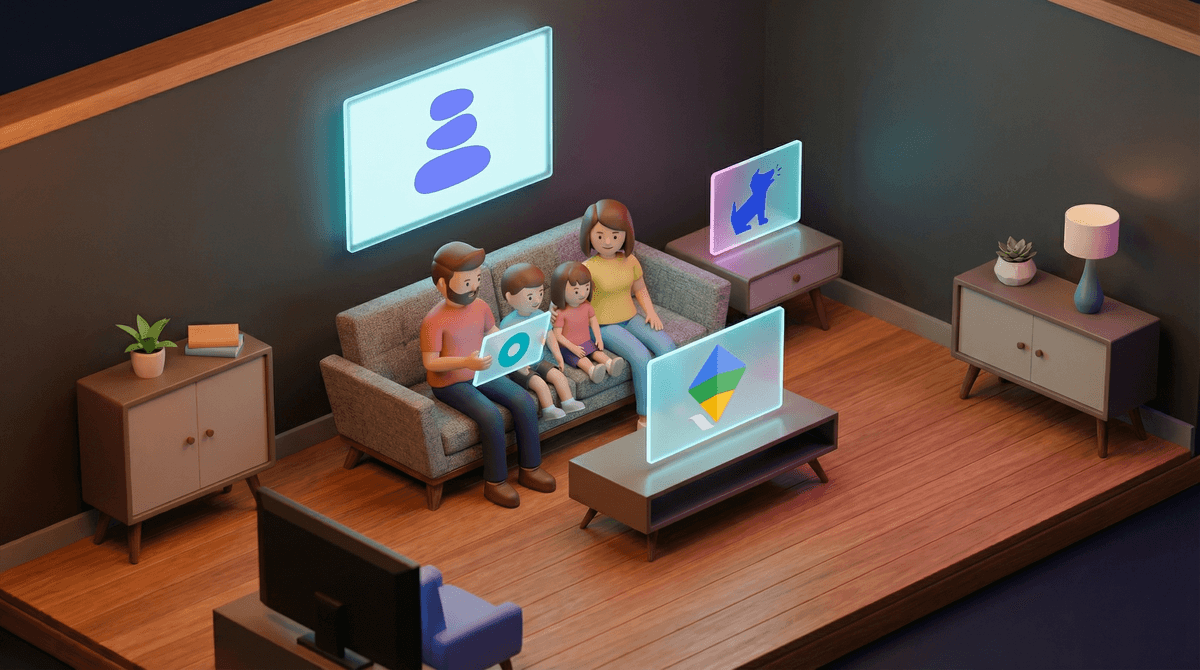
Look, we need to talk about parental control apps. Not the marketing version where a smiling stock photo family gathers around a tablet with appropriate concern on their faces. The real version, where you're trying to figure out if your kid is watching Skibidi Toilet at 2am or if that $47 charge from Roblox is the third one this month.
Parental control apps are software tools that let you monitor, filter, and limit what your kids do on their devices. They can block websites, set screen time limits, track location, monitor texts and social media, filter content, and give you reports on what your kids are actually doing online. Some are built into devices (like Apple's Screen Time or Google Family Link), others are third-party apps you install separately.
The promise? Peace of mind and safety. The reality? It's complicated.
Here's the thing: parental control apps can be genuinely useful tools, but they can also nuke your relationship with your kid faster than you can say "I'm just trying to keep you safe."
The stats are real. Kids are online younger than ever. By middle school, most kids have encountered inappropriate content, whether they sought it out or stumbled into it. Social media algorithms are designed to be addictive, and yes, that works on developing brains. Gaming monetization is predatory. AI chatbots are now having deep conversations with lonely teens. The digital landscape is legitimately wild.
But here's what the parental control companies won't tell you in their fear-mongering ads: surveillance without trust creates sneaky kids, not safe kids. Research shows that heavy-handed monitoring often backfires, especially with teens. Kids get better at hiding things, relationships deteriorate, and you lose the actual thing that keeps them safest: open communication.
So the real question isn't "which app has the most features?" It's "which approach actually works for my family's values and my kid's age?"
Apple Screen Time (Built-in, Free)
Best for: Families already in the Apple ecosystem who want basic controls without extra apps.
This is Apple's native solution, and honestly? For many families with younger kids (ages 5-12), it's enough. You can set app limits, block explicit content, prevent purchases, and get weekly reports on usage. The downside is it's not super granular—you can't see specific texts or social media messages, and tech-savvy teens can find workarounds (changing time zones, anyone?).
The real talk: Screen Time works best when you set it up with your kid, not to your kid. "Hey, we're both going to track our screen time and talk about it" hits different than "I'm monitoring you because I don't trust you."
Google Family Link (Built-in, Free)
Best for: Android families who want basic oversight.
Similar vibe to Screen Time but for Android. You can manage apps, set screen time limits, lock devices remotely, and see location. It's solid for elementary and middle school kids. The catch? It's designed to end at age 13, when Google considers kids old enough to manage their own accounts. You can continue supervision if your teen agrees, but the power dynamic shifts.
The real talk: Family Link is less about "catching" bad behavior and more about structure. Use it to enforce agreed-upon limits, not as a spy tool.
Bark (Premium, $14-49/month)
Best for: Parents genuinely worried about safety issues—predators, self-harm content, bullying, explicit material.
Bark is the one that actually monitors content—texts, emails, social media (on 30+ platforms), and even photos. It uses AI to flag concerning content and alerts you to potential dangers. It doesn't show you everything your kid does, just the stuff that might be problematic.
Here's why parents either love or hate it: Bark is designed around trust-but-verify. You're not reading every message, but you'll get an alert if your kid is searching for self-harm content or if someone's asking for inappropriate photos. For families with kids who've had past safety issues or who are navigating serious mental health concerns, it can be a literal lifesaver.
The real talk: Bark is overkill for most families with well-adjusted elementary schoolers. But for middle and high schoolers dealing with anxiety, depression, or online drama? It can catch warning signs you'd otherwise miss. Just know that if your kid finds out you're monitoring their messages without telling them, the trust damage is real.
Qustodio (Premium, $55-137/year)
Best for: Parents who want detailed reports and granular control.
Qustodio gives you everything. Every website visited, every YouTube video watched, every app opened, how long they spent on each. You can block specific sites, set time limits by app or category, and get daily reports. It works across devices—phones, tablets, computers.
The real talk: Qustodio is the helicopter parent's dream tool, which is exactly why you need to be careful with it. The level of surveillance it offers can feel suffocating, especially for teens. It's most useful for families who've had specific problems (like a kid who can't stop playing Fortnite at 3am) and need external enforcement of agreed-upon rules.
Net Nanny (Premium, $40-90/year)
Best for: Families primarily concerned about web filtering and porn blocking.
Net Nanny's strength is content filtering. It blocks adult content, violent material, and other categories you choose. It also has screen time management and location tracking, but filtering is the main event.
The real talk: If your main concern is "I don't want my 9-year-old accidentally seeing porn," Net Nanny does that job well. But remember: filters aren't foolproof, and they don't teach kids why certain content is harmful or how to make good choices when the filter isn't there.
Circle (Premium device, $130 + subscription)
Best for: Families who want network-level control without installing apps on every device.
Circle is different—it's a physical device that connects to your home WiFi and manages everything on your network. You can set time limits, filter content, and pause the internet for specific devices or people. The benefit? Your kid can't uninstall it. The drawback? It only works at home.
The real talk: Circle is great for younger kids who primarily use devices at home. Once your kid has a smartphone with data, they can bypass your home network entirely. It's also a family solution, which means you're setting rules for everyone, which can actually be healthier than singling out one kid.
Ages 5-8: You don't need fancy monitoring. You need devices in common spaces, co-viewing, and built-in parental controls (Screen Time or Family Link). At this age, you're with them for most screen time anyway.
Ages 9-12: This is when basic parental controls start making sense. Set up Screen Time or Family Link, establish clear rules together, and use apps like YouTube Kids instead of regular YouTube. If your kid is getting into Roblox or Minecraft, learn how to set up parental controls within those platforms.
Ages 13-15: This is the danger zone where heavy surveillance can backfire. If you haven't had serious issues, focus on communication over monitoring. Check in regularly, follow them on social media (if they'll let you), and have ongoing conversations. If there are concerns—mental health issues, past incidents, online bullying—something like Bark might be appropriate, but tell them you're using it and why.
Ages 16-18: At this point, monitoring apps often create more problems than they solve. Your kid needs to learn self-regulation before college or independence. Focus on teaching digital literacy, having real conversations about online safety, and trusting the foundation you've built. If you're still using parental controls, it should be a mutual agreement, not a unilateral decision.
"Should I tell my kid I'm monitoring them?"
Yes. Full stop. Secret monitoring destroys trust and teaches kids that privacy doesn't matter. The only exception might be if you have serious, documented safety concerns (like your kid is talking to predators online), but even then, transparency is almost always better.
"Can my kid get around these apps?"
Absolutely. Kids are resourceful. They'll use VPNs, create secret accounts, use friends' devices, or just learn the workarounds. The point isn't to create an unbreakable prison—it's to establish boundaries and have conversations when those boundaries get tested.
"Will this make my kid hate me?"
Depends on how you do it. "I'm installing this because I don't trust you" = resentment. "We're going to use this tool together to help manage screen time because we both struggle with it" = partnership. The tool itself is neutral; your approach matters.
"What if I'm co-parenting with someone who has different views?"
This is so common. One parent wants to monitor everything, the other thinks it's invasive. You need to get aligned before implementing anything, or your kid will just go to the more permissive parent. Talk through your actual concerns rather than arguing about specific apps.
The best parental control "app" is an ongoing conversation. I know that sounds like a cop-out, but it's true.
That said, tools can be useful:
- For ages 5-10: Built-in controls (Screen Time/Family Link) are plenty
- For ages 11-13: Consider basic monitoring if it matches your family values, but prioritize communication
- For ages 14+: Only use monitoring tools if there's a specific, serious concern—and be transparent about it
If you do use a parental control app:
- Set it up together. Make it collaborative, not punitive.
- Explain your why. "I want to keep you safe" is vague. "I'm worried about you seeing violent content before you're ready" is specific.
- Review together regularly. Don't just collect data—talk about what it shows.
- Adjust as they grow. What's appropriate at 11 isn't appropriate at 16.
- Focus on teaching, not just restricting. The goal is helping them develop their own healthy relationship with technology.
And remember: your kid will eventually have unrestricted internet access. College, a job, a friend's phone, a library computer—it's coming. The real work isn't building a perfect filter. It's building a kid who makes good choices when no one's watching.
Want to dig deeper into your family's specific situation? Screenwise can help you figure out what actually makes sense for your kids' ages, your concerns, and your values—without the fear-mongering or one-size-fits-all advice.
Not sure whether your concerns warrant monitoring or if you're overthinking it? See if you need parental controls for your situation and get personalized guidance.
And if you're already using parental controls and wondering if you're doing it right? You probably are. The fact that you're reading this and thinking critically about it means you're already way ahead of the game.