

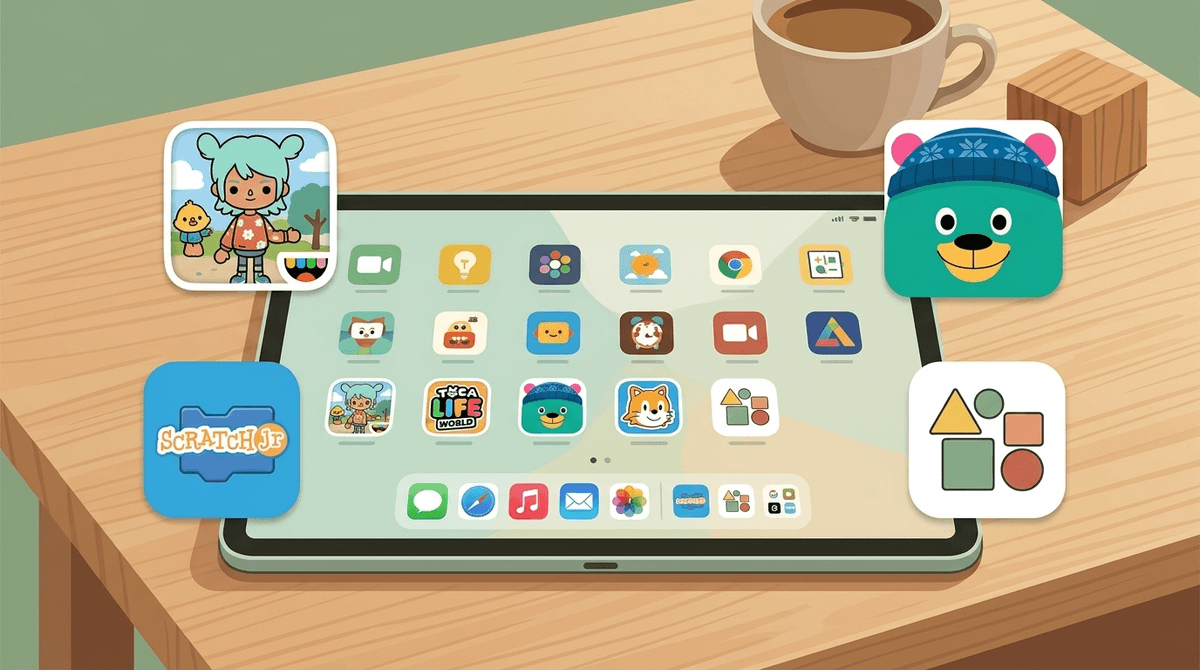
TL;DR: The Quick List If you’re in the middle of a grocery store meltdown and just need a "safe" download right now, here are the gold standards for creative, ad-free play for the under-8 crowd:
- The Gold Standard: Toca Life World (Ages 4+)
- The Best for Toddlers: Sago Mini World (Ages 2-5)
- The "Actually Free" Unicorn: Khan Academy Kids (Ages 2-8)
- Intro to Coding: ScratchJr (Ages 5-8)
- The Montessori Digital Sandbox: Pok Pok Playroom (Ages 2-6)
- The Music Maker: Bandimal (Ages 3-7)
We’ve all been there. You hand your five-year-old your phone so you can finish a conversation or, god forbid, drink a coffee while it’s still hot. Three minutes later, they’re showing you a "free" game where a hyper-sexualized character is crying because her makeup is ruined, or they've accidentally clicked a banner ad for a "win real cash" gambling app.
It’s exhausting.
Most "free" apps for kids under 8 aren't actually games; they are dopamine-delivery systems designed to turn your child into a clicking machine. Between the manipulative "dark patterns" (like making the 'X' to close an ad nearly invisible) and the constant pressure to buy "gems" or "coins," the creative spark gets buried under a pile of marketing garbage.
If we want our kids to use tech for more than just consuming "brain rot" or learning that everything in life requires a microtransaction, we have to be intentional about the sandboxes we give them. We’re looking for apps that prioritize open-ended play—the digital version of a bucket of LEGOs or a blank sheet of paper.
For a kid under 8, an ad isn't just an annoyance—it's confusing. At this age, children are still developing "persuasion knowledge." They can't always distinguish between the game they’re playing and the commercial trying to sell them something. When a character they "trust" in a game tells them to click a button to get a prize, they click it.
When we talk about digital wellness for preschoolers, the goal isn't just to limit minutes; it's to protect their focus. Ad-free apps allow for "deep play," where a child can actually get into a flow state without being interrupted by a 30-second unskippable video for Royal Match.
Ages 4-8 Toca Boca is the undisputed heavyweight champion of this category for a reason. Toca Life World is essentially a giant digital dollhouse. There are no levels, no high scores, and no "winning." Your kid just moves characters around, dresses them up, and makes them eat virtual sushi.
The Screenwise Take: While the app is free to start, it is heavy on the "in-app purchases" to unlock new worlds. However, once you buy a location, there are zero third-party ads. It’s a one-time transaction (or a few) that buys you a clean, creative environment. If your kid is starting to talk about "Skibidi Toilet" or other weird YouTube trends, Toca is a great place for them to role-play those stories in a controlled, safe way.
Ages 2-5 If Toca is for the elementary crowd, Sago Mini is for the toddlers and preschoolers. It’s whimsical, gentle, and incredibly intuitive. Whether they are building a robot or taking a dog for a car ride, the interface is designed for tiny fingers that haven't mastered fine motor skills yet.
The Screenwise Take: This is a subscription model ($7-10/month), which I know we all hate, but it’s the price of a clean environment. It’s the "organic produce" of the App Store. It’s high-quality, thoughtful, and keeps your kid away from the "Ohio" memes of the broader internet for a few more years.
Ages 2-6 If you’re a "wooden toys only" kind of parent, this is the app for you. Pok Pok is stunningly beautiful and follows a Montessori philosophy. There are no bright flashing lights, no "level up" sounds, and zero instructions. It’s all about discovery.
The Screenwise Take: It’s one of the few apps that feels like it’s actually lowering a child’s heart rate rather than overstimulating them. It’s purely creative—drawing, tinkering with gears, and exploring sounds.
Ages 2-8 This is the "Unicorn." It is 100% free. No ads, no subscriptions, no "buy this pack" pop-ups. It’s funded by donors and it is arguably the best educational app on the market. While it has a lot of "learning" content (reading, math), the creative suite—where kids can draw, color, and record their own stories—is top-tier.
The Screenwise Take: If you only download one app from this list, make it this one. It’s the antithesis of the "brain rot" culture.

Once kids hit kindergarten, they want to start making things, not just moving characters around.
Ages 5-8 This is a simplified version of the Scratch website coding language. Kids snap together blocks of code to make characters move, jump, dance, and sing. It teaches the logic of programming without requiring them to be able to read complex text.
The Screenwise Take: It’s completely free and created by the MIT Media Lab. It’s the best way to move a child from being a "user" of technology to a "creator" of it.
Ages 3-7 This app is a riot. Kids compose music by choosing different animals (a llama, a panda, a whale) that represent different instruments and rhythms. It’s a masterclass in intuitive UI design.
The Screenwise Take: It costs a few dollars upfront, but it’s worth every penny to see your kid actually understand how a drum loop works while laughing at a dancing jellyfish.
When you’re looking for apps on your own, remember the golden rule of the App Store: If you aren't paying for the product, your child’s attention IS the product.
Avoid apps that:
- Use "Currency" that looks like candy: If the game has three different types of gems or coins, it’s designed to confuse your kid about how much money they are actually spending.
- Have "Daily Rewards": These are designed to create addictive habits, forcing the kid to feel like they have to log in every day or they'll "lose" something.
- Feature "Loot Boxes": If your kid is clicking a mystery chest to see what’s inside, they are learning the mechanics of gambling. Full stop.
Check out our guide on identifying dark patterns in kids' games
You don't need to give a lecture on late-stage capitalism to your six-year-old. But you can start planting the seeds of digital literacy.
When they ask for a new game they saw an ad for, you can say: "That game looks fun, but it has a lot of ads that interrupt your play. I like to find games where you can just be creative without someone trying to sell you stuff the whole time."
If they are used to high-stimulation, ad-supported games (like many of the "obbeys" on Roblox), they might find these creative apps "boring" at first. That’s okay. Their brains are just adjusting to a slower pace. Stick with it.
Digital creativity for kids under 8 should look like a messy art table, not a shopping mall. By opting for ad-free, open-ended "sandboxes," you’re giving your child the space to imagine, build, and fail without a pop-up ad telling them they can "skip the wait" for $1.99.
Next Steps:
- Audit the Tablet: Go through your child's current apps. If it has a "rate us" pop-up or a "watch ad for lives" mechanic, delete it.
- Set up Guided Access: On iOS, use "Guided Access" to lock your child into a single safe app so they don't wander into the YouTube abyss.
- Start with one: Download Khan Academy Kids or Toca Kitchen 2 and sit with them for 10 minutes to see how they explore it.