

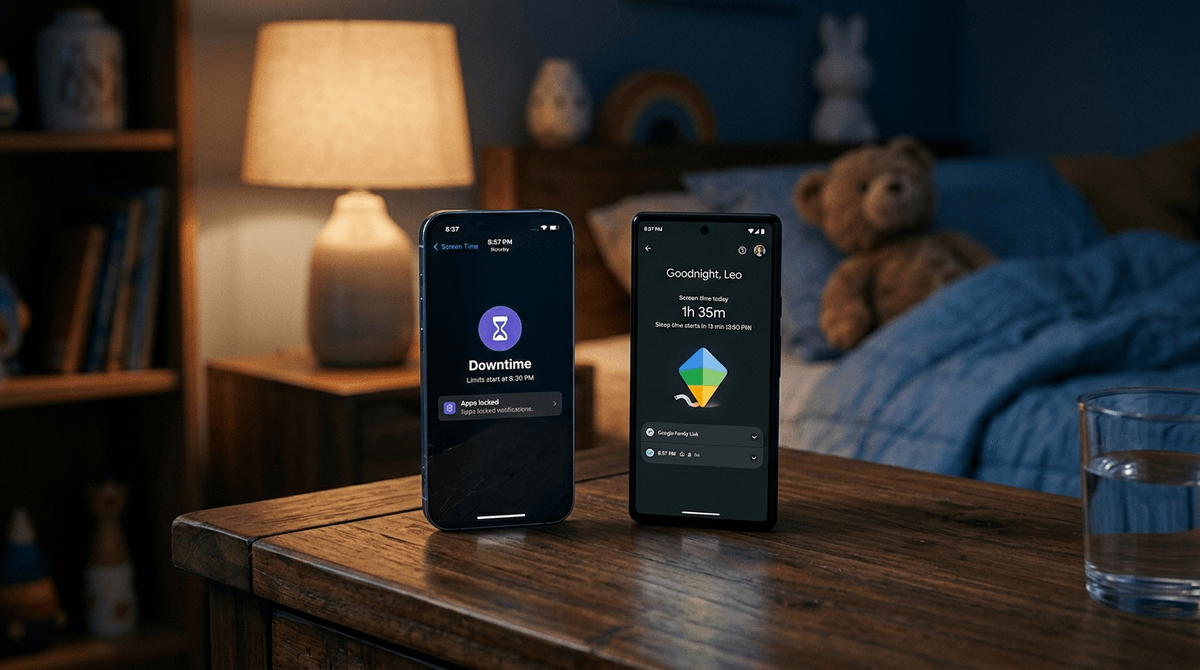
TL;DR: If your house is an all-Apple ecosystem, Apple Screen Time is the most seamless, but it’s notorious for "forgetting" your settings. If you want granular control or your kid uses a Chromebook for school, Google Family Link is the superior, more reliable tool—even if you're an iPhone parent.
Quick Links for the Bedtime Battle:
It’s 8:45 PM. You’ve done the pajamas, the teeth brushing, and the "one last glass of water" routine. You think you’re in the clear until you hear the faint, unmistakable sound of a YouTube short or the "oof" from Roblox coming from under a duvet.
The "one more minute" negotiation is the universal parent tax of 2025. Whether they’re watching Skibidi Toilet (yes, it’s still a thing) or sending "Ohio" memes to the group chat on Discord, the digital pull is stronger than their biological need for REM sleep.
To keep your sanity, you need a tool that actually works. We’re pitting the two heavyweights against each other: Apple Screen Time vs. Google Family Link.
Both are "built-in" parental controls. This means they live at the operating system level. Unlike third-party apps that kids can often bypass by deleting a profile or using a VPN, these tools are baked into the phone's DNA.
- Apple Screen Time: Built into every iPhone, iPad, and Mac.
- Google Family Link: Built into Android phones, tablets, and Chromebooks. (Parents can manage it from an iPhone, too).
Apple’s pitch is simplicity. If you have an iPhone and your kid has an iPhone, you can theoretically control their whole world from your "Settings" app.
Why It’s Great
The "Downtime" feature is a hard stop. When 9:00 PM hits, the apps darken, and a giant hourglass appears. It’s very "The End." You can also set "Communication Limits," which is underrated. It prevents your kid from getting FaceTime calls or texts from anyone not in their contacts after hours. No more 11:00 PM group chat blowups.
The "One More Minute" Problem
Apple includes a button that literally says "One More Minute." It’s meant to let them finish a thought, but it’s a psychological loophole kids exploit every single time. Also, Apple Screen Time is famously buggy. There is a well-documented "ghost bug" where settings simply reset themselves to "off" for no reason. It is the most frustrating thing you will experience as a digital parent.

Google’s approach is more about data and specific levers. If your kid is on an Android device or uses a Chromebook for school, this is your bread and butter.
Why It’s Great
Family Link is much better at "Bonus Time." Instead of the kid clicking a button, you can remotely send a "5-minute extension" from your own phone like a digital god. It also gives you a breakdown of exactly how many minutes they spent on [Brawl Stars](https://screenwiseapp.com/media/brawl-stars-app vs. Khan Academy.
One killer feature: You can "Lock Now" at any time. If they aren't coming to dinner, you hit a button on your phone, and their device becomes a paperweight instantly. Apple doesn't have a direct "Instant Lock" button that's quite as satisfying.
The Downside
If you are an iPhone parent managing an Android kid, the Family Link app on iOS can sometimes be a bit laggy. It’s also very easy for kids to feel "watched" because the data it gives parents is so specific.
Check out our guide on managing Android devices from an iPhone
| Feature | Apple Screen Time | Google Family Link |
|---|---|---|
| App Limits | Grouped by category (Social, Games) or individual. | Individual app limits are much easier to set. |
| Downtime | Scheduled blocks where only "Allowed" apps work. | "Bedtime" locks the phone entirely except for calls. |
| Location Tracking | Done via "Find My," not the Screen Time menu. | Built directly into the Family Link dashboard. |
| Approval System | "Ask to Buy" notifications are often lost in the void. | Approvals for apps like Instagram are very reliable. |
| Remote Lock | Clunky (you have to change the Downtime schedule). | One-tap "Lock Device" button. |
Kids hate these tools because they work. But specifically:
- On Apple: They hate that iMessage gets cut off. For a middle schooler, being "dark" while the group chat is active is social suicide.
- On Google: They hate the "Time's Up" screen because it’s a full-screen takeover. There’s no "sneaking" a peek at a notification once that screen is up.
Ages 5-10: The Training Wheels Phase
At this age, you want Google Family Link. The ability to white-list specific apps like PBS Kids or Endless Alphabet while blocking everything else—including the browser—is essential. Bedtime should be a hard lock.
Ages 11-14: The Negotiation Phase
This is where Apple Screen Time shines if they have an iPhone. You can allow "Communication" with parents and siblings during Downtime but block Snapchat and TikTok. It’s about limiting the "brain rot" while keeping the utility.
Ages 15-18: The Trust Phase
By high school, these tools should mostly be used for "self-awareness." Show them their own data. "Hey, you spent 4 hours on Instagram yesterday. Is that how you wanted to spend your Tuesday?" At this point, the "Bedtime" feature should be a mutual agreement for better sleep, not a forced lockout.
Here is the No-BS reality: No app will replace a conversation.
If your kid is playing Minecraft or Fortnite, they literally cannot "just save" in the middle of a match. If you hard-lock their phone while they are in a round, they lose progress, and more importantly, they let their friends down.
The Screenwise Pro-Tip: Set the "Official" bedtime 15 minutes before you actually want them off. Tell them, "The phone locks in 15 minutes. Finish your round." This turns you from the "Screen Time Villain" into a teammate helping them manage their time.
If you are a family of 4 and everyone has an iPhone, stay in the ecosystem and use Apple Screen Time. Just be prepared to double-check the settings once a week to make sure the "ghost bug" hasn't reset your hard work.
If you have a mix of devices, or if you want a tool that is much harder for a tech-savvy kid to wiggle out of, Google Family Link is the winner. It is more robust, the remote lock is a game-changer for discipline, and it handles YouTube management way better than Apple ever will.
- Check your kid's phone right now. Look at the "Week Over Week" usage. If TikTok usage is up 40%, it's time for a "Bedtime Showdown" talk.
- Set a "Charging Station" in the kitchen. No matter which app you use, the best parental control is a physical one: the phone doesn't sleep in the bedroom.
- Take the Screenwise Survey. See how your family’s bedtime habits compare to other parents in your community.