

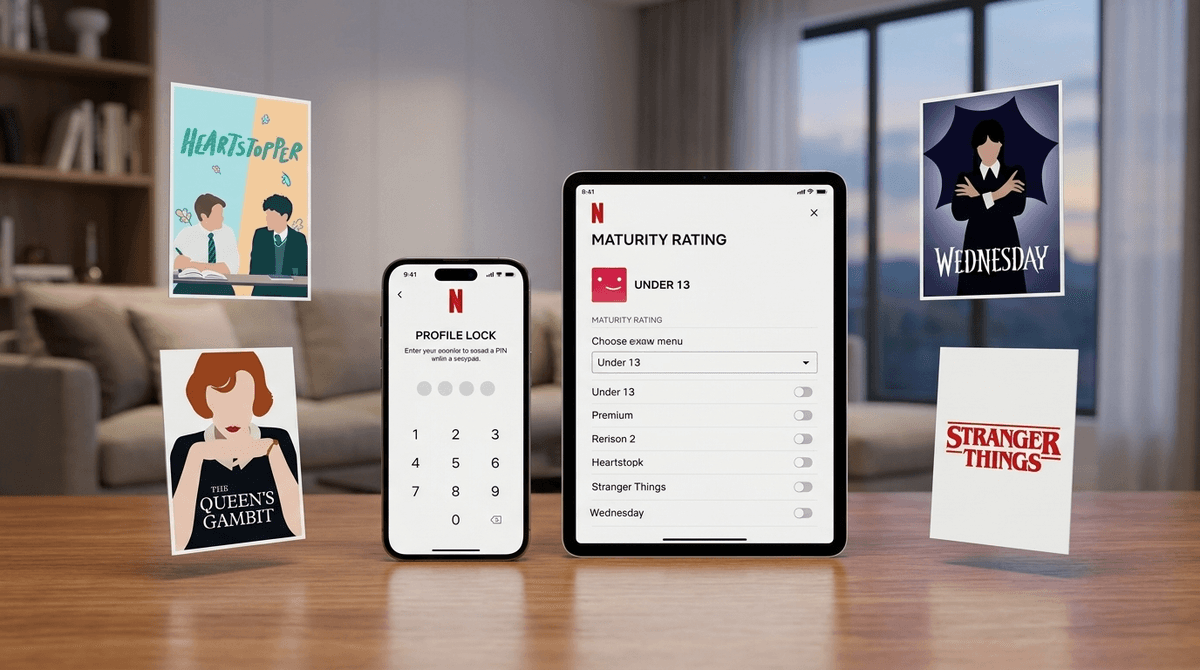
TL;DR: Netflix isn't just a "set it and forget it" app once your kids hit double digits. To keep things balanced, you need to set a Profile Lock PIN on your adult account, adjust Maturity Ratings for their specific profile, and periodically check Viewing History.
If you're looking for shows that won't make you cringe but are still "cool" enough for a teen, check out:
- Heartstopper (Ages 12+) - Sweet, wholesome, and high-quality.
- The Good Place (Ages 13+) - Ethics and philosophy disguised as a sitcom.
- Wednesday (Ages 13+) - Spooky, stylish, and teen-approved.
- Stranger Things (Ages 14+) - The ultimate teen bridge show, though it gets darker each season.
We’ve all been there: your kid outgrows the "Netflix Kids" interface with its bright colors and Cocomelon suggestions. They want the "real" Netflix. But the jump from a G-rated profile to the full Netflix library is massive.
In the "Adult" world of Netflix, a 13-year-old is only one click away from Squid Game or Sex Education. Both are well-made shows, but they might not be what you want your middle-schooler binging on a Tuesday night without some context.
The goal here isn't to be a digital warden; it's to create a "walled garden" where they can explore within the boundaries you’ve set together.
Netflix actually has some of the most robust parental controls in the streaming world, but they are buried in the "Account" settings (usually accessible only via a web browser, not the TV app).
1. The Profile Lock (The "Keep Out" Sign)
This is the most important step. If your teen can simply click on your profile to watch Bridgerton, your other settings don't matter.
- Go to Account Settings > Profiles & Parental Controls.
- Select your profile and set a Profile Lock PIN.
- Now, they stay in their lane, and you keep your "Continue Watching" list free of Skibidi Toilet parodies.
2. Maturity Ratings by Profile
You can set a hard ceiling on what shows up in their search results.
- TV-Y / TV-G / TV-PG: Safe for almost everyone.
- TV-14: This is the "Teen" sweet spot, but be warned: TV-14 on Netflix can be much "edgier" than TV-14 on network television.
- TV-MA: This is the Wild West. Graphic violence, explicit language, and nudity.
Learn how to customize maturity ratings for each child
3. Title-Specific Blocking
Sometimes a show is rated TV-14, but you personally find it trashy or inappropriate for your family. You can enter specific titles into the "Viewing Restrictions" section, and they will never show up on that profile.
- Pro-tip: Use this for those "brain rot" shows that aren't necessarily "bad" but just drive you crazy.
Not all Netflix Originals are created equal. Here is how to navigate the current library for teens.
The "Must-Watch" (High Quality, Low Regret)
This is arguably the best teen content on the platform. It deals with identity, friendship, and romance with a level of gentleness that is rare today. It’s the "anti-Euphoria." It’s rated TV-14, but honestly, it’s closer to a PG-13 in spirit.
Ages 14+. If you have a teen who likes drama and "aesthetic" cinematography, this is a winner. It deals with substance abuse, so it’s a great "watch together" show to spark actual conversations.
Ages 12+. You’d be surprised how many teens are obsessed with F1 because of this show. It’s high-stakes, educational about the sport, and generally safe, barring some "locker room" language.
The "Proceed With Caution" (The TV-MA Trap)
Every kid in middle school knows what this is. The violence is extreme and stylized. If your teen is begging to watch it, read our guide on Squid Game safety before saying yes.
While it was a massive hit, many mental health professionals have flagged this show for its graphic depiction of sensitive topics. This is one where "parental guidance" isn't just a suggestion—it’s a requirement.
For a teen, their Netflix profile is a form of identity. Their "My List" is a reflection of who they are. Giving them a curated profile rather than a restricted "Kids" profile shows that you trust their growing maturity.
However, the "Netflix Effect" is real. The algorithm is designed to keep them watching. This is why Viewing History is your best friend. You don't have to check it every day (that’s "spy" behavior), but checking in once a month helps you see if they’ve fallen down a rabbit hole of content that might be affecting their mood or sleep.
Instead of saying, "I'm locking your Netflix because I don't trust you," try: "Hey, I want you to have your own space on Netflix, but some of the stuff on there is pretty intense even for adults. I've set your profile to TV-14. If there's something rated higher that you really want to see, let's look at the trailer together and talk about it."
This moves the goalposts from restriction to negotiation.
Questions to ask your teen:
- "What's the weirdest show the algorithm has recommended to you lately?"
- "Do you feel like the 'Teen' ratings actually match what's in the show?"
- "Have you seen anything that made you feel uncomfortable or just felt like 'too much'?"

Netflix is a powerhouse of culture. Your teen will be talking about these shows at school. By using PIN locks for your own profile and setting sensible maturity ratings for theirs, you allow them to participate in that culture without accidentally stumbling into the "adult" side of the platform.
Next Steps:
- Set your PIN today. It takes 30 seconds and solves 90% of the problem.
- Audit their profile. Look at their "Continue Watching" list. It tells a story.
- Pick a "Bridge Show." Find a show like Stranger Things or Cobra Kai that you can watch with them.