

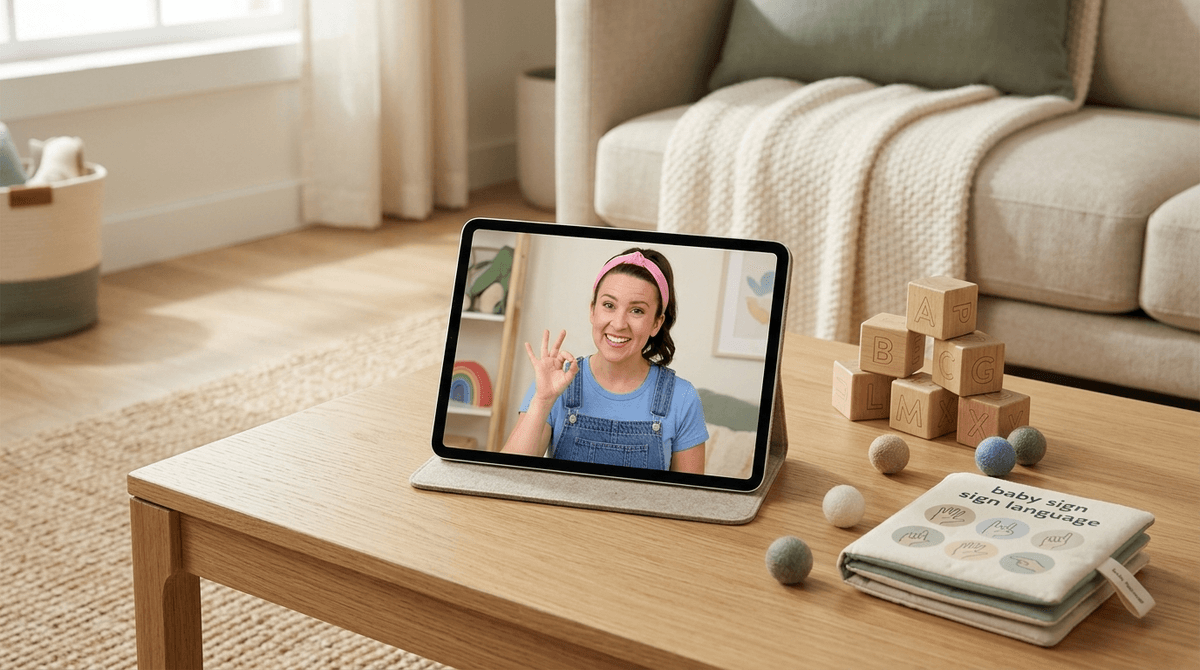
TL;DR: Ms. Rachel is the gold standard for toddler media because she uses actual speech therapy techniques like "parentese," social contingency (pausing for a response), and close-ups of her mouth. While the AAP generally recommends no screens before 18–24 months, if you’re going to use screen time, this is the high-quality, low-stimulation option that actually delivers on its educational promises.
- Best for: Speech development, baby sign language, and keeping a toddler occupied for 20 minutes without melting their brain.
- Top Pick: Songs for Littles
- The Alternative: Super Simple Songs (Great for music, less focused on speech mechanics).
- The "Step Up": Sesame Street (For when they hit age 3 and need more narrative structure).
If you haven’t seen the pink headband and denim overalls yet, Ms. Rachel (Rachel Accurso) is a former preschool teacher with a Master’s in Music Education who started her YouTube channel, Songs for Littles, because she couldn't find resources for her own son’s speech delay.
Unlike the frantic, neon-soaked chaos of Cocomelon, Ms. Rachel’s videos are slow, deliberate, and look like they were filmed in a bright spare bedroom—which many of them were. She speaks directly to the camera, uses sign language, and focuses heavily on the mechanics of speech. It’s essentially a 1:1 speech therapy session disguised as a catchy sing-along.
The "Ms. Rachel Effect" is a real phenomenon in parenting circles. You’ll hear stories of toddlers who haven’t said a word suddenly pointing to a ball and saying "ba" after watching her.
Kids love it because of the social contingency. Rachel doesn't just talk at the screen; she asks a question, leans in, and waits. That silence is intentional. It gives the child’s brain time to process and attempt a response. To a toddler, it feels like a real conversation.
Parents love it because it’s the ultimate "guilt-free" screen time. We know the American Academy of Pediatrics (AAP) says to avoid screens under 18 months, but we also know that sometimes you need to take a shower or cook dinner without a tiny human clinging to your leg like a barnacle. If you’re going to use a digital babysitter, Rachel is the one with the best credentials.
Most "educational" shows for toddlers are anything but. Research shows that infants and toddlers have a "video deficit"—they don't easily transfer what they see on a 2D screen to the 3D world. However, Ms. Rachel works around this using a few specific techniques:
- Parentese: That high-pitched, sing-song way she talks? It’s not just annoying to adults; it’s scientifically proven to help babies map sounds and learn language faster.
- Mouth Close-ups: By showing her mouth clearly as she makes sounds like "P-P-P-Put it in," she’s giving kids a visual map of how to form words.
- Sign Language: She incorporates basic ASL (American Sign Language), which helps reduce toddler frustration by giving them a way to communicate before their vocal cords catch up.
Compared to Blippi, who is basically a human cartoon with zero educational scaffolding, or Little Baby Bum, which is just a dopamine factory of bright colors and fast cuts, Ms. Rachel is practically a university lecture for the diaper set.
If you’re building a digital diet for a child under 4, these are the heavy hitters that prioritize development over "brain rot."
The gold standard. Focuses on milestones, speech, and social-emotional learning. It’s slow-paced and uses real people, which is crucial for early development.
If you need a break from Rachel’s voice, this is the next best thing. The animation is clean, the songs are paced well, and they don't use the frantic editing that leads to toddler tantrums when the screen turns off.
While Bluey is technically for older kids (ages 4+), it’s the rare show that parents actually enjoy. It’s great for modeling imaginative play, though the pacing might be a bit fast for a literal 12-month-old. Read our guide on why Bluey is actually for parents
When you’re ready to move from passive watching to active engagement, this is the best app on the market. It’s 100% free, no ads, and actually built by early childhood experts. Check out our review of Khan Academy Kids
Ages 0–18 Months
Ideally, zero screen time. The brain is growing at an exponential rate, and physical interaction is the primary fuel. However, if you are using Ms. Rachel during a flight or a bout of the stomach flu, try to co-view. If she asks "Where is the ball?", you point to the ball on the screen and say "There’s the ball!" This bridges the gap between the screen and reality.
Ages 18–24 Months
This is where the Ms. Rachel effect really kicks in. Limit usage to 20-30 minutes a day. Focus on the videos that emphasize "first words" and gestures.
Ages 2–4 Years
Kids might start aging out of Rachel and moving toward Sesame Street or Daniel Tiger's Neighborhood. This is a good time to introduce "interactive" media where they have to solve problems rather than just watch.
Learn more about setting up a healthy digital diet for toddlers
Let’s be real: Ms. Rachel is great, but she is still on YouTube.
YouTube is a platform designed to keep your child watching forever. Even if the content is "Songs for Littles," the "Up Next" sidebar might lead to some weird, low-quality knockoff or a "toy unboxing" video that is pure consumerist garbage.
The Screenwise Advice: Don't let your toddler browse YouTube. Use the YouTube Kids app and set it to "Approved Content Only." This means you specifically whitelist Ms. Rachel and nothing else shows up. No "related videos," no "autoplay" surprises.
Also, be prepared for the "Rachel Trance." Because she is so engaging, kids can get sucked in deep. If your child has a meltdown when you turn her off, it’s not because she’s "evil"—it’s because their transitions skills aren't developed yet. Try using a physical timer or a "one more song" warning to help them transition back to the real world.
You don't really "talk" to a toddler about Ms. Rachel in a meta way, but you should narrate the experience.
- "Ms. Rachel is wearing her pink headband today!"
- "Can you do the 'Open Shut Them' hands like Rachel?"
- "She said 'Mama'! Can you say 'Mama'?"
The goal is to make the screen time an extension of your relationship, not a replacement for it.
Is Ms. Rachel a substitute for a speech therapist? No. Is she a substitute for you talking to your kid? Absolutely not.
But in the landscape of toddler media—which is largely populated by screaming influencers and over-stimulating animations—Rachel Accurso is a breath of fresh air. She’s the only creator who seems to actually understand how a toddler’s brain works.
If you’re going to do screen time, do it intentionally. Pick the high-quality stuff, keep the sessions short, and don't feel guilty about that 20 minutes of peace. You're doing great.
- Audit your YouTube settings: Switch to "Approved Content Only" on YouTube Kids.
- Try a "Co-viewing" session: Sit with your child for 10 minutes of Songs for Littles and mimic the signs and sounds Rachel makes.
- Explore alternatives: If your kid is getting bored, check out PBS Kids for more research-backed content.