

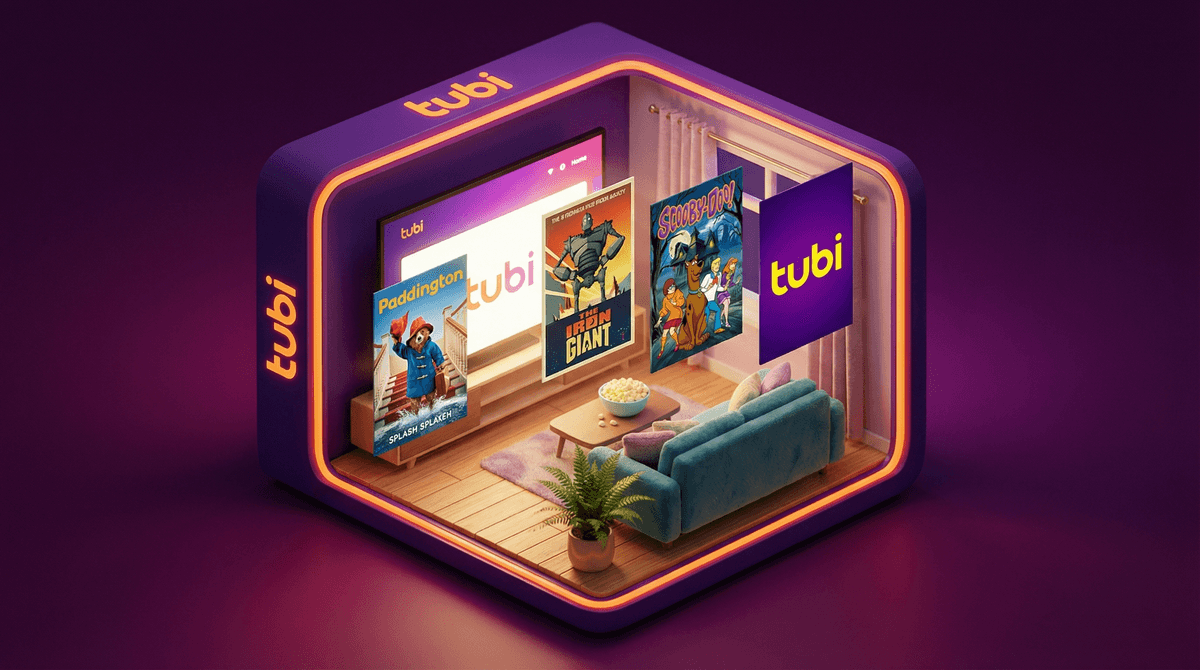
If you haven't heard of Tubi yet, you're about to see it everywhere. It's a completely free streaming service with thousands of movies and TV shows—including a surprisingly large kids section. No subscription, no credit card, just ads. Think of it as the YouTube of traditional TV and movies, but with actual licensed content instead of toy unboxing videos.
Tubi has been around since 2014, but it's having a moment right now. Fox Corporation owns it, and they've been quietly building a library that rivals some paid services. The catch? You're watching commercials. The bigger catch for parents? The content safety situation is... let's call it "variable."
Kids are finding Tubi the same way they find everything else—through friends, YouTube recommendations, and that mysterious kid internet grapevine that somehow works faster than any algorithm. Here's what's drawing them in:
It's free and doesn't require parent permission. Unlike Netflix or Disney+, there's no family account to join. Any kid with a device and internet access can just... start watching. No barriers.
The selection is genuinely huge. We're talking thousands of titles. Classic cartoons, anime, family movies from the 90s and 2000s, nature documentaries, and yes—a whole lot of content that absolutely should not be on a "kids" platform without serious guardrails.
It feels like discovering hidden treasure. There's something appealing to kids about finding shows their parents haven't pre-approved or curated. It's the digital equivalent of watching whatever was on TV at your friend's house whose parents had different rules.
Here's where we need to be straight with you: Tubi's kids section is not curated the way Disney+ or even Netflix Kids is.
The platform has a "Tubi Kids" section that's supposed to be family-friendly, but the filtering is inconsistent at best. You'll find genuinely great options like The Secret Garden and Paddington right alongside low-budget animated content that ranges from "harmlessly weird" to "why does this exist."
The real concern: If your kid is watching on the main Tubi app (not Tubi Kids), they're one click away from horror movies, true crime shows, and adult content. The age gate is basically non-existent. It's a "Are you 18?" pop-up that any 8-year-old can click through.
The ads are another story. They're not targeted to kids, even in the kids section. You might get ads for horror movies, violent video games, or other mature content between episodes of Sonic the Hedgehog. It's jarring and completely undermines any sense of a "safe" viewing environment.
Let's not throw the baby out with the bathwater. There is quality content on Tubi if you're willing to curate:
Classic family movies - Lots of 90s and early 2000s family films that aren't on other platforms. Think Babe, The Iron Giant, older Barbie movies.
Nature documentaries - Surprisingly solid selection of wildlife and science content that's genuinely educational.
Nostalgic cartoons - Shows you might remember from your own childhood. The quality varies wildly, but there's something charming about kids discovering Inspector Gadget or classic Scooby-Doo.
International content - More diverse selection than many paid platforms, including anime and international family films.
The problem isn't that good content doesn't exist on Tubi—it's that finding it requires active parent involvement, and the platform doesn't make that easy.
Ages 5-8: Honestly? Tubi Kids app only, and even then, watch together first. The quality control is too inconsistent for independent viewing at this age.
Ages 9-12: Main Tubi app can work if you're creating a watchlist for them and having conversations about what they're seeing. This is not a "set it and forget it" situation.
Ages 13+: They're probably already watching or will find it soon. Focus on media literacy conversations about ads, content quality, and how free platforms make money.
Let's be clear: Tubi's parental controls are minimal. You can:
- Use the separate Tubi Kids app (available on most devices)
- Create a profile and set it to "Kids Mode" in the main app
- That's basically it
There's no PIN protection, no viewing history controls, no time limits. If your kid knows how to exit Kids Mode, they're in the full library.
Your actual options:
- Keep Tubi Kids as a separate app and delete the main app
- Use device-level parental controls (Screen Time on iOS, Family Link on Android) to block the main Tubi app
- Pre-screen and create watchlists, then watch together
- Use Tubi as a "together time" platform rather than independent viewing
Tubi isn't inherently bad, but it requires way more parent involvement than most streaming services. It's free for a reason—you're paying with attention (ads) and accepting lower quality control.
If your kid is already using Tubi: Don't panic, but do check what they've been watching. Use it as a conversation starter about media literacy, ads, and content quality.
If you're considering allowing it: Set it up on your terms first. Curate a watchlist, use the Kids app only for younger children, and be prepared to actively monitor.
The honest truth: For most families with elementary-age kids, the juice isn't worth the squeeze. The time you'll spend monitoring and curating Tubi could be better spent just paying for one month of Disney+ or using your library's free streaming service (many offer Hoopla or Kanopy, which have actual curation).
For families with tweens and teens who are ready for media literacy conversations? Tubi can actually be a useful teaching tool about how free platforms work, why content quality varies, and how to be a critical consumer of media.
Start here:
- Download Tubi Kids (separate app) if you're allowing it for younger kids
- Learn about setting up device-level parental controls
 that actually work
 - Create a family watchlist before handing over access
- Have a conversation about why some content is free and what that means
Talk about:
- How ads work and why they're seeing commercials for things that aren't for kids
- Content quality—not everything that exists is worth watching
- The difference between "I can watch this" and "I should watch this"
Consider alternatives:
- Your local library's digital collection (seriously, check this first)
- YouTube Kids with restricted mode (not perfect, but more controlled)
- Rotating paid subscriptions—one month Disney+, next month Netflix, etc.
- Actually watching less streaming content (revolutionary, I know)
The goal isn't to completely ban free streaming or pretend Tubi doesn't exist. It's to help your kids navigate it thoughtfully, understand why you're making the choices you're making, and build the skills to make good media choices themselves.
And if you decide Tubi isn't for your family? That's completely valid too. Not every platform needs to be in your home.